

Email surveys are a powerful way to gather insights, understand your customers, and improve offerings.
But first, let me ask you, have you ever scrambled to find, say, a set of misplaced car keys in a sea of household items? It’s not fun, right?
Well, when the search results for “best email survey tools” produce hundreds of names, all claiming to be the best, trying to find the perfect one will give you the same feeling.
That’s why I’ve decided to utilize my experience in the field and put together this list of the best email survey tools and software to help you make an informed choice.
Let’s explore them together.
What Is an Email Survey Tool?
An email survey tool is software that lets you design, send, and analyze surveys delivered directly to respondents’ inboxes.
Unlike generic form builders, purpose-built email survey tools offer features like embedded survey questions (so respondents can answer without leaving their email), automated follow-up reminders for non-respondents, real-time analytics dashboards, and integrations with CRMs like HubSpot or Salesforce.
The best ones also support survey logic, branching questions, and multi-channel distribution, so the same survey can go out via email, SMS, or a web link simultaneously.
List of Email Survey Tools & Software
Let’s now explore the top tools in greater detail to get a complete picture. Here’s a quick overview of all the tools and their details:
| Product | Best For | Free Trial | Rating | Pricing |
|---|---|---|---|---|
| ProProfs Survey Maker | NPS & CSAT surveys | Forever free plan available | 4.8/5 (Capterra) | Paid plans start at $19.99/month |
| Typeform | Interactive surveys | Free plan available | 4.5/5 (G2) | Starts at $28/month |
| SurveySparrow | Easy customization | 14-day free trial | 4.4/5 (G2) | Starts at $19/month |
| HubSpot | HubSpot ecosystem users | Free for up to 5 users | 4.4/5 (G2) | Paid plans start at $90/month/seat |
| SurveyMonkey | In-depth analytics | Free plan available | 4.4/5 (G2) | Starts at $30/user/month |
| Alchemer | Enterprise survey needs | 7-day free trial | 4.4/5 (G2) | Starts at $55/user/month |
| Survicate | Easy-to-create surveys | 10-day free trial | 4.6/5 (G2) | Starts at $49/month |
| Delighted | Customer experience management | Free plan available | 4.7/5 (G2) | Starts at $19/month |
| SurveyLegend | Mobile-friendly surveys | Free plan available | 4.4/5 (G2) | Starts at $15/month |
| Jotform | In-survey payments | Free plan available | 4.7/5 (G2 & Capterra) | Starts at $34/month |
Here’s the deep dive:
1. ProProfs Survey Maker – Best for comprehensive feedback via NPS & CSAT surveys
In my experience, ProProfs Survey Maker has rightfully earned its place as the best tool for comprehensive feedback via NPS and CSAT surveys.
It excels at creating tailored surveys with various question types and ready-made templates. You can easily create surveys with AI and ready-made templates in minutes and customize them to match your brand effectively.
What sets ProProfs Survey Maker apart is its powerful analytics and insightful reports, which help you deeply understand your customers’ needs.
Plus, it seamlessly integrates with CRM and marketing tools, making follow-up and personalized communication a breeze.
What you’ll like:
- A comprehensive library of ready-to-use questions for different types of surveys
- AI survey generator to readily create questionnaires with minimal effort
- 100+ professionally designed templates and a drag-and-drop feature to create or edit surveys in minutes
- Customization options to add your logo, colors, images, videos, and graphics to your surveys
- Advanced reports and intelligent analytics to see who took your survey, how they answered, and more
- Integration with CRM and marketing automation software to follow up with your respondents easily
What you may not like:
- The mobile interface can be updated for a more modern feel
- No dark viewing mode is currently available
Pricing:
Forever free basic plan. Paid plans start at $19.99/month (unlimited surveys).
2. Typeform – Best for interactive surveys
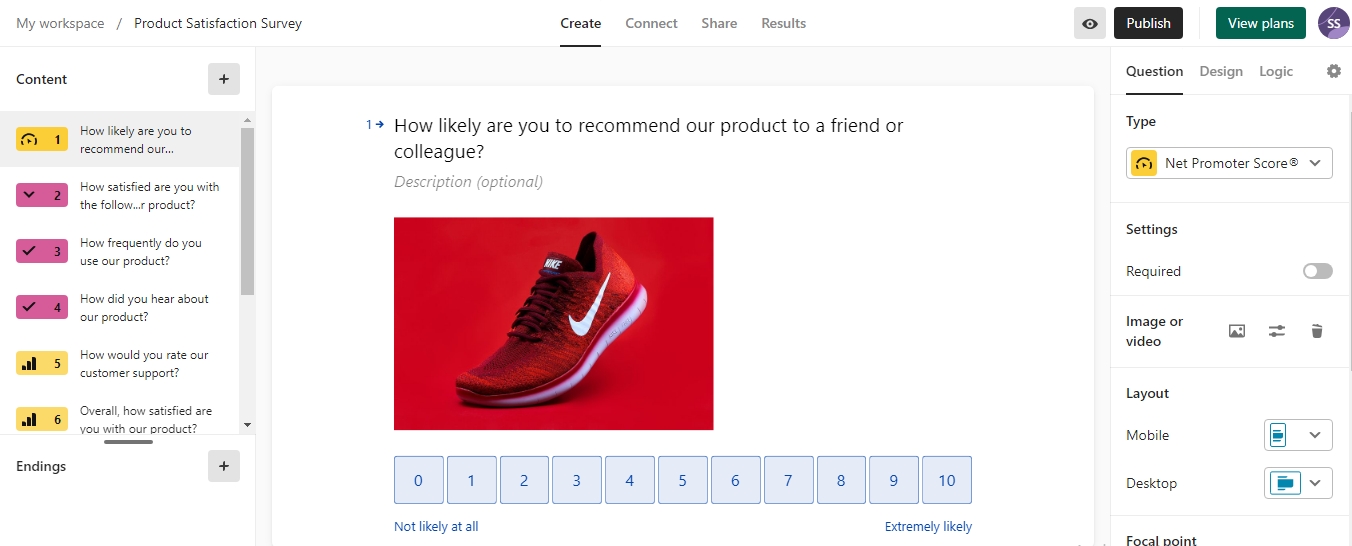
I had used Typeform briefly for a business project where I required my surveys to be as engaging as possible, and the tool absolutely shined. If you are looking to create visually appealing and interactive email surveys, Typeform is for you.
It’s best for engaging respondents with its unique, conversational design that keeps them interested from start to finish.
Apart from that, it offers a variety of question types and beautifully designed templates that can be easily customized to fit your brand. As an added perk, its user-friendly interface and real-time results tracking make it simple to distribute surveys and analyze feedback.
What you’ll like:
- Seamless integrations with popular apps for enhanced functionality and data integration
- Built-in analytics dashboard and visually appealing reports
- Mobile-friendly platform with advanced security measures and automation capabilities
- Supports multiple ways of survey sharing, such as by email, survey links & more
What you may not like:
- Minor glitches may occur during data analysis
- The one-question-at-a-time setup can be a limiting factor in situations where cluster questions are required
Pricing:
Paid plans start at $28/month.
3. SurveySparrow – Best for easy customization
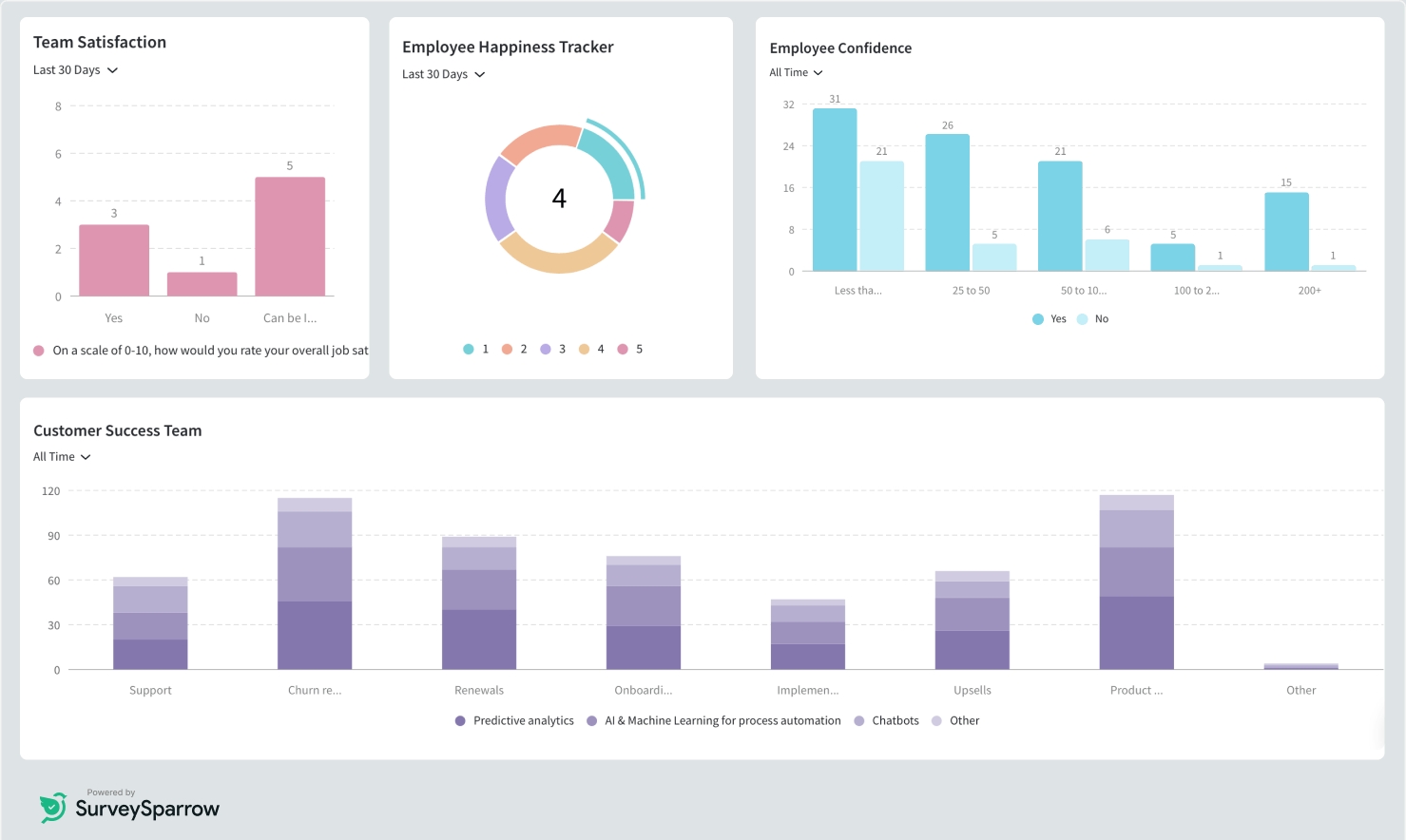
SurveySparrow is an excellent tool for creating highly customizable and engaging email surveys.
Best for its robust customization options, SurveySparrow allows you to design surveys that perfectly align with your brand’s look and feel. I love its comprehensive data analysis, recurring surveys, and secure administration, which made the entire process a breeze.
SurveySparrow also offers powerful analytics and reporting tools, helping you gain deep insights into customer feedback.
What You Will Like:
- User-friendly interface with customizable and engaging survey options
- Rich analytics for gaining actionable insights
- Enables automated recurring surveys that continuously track feedback trends
- Provides multi-channel sharing options such as emails, links, SMS & QR-codes for wider reach
What You May Not Like:
- There might be a learning curve for non-tech-savvy users due to multiple customization options
- More comprehensive features come only with higher pricing plans
Pricing:
Basic plan for individuals starts at $19/month
4. HubSpot – Best for free form builder within the HubSpot ecosystem
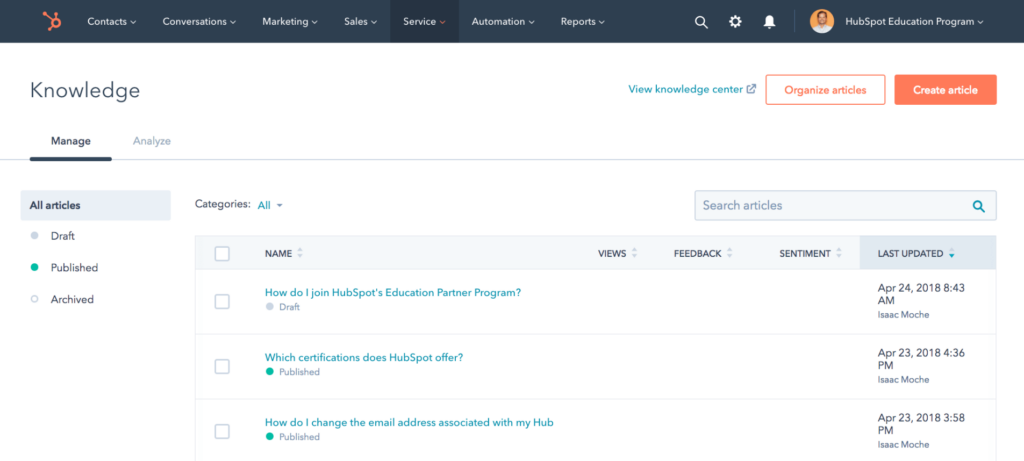
HubSpot’s free form builder is a solid choice for those already using the HubSpot ecosystem, especially for small businesses and startups.
While it offers limited features compared to dedicated survey tools, it integrates seamlessly with HubSpot’s CRM and marketing tools. This integration allows you to capture and analyze customer feedback within your existing workflow easily.
The form builder is user-friendly, with a drag-and-drop interface and basic customization options to match your brand.
Despite its simplicity, it provides valuable insights by connecting survey data directly with your customer database, making follow-ups and personalized communications straightforward and efficient.
What you’ll like:
- Conversational tools and shared inbox for streamlined customer communication
- Help desk automation to enhance ticket management and response efficiency
- Customer feedback and custom surveys for gathering valuable insights
- Integrated CRM for tracking and managing customer interactions seamlessly
What you may not like:
- Reporting capabilities could be more robust or customizable to fit specific needs
- Lack of customizability in areas such as outbound emails, email scheduling, etc.
Pricing:
Free for up to 5 users with limited features. Paid plan starts at $90/month/seat
5. SurveyMonkey – Best for in-depth analytics
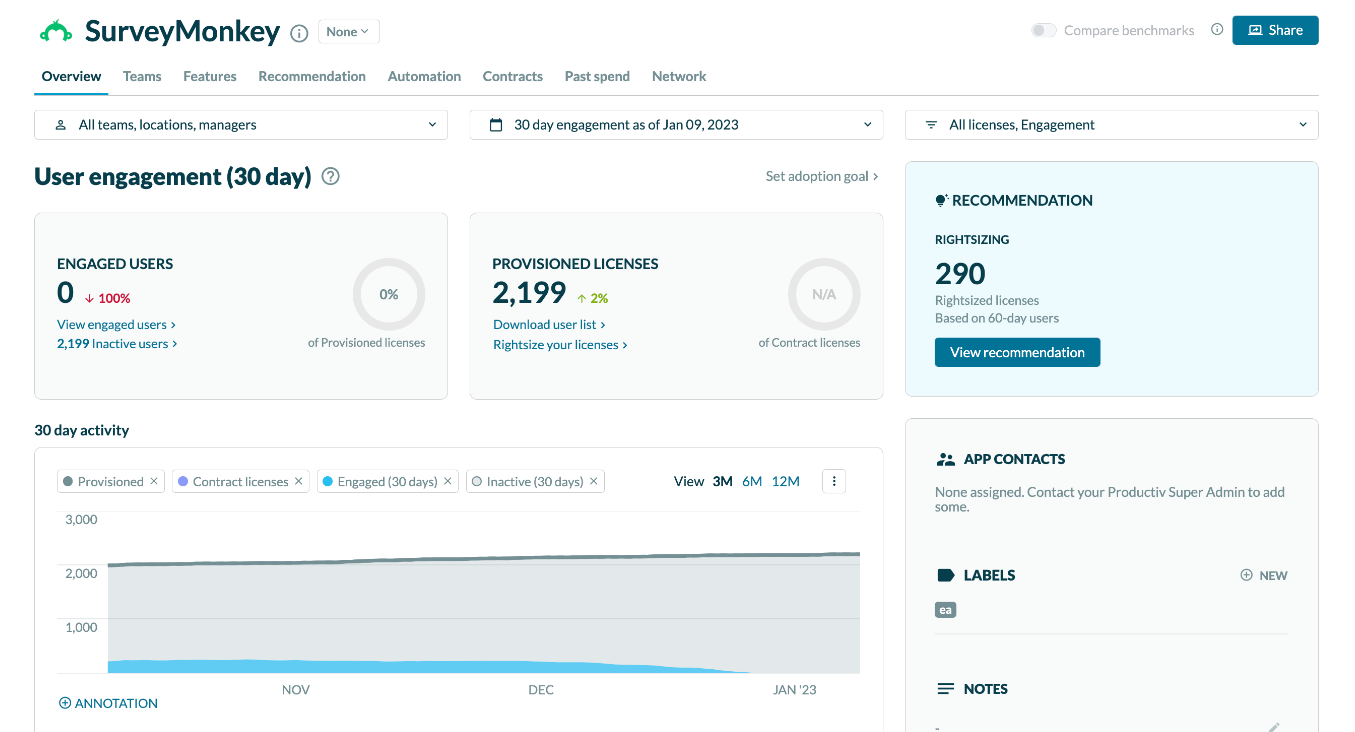
I find SurveyMonkey best for creating professional surveys with in-depth analysis. The tool offers a wide range of question types and templates, making survey creation straightforward and quick.
Its advanced analytics and reporting tools help you make sense of the data, providing actionable insights. With features like customizable branding and survey logic, you can tailor surveys to your specific needs.
SurveyMonkey also integrates seamlessly with various apps, ensuring that your survey data flows smoothly into your existing systems for efficient follow-up and analysis.
What you’ll like:
- Versatile question types, including multiple-choice, rating scales, and open-ended questions
- Extensive library of pre-made templates for quick and convenient survey design
- Real-time analytics providing instant insights on a user-friendly dashboard
- Convenient exporting options for data analysis and reporting in PDF, Excel, or CSV formats
- Robust survey distribution options, including email invitations, social media sharing, and website embedding
- Advanced survey logic and skip patterns for creating personalized and dynamic surveys
What you may not like:
- SurveyMonkey’s mobile app often crashes and faces difficulty logging in
- Some advanced or specialized question formats may not be available
Pricing:
Starts at $30/user/month
6. Alchemer – Best for enterprise survey needs
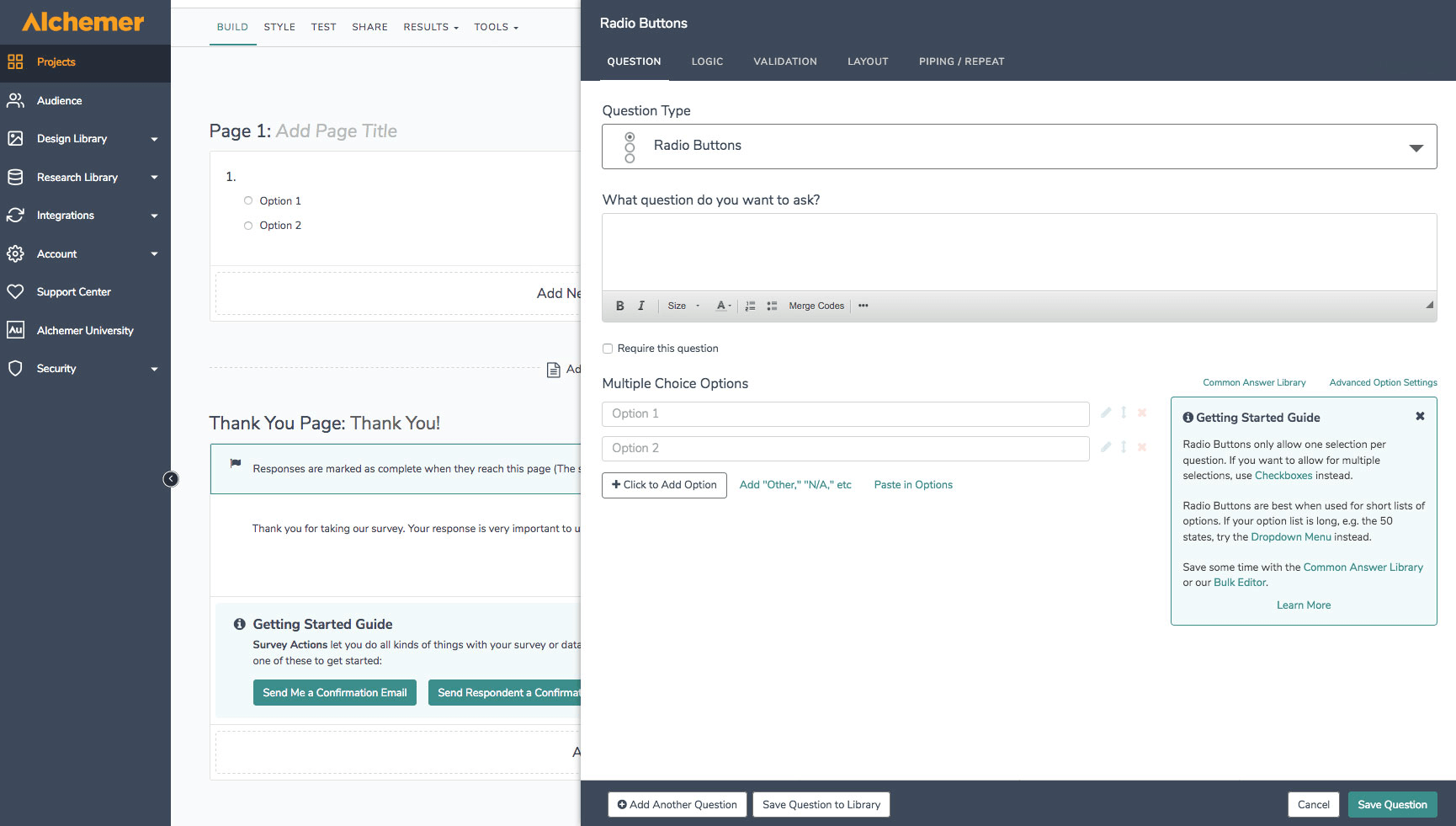
Alchemer is an excellent choice for enterprise survey needs, offering extensive customization and advanced features. It’s best for large organizations that require sophisticated survey solutions.
Alchemer provides powerful tools for creating complex surveys with a wide variety of question types and branching logic. Its robust reporting and analytics capabilities help enterprises gain deep insights and make data-driven decisions.
With strong security features and compliance with industry standards, Alchemer ensures that your data is safe and reliable.
What you’ll like:
- Easy-to-use visual editor to create surveys, polls, and questionnaires in minutes
- Multi-channel deployment options to get a 360-degree view of customer experience
- Includes open-text analysis, segmented reports, crosstab, conjoint analysis, and TURF reports
- Multiple integration APIs with popular platforms like MS Teams, HubSpot, Slack, etc.
What you may not like:
- Cluttered tool navigation and UI
- Slow data import and merge operations
Pricing:
Starts at $55 per user per month
7. Survicate – Best for easy-to-create surveys
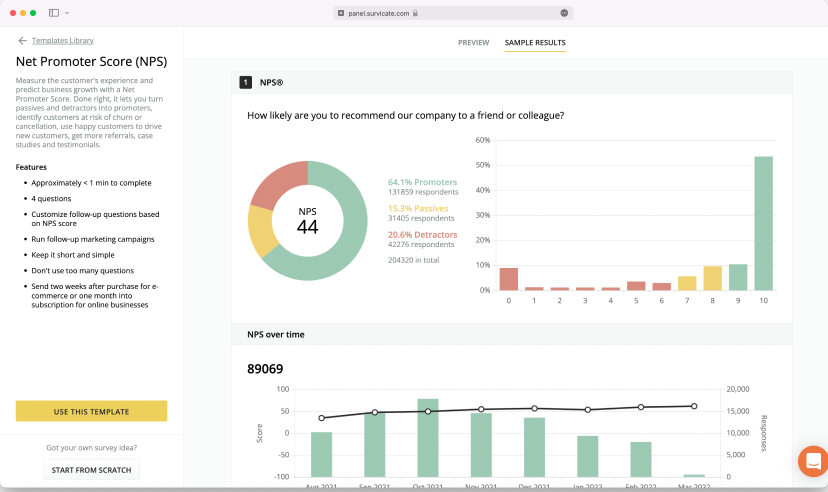
Survicate is my go-to tool for creating easy-to-make surveys that deliver powerful insights. Ideal for businesses that need quick and efficient feedback collection, Survicate offers an intuitive interface with a drag-and-drop builder that makes collecting feedback really easy.
You can choose from a variety of question types and ready-made templates to get started quickly. Its seamless integration with popular marketing and CRM tools ensures smooth data flow and immediate action on feedback.
With robust analytics and reporting features, Survicate helps you understand customer sentiments and make informed decisions effortlessly.
What You Will Like:
- User-friendly interface and drag-and-drop survey creator
- Versatile customization and design options
- Automated recurring surveys to follow up regularly
- Seamless integration with various tools
What You May Not Like:
- Limited advanced question types and logic features.
- Difficulty in testing and changing surveys.
Pricing:
Starts at $49/month (3 team seats)
8. Delighted – Best for customer experience management
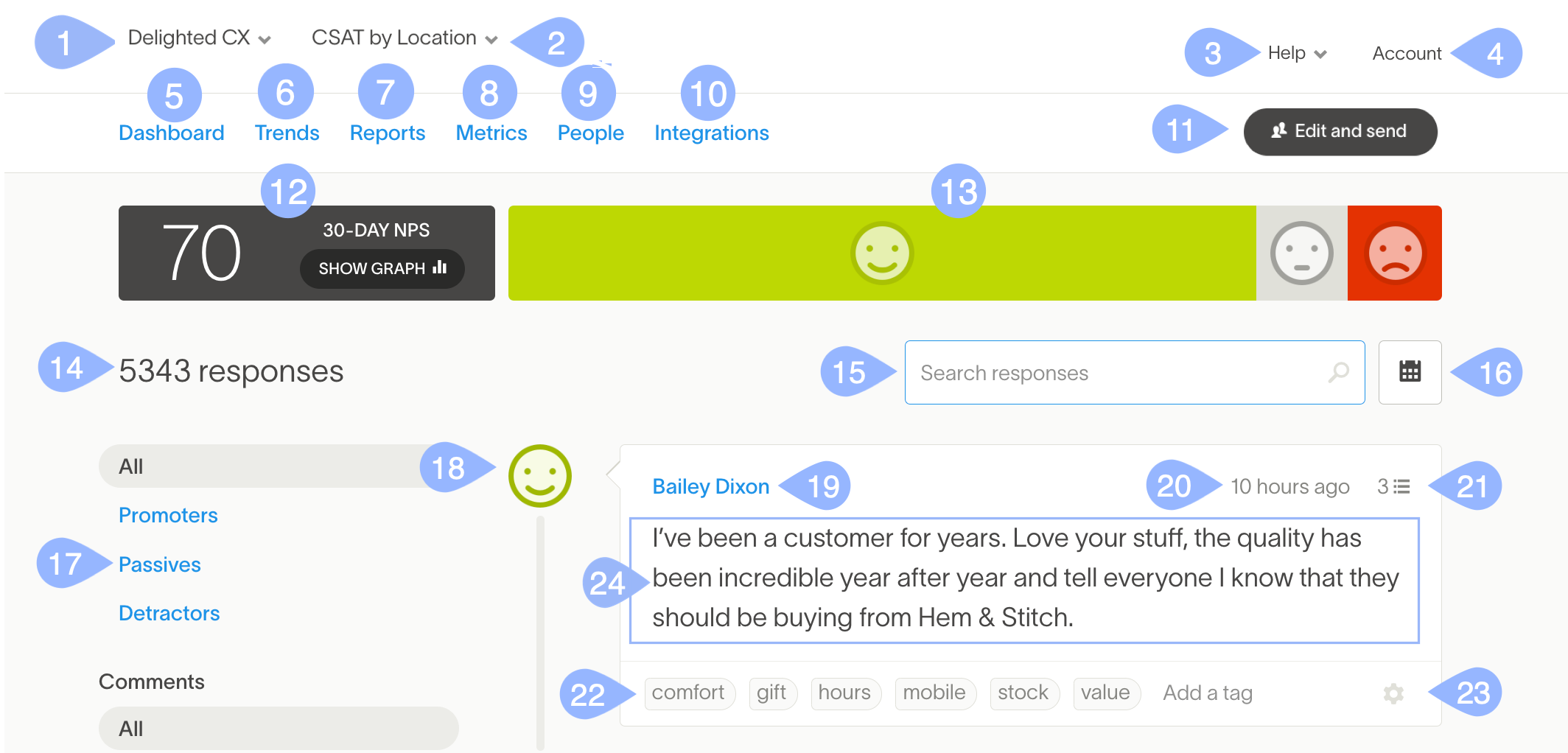
I find Delighted an excellent tool for customer experience management through surveys that collect and analyze customer feedback. It’s best for businesses focused on understanding and improving the customer journey.
Delighted offers simple yet powerful survey creation tools that help you gather real-time feedback through various channels, such as email, SMS, and web links.
Its intuitive dashboard and automated reporting provide valuable insights to drive business decisions.
What you’ll like:
- Multi-channel distribution via email, SMS, web links, and kiosks
- Real-time reporting with access to immediate insights, automated reports & dashboards
- Customizable surveys for effortlessly matching your brand style
- Seamlessly integration with popular tools like Slack, Salesforce, and HubSpot
What you may not like:
- May lack some of the advanced features available in other enterprise-level tools
- Advanced functionalities come at a higher price point
Pricing:
Paid plans start at $19/month
9. SurveyLegend – Best for mobile-friendly surveys
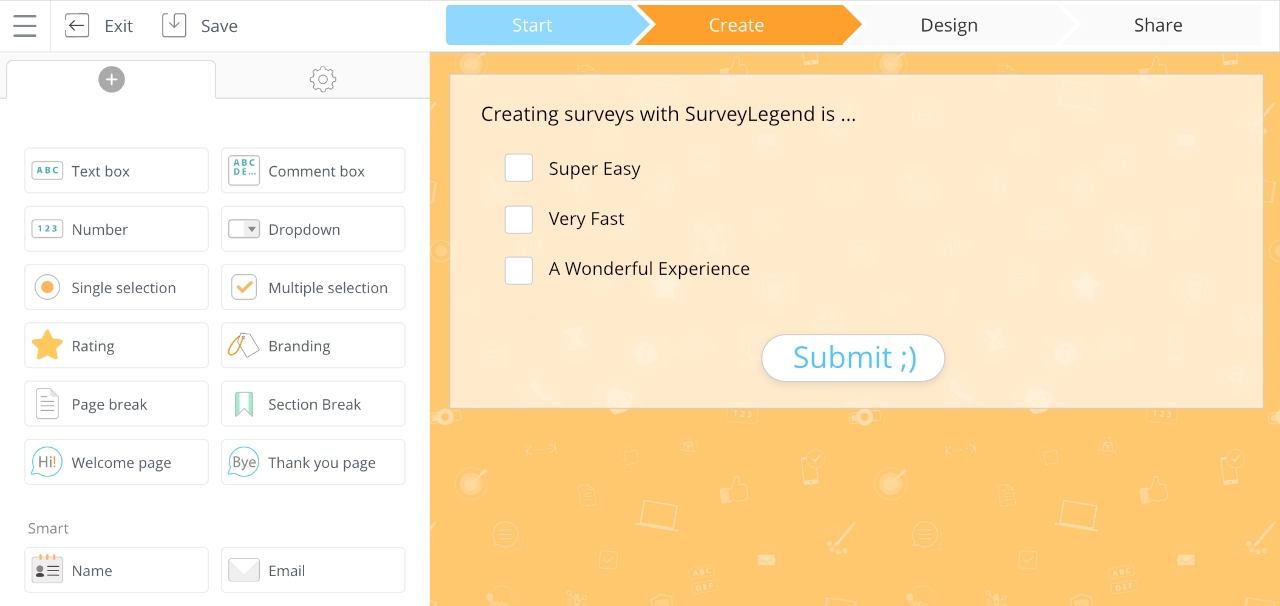
I first came across SurveyLegend while looking for a survey platform that could create visually appealing mobile-friendly surveys, and the tool fit my criteria nearly perfectly.
The tool is ideal for businesses that need responsive surveys accessible on any device. SurveyLegend also offers a user-friendly drag-and-drop interface, making survey creation quick and easy.
With a wide variety of question types and customization options, I could design engaging surveys quite easily, and its powerful analytics provided me with the deep insights I needed to aid my decision-making process.
What you’ll like:
- Surveys are fully responsive and look great on any device
- Easy drag-and-drop survey builder with intuitive controls
- Access to instantaneous feedback & detailed response analytics
- Strong encryption (TLS) to ensure the security of your data
What you won’t like:
- Lengthy survey responses get cut off, limiting the view of full survey responses
- The surveys don’t work well on all browsers
Pricing:
Starts at $15/month.
10. Jotform – Best for in-survey payments
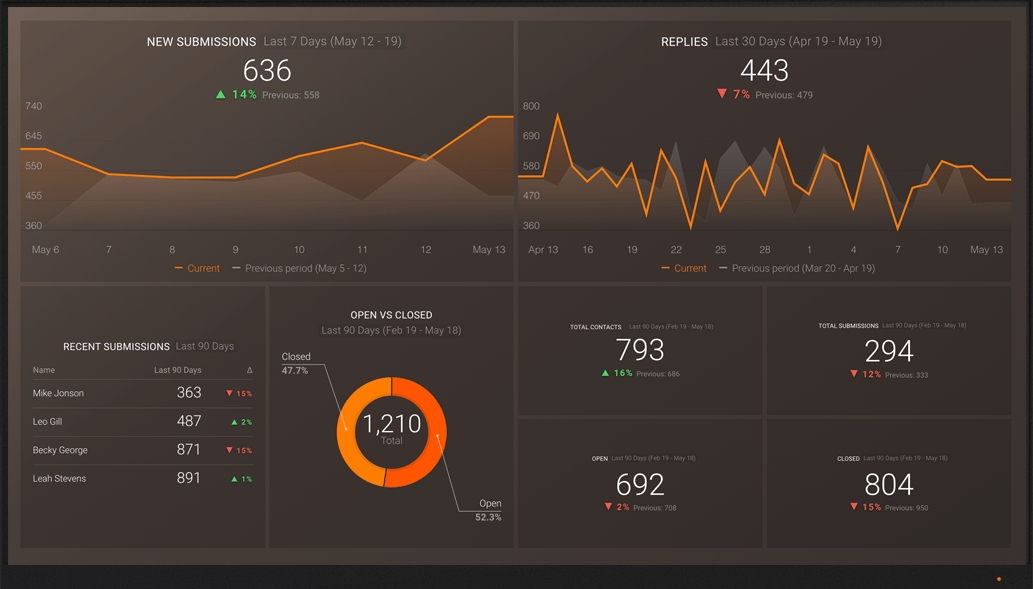
If your email survey requires payment of any kind, there are few tools better than Jotform. Best for in-survey payments, Jotform allows you to seamlessly integrate payment options directly within your surveys. This makes it ideal for collecting donations, selling products, or processing any kind of payment without redirecting respondents.
Other than that, one of Jotform’s standout features is its ability to automate workflows. By integrating with third-party apps and platforms, Jotform streamlines data collection and tasks like sending automatic email notifications, generating PDFs, or managing form submissions.
The tool also offers customizable form templates, advanced reporting and analytics, and seamless collaboration with teammates to create, manage, and analyze forms efficiently.
What you’ll like:
- Supports popular payment gateways like PayPal and Stripe
- SSL data security to weed out spam responses or data leakage
- Intuitive interface plus a wide range of templates & themes to match your brand
- Multiple use cases beyond surveys, like registrations, applications, and feedback
What you may not like:
- The tool’s interface can be challenging to navigate
- Crashes frequently due to bugs
Pricing:
Starts at $34/month.
Which Are the Best Email Survey Tools?
If you don’t have the time to go through the entire blog, fret not! Here are my three best picks to make the task even easier for you.
1. ProProfs Survey Maker
ProProfs Survey Maker is noted for its user-friendly interface and powerful features. It provides an easy email sharing feature right on the survey dashboard that makes it a breeze to send emails and for respondents to complete them within the received email. This winning combination leads to higher open rates, survey completion, and, ultimately, better feedback.
2 . Typeform
Typeform excels in creating visually appealing and interactive surveys. Its unique design approach keeps respondents engaged, leading to higher completion rates. With its easy email distribution and real-time results tracking, Typeform makes collecting and analyzing feedback a breeze.
3. SurveyMonkey
SurveyMonkey is renowned for its robust features and ease of use. It offers many question types and templates, making survey creation quick and straightforward. The tool’s powerful analytics and reporting features help you make sense of the collected data, making it a reliable choice for email surveys.
How I Evaluated These Email Survey Tools
The evaluation of products or tools chosen for this article follows an unbiased, systematic approach that ensures a fair, insightful, and well-rounded review. This method employs six key factors:
- User Reviews / Ratings– Direct experiences from users, including ratings and feedback from reputable sites, provide a ground-level perspective. This feedback is critical in understanding overall satisfaction and potential problems.
- Essential Features & Functionality: The value of a product is ascertained by its core features and overall functionality. Through an in-depth exploration of these aspects, the practical usefulness and effectiveness of the tools are carefully evaluated.
- Ease of Use: The user-friendliness of a product or service is assessed, focusing on the design, interface, and navigation. This ensures a positive experience for users of all levels of expertise.
- Customer Support: The quality of customer support is examined, taking into account its efficiency and how well it supports users in different phases – setting up, addressing concerns, and resolving operational issues.
- Value for Money: Value for money is evaluated by comparing the quality, performance, and features. The goal is to help the reader understand whether they would be getting their money’s worth.
- Personal Experience / Expert’s Opinion or Favorites: This part of the evaluation criteria draws insightful observations from the personal experience of the writer and the opinions of industry experts.
- Company Size & Use Case Fit: A tool that works beautifully for a 10-person startup may buckle under the needs of a 500-person enterprise—and vice versa. I evaluated each tool against real-world scenarios: small businesses needing a free or low-cost starting point, mid-market teams balancing customization with analytics depth, enterprises requiring advanced security and HRIS integrations, global workforces with accessibility challenges like shared devices or no personal company email, and specialized use cases like lead scoring assessments or in-survey payments.
FREE. All Features. FOREVER!
Try our Forever FREE account with all premium features!
How to Launch an Email Survey (Step-by-Step)
If you’re new to email surveys, here’s the practical sequence that works—regardless of which tool you choose:
Step 1: Define Your Goal
Every survey should have one primary question it’s trying to answer. “How satisfied are customers after onboarding?” is a goal. “Let’s see what customers think about everything” is not. A clear goal keeps surveys short and response rates high.
Step 2: Choose the Right Survey Type
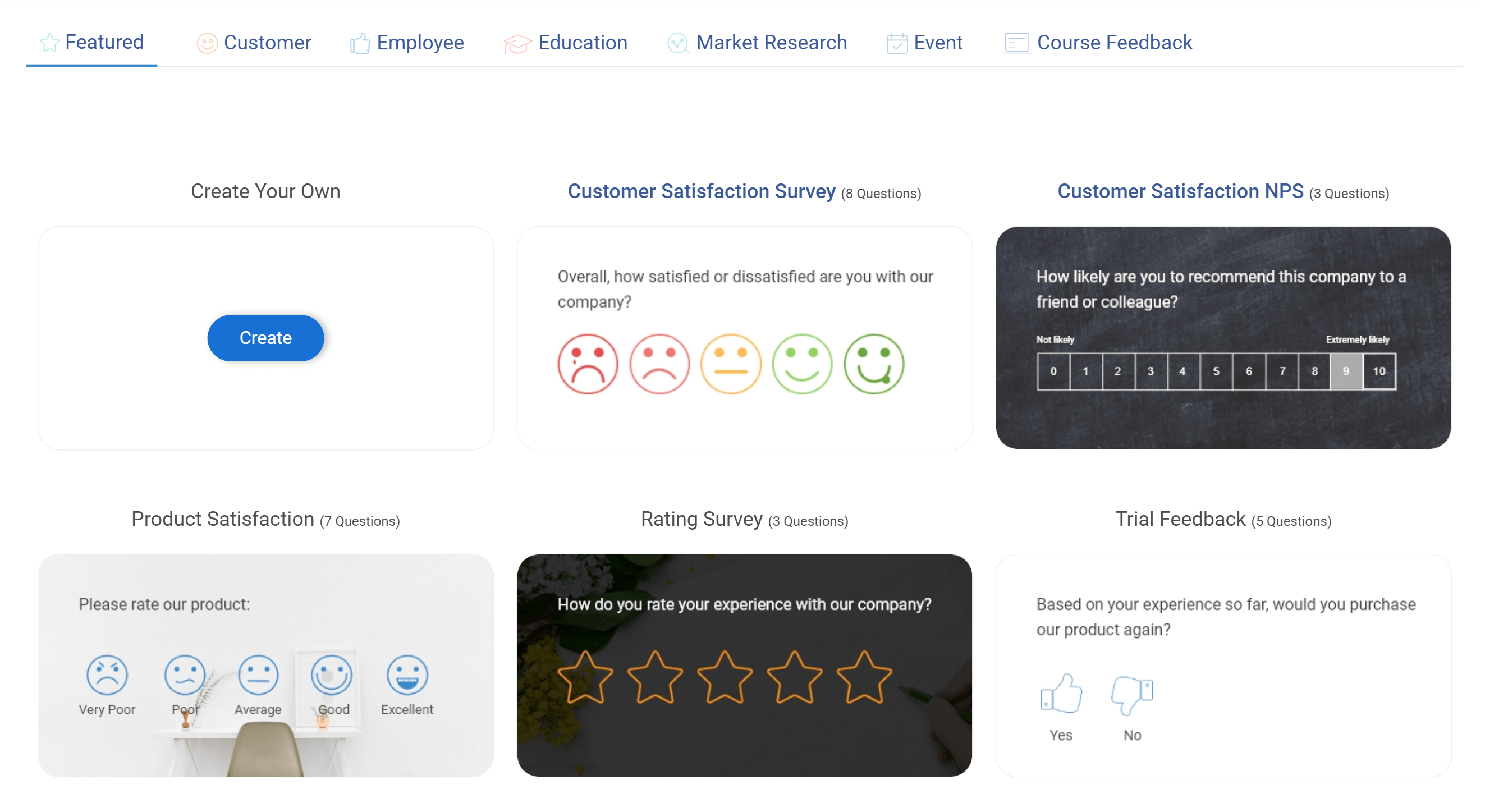
NPS surveys (“How likely are you to recommend us?”) are best for tracking relationship health over time. CSAT surveys (“How satisfied were you with today’s interaction?”) are best for transactional moments. Open-ended feedback surveys are best when you’re exploring a problem you don’t yet understand. Here are a few survey templates you can use:
Step 3: Build Your Survey
Keep it to 5 questions or fewer wherever possible. If you need more, use branching logic to show only the questions relevant to each respondent. Every tool on this list supports branching, though the complexity you can achieve varies significantly. You can use something like ProProfs AI to create your surveys with ease and not dwell a lot on which questions to keep.
Step 4: Test Before Sending
Send yourself a test email. Check how it renders on mobile (over 60% of emails are now opened on mobile devices). Verify all branching logic works correctly. Check your survey link isn’t broken.
Step 5: Check Your Deliverability Before You Hit Send
The best-designed survey is useless if it lands in spam. Make sure SPF, DKIM, and DMARC records are configured for your sending domain; most survey tools will walk you through this, but it’s easy to skip and regret later.
Avoid spam trigger words in your subject line like “free,” “win,” or “urgent.” If you’re sending from a new domain, start with your most engaged contacts first and ramp up volume gradually.
And keep your list clean, repeatedly emailing addresses that never open your surveys hurts your sender reputation over time and reduces deliverability for everyone on your list.
Step 6: Set up Your Distribution
Segment your list—don’t send the same survey to brand-new customers and long-term customers. Configure automated reminders for non-respondents (one reminder, sent 3–5 days after the initial send, typically boosts response rates by 10–20%).
Step 7: Close the Loop
This is the step most teams skip. When someone takes the time to give you feedback, acknowledge it—whether that’s a thank-you message, a follow-up email, or a notification to your support team to reach out. Tools with CRM integrations (Survicate, HubSpot, ProProfs) make this automatable.
Email Survey Response Rates: What Should You Expect?
Before picking a tool, it helps to set realistic expectations. Based on widely reported industry benchmarks, average email survey response rates range from 20–30% for internal employee surveys and 10–15% for customer-facing surveys.
Transactional surveys (sent immediately after a purchase or support interaction) tend to perform best, often hitting 25–40%, while cold outreach surveys rarely break 5%.
A few factors that meaningfully move these numbers:
Subject Line Clarity: Surveys with subject lines that state the time commitment (“2-minute survey”) see open rates up to 18% higher than vague ones.
Timing: Tuesday through Thursday, mid-morning sends consistently outperform Monday or Friday sends across most industries.
List Quality: A scrubbed, segmented list of engaged contacts will always outperform a large but stale list. Even the most feature-rich tool can’t compensate for a cold or unverified email list.
Survey Length: Single-question email embeds (like NPS “on a scale of 1–10” directly in the email body) routinely achieve 2–3x higher response rates than surveys requiring a click-through to a separate page.
Survey Fatigue: If your audience is receiving surveys from multiple teams within your organization, frequency quickly becomes a problem. Tools like ProProfs Survey Maker address this with built-in response retake limit settings and recurring survey controls that prevent over-surveying the same contacts.
What Are the Common Email Survey Challenges & How Should You Solve Them?
“Our open rates are terrible.” This is usually a combination of list hygiene, subject line quality, and sending time. Before blaming your tool, audit your list for stale addresses and test 2–3 subject line variants. Here are a few challenges that you must have faced or can face while using email surveys, and how to fix them:
| Pain Point | Why It Happens | How to Fix It |
|---|---|---|
| Low open rates | Stale list, weak subject lines, bad send timing | Audit your list for inactive addresses, test 2–3 subject line variants, and send Tuesday–Thursday mid-morning |
| Low completion rates | Survey is too long or asks irrelevant questions | Keep it under 5 questions, use branching logic to show only relevant questions, and try a conversational one-at-a-time format |
| Feedback collected but never acted on | Survey data lives separately from the CRM or helpdesk | Integrate your survey tool with your CRM so responses automatically update contact records and trigger follow-up workflows |
| Survey fatigue | Multiple teams sending surveys independently with no frequency control | Cap how often any individual receives a survey and centralize survey ownership across teams |
| Survey and CRM/HRIS data in silos | No integration between survey tool and people systems | Choose a tool with API access or native HRIS integrations and verify the integration is actively maintained before committing |
Transform Feedback Into Actionable Insights With the Right Tool
I hope I could help you pick the right tool for your email survey needs. Each of these options offers unique features to enhance your feedback collection process. Whether you need advanced customization, mobile-friendly designs, or in-survey payments, there’s a perfect tool for you. Happy surveying!
Frequently Asked Questions

What are the types of email surveys?
Common types include customer satisfaction surveys, Net Promoter Score (NPS) surveys, product feedback surveys, and event feedback surveys.
What is an email survey good for?
Email surveys are good for gathering customer feedback, understanding customer satisfaction, improving products or services, and gaining insights into customer needs and preferences.
What is the average response rate for email surveys?
The average response rate for email surveys is 10–30%, depending on the audience and context. Internal employee surveys typically see higher rates (20–40%) than customer surveys sent to cold or semi-engaged lists (5–15%). Transactional surveys—sent immediately after a specific interaction—consistently outperform batch sends.
How do I improve email survey response rates?
The most reliable levers are: keeping surveys short (1–5 questions), embedding a question directly in the email body, sending at the right time (Tuesday–Thursday, mid-morning), personalizing the subject line, and sending one well-timed reminder. List quality matters too—a smaller list of engaged contacts will always outperform a large stale one.
What is the difference between NPS and CSAT surveys?
NPS (Net Promoter Score) measures long-term loyalty and the likelihood a customer would recommend your product or service. CSAT (Customer Satisfaction Score) measures satisfaction with a specific, recent interaction. NPS is better for tracking relationship health over time; CSAT is better for measuring transactional moments, such as support tickets or purchases.
Can I embed a survey directly in an email?
Yes, some tools allow you to embed a single survey question (most commonly an NPS or rating scale) directly in the email body, so respondents can answer without clicking through to a separate page. This significantly increases response rates. ProProfs Survey Maker and Delighted are among the tools that support this feature.
What should I look for in an email survey tool for a large organization?
For large organizations, prioritize enterprise-grade security and compliance, robust integration with your CRM or HRIS, role-based access controls, capped response frequency to prevent survey fatigue, and support for multilingual surveys if you operate globally. Alchemer and SurveyMonkey Enterprise are built for these requirements.
Can I use email surveys for lead scoring or assessments?
Yes, and it's one of the more underrated use cases for survey tools. Instead of sending prospects a static PDF, you can build a scored assessment that asks qualifying questions, calculates a score based on responses, and displays personalized results to the respondent. The key is choosing a tool that supports conditional logic and score calculation. ProProfs Survey Maker supports this natively with its quiz and assessment functionality.
When should I switch from my current survey tool?
A few clear signals: your licensing costs have jumped significantly without a corresponding increase in features you actually use, your team is only using 20–30% of what the platform offers, or you're hitting integration walls with your CRM or HRIS. Many organizations default to enterprise-grade platforms early on and find themselves over-paying for complexity they don't need. Before renewing, map your actual usage against the features you're paying for, you may find a leaner tool covers everything at a fraction of the cost.
FREE. All Features. FOREVER!
Try our Forever FREE account with all premium features!

 We'd love your feedback!
What did you like & how can we make it even better?

 Thanks for your feedback!
 Ask Your Question
Have a question? Get expert help to make your decision easier.