
I’ve spent a solid part of my career evaluating and running survey programs across HR, CX, and market research functions, and SurveySparrow came up early in almost every conversation about customer feedback software.
It has a genuinely appealing pitch: conversational, chat-style surveys that feel less like forms and more like dialogue.
The problem I kept running into, and that I kept hearing from peers, is that the promise and the reality drift apart once you are past the trial.
Pricing escalates fast when you need branding removal, advanced logic, or deeper analytics.
The reporting interface requires more manual work than it should at the price points involved. And the learning curve is steeper than the interface implies.
So I went looking. This list covers the 10 tools I tested directly or vetted through people running them in real programs, and I’ll be straight about where each one earns its place and where it doesn’t.
Why Are Teams Looking for Alternatives?
SurveySparrow is a conversational survey platform that transforms traditional form-based surveys into a chat-like, one-question-at-a-time format.
It targets CX, HR, marketing, and product teams who want higher completion rates and a more engaging respondent experience.
The format works. Chat-style surveys do tend to produce better completion rates for short surveys, and SurveySparrow’s template library is solid.
I’ve seen it deployed well by CX teams running omnichannel NPS programs where the centralized dashboard actually earns its keep.
But here’s what consistently comes up when teams look for something similar to SurveySparrow or better:
Pricing Escalates Without Warning: The base tier looks reasonable, but core features like removing platform branding, advanced logic, and deeper analytics all sit behind significantly more expensive plans. Several Capterra reviewers flag pricing as their primary concern, with one noting they hoped it would “remain accessible and affordable for small businesses.”
Reporting Requires Extra Work: Multiple verified reviewers call out that managing large response volumes requires “a lot of additional work after downloading the CSV reports.” For teams that need clean, presentation-ready dashboards, this adds friction to every reporting cycle.
The Learning Curve Is Real: Despite the clean interface, new users frequently report that navigation and advanced features take time to master. One reviewer put it plainly: “You might need some time to find your way with SurveySparrow, unlike other applications.”
Mid-to-High Tier Pricing Requires a Sales Conversation: SurveySparrow’s lower tiers are visible, but meaningful plans for growing teams require contacting sales. For teams trying to evaluate and budget quickly, that opacity adds friction.
None of this makes SurveySparrow a bad tool. It makes it the wrong tool for teams that need better analytics, predictable pricing, or faster setup at scale.
That’s the gap the alternatives below are built to fill.
10 Best SurveySparrow Alternatives I’ve Tested and Vetted
I used ProProfs Survey Maker and Qualaroo directly across NPS programs, HR assessments, and lead qualification workflows.
I’ve also run QuestionPro and Alchemer in research programs. Everything else on the list comes from extended conversations with the people actually running these tools day to day.
Here are the top 10 SurveySparrow alternatives:
| Tool | Best For | Capterra Rating | Starting Price |
| ProProfs Survey Maker | AI-powered survey creation, NPS, scored assessments | 4.8/5 | Free; paid from $19.99/month |
| Qualaroo | Contextual, in-product, and website feedback | 4.7/5 | From $19.99/month |
| Alchemer | Customer and employee feedback at research depth | 4.5/5 | Custom |
| QuestionPro | Offline and large-scale survey programs | 4.8/5 | From $99/user/mo |
| SoGolytics | End-to-end customer experience management | 4.7/5 | Custom |
| Typeform | High-engagement, design-forward conversational surveys | 4.7/5 | From $28/mo |
| Jotform | Payment forms and multi-purpose data collection | 4.7/5 | From $34/mo |
| SurveyLegend | Mobile-first and visually engaging surveys | 4.6/5 | From $15/mo |
| BlockSurvey | Privacy-first and secure survey collection | 4.9/5 | From $39/mo |
| Formstack | Automated survey workflows and form routing | 4.0/5 | From $83/mo |
Here’s the deep dive into each tool:
1. ProProfs Survey Maker – Best for Easy, AI-Powered Survey Creation at Scale
I’ve built NPS programs, employee engagement surveys, and lead qualification assessments on ProProfs Survey Maker, and what struck me most when I ran it against other tools was how little time sits between having a goal and having a live survey.
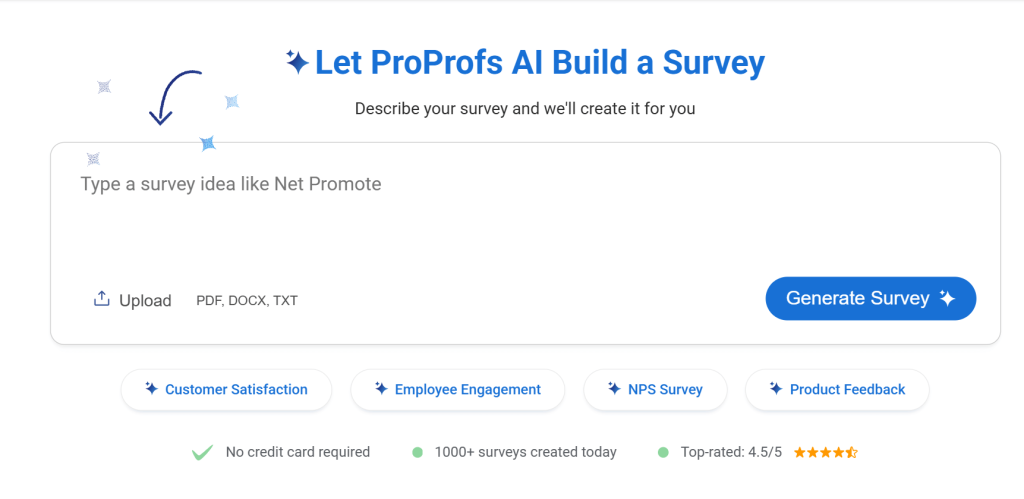
The AI survey maker is the feature that surprises people most. I describe a survey goal in plain language, and it generates a complete survey, with structure and branching logic, in seconds.
What makes it the strongest of these SurveySparrow alternatives, from a practical standpoint, is the pricing model.
The scored survey workflow is what I reach for. Responses carry point values, respondents are bucketed into score ranges, and custom result pages are shown based on their outcome. SurveySparrow does not offer this natively. ProProfs Survey Maker does, on every plan.
Here’s a ProProfs Survey Maker success story:
How ProProfs Survey Maker Compares to SurveySparrow: SurveySparrow locks branding removal, advanced analytics, and custom scoring behind premium plans. ProProfs Survey Maker includes all of these on every plan, including the free tier. The AI survey builder, scored workflows, and per-response pricing model together make it a stronger fit for teams that want professional-grade surveys without enterprise-level costs.
Pros:
- AI-powered survey creation from a plain-language prompt
- 100+ professionally designed templates covering NPS, CSAT, employee engagement, market research, and event surveys
- Scored surveys with custom result pages for assessments and lead qualification
- 20+ question types, including NPS scale, Likert, slider, ranking, and open-ended
- Multilingual surveys in 70+ languages
- Skip logic and branching for adaptive survey flows
- Integrations with Salesforce, HubSpot, MailChimp, Zendesk, and Zapier
- GDPR and ADA compliant with SSO on enterprise plans
- White-label add-on for agencies managing client-facing surveys
- Popup, sidebar, and in-app survey delivery for real-time website feedback
Cons:
- Free plan caps at 50 responses per month, which suits pilots but not high-volume programs
- A dedicated onboarding manager is only available on paid plans
Pricing: Free plan available with all premium features. Paid plans from [automate-pricing] per 100 responses.
User Rating: 4.8/5 (Capterra)
2. Qualaroo – Best for In-Context, Real-Time Website/App/Service Feedback
I’ve had Qualaroo running in product feedback workflows, and the difference in data quality compared to post-session email surveys is immediate.
The difference from email-based survey programs is structural, not incremental. Other platforms collect reactions after the user has already moved on.
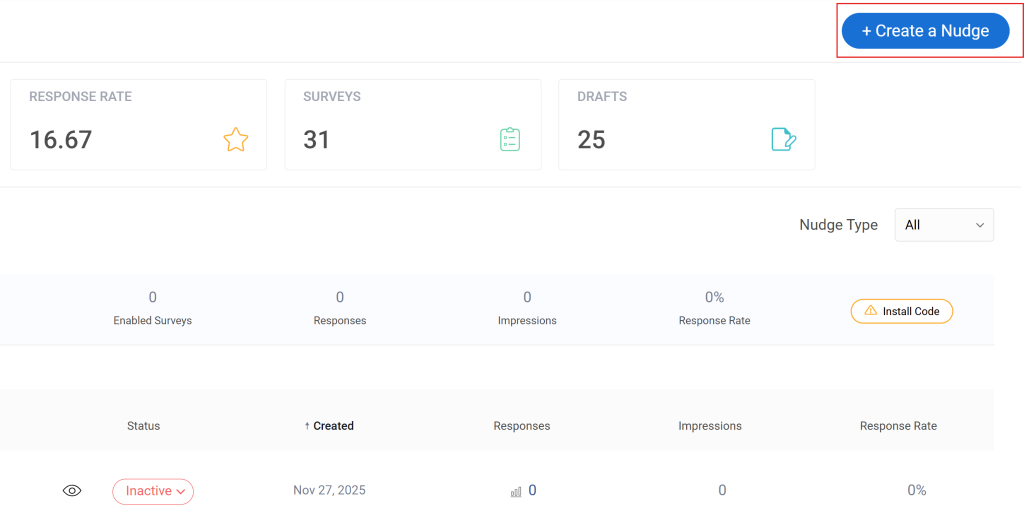
Qualaroo surfaces the question while they are still in the middle of whatever triggered it. The mechanism is a Nudge: a lightweight prompt triggered by behavior, time on page, scroll depth, specific URLs, exit intent, or device type.
The AI sentiment analysis layer is what makes it operationally useful at scale. Open-ended responses are automatically categorized and scored, so I’m not manually reading hundreds of freeform answers to extract a pattern.
How Qualaroo Compares to SurveySparrow: SurveySparrow is built for planned, distributed survey programs. Qualaroo is built to capture why users behave the way they do, at the exact moment they’re doing it. If your primary pain point is real-time behavioral insight rather than campaign-style feedback collection, Qualaroo is the stronger tool.
Pros:
- Behavior-based and URL-specific targeting for precise, contextual survey placement
- AI sentiment analysis on open-ended responses
- 12+ question types including NPS, CSAT, CES, and UES
- No-code deployment with no developer dependency
- 100+ templates for exit intent, product feedback, and UX research
- A/B testing for survey variants
- Integrations with HubSpot, Salesforce, Mailchimp, and major analytics platforms
- Mobile in-app survey support for native app feedback
Cons:
- Reporting flexibility is limited for teams that need advanced cross-tab or segmentation analysis
- Higher entry price compared to general-purpose survey tools
- Not designed for broad omnichannel campaign automation
Pricing: From $19.99/month.
User Rating: 4.7/5 (Capterra)
3. Alchemer – Best for Enterprise Survey Customization and Advanced Logic
Research teams who moved from SurveySparrow to Alchemer consistently cite two things: the depth of the analytics and the absence of response volume caps.
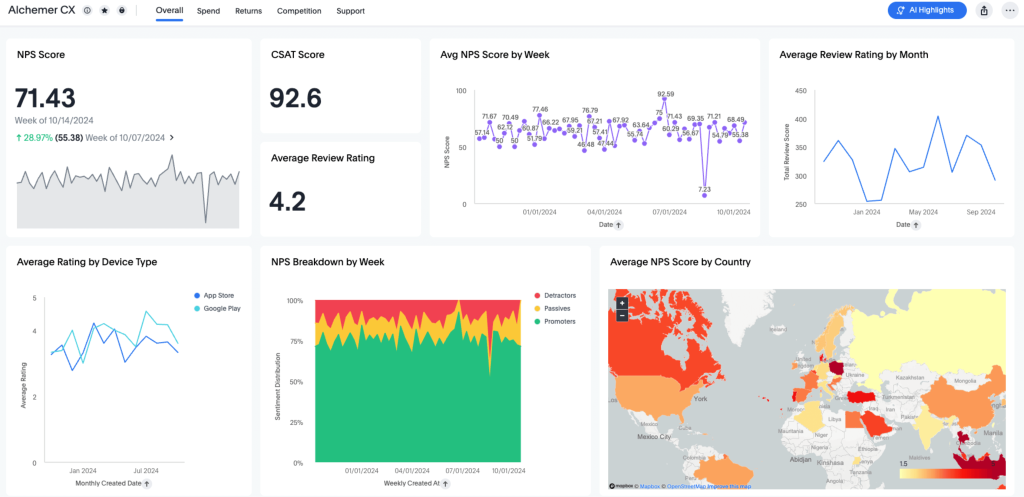
Alchemer sits between basic survey tools and enterprise platforms. It offers advanced conditional logic, 40+ question types, custom scripting, conjoint analysis, and TURF reports.
The analytical depth holds up in ways that SurveySparrow’s interface doesn’t, particularly when you are slicing data by department, tenure, or response cohort.
The trade-off is per-user pricing. For small single-user teams, it is manageable. For larger teams running shared survey programs, the costs add up faster than response-based pricing models.
How Alchemer Compares to SurveySparrow: SurveySparrow emphasizes engagement and format. Alchemer emphasizes analytical depth and logical complexity. If the problem with your current tool is that it produces engaging surveys but limited insights, Alchemer is the stronger upgrade path.
Pros:
- 40+ question types with advanced branching and custom scripting
- Conjoint analysis and TURF reports for research-grade insights
- Multi-channel distribution for a 360-degree view of customer experience
- No limits on surveys or total responses collected
- Integrations with Microsoft Teams, HubSpot, and Slack
- Automated and filterable survey response reports with graphic representations
Cons:
- Navigation feels cluttered compared to newer SaaS tools
- Slow data import and merge operations on large datasets
- Per-user pricing model becomes expensive for teams larger than five
Pricing: Custom pricing. Contact sales for a quote.
User Rating: 4.5/5 (Capterra)
4. QuestionPro – Best for End-to-End Survey Research and Analytics
QuestionPro comes up consistently in conversations about large-scale survey programs, particularly when teams need to collect data in locations with unreliable internet.
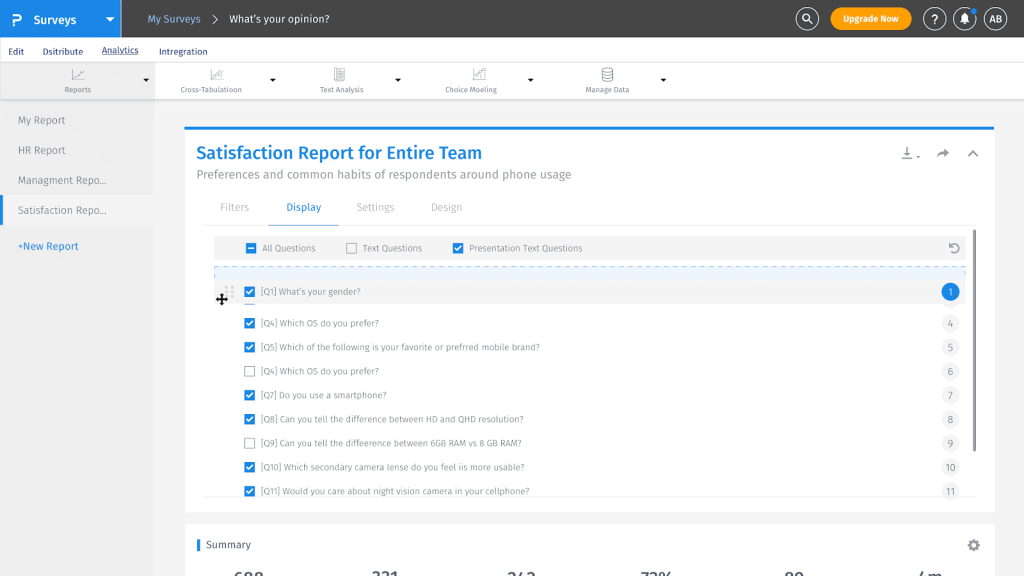
The offline survey capability is a genuine differentiator that most tools in this category, including SurveySparrow, do not offer.
You collect responses via the mobile app without an internet connection, and they sync automatically when connectivity returns. For pharmaceutical, public health, and field service teams, that matters significantly.
QuestionPro provides access to an external respondent panel when you need to survey a population beyond your own customers or employees. That removes the need for a separate vendor for research recruitment.
How QuestionPro Compares to SurveySparrow: SurveySparrow is built for connected, digital survey programs. QuestionPro handles the offline and large-scale research scenarios that SurveySparrow cannot. If your program involves field research, event data collection, or external respondent panels, QuestionPro covers requirements that SurveySparrow leaves unaddressed.
Pros:
- Offline data collection via mobile app with automatic sync on reconnect
- Panel services for accessing external respondent populations
- Real-time dashboard with cross-tabs, filters, and trend analysis
- Collaboration features for assigning roles and sharing surveys across teams
- Multiple distribution channels, including QR codes, SMS, social, and embedded links
Cons:
- Advanced features carry additional costs even on paid plans
- Limited formatting options compared to design-forward tools
- Per-user pricing at $99/month is significantly higher than most alternatives here
Pricing: From $99/user/month.
User Rating: 4.5/5 (Capterra)
5. SoGolytics – Best for Combining Employee and Customer Experience Insights
From CX professionals managing continuous feedback programs, SoGolytics comes up as one of the more complete end-to-end platforms in this category.
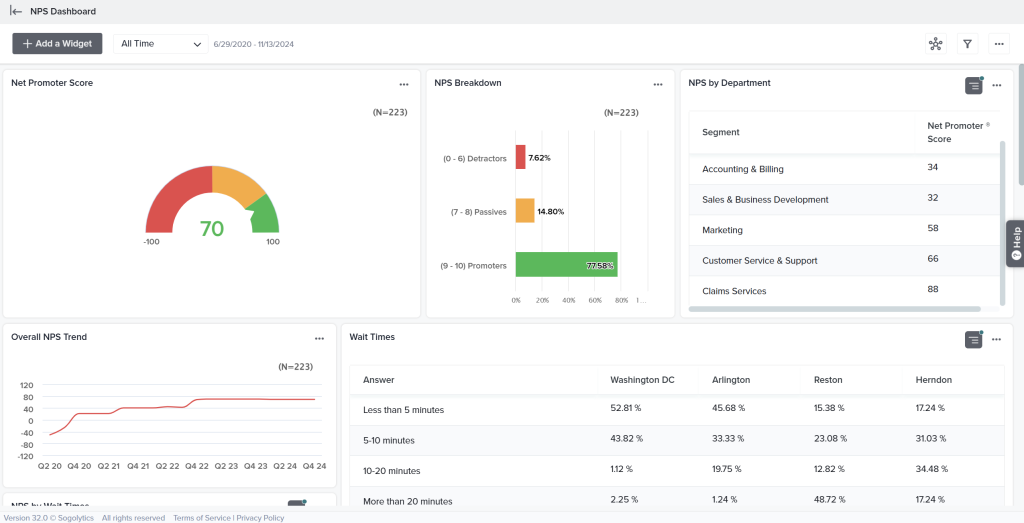
Where most tools handle creation or distribution or reporting, SoGolytics covers the full cycle: multilingual survey creation, omnichannel distribution, automated alerts, and action-to-close-loop workflows in a single platform.
For teams managing structured customer experience programs rather than one-off surveys, that end-to-end coverage reduces the integration overhead considerably.
The automated data export and security compliance features are also worth noting for teams in regulated industries, where data governance is required, not optional.
How SoGolytics Compares to SurveySparrow: SurveySparrow focuses on survey format and engagement. SoGolytics focuses on the full customer experience management cycle. If your problem is not just capturing feedback but acting on it systematically across multiple channels and audiences, SoGolytics is the more structured tool for that workflow.
Pros:
- Multilingual survey creation and distribution on a single platform
- Real-time data visualization with customizable dashboards
- Omnichannel collection with alert-to-action workflows
- Automated and secure data export
- GDPR compliant with advanced security controls
- Integration with enterprise systems
Cons:
- Customization options are more limited than design-focused tools
- The initial learning curve is steep for teams new to CX management platforms
Pricing: Custom pricing. Contact sales for a quote.
User Rating: 4.7/5 (Capterra)
6. Typeform – Best for Conversational, Design-Forward Survey Experiences
Typeform is the most visually polished tool in the conversational survey category. Its one-question-at-a-time format creates a respondent experience that feels genuinely different from a standard form, and that shows up in completion rates for well-designed, short-to-medium surveys.
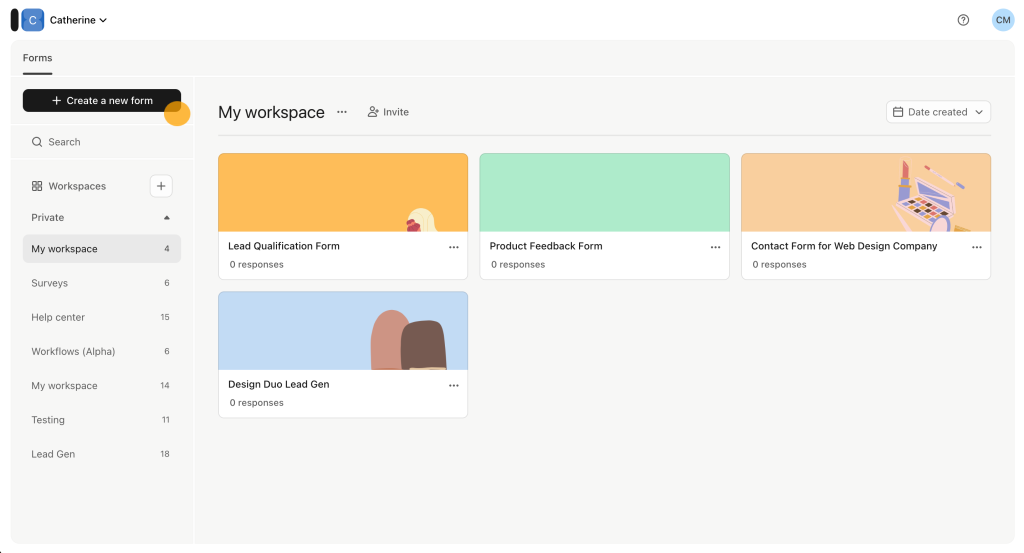
It comes up frequently as a tool similar to SurveySparrow in format. The meaningful difference I’ve observed is product quality and stability.
Typeform has a more refined interface, a more mature template library, and a better track record on performance.
The trade-off it shares with SurveySparrow is pricing. Costs escalate quickly at scale, and features like custom domains, advanced logic, and NPS surveys are locked behind higher-tier plans.
How Typeform Compares to SurveySparrow: Both deliver conversational, one-question-at-a-time survey experiences. Typeform is more polished in execution and more stable in performance. SurveySparrow has broader omnichannel features. For teams choosing between the two based on respondent experience quality, Typeform is the clearer choice.
Pros:
- One-question-at-a-time format with polished, design-forward interface
- Strong image and video embedding for high-engagement surveys
- Large template library with diverse use case coverage
- Integrations with Salesforce, HubSpot, Slack, and Google Sheets natively
- High completion rates for shorter, well-structured surveys
Cons:
- Cost per response becomes expensive at volume
- Custom domain, CSS customization, and NPS surveys require higher-tier plans
- Limited analytics depth compared to research-grade tools
Pricing: From $28/month.
User Rating: 4.7/5 (Capterra)
7. Jotform – Best for Drag-and-Drop Form Building With No Coding Required
I’ve seen Jotform come up specifically when a team needs one tool that handles multiple data collection scenarios without multiple subscriptions.
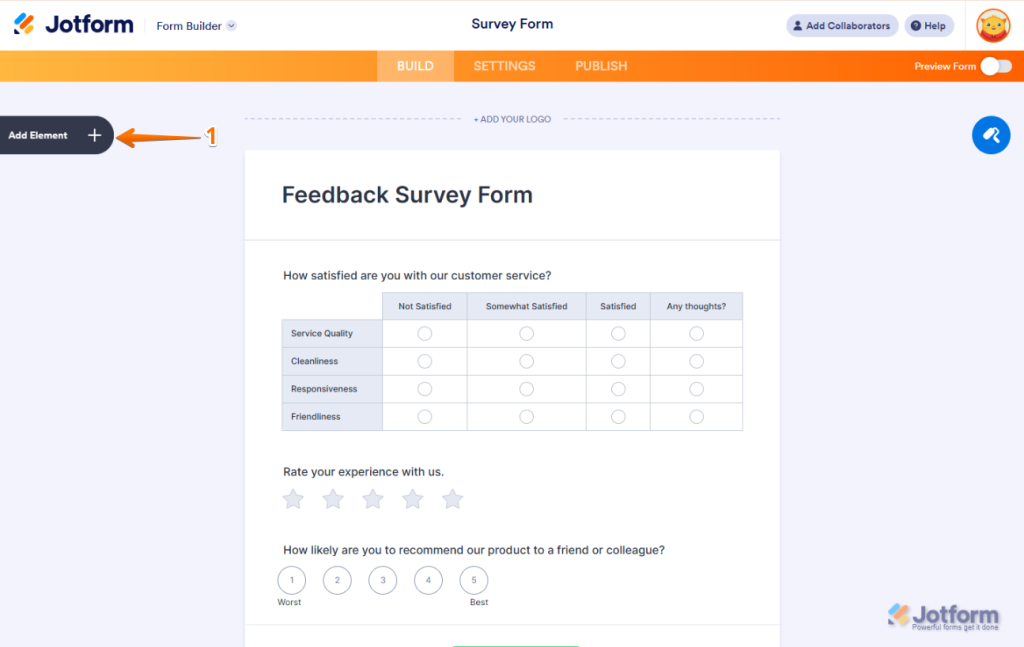
It is not primarily a survey tool. It is a form builder that covers surveys, payment collection, event registrations, file uploads, and appointment booking from a single interface.
The Forms Analytics feature is useful for understanding where respondents drop off, which question formats perform best, and how individual questions affect completion.
How Jotform Compares to SurveySparrow: SurveySparrow is survey-first and optimized for feedback collection and NPS programs. Jotform is form-first and optimized for operational versatility. If your use case goes beyond surveys into payment collection, file uploads, or registrations, Jotform handles it from one platform.
Pros:
- Templates spanning surveys, registrations, payments, and lead capture
- Native payment collection via PayPal, Stripe, and Square
- Forms Analytics for behavioral data on how respondents interact with questions
- Integration with Adobe, Zoom, HubSpot, and Google Workspace
- SSL security with built-in spam prevention
Cons:
- Navigation feels dense compared to survey-focused tools
- Bug reports appear frequently in reviews, particularly around form rendering
- Starting at $34/month for basic use cases, it is more expensive than some alternatives here
Pricing: From $34/month.
User Rating: 4.7/5 (Capterra)
8. SurveyLegend – Best for Visually Engaging Surveys on Any Device
From teams running field research and event-based data collection, SurveyLegend comes up most often for its mobile optimization and offline capability.
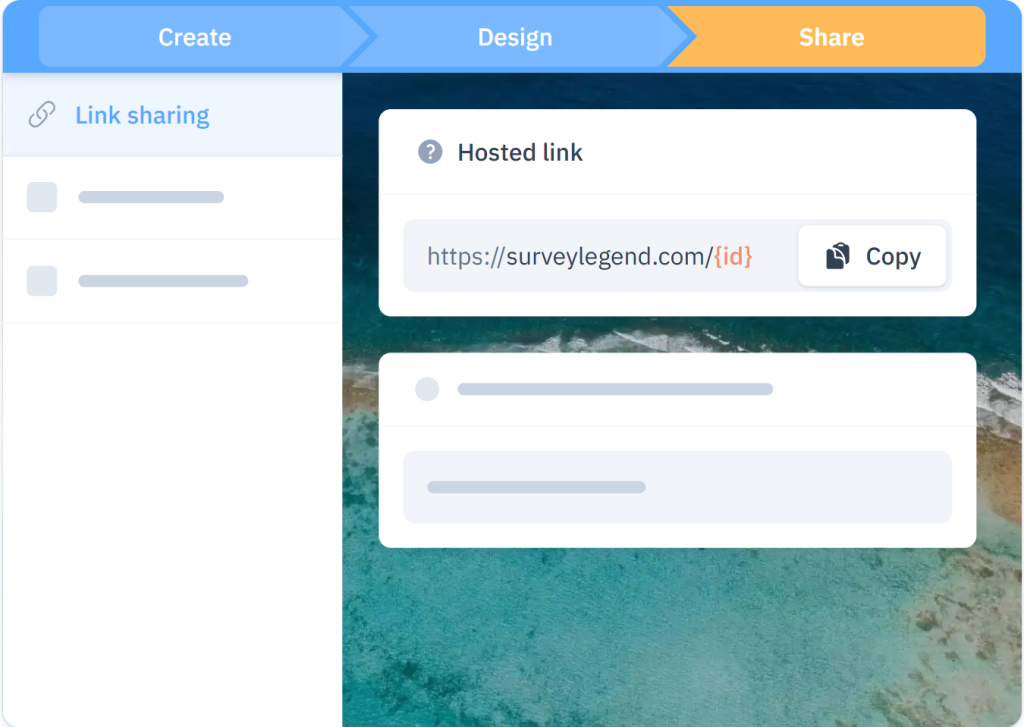
Its drag-and-drop editor produces surveys that are genuinely responsive across screen sizes.
The visual question types, including image choices, rating buttons, and emoji responses, are more engaging than what most tools in this price range offer.
For teams that occasionally need to collect responses at events or in areas with poor connectivity, the offline mobile app provides that capability without committing to the full QuestionPro infrastructure.
How SurveyLegend Compares to SurveySparrow: SurveySparrow is optimized for digital, connected survey distribution. SurveyLegend handles offline collection and mobile-first design more directly. If your respondents are primarily on mobile or in locations where connectivity is inconsistent, SurveyLegend is the more practical tool.
Pros:
- Mobile-optimized survey design with responsive layouts across all question types
- Offline data collection via a mobile app with automatic sync
- Drag-and-drop editor with advanced conditional logic
- Real-time analytics dashboard with multiple chart types and filter options
- GDPR compliant with SSL encryption and an anonymous data collection option
- Collaboration features for team-based survey management
Cons:
- Branding and design customization are more limited than Typeform or ProProfs Survey Maker
- The interface can feel cluttered when managing multiple active surveys
Pricing: From $15/month.
User Rating: 4.5/5 (Capterra)
9. BlockSurvey – Best for Privacy-First, Anonymized Survey Data Collection
BlockSurvey is the most differentiated tool in this list from a data privacy standpoint, and the only one where that differentiation is a genuine architectural distinction rather than a marketing claim.
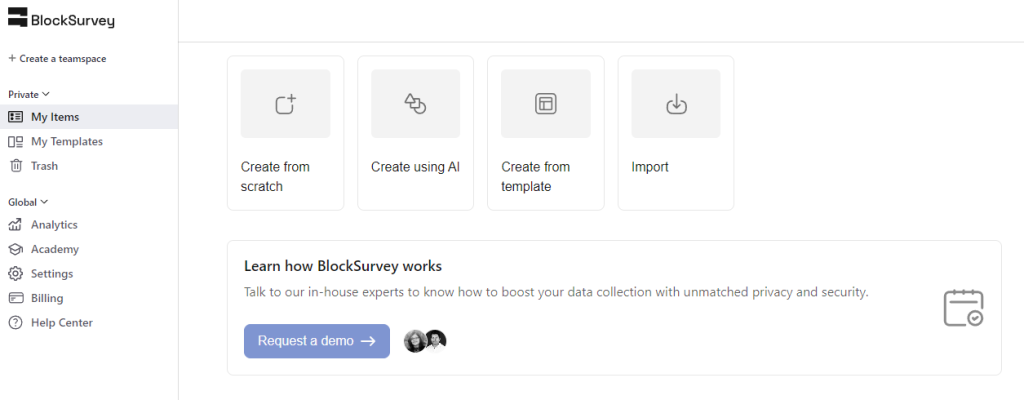
It uses blockchain encryption to secure response data and maintain respondent anonymity. The zero-knowledge architecture means that even BlockSurvey itself cannot access what respondents submit.
Healthcare organizations, NGOs, legal teams, and companies collecting sensitive HR or financial data consistently cite it as their reason for choosing this over conventional alternatives to SurveySparrow.
The trade-off is the integration ecosystem. BlockSurvey is considerably smaller in that regard, which means it works best as a standalone collection tool rather than a node in a larger data pipeline.
How BlockSurvey Compares to SurveySparrow: SurveySparrow is a cloud-based platform with standard data security. BlockSurvey is built for environments where standard security is not sufficient. If data sovereignty, respondent anonymity, or compliance with strict privacy regulations is the non-negotiable requirement, BlockSurvey is in a different category from every other tool on this list.
Pros:
- Blockchain-based encryption for end-to-end data security
- Zero-knowledge architecture: response data is inaccessible even to the platform
- Drag-and-drop builder with customizable question types and themes
- Shareable via secure links, embedded surveys, and email invites
- Complete data ownership with no unauthorized access risk
Cons:
- Steep learning curve for users unfamiliar with privacy-first tools
- Limited integration library compared to general-purpose survey platforms
Pricing: From $39/month.
User Rating: 4.9/5 (Capterra)
10. Formstack – Best for Automating Data Collection Across Complex Workflows
Formstack focuses on workflow automation more than survey creation, and for teams where the survey is one step in a larger operational process, that distinction matters.
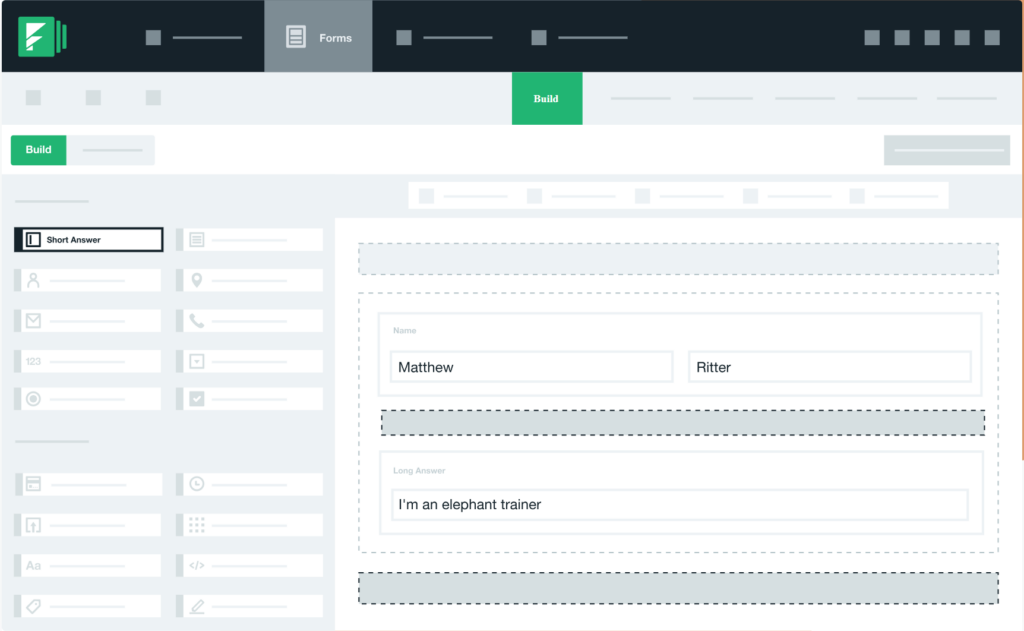
If your use case involves surveys that trigger downstream actions such as notifying a team member, routing a response to a CRM, setting a deadline, or kicking off an email sequence, Formstack handles this more natively than most tools.
The conditional logic is solid, and the enterprise integrations are well-built for Salesforce, HubSpot, and Google Workspace environments.
Operations and HR teams running recurring surveys with multi-step follow-up processes will find Formstack reduces the manual coordination overhead that comes with simpler tools.
How Formstack Compares to SurveySparrow: SurveySparrow prioritizes the survey experience and omnichannel distribution. Formstack prioritizes what happens after a response is submitted. If the workflow downstream of the survey is the current bottleneck, Formstack is a stronger fit.
Pros:
- Advanced workflow automation with respondent notifications and deadline tracking
- Conditional logic for dynamic, personalized survey paths
- Strong integrations with Salesforce, HubSpot, and Google Workspace
- Real-time data visualization with detailed response analytics
- Progress tracking and deadline management for recurring programs
Cons:
- Design customization is limited, and templates are not as polished as competitors
- Starting at $50/month, pricing is higher than several alternatives with similar feature sets
- Lower Capterra rating than most tools in this list, suggesting notable UX friction
Pricing: From $83/month.
User Rating: 4.0/5 (Capterra)
My Top 3 Picks Among These SurveySparrow Alternatives
After working with several of these tools directly and speaking with teams using the rest in production, here’s where I actually land.
1. ProProfs Survey Maker
This is the tool I recommend first to almost any team evaluating SurveySparrow competitors.
The AI survey builder, scored workflow, and per-response pricing model together address the three most common reasons I’ve seen teams outgrow or walk away from SurveySparrow.
If you’re migrating from a tool that charges per user or locks core features behind expensive upgrades, this is where I’d start the evaluation.
2. Alchemer
I’ve run Alchemer on structured employee listening programs where leadership needed segmented, cross-tab reports, and it’s the tool I reach for when the analytics requirement goes beyond what a standard survey dashboard can handle.
If SurveySparrow’s reporting ceiling is the reason you’re looking around, Alchemer is the most direct upgrade.
The per-user pricing requires attention at the team scale, but the analytical depth justifies it for programs where insight quality is the primary measure of success.
3. Typeform
For teams who are running lower-volume programs where per-response pricing doesn’t become punishing, Typeform is the clearest upgrade from SurveySparrow.
It is more polished, more stable, and produces a survey experience that genuinely reflects well on the brand behind it.
Where SurveySparrow and Typeform overlap in format, Typeform pulls ahead on execution. The transitions between questions feel considered, and the image and video embedding is handled more gracefully.
How I Evaluated These SurveySparrow Alternatives
A comparison list is only useful if the assessments hold up when you actually try the tools. Here’s the methodology behind mine.
Feature Testing and Usability: I evaluated each tool on conditional-logic depth, question-type range, distribution options, reporting clarity, and mobile responsiveness. For tools I used directly, I built and launched actual surveys rather than just exploring the interface.
Verified User Reviews: I pulled Capterra ratings and read through both positive patterns and recurring complaints to surface what users actually experience after months of use, not just during onboarding demos.
Pricing Transparency: I assessed the real cost at realistic usage volumes, including response caps, per-user fees, and paywalled features. A tool that looks affordable at signup but charges per seat or per channel at scale is not affordable once you’re running at capacity.
Integration Depth: Whether a tool connects to the CRMs, marketing automation platforms, and analytics tools a team already uses determines how well it fits into a real workflow rather than sitting as an isolated island.
Feedback Metric Coverage: I specifically checked whether each tool supports Net Promoter Score (NPS), Customer Satisfaction Score (CSAT), and Customer Effort Score (CES) natively. Most professional survey programs are built around at least one of these frameworks, and a tool that requires workarounds to run them creates ongoing friction in every reporting cycle.=
FREE. All Features. FOREVER!
Try our Forever FREE account with all premium features!
When Should You Switch From SurveySparrow?
SurveySparrow earns its place if you need a conversational survey format, run omnichannel NPS programs, and your response volume stays within the plan you’re on.
Outside of that, here’s a framework I use to help teams decide when it’s time to move.
| Your Situation | What to Look For |
| Pricing has grown faster than value at your current response volume | Per-response or flat-rate pricing with transparent plan limits |
| You need to remove platform branding without a major plan upgrade | White label available at a reasonable add-on cost |
| Reports require manual CSV work before they’re presentable | Real-time dashboards with exportable, presentation-ready outputs |
| You need NPS, CSAT, or scored surveys natively without building them from scratch | Platform with pre-built feedback templates and native scoring frameworks |
| Respondents are primarily on mobile or in low-connectivity environments | Mobile-responsive design and offline data collection |
| You’re running surveys in multiple languages for global audiences | 30+ language support built into the platform, not an add-on |
| Your survey needs to trigger downstream workflows automatically | Native workflow automation and CRM integration |
| Data privacy or respondent anonymity is a compliance requirement | GDPR-compliant tools with role-based permissions and, for high-stakes use cases, blockchain-level encryption |
How to Choose the Right SurveySparrow Alternative for Your Team
The clearest path to a decision is knowing what is actually holding your current program back, not what a tool’s homepage says it can do.
| If My Primary Problem Is… | I’d Start Here |
| Setup is slow, and I need surveys to live quickly | ProProfs Survey Maker |
| I’m guessing why users drop off or churn | Qualaroo |
| My surveys need to look impressive to respondents | Typeform |
| I need NPS and CSAT frameworks built natively | ProProfs Survey Maker |
| I need offline data collection for field or event use | QuestionPro or SurveyLegend |
| I need research-grade analytics and conjoint analysis | Alchemer |
| Respondent data privacy is a compliance requirement | BlockSurvey |
| I need payments, registrations, and surveys from one tool | Jotform |
| Survey responses need to trigger automated workflows | Formstack |
| I need multilingual surveys for a global CX program | SoGolytics |
The Right Tool Is the One Your Team Will Actually Use
There is no objectively wrong choice among these ten. Each one handles something well, and the difference between a good fit and a frustrating one comes down to whether it addresses the specific thing that is currently slowing your program down.
If you’re not sure where to start, try ProProfs Survey Maker first.
The forever-free plan includes all premium features, including AI survey creation, skip logic, scoring, NPS templates, and multilingual support, with no credit card required.
It’s the fastest way to see whether a SurveySparrow replacement fits your workflow before committing to a paid plan.
Frequently Asked Questions
What is the best free alternative to SurveySparrow?
ProProfs Survey Maker offers a forever-free plan with all premium features included, covering unlimited surveys and up to 50 responses per month. Typeform has a free plan, but limits responses to 10 per month and locks NPS surveys behind paid tiers. For teams that need in-context website or product feedback, Qualaroo also offers a free entry point.
Which survey tools are better than SurveySparrow for NPS programs?
ProProfs Survey Maker has a dedicated NPS module with automatic scoring, follow-up scheduling, and pre-built NPS templates on every plan. The Salesforce and HubSpot integrations close the loop between survey responses and CRM records. Qualaroo is also strong for NPS when the goal is capturing in-product responses at the exact moment the user experiences something, rather than in a post-session email.
Why do businesses look for SurveySparrow alternatives?
The most common reasons I've encountered are pricing escalation at scale, limited data exporting and CSV reporting that requires manual cleanup, a steeper learning curve than the interface implies, and the need to remove platform branding without paying for a premium plan upgrade. Teams that need scored surveys, AI-powered creation, or native CRM integration also find SurveySparrow's feature set insufficient at lower price points.
Which survey platform is similar to SurveySparrow in format but easier to use?
Typeform is the closest match in conversational format and is more polished in execution. ProProfs Survey Maker is broader in overall functionality and faster to get started with, particularly because the AI survey builder generates a complete survey from a plain-language brief in seconds. Both are meaningfully easier to onboard than SurveySparrow for new users.
Which SurveySparrow alternative is best for customer feedback surveys?
ProProfs Survey Maker is my first recommendation for CSAT and customer feedback programs. It handles NPS, CSAT, and customer effort score surveys natively, includes popup and sidebar delivery for website feedback, and integrates directly with Salesforce and HubSpot so feedback flows into the systems teams already use. Capterra reviewers using it for NPS programs report response rate improvements and cleaner loyalty tracking after switching.
Is there an alternative to SurveySparrow that works offline?
Yes. QuestionPro and SurveyLegend both offer offline data collection via mobile apps. Responses collected without internet connectivity sync automatically when a connection is restored. QuestionPro also provides panel services for external respondent populations, making it a stronger option for field research programs.
Which tool offers better analytics than SurveySparrow?
Alchemer provides the deepest analytics, including conjoint analysis, TURF reports, and open-text analysis, at research-grade. For teams that don't need that level of depth, ProProfs Survey Maker's real-time dashboard with segmented reporting is cleaner and more actionable than SurveySparrow's interface, without requiring CSV exports or manual reformatting.
How long does it take to switch from SurveySparrow to a new tool?
Most teams complete the migration in one to two weeks. That covers recreating existing survey structures, verifying distribution setups, and validating that reporting matches previous benchmarks. SaaS tools like ProProfs Survey Maker and Qualaroo require no server migration or hosting configuration, which removes the most time-consuming element from any transition.
FREE. All Features. FOREVER!
Try our Forever FREE account with all premium features!

 We'd love your feedback!
What did you like & how can we make it even better?

 Thanks for your feedback!
 Ask Your Question
Have a question? Get expert help to make your decision easier.