

Paste your Figma, Adobe XD, or InVision link, and Qualaroo confirms it's ready to go. From there, set your questions, customize the look, and launch, no code and no engineering ticket required. You go from a finished prototype to real answers while the design is still fresh in your head.
Run your survey on any URL, at any stage of your prototype, from an early mockup to a shared work-in-progress. You can just as easily point it at a page on a live site, or drop it directly onto a competitor's site to see how their experience holds up.
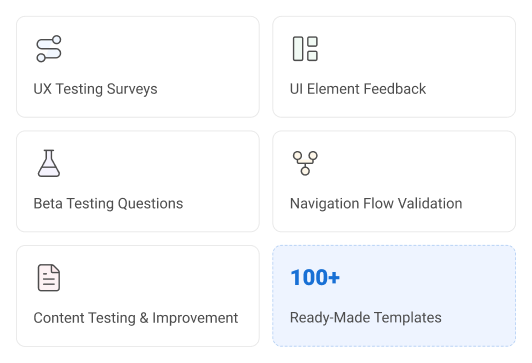
Starting from a blank survey slows down every test before it begins. Create your prototype surveys with AI or pick from 100+ ready-made templates for UX testing, UI feedback, beta testing, navigation validation, and content testing.
UX designers, product designers, freelancers, and stakeholders are all waiting on the same thing: proof that the design works. Prototype surveys give each of them that proof without adding a single meeting to the calendar.
Know your layout works, without running a lab study.
Hand off designs, devs won't need to redo
Get client sign-off in fewer rounds
Walk out with real reactions, not opinions
Describe what you want to learn, and AI writes the questions for you.
Get a survey live the moment your prototype's ready, no waiting.
Pair every response with a real user identity via the Identify API.
Watch session recordings and heatmaps to understand what happened first.
Personalize the follow-up questions for each tester using skip logic.
Every open response is automatically scored; no setup required.
Apply custom themes and branding with no design work needed.
Pick from a vast library of prototype survey templates and skip the blank page.
Embed the prototype survey link on-site or send it via email.
No. You paste your Figma, Adobe XD, or InVision link into Qualaroo, and the platform checks compatibility automatically before you build a single question. Branching and targeting logic are set through the visual builder, so nothing requires a developer or a line of code.
No. Paste the prototype URL, customize your questions, and publish. There's no deployment step and no ticket to file. A test can go from idea to live the same day, without a single engineering hour.
Yes. Prototype Nudges work with Figma, Adobe XD, InVision, Marvel, and Axure links directly. If your team can share a clickable prototype URL, Qualaroo can layer a survey on top of it without changing how you already work.
Yes. Target by device type, location, navigation path, or specific in-prototype actions. This keeps your data limited to the segment you actually care about, instead of averaging in people who never reached the flow you're testing.
Responses are scored as they come in. Qualaroo's native AI Sentiment Analysis tags tone the moment a response is submitted, so you're reading insights within minutes of your first response, not compiling a report after the test closes.
You can apply your logo, brand colors, and fonts so the survey matches your prototype's visual style. Testers see something that looks like part of the product they're already evaluating, which keeps their attention on the design instead of the popup.
Yes. Surveys launch in over 70 languages, so international testers respond in their own language. This matters most for global usability studies, where a translation gap usually costs you responses, not just accuracy.
Export the AI-generated report directly from Qualaroo and share it with your team. It turns raw responses into a summary your stakeholders can review on their own, without you walking them through the raw data first.
Yes. Open the same prototype link on a shared device and turn on kiosk mode, and the Nudge resets itself to fire again for the next person automatically. It's the same live, in-the-moment experience as sending the link individually, just running on one device back-to-back.