
An online form creator is no longer just about collecting responses. Today, it plays a central role in solving real business challenges such as low conversion rates, form abandonment, poor mobile experiences, integration gaps, and growing data privacy concerns.
Instead of simply gathering answers, modern form tools help teams capture meaningful feedback, qualify leads, run recurring surveys, and turn responses into smarter decisions without losing valuable opportunities.
For CEOs, business leaders, and team heads, choosing the right platform directly influences engagement, operational efficiency, data security, and the quality of insights guiding strategy. The wrong choice, on the other hand, creates friction, disconnects systems, and slows momentum.
In this guide, I break down the best online form creators through real-world business use cases rather than feature checklists. You will see where basic tools fall short, when upgrading becomes necessary, and which platforms are better suited to reduce drop-offs, improve mobile performance, safeguard data, and support scalable lead capture and workflows.
10 Best Online Form Builder Tools
I have tried and tested quite a few online form creators over the years, across different use cases and team sizes. Some worked well early on, while others proved their value only when scale, automation, or insights started to matter.
To make things easier, I have broken down the best online form makers based on what they genuinely do well.
Here’s a quick comparison table below so you can scan the best online form builder options before diving deeper into each one.
| Tool | Best Use Case | Rating | Price |
|---|---|---|---|
| ProProfs Survey Maker | General surveys, NPS, recurring feedback at scale | 4.8/5 (Capterra) | Starts at $19.99/month |
| Google Forms | Free, simple forms and internal surveys | 4.7/5 (Capterra) | $12/user/month |
| Typeform | High-engagement, conversational feedback forms | 4.5/5 (G2) | $25/month |
| JotForm | Payment forms, registrations, donations | 4.7/5 (G2) | $34/month |
| Microsoft Forms | Internal feedback and quick surveys | 4.6/5 (Capterra) | $6/user/month |
| Paperform | Lead capture and flexible layout forms | 4.8/5 (Capterra) | $24/month |
| Formstack | Enterprise workflows and compliance-heavy forms | 4.3/5 (G2) | $83/month |
| WPForms | Mobile-responsive WordPress forms | 4.7/5 (G2) | $49.50/year |
| Gravity Forms | Advanced WordPress payment and logic-heavy forms | 4.6/5 (Capterra) | $59/year |
| HubSpot Forms | Lead generation tied to CRM and funnels | 4.7/5 (G2) | $15/month/seat |
1. ProProfs Survey Maker – Best for Creating General and NPS Surveys
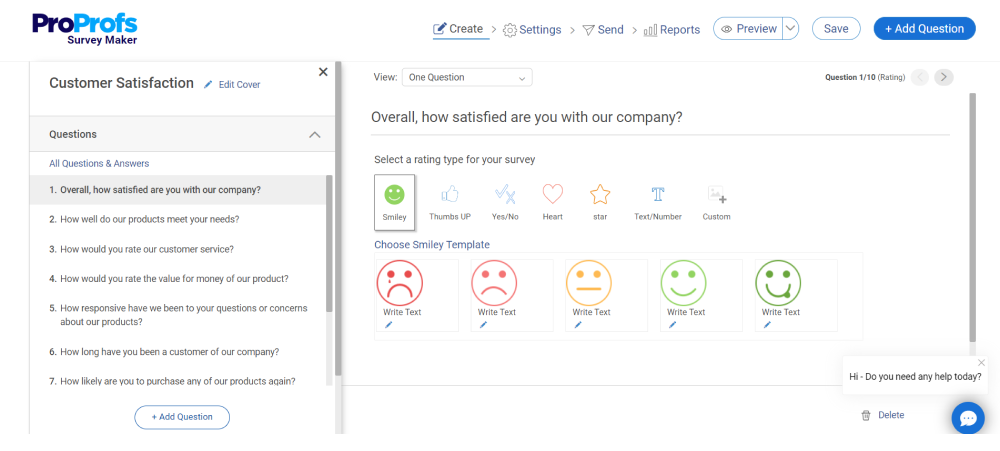
ProProfs Survey Maker is one of the few free form builder tools I have genuinely stuck with over the years, mainly because it handles scale without creating new problems. I have used it for everything from quick one-off feedback forms to recurring surveys like NPS, CSAT, and employee pulse surveys. The big relief is that I do not have to rebuild forms every time or worry about hitting response limits as usage grows.
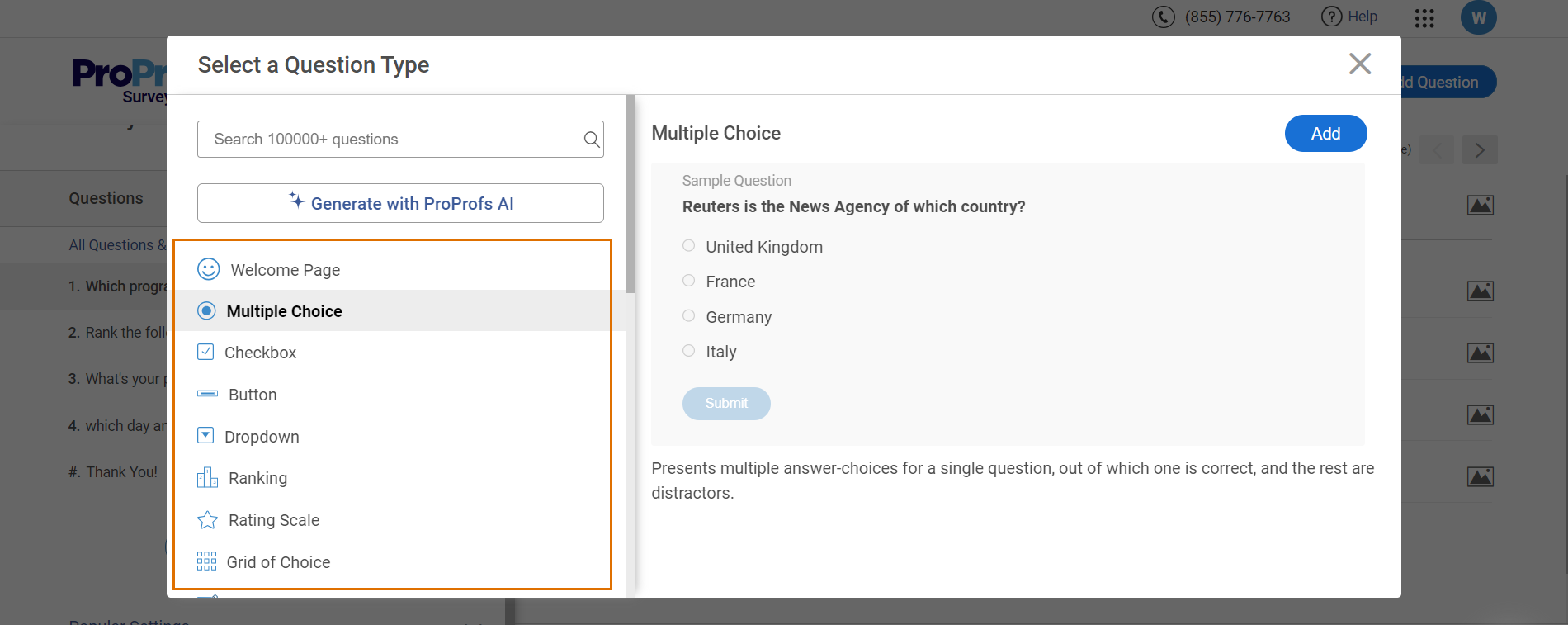
What really helps is how organized the data stays. Instead of feedback living in spreadsheets or scattered exports, everything is centralized with clear reporting and trend tracking.
The AI online form creator is also a time-saver. A short prompt is enough to generate a ready-to-use survey with logic and structure already in place. For customer feedback, employee engagement, or education and training surveys at scale, this free form creator feels practical, predictable, and easy to grow with.
Pros:
- AI-powered survey and form creation for faster setup
- 100+ professional templates for feedback, training, and assessments
- Full branding and white-label options for external-facing forms
- 20+ question types, including NPS, sliders, and rankings
- Skip logic, branching, and scored surveys for deeper insights
- Built-in reporting and benchmarking for trend analysis
- GDPR-compliant with SSO (SAML) support on Enterprise plans
- Integrates smoothly with tools like Salesforce, HubSpot, and other CRMs
Cons:
- No dark mode for extended work sessions
- Dedicated onboarding and account support are limited to paid plans
User Rating: 4.8/5 (Capterra)
Pricing: Free plan available with all premium features. Paid starts at $19.99/month per month.
2. Google Forms – Best for Creating Free, Versatile Forms
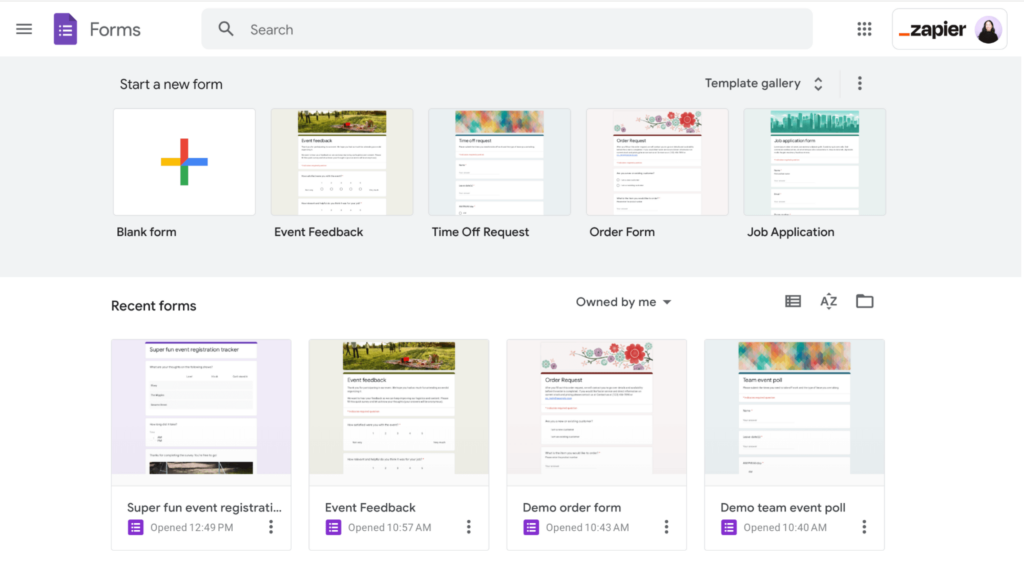
Over the years, I’ve used Google Forms to keep things quick and simple. I first heard about it years ago from an ex-colleague who needed a fast way to collect customer feedback without setting up any new software. If you want to create a form without any setup, onboarding, or learning curve, this does the job well. I like how easy it is to add questions, rearrange them, and share the form instantly.
For basic surveys, registrations, or internal data collection, it feels familiar and gets results fast. However, I’ve also seen other teams mention the same thing in founder communities when they start relying on forms for lead capture or customer workflows. Custom branding is minimal, automation is basic, and reporting only goes so far unless you export everything to Sheets.
Pros:
- Multiple question formats with a drag-and-drop editor to shuffle the questions
- Option to create questions with assigned scores, skip logic, conditional logic & branching
- Customizable colors, images & fonts to reflect an organization’s branding
- Custom logic that shows questions based on responses for a smoother experience
- Analyzable responses with automated briefs & updates in real-time
Cons:
- The interface feels a bit outdated and limited compared to a more modern online form creator.
- Data visualizations lack advanced visuals, flexible design options, and a deeper analytical context.
User Rating: 4.7/5 (Capterra)
Pricing:
Starts at $12/user/month
3. Typeform – Best for Creating Visually Appealing Feedback Forms
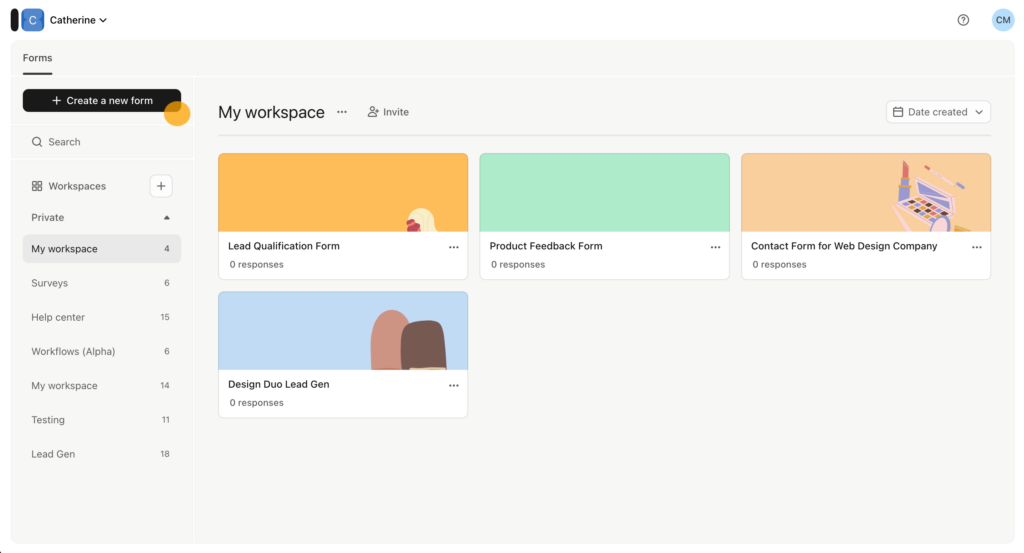
I have used Typeform a lot, and the biggest difference I saw was simple. I first came across it through a startup founder friend who was struggling with people abandoning their lead forms halfway through. People actually completed my forms. Long, boring forms usually scare people off. Typeform fixes that by asking one question at a time, so it feels more like a conversation than a task. That alone helped reduce drop-offs for me.
What I really enjoy is how easy it is to build forms that still look polished and on-brand. The drag-and-drop builder, logic, and personalization tools let me tailor each form without any tech headache. I have used it for customer feedback, onboarding, and lead qualification, and the smoother experience directly improved engagement and conversions. When forms feel personal instead of static, people are far more willing to respond.
Pros:
- Uniquely designed, one-question-at-a-time format surveys for better engagement
- Built-in photo & video library to create visually appealing surveys
- Customizable layouts & themes to make the forms reflect respective brands
- Conditional logic to bring the right questions into focus depending on the responses
- Simple, intuitive, mobile-friendly layout
Cons:
- Text responses have limited formatting options, making long or detailed answers harder to scan.
- The lack of basic formatting, like bullet points or bold text, can reduce clarity for complex information.
User Rating: 4.5/5 (G2)
Pricing:
Starts at $25/month
4. JotForm – Best for Creating Forms With Embedded Payment Options
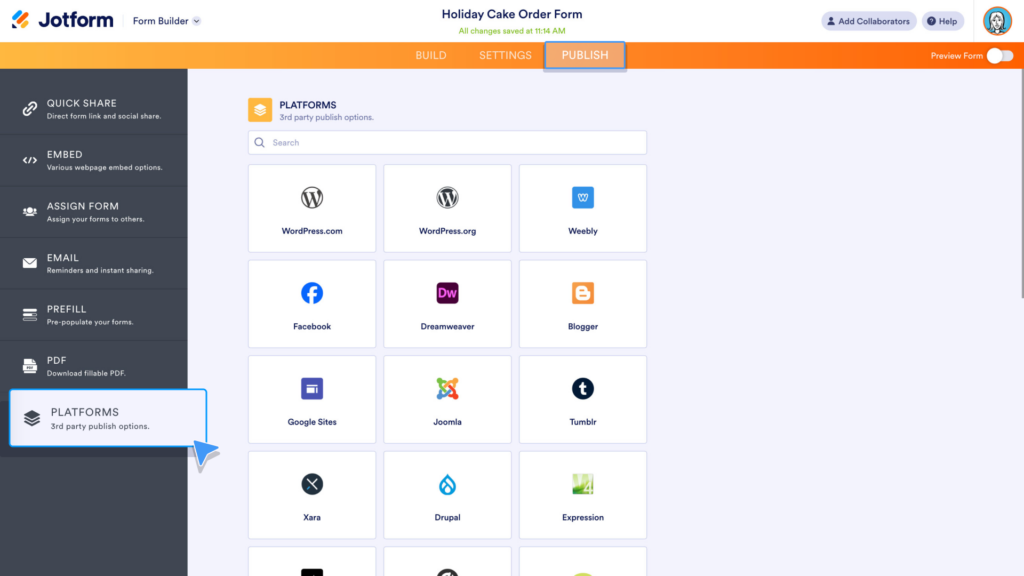
I’ve heard from several teams that they lean on Jotform whenever a form needs to feel like a full process, not just a simple list of questions. One operations manager at a nonprofit shared how they were trying to run paid workshop registrations and kept hitting limitations with simpler tools. What stood out to them was how much functionality they could build into one form without it feeling cluttered or overwhelming.
Small business owners mention Jotform when discussing the forms that power day-to-day operations. They’ve appreciated being able to add payment options, conditional steps, file uploads, and manage a growing number of submissions without things breaking down. For teams whose forms are tied directly to workflows or revenue, it seems Jotform feels built for that level of responsibility, not just quick surveys.
Pros:
- Creates HIPAA-compliant forms without requiring coding inputs, making it ideal for the healthcare field
- Unlimited customization options to match individual preferences
- Integrates with Hubspot, Slack, Google Sheets & PayPal – the latter being responsible for the option of paying through the forms
- Allows syncing with Google Calendar events & automated scheduling of appointments
Cons:
- Limits on the number of forms and monthly submissions can be restrictive.
- Confusing interface, broken links, and unclear instructions hurt usability.
User Rating: 4.7/5 (G2)
Pricing:
Starts at $34/month
5. Microsoft Forms – Best for Creating Feedback Survey Forms
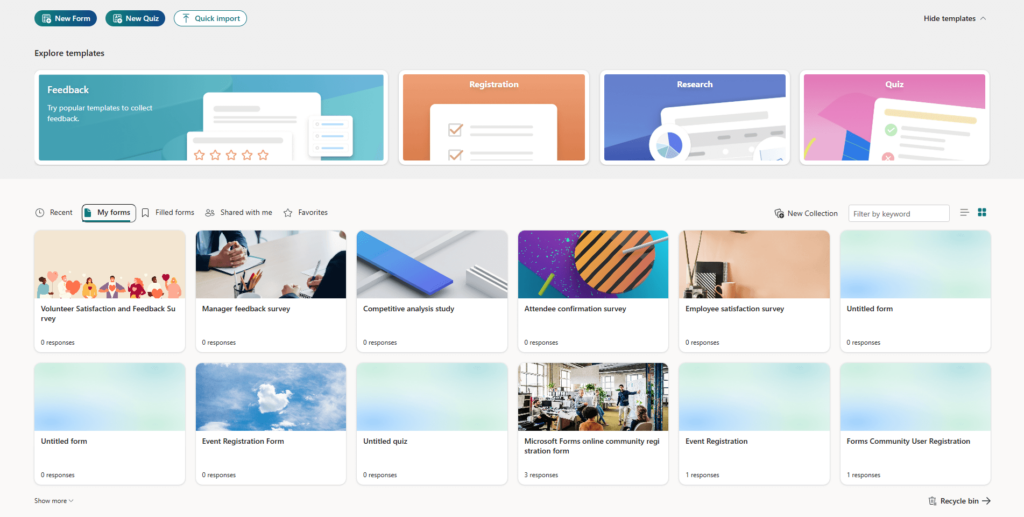
In many corporate teams, Microsoft Forms seems to be the tool people reach for almost by default when they need a quick survey without adding anything new. One HR colleague told me they began using it for employee pulse feedback simply because it fit perfectly inside Microsoft 365. Since their organization already used Teams and Outlook daily, it felt like a natural add-on rather than a separate platform to learn.
Teams often point out how fast it is to build a form, share it through email or Teams, and start seeing responses right away. I’ve also heard it’s widely used for internal surveys, classroom polls, and training feedback where speed matters more than design. The instant charts, simple Excel exports, and staying within the Microsoft ecosystem make it an easy choice for many workplaces.
Pros:
- Real-time charts and summaries make insights instantly visible
- Seamless Excel export enables deeper analysis with zero extra steps
- Works on any device or browser, making participation easy for everyone
- Built-in branching supports more relevant, focused responses
Cons:
- Limited font and theme customization make full branding harder for customer-facing surveys.
- The designer interface feels cluttered, with too many interactive elements that can be distracting.
User Rating: 4.6/5 (Capterra)
Pricing:
Starts at $6.00/user/month
6. Paperform – Best for Quick Creation of Survey and Lead Capture Forms
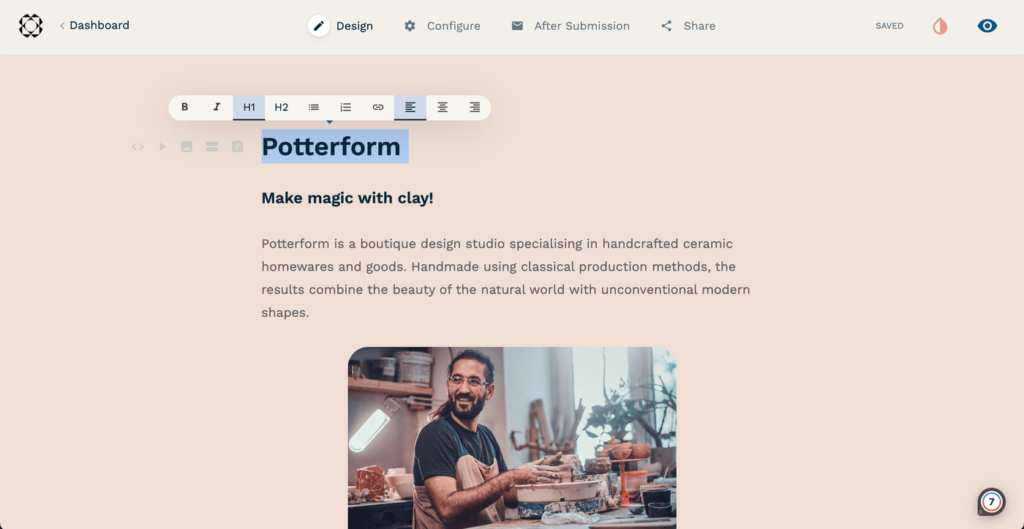
Several creators I know turned to Paperform when they wanted more creative control without feeling boxed into a rigid template. One founder mentioned discovering it through a no-code community where people were sharing tools for building better-looking lead pages. What stood out to them was that it didn’t feel like a typical form builder. It felt more like working on a blank canvas.
They’ve said they like being able to adjust spacing, add visuals, and arrange content to match their brand voice. Many use it for lead capture, campaign surveys, or small independent projects where presentation matters. For solo founders and small teams, it seems to strike a comfortable balance between flexibility and simplicity.
Pros:
- Simple, intuitive drag-and-drop editor for creating forms fast
- Option to render all manual tasks in autopilot mode that needs no supervision once set
- Fully customizable elements, including multimedia, text fields, themes, custom HTML & CSS
- 27+ question fields with conditional logic, scoring & calculation
- Built-in payment options in the forms enabling easy selling of products, services, subscriptions & donations
Cons:
- Some niche features, such as automatic age calculation, are not yet available.
- Having to answer single questions across multiple screens can be annoying.
User Rating: 4.8/5 (Capterra)
Pricing:
Starts at $24/month
7. Formstack – Best for Creating Versatile Online Forms
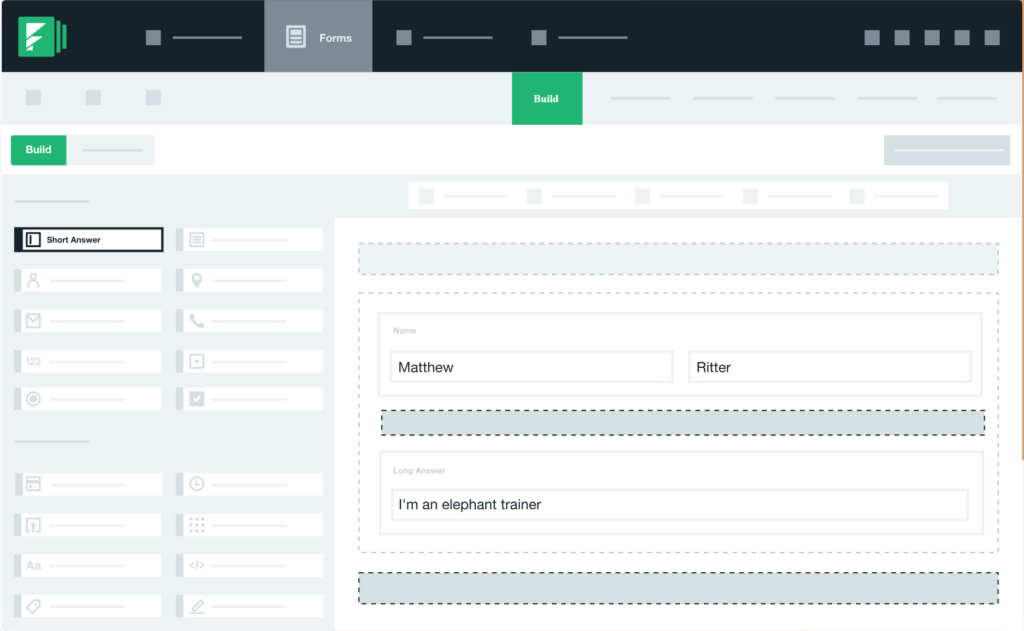
Formstack usually comes into the picture when compliance, accuracy, and deep integrations become critical. One healthcare administrator explained they needed forms that met strict regulatory standards and could push data directly into internal systems without manual intervention. That requirement alone narrowed their options quickly.
What stands out in these conversations is reliability. Data flows automatically between systems. Approval chains, workflows, and integrations work together without constant oversight. There’s no spreadsheet cleanup or back-and-forth corrections. Finance and operations teams especially seem to value that stability. It’s not described as a lightweight tool you spin up in minutes. It requires planning.
Pros:
- One question at a time format for a better mobile survey experience to minimize bias & page scrolling
- Option to save progress on longer forms and resume later to avoid fatigue
- Conditional logic questions for a more personalized survey experience
- Easily captures electronic signatures from any device for contracts, payments, releases, and more
- Fully responsive forms that adjust automatically to any device they are opened
Cons:
- Forms look dated and similar by default, with meaningful customization requiring CSS knowledge.
- The online form creator panel is too small, making it hard to view logic, fields, and settings.
User Rating: 4.3/5 (G2)
Pricing:
Starts at $83/month
8. WPForms – Best for Creating Mobile-Responsive Forms
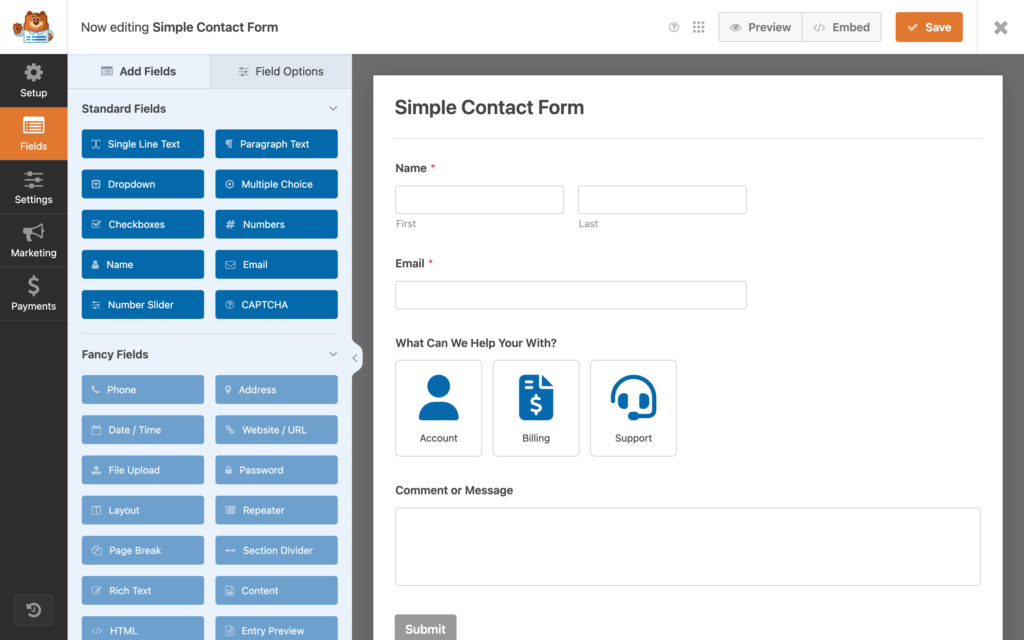
WPForms makes the most sense if your site runs on WordPress and you want forms that just fit without extra work. I came across it while reading through WordPress plugin reviews when I was rebuilding a company site and wanted something dependable without custom development.
Everything lives inside the WordPress dashboard, so building and managing forms feels familiar from the start. Teams use it for contact forms, newsletter signups, and quick feedback because the drag-and-drop setup is fast and practical. I believe WPForms is one tool that offers great value, as its forms automatically adapt to different screen sizes, reducing drop-offs. Developers frequently recommend it in WordPress forums because it rarely causes theme or plugin conflicts. For reliable, mobile-friendly WordPress forms, WPForms keeps things simple.
Pros:
- 100% responsive forms that work on mobile, tablets & desktops
- Smart conditional logic leading to high-performance forms
- Instant notifications for fresh leads that allow you to respond immediately
- Option to collect payments, donations, and online orders without requiring coding inputs
- Creates subscription forms that can be connected with the default email marketing service
Cons:
- The forms are not fully accessibility-approved, which can be limiting in some regions.
- Advanced features like payments, surveys, and conditional logic require higher-tier plans.
User Rating: 4.7/5 (G2)
Pricing:
Starts at $49.50/year
9. Gravity Forms – Best for Creating Payment Forms
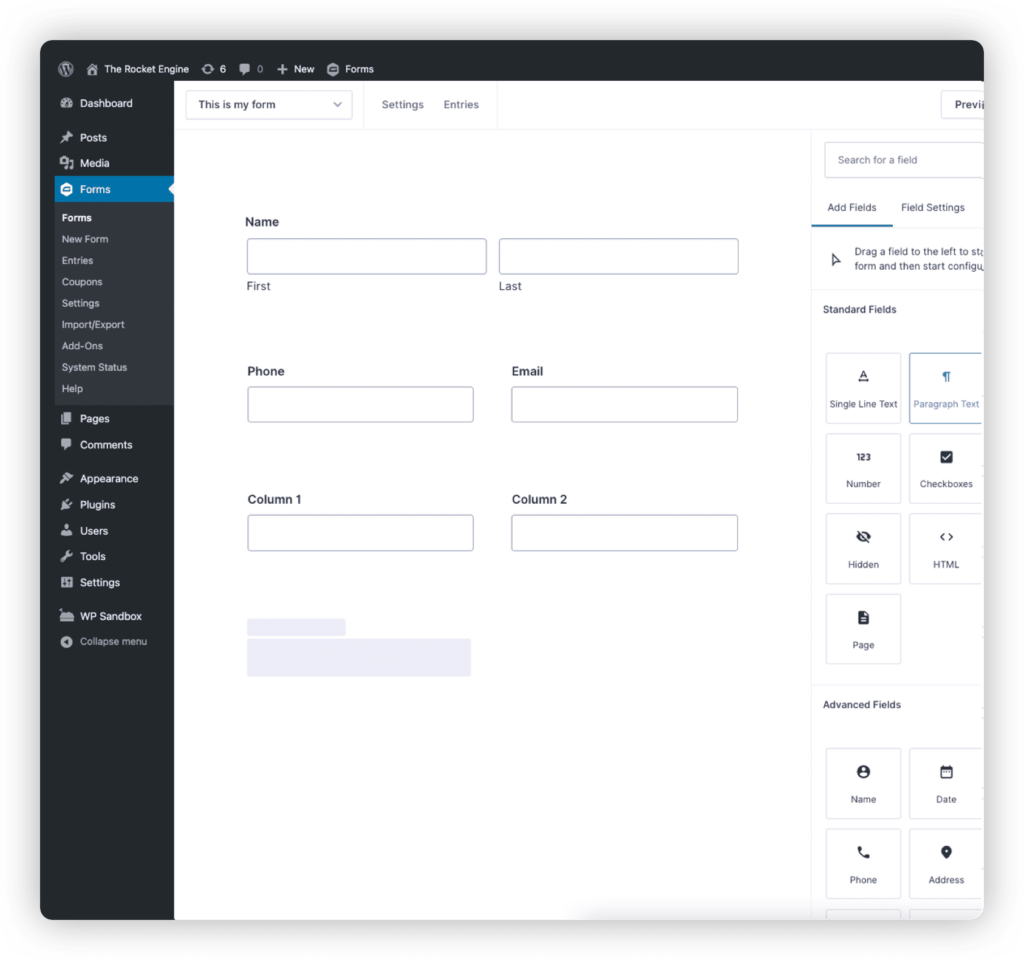
I feel Gravity Forms gives me real control, and I rarely hit a wall in the middle of building something complex. I first learned about it from a WordPress developer I hired for a membership site who insisted it was the most flexible option if we wanted custom logic without hacking things together.
It is very much built with WordPress in mind, and that becomes obvious quickly. If you are comfortable going a little deeper technically, it lets you shape forms around your exact requirements instead of adjusting your needs to fit a template.
I have used it for payment-driven projects like subscriptions and membership applications where pricing rules, conditional flows, and integrations all had to align perfectly. It is not the fastest plugin to configure, and there is definitely a learning curve. But once everything is configured, it feels sturdy and dependable. If you enjoy fine-tuning details and want maximum flexibility within WordPress, Gravity Forms aligns well with that approach.
Pros:
- Intuitive visual form editor to quickly design, configure & embed WordPress forms
- Option to show or hide fields, sections, pages, buttons, etc., based on what users choose
- Option to reveal or conceal fields, sections & pages based on user inputs to make the forms more relevant to responders
- Secure data collection at all points
- Option to upload documents, photos, or other attachments right inside the forms
Cons:
- Even with a Developer license, form design, styling, and specialty field options feel limited without paid add-ons.
- Complex payment flows and advanced conditional logic often require multiple add-ons or custom setup.
User Rating: 4.6/5 (Capterra)
Pricing:
Starts at $59/year
10. HubSpot Forms – Best for Creating Forms for Lead Generation
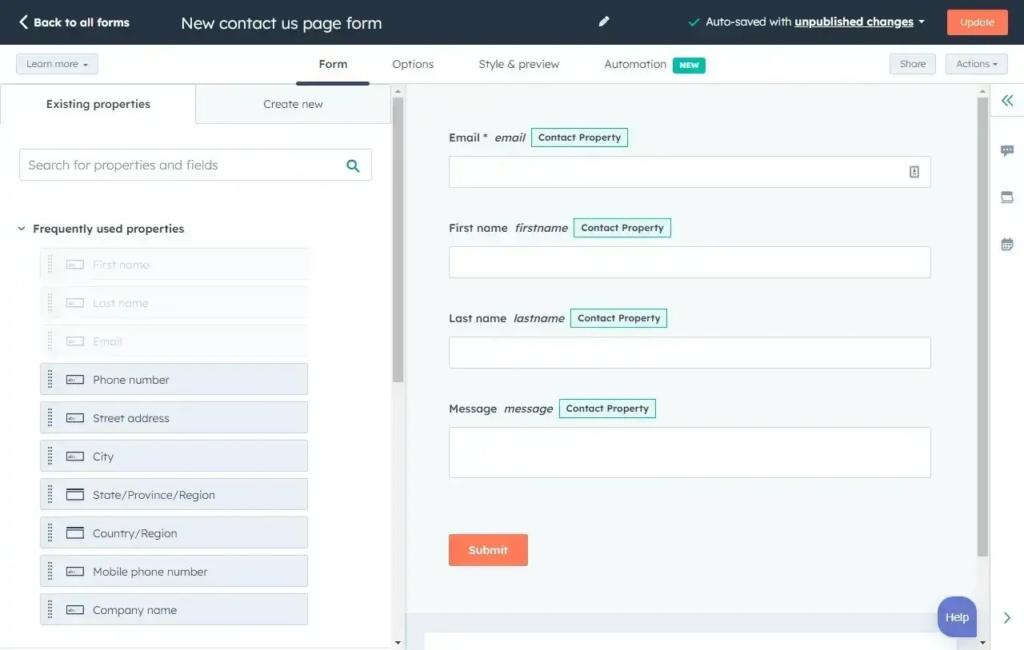
HubSpot Forms makes a lot of sense if lead generation is a serious part of your business. I’ve heard from marketing teams that they started paying attention to it after joining a webinar where the speaker walked through how their entire funnel ran inside HubSpot without relying on third-party form tools. What they often like most is that there is no gap between someone filling out a form and that lead showing up in the CRM. The moment a form is submitted, the contact is already there, tagged, tracked, and ready for follow-up.
Teams use it for lead capture, content downloads, and campaign landing pages, and they say the visibility you get is huge. You can see exactly where a lead came from and what happens next. I’ve also seen growth teams adopt it after struggling with disconnected tools that required constant syncing.
Pros:
- Option to automatically add any visitor that fills out the forms to Hubspot’s database & convert them to qualified leads
- Allows creating free online forms in seconds & connecting them automatically to the existing HubSpot CRM database
- Drag-and-drop editor to build fully customizable forms in minutes
- Automatically sends follow-up emails & notifications to visitors after completing a form
Cons:
- Styling options are limited, making it difficult to match highly customized website designs.
- Editing or remapping fields after creation is cumbersome and often requires recreating them.
User Rating: 4.7/5 (G2)
Pricing:
Starts at $15/month/seat
Evaluation Criteria
Not all online form builders are built for real-world use cases. Some work fine for basic surveys, while others are designed to handle feedback at scale, automation, analytics, and complex workflows.
If you are evaluating tools seriously, there are a few core features that make a meaningful difference.
Here’s what matters most and why.
1. Simple and Intuitive Interface
The tool should feel easy from the first login. A clean drag-and-drop online form creator, logical navigation, and minimal learning curve are critical, especially for non-technical teams. If creating a form feels confusing, adoption drops fast.
2. Customization and Design Flexibility
Forms should look like an extension of your brand, not a generic template. Strong customization options, such as layouts, themes, fonts, and custom fields, help improve engagement and reduce abandonment on customer-facing forms.
3. Conditional Logic and Dynamic Flows
Static, one-size-fits-all forms lead to drop-offs. Features like branching logic, conditional fields, and multi-step flows help create personalized experiences, which directly improve completion rates.
4. Easy Sharing and Distribution
A good online form creator should make it effortless to share forms via links, QR codes, email, embeds, or landing pages. The easier it is for respondents to access the form, the better your response rates.
5. Integrations and Workflow Fit
Forms should not live in isolation. Native integrations with CRMs, email tools, spreadsheets, analytics platforms, and automation tools reduce manual work and keep data flowing into existing systems.
6. In-Depth Analytics and Reporting
Collecting data is only half the job. Built-in dashboards, response analysis, drop-off tracking, and export options help turn raw responses into actionable insights without needing extra tools.
7. Scalability and Volume Handling
As usage grows, the tool should handle larger response volumes, recurring surveys, and multiple teams without sudden limits or sharp cost jumps. This is especially important for organizations collecting feedback at scale.
8. Data Privacy, Security, and Compliance
For use cases involving customers, employees, students, or patients, features like GDPR compliance, access controls, encryption, and audit trails are essential to build trust and reduce risk.
9. Reviews and Ratings
User reviews offer a reality check. Ratings on platforms like G2, Capterra, or TrustRadius reveal how reliable the tool is in everyday use, how responsive support teams are, and whether the product scales well beyond initial setup.
10. Additional Features and Automation
Bonus capabilities like AI-assisted form creation, recurring survey scheduling, reminders, scoring, assessments, and workflow automation add long-term value and reduce operational effort.
My Top 3 Online Form Creators
After exploring a wide range of tools, these are the three online form creators I keep coming back to for the best mix of usability, flexibility, and business impact.
1. ProProfs Survey Maker
ProProfs Survey Maker is my top pick overall. It handles recurring surveys like NPS and CSAT without extra setup, scales smoothly, and keeps feedback organized in one place. The AI online form creator and built-in reporting make it easy to move from responses to real insights.
2. Google Forms
Google Forms works best when speed and simplicity matter. It is perfect for quick, no-friction forms and internal data collection, especially in early stages or for one-off use cases.
3. Typeform
Typeform stands out when engagement is the priority. Its conversational design consistently improves completion rates and works especially well for customer feedback, onboarding, and lead qualification, where experience drives conversion.
Find an Online Form Creator That Grows With You
Choosing the right online form creator really comes down to how you plan to use it. Some tools are great for quick, no-friction forms, others shine when design and engagement matter, and a few are built to handle feedback at scale with proper analytics and automation.
The key takeaway is this. As your forms move from simple data collection to driving decisions, conversions, and long-term insights, your tool needs to grow with you.
If you are running recurring surveys like NPS or CSAT, collecting feedback across teams, or managing large response volumes, ProProfs Survey Maker stands out. It keeps everything centralized, removes response limits, and makes survey creation faster with AI and ready templates.
If you want an online form creator that stays simple while supporting serious feedback and insights, ProProfs Survey Maker is worth trying. Start with the free plan and see how easily your forms turn into action.
Frequently Asked Questions
Can I distribute the form easily to people without email or smartphones?
Many tools provide shareable URLs, QR codes, and kiosk-friendly formats that work on shared tablets or desktops. This makes it easier to collect responses in offices, classrooms, or field environments where personal devices are limited.
Does the form integrate smoothly with our workflows (CRM, email, reporting tools)?
Strong form platforms integrate with CRMs, email marketing tools, spreadsheets, and automation systems. This ensures responses flow directly into your existing workflows without manual exports or data cleanup.
Can I create scored forms, assessments, or quizzes with automatic calculations?
Yes, advanced form creators allow you to assign points, define score ranges, calculate section averages, and display results automatically. Tools like ProProfs Survey Maker also support scoring and result-based reporting for assessments and evaluations.
How do I make sure responses are anonymous, secure, and confidential?
Most professional tools offer anonymous response settings, encryption, access controls, and permission-based reporting. This is essential for employee feedback, healthcare surveys, and any situation where honest responses depend on privacy protection.
FREE. All Features. FOREVER!
Try our Forever FREE account with all premium features!

 We'd love your feedback!
What did you like & how can we make it even better?

 Thanks for your feedback!
 Ask Your Question
Have a question? Get expert help to make your decision easier.