

Form builder software looks simple until you try to use it like a real business. You ship a form, run a campaign, and suddenly you are wrestling with response limits, half-filled submissions, messy exports, and a teammate asking, “Where do I even see the results?” That is when the cracks show.
I have learned the hard way that forms are not just “forms.” They are the front door to your pipeline, your feedback loop, your hiring flow, and sometimes your compliance process. If that door squeaks, people leave.
In this guide, I am breaking down the best form builder software in 2026 with a quick comparison table and a no-nonsense top 10 list. You will see what each tool is best at, what it is not, and how to pick the right fit without buying a bloated platform you will never fully use.
What Is Form Builder Software
Form builder software lets you create online forms that collect information and turn it into something you can actually use. The early versions were simple. You built a form, shared a link, and downloaded a spreadsheet. That works until you start running your business at speed.
A modern form builder does four jobs well:
- Builds forms fast without code
- Distributes them anywhere your audience is
- Processes responses with logic, scoring, or automation
- Turns raw answers into usable insights
If you are only collecting email addresses, almost any tool will work. But the moment you need to qualify leads, run employee engagement surveys, collect sensitive data, or trigger workflows, the difference between basic and robust form creator software becomes obvious.
Most teams do not fail because they picked the “wrong” form. They fail because the form does not fit the workflow behind it. A marketing team might need lead scoring and routing. An HR team might need anonymity and authentication. A frontline workforce might need QR codes and access to shared devices. A product team might need trend dashboards instead of one-off exports.
Once forms become part of your process, form creator software stops being a small tool and becomes infrastructure. That is why the choice matters.
List of the Top 10 Form Builder Software Tools
Once you understand what form builder software actually needs to do, the shortlist gets much smaller. I put this list together by looking at how these tools perform in real business scenarios.
That includes marketing funnels, employee surveys, internal workflows, and high-volume data collection. Some of these tools are great for speed and simplicity. Others shine when things get complex.
Below, you will find a comparison table to help you scan the landscape, followed by a deeper breakdown of each tool:
| Tool | Best For | Core Features | Free Plan? | Starting Paid Price |
|---|---|---|---|---|
| ProProfs Survey Maker | Scalable business surveys & feedback | AI survey builder, templates, skip logic, reporting, and embed options | Yes | $19.99/month |
| Google Forms | Simple, free data collection | Basic form creation, Sheets integration | Yes (free) | Free |
| Jotform | All-around form ops & integrations | Drag & drop, logic, payments, and many integrations | Yes | From $34/month |
| Typeform | Conversational form UX | Conditional logic, rich UX | Yes | From $28/month |
| Fillout | Modern builder + clean UX | Custom UX, analytics | Yes | From $15/month |
| Tally | Quick & unlimited usage | Fast setup, branding options | Yes | From $24/month |
| Microsoft Forms | Microsoft 365 ecosystem | Excel/Power BI export, quizzes | Yes | Included with M365 |
| Zoho Forms | Zoho stack users | Workflows, approvals | Yes | From $10/month |
| Paperform | Branded, page-style forms | Webhooks, rich logic | Yes (limited) | From $24/month |
| Formstack | Enterprise workflows | Workflows, approvals, compliance | Trial | From $83/month |
Now, let’s start with the first tool on my list:
1. ProProfs Survey Maker
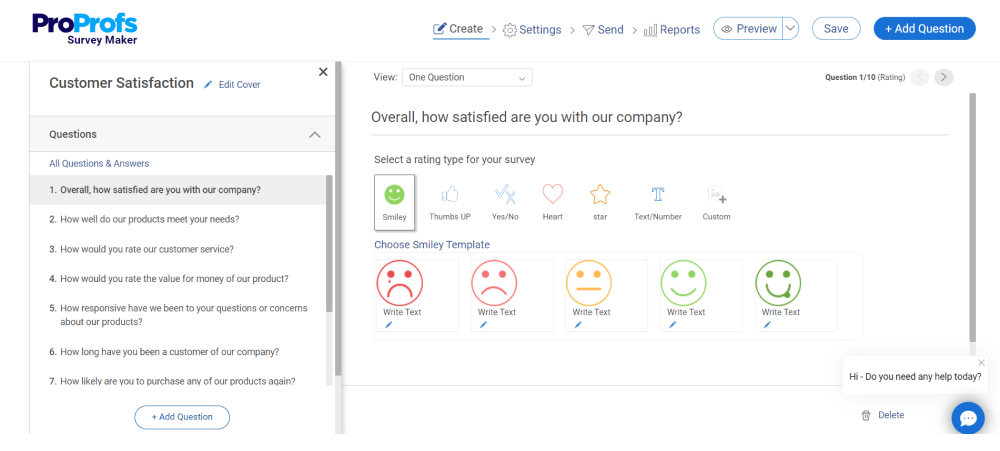
ProProfs Survey Maker is one of the few online form builder software I have seen handle both startup surveys and enterprise rollouts without falling apart. I first used it when we needed to move beyond basic contact forms and start running scored assessments and structured feedback loops.
What I like most is that it scales without drama. You can start with a simple embedded form on a landing page and later run multilingual employee surveys with authentication and reporting dashboards. The AI form builder is practical. You give it a prompt, and it produces a structured form with logic already mapped out. That alone can save hours.
It also handles the operational side well. You can assign scoring, calculate section-wise results, segment responses, and export clean reports without wrestling spreadsheets every week.
Best For: Growing businesses and enterprises that need unlimited responses, advanced logic, scoring, strong reporting, and secure data collection.
Pros:
- AI-powered form and survey generation from simple prompts.
- 100+ ready-to-use templates across marketing, HR, and customer feedback.
- Advanced branching, skip logic, and scored surveys.
- NPS tracking with visual dashboards and trend reports.
- Full branding and white-label capabilities.
- Role-based permissions and GDPR compliance.
- Seamless integrations with CRMs and marketing automation tools.
Cons:
- No dark interface option for long editing sessions.
- Dedicated onboarding and account management are limited to higher plans.
User Rating: 4.8/5 (Capterra)
Pricing: Free plan available. Paid plans start at $19.99/month, with higher Business and Enterprise tiers.
2. Google Forms
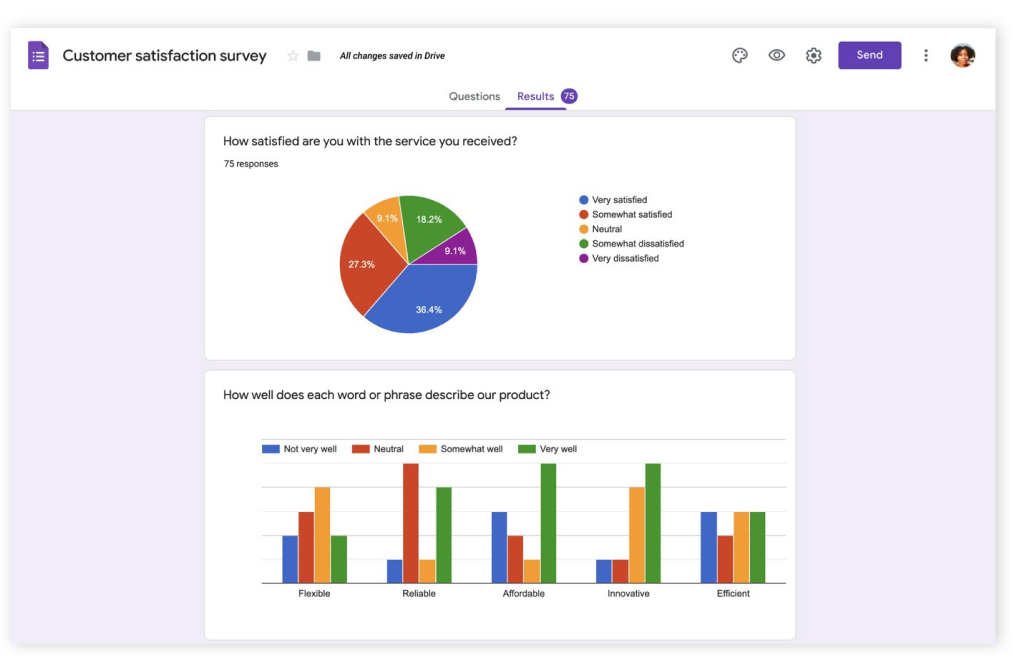
Google Forms is the tool almost everyone has used at least once. I still use it when I need something live in 5 minutes and do not want to think about pricing, quotas, or onboarding.
It is simple, free, and deeply integrated with Google Sheets. For lightweight feedback, event registrations, classroom quizzes, or quick internal surveys, it works reliably. There is zero friction in sharing it, and collaboration inside Google Workspace is seamless.
That said, the simplicity becomes a ceiling once you need scoring logic, branded experiences, workflow automation, or structured reporting. It collects answers well, but it does not process them deeply.
Best For: Individuals, educators, and small teams that need free, fast, no-frills forms.
Pros:
- Completely free with no response caps.
- Extremely easy to build and share.
- Automatic integration with Google Sheets.
- Real-time collaboration with team members.
- Basic validation rules to improve data accuracy.
Cons:
- Limited customization and branding options.
- No advanced scoring or enterprise reporting.
- Not built for complex workflows or secure authentication scenarios.
User Rating: 4.5/5 (G2)
Pricing: Free
3. Jotform
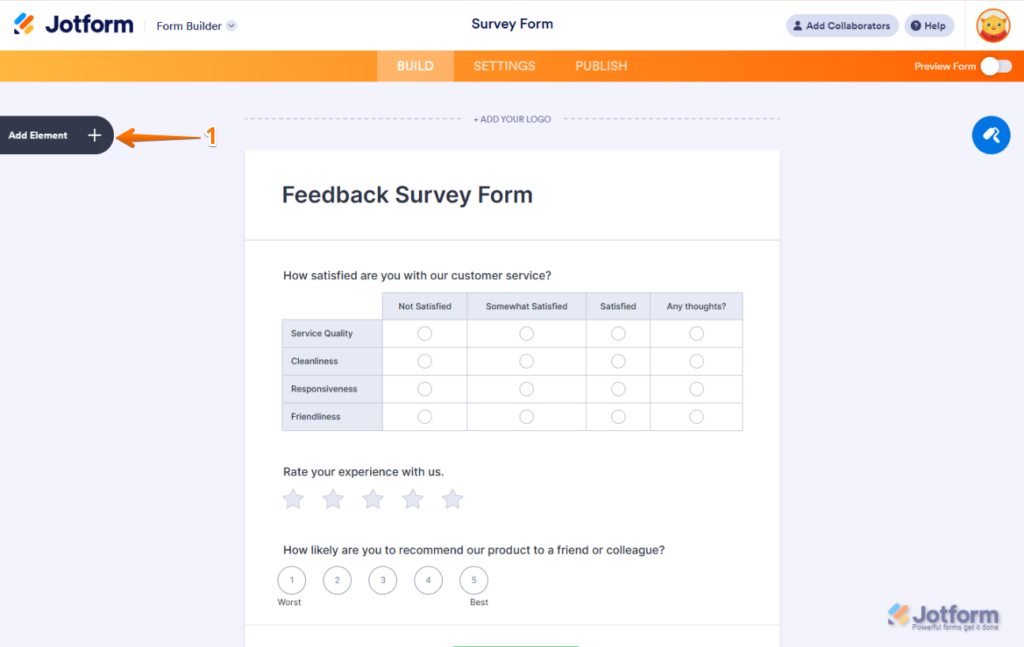
Jotform is the tool I usually land on when someone says, “I need a form that can do a bit of everything.” I first used it years ago for event registrations and payment forms, and it has quietly grown into a very capable all-rounder.
What stands out is flexibility. You can build long, complex forms with conditional logic, accept payments, collect files, and push data into dozens of integrations. It also works well across devices, making it a solid choice when your audience isn’t always sitting at a desk.
That said, as forms get more complex, the interface can feel busy. It is powerful, but you have to be willing to spend some time setting things up properly.
Best For: Teams that need flexible forms with payments, uploads, and broad integration support.
Pros:
- Drag-and-drop builder with an extensive template library.
- Strong conditional logic for personalized flows.
- Built-in support for payments, approvals, and signatures.
- Works well on mobile and tablets.
- Integrates with analytics, CRMs, and storage tools.
Cons:
- Design customization can feel clunky and time-consuming.
- Advanced logic is powerful but not always intuitive.
User Rating: 4.7/5 (Capterra & G2)
Pricing: Free plan available. Paid plans start at around $34 per month.
4. Typeform
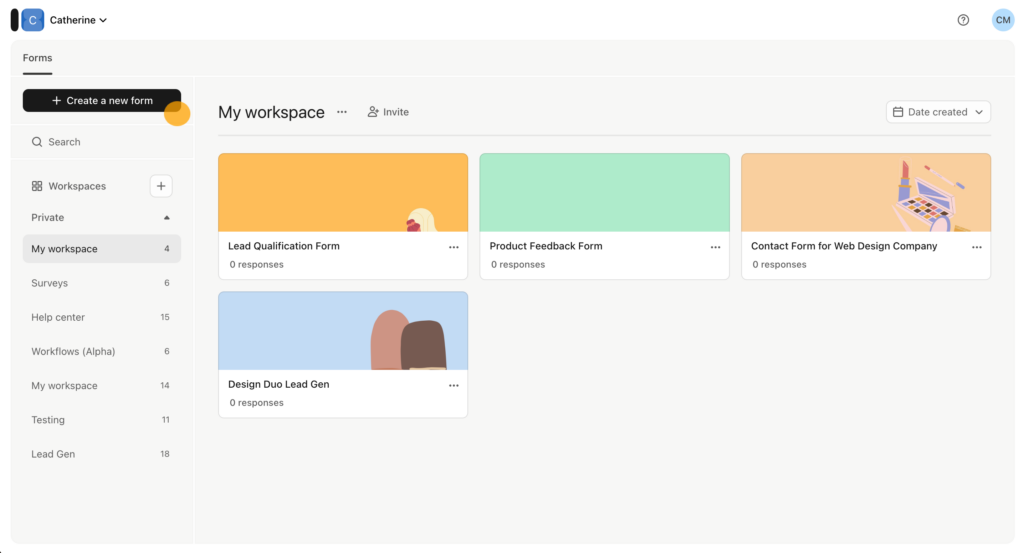
Typeform is the tool I reach for when completion rate matters more than speed of setup. It popularized the one-question-at-a-time experience, and it still does that better than most.
I have used Typeform for customer feedback, onboarding questionnaires, and lead qualification flows where form fatigue is a real risk. The experience feels more like a conversation than a form, and that alone can improve engagement.
Where it struggles is scale and complexity. Long forms, internal workflows, or heavy data processing are not its strengths. It shines when the form itself is the product experience.
Best For: Engagement-focused forms where user experience and completion rates matter most.
Pros:
- Clean, conversational interface that feels modern.
- Strong logic jumps and conditional flows.
- Good analytics for completion rates and drop-offs.
- Polished templates that need minor adjustment.
Cons:
- Not ideal for long or operational forms.
- Limited file upload and advanced workflow options.
- Pricing can add up as response volume grows.
User Rating: 4.5/5 (G2)
Pricing: Paid plans start at around $28 per month.
5. Cognito Forms
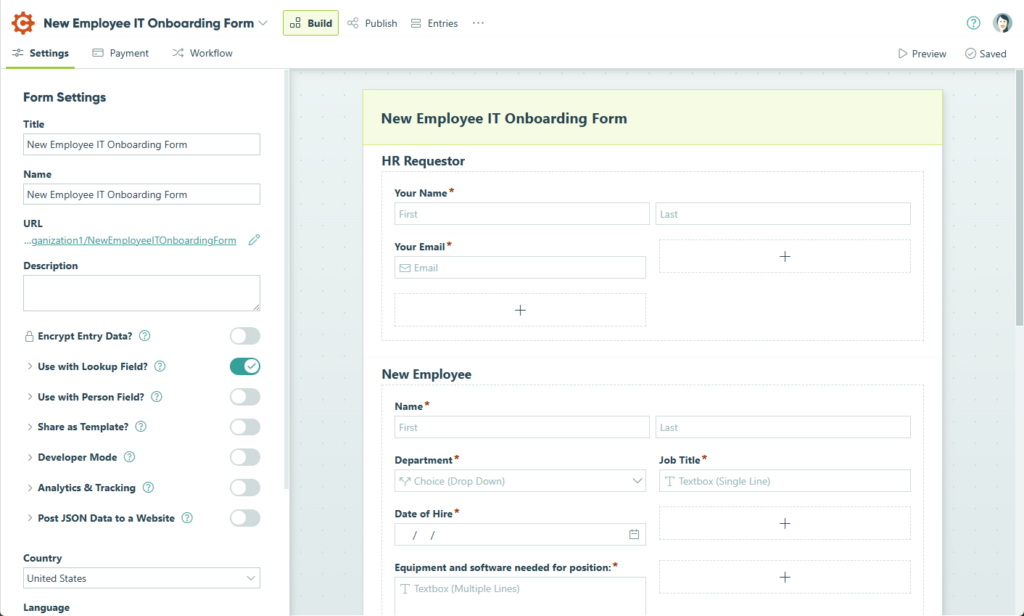
I first heard about Cognito Forms from a product operations lead who was frustrated with spreadsheet exports and manual calculations. They needed something that could actually compute data as it came in without resorting to external tools. Cognito kept coming up in conversation as the tool that hits that sweet spot between capability and simplicity.
What stands out is how it handles calculated fields and logic. You can build forms that automatically compute scores, totals, and derived answers without custom code. That makes it an excellent fit for assessments, quotes, order forms, and anything that needs live calculation.
It also has a thoughtful workflow model, not massively complex, but powerful enough for most business needs without enterprise pricing.
Best For: Teams that need logic and calculated fields without steep learning curves.
Pros:
- Flexible calculated fields and live computations.
- Advanced conditional logic and repeating sections.
- Solid reporting and data exports.
- Easy embedding and mobile-friendly forms.
Cons:
- UI is not as modern as some newer builders.
- The integration ecosystem is decent, but not as extensive as the bigger players.
User Rating: 4.5/5 (G2)
Pricing: Free tier available; paid plans start around $15 per month.
If your forms need to do math and drive decision logic without spreadsheets, Cognito Forms is a solid, practical choice — and one that reviewers and customers tend to rate highly without exaggeration.
6. Tally
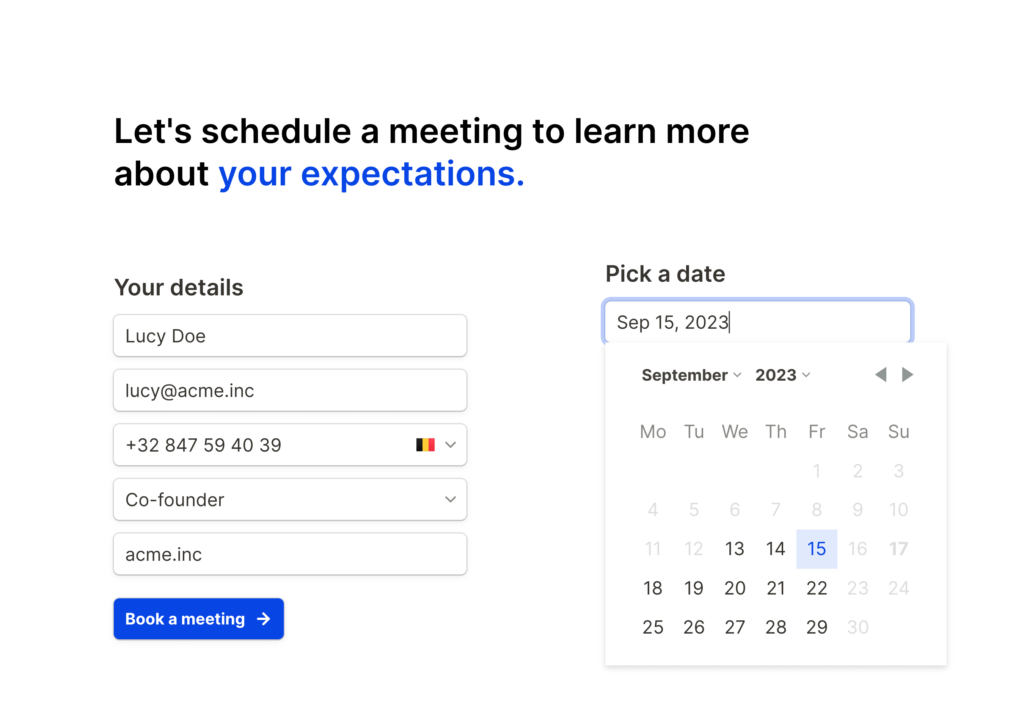
Tally kept popping up in founder Slack groups and Reddit threads whenever someone complained about response limits. The common phrase I saw was, “Why am I paying just to collect more answers?”
What attracted people to Tally was its generous free model. Unlimited responses. Conditional logic included. Clean, Notion-like editing. For early-stage startups and indie projects, that combination is hard to ignore.
It does not have the deepest reporting stack. But for publishing fast, branded forms without worrying about caps, it earns its popularity.
Best For: Startups and lean teams that want unlimited responses without complicated pricing.
Pros:
- Generous free plan with unlimited responses.
- Simple, intuitive builder.
- Conditional logic included without major paywalls.
- Easy embedding on websites.
Cons:
- Reporting and analytics are fairly basic.
- Limited enterprise-grade security controls.
User Rating: 4.4/5 (Capterra)
Pricing: Free plan available. Paid plans start around $24 per month.
7. Microsoft Forms
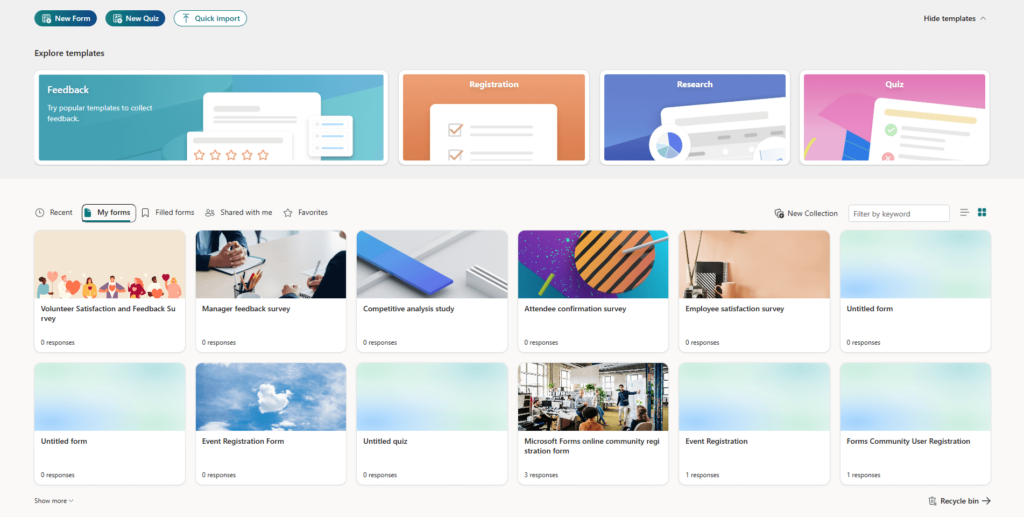
I did not come to Microsoft Forms by choice. It came to me through teams, which already lived inside Microsoft 365, and I did not want to introduce yet another tool. HR managers, internal ops leads, and educators kept telling me the same thing: “It’s already there, so we use it.”
Microsoft Forms works best when forms are internal and functional. Think employee pulse surveys, quick quizzes, training feedback, or internal polls. It integrates smoothly with Excel and Power BI, which is where most teams end up analyzing responses anyway.
If your organization already runs on Microsoft tools, this is the path of least resistance. Just do not expect it to grow with complex needs.
Best For: Teams already using Microsoft 365 that need simple internal forms and surveys.
Pros:
- Included with Microsoft 365 subscriptions.
- Very easy for internal teams to adopt.
- Real-time response tracking.
- Native export to Excel and Power BI.
- Supports quizzes and basic branching logic.
Cons:
- Extremely limited design and branding options.
- Not suitable for complex workflows or external-facing forms.
User Rating: 4.4/5 (G2)
Pricing: Included with Microsoft 365.
8. Zoho Forms
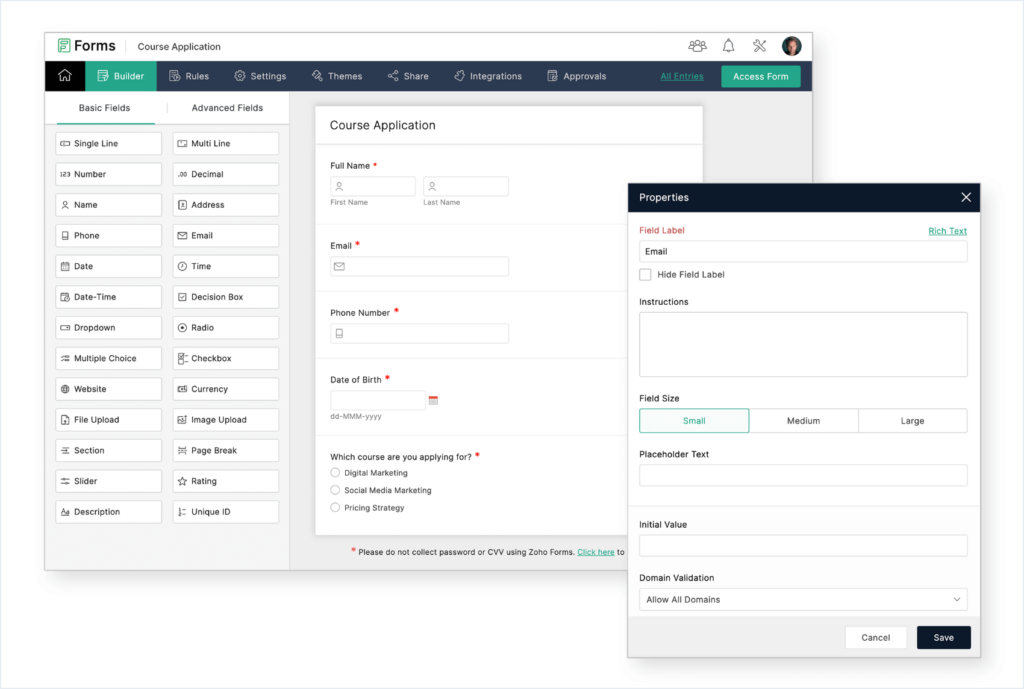
Zoho Forms usually enters the conversation when someone is already deep into the Zoho ecosystem. A client once described it as “the glue” that connected their CRM, email campaigns, and internal approvals without extra middleware.
People recommend Zoho Forms less for its standalone polish and more for how well it fits into Zoho’s broader workflow story. You can route submissions, trigger approvals, and push data directly into other Zoho apps without heavy configuration.
Outside the Zoho stack, interest drops off. Inside it, adoption is fast.
Best For: Businesses already using Zoho CRM and Zoho apps.
Pros:
- Tight integration with Zoho CRM and related tools.
- Built-in workflows and approval flows.
- Conditional logic and data routing.
- Mobile-friendly forms for field teams.
Cons:
- Interface takes time to learn.
- Less compelling as a standalone form builder.
User Rating: 4.4/5 (G2)
Pricing: Free plan available. Paid plans start from $10 per month.
9. Paperform
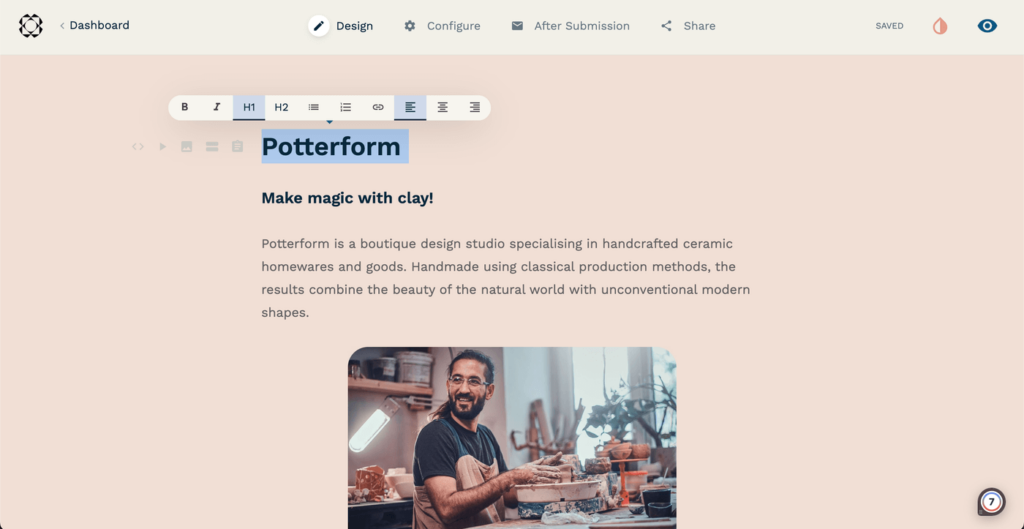
Paperform came up through designers and marketers I trust, especially people who care deeply about how things look and feel on a page. The way it was described to me was simple: “It does not feel like a form. It feels like a landing page that happens to collect data.”
That description is accurate. Paperform shines when the form itself is part of the experience. You can mix text, images, videos, and questions on the same page, which makes it ideal for product launches, applications, and branded campaigns.
It also supports logic, scoring, and webhooks, so it is not just pretty. But it is not trying to run enterprise workflows either. Its strength is presentation and flexibility.
Best For: Branded, page-style forms that blend into websites and campaigns.
Pros:
- Beautiful, flexible layouts that feel like web pages.
- Rich conditional logic and scoring.
- Webhooks for custom workflows.
- Custom domains for a seamless brand experience.
Cons:
- Not designed for heavy internal or enterprise workflows.
User Rating: 4.8/5 (Capterra & G2)
Pricing: Limited free plan available. Paid plans start from $24 per month.
If brand experience matters more than operational depth, Paperform is often the tool people point to.
10. Formstack
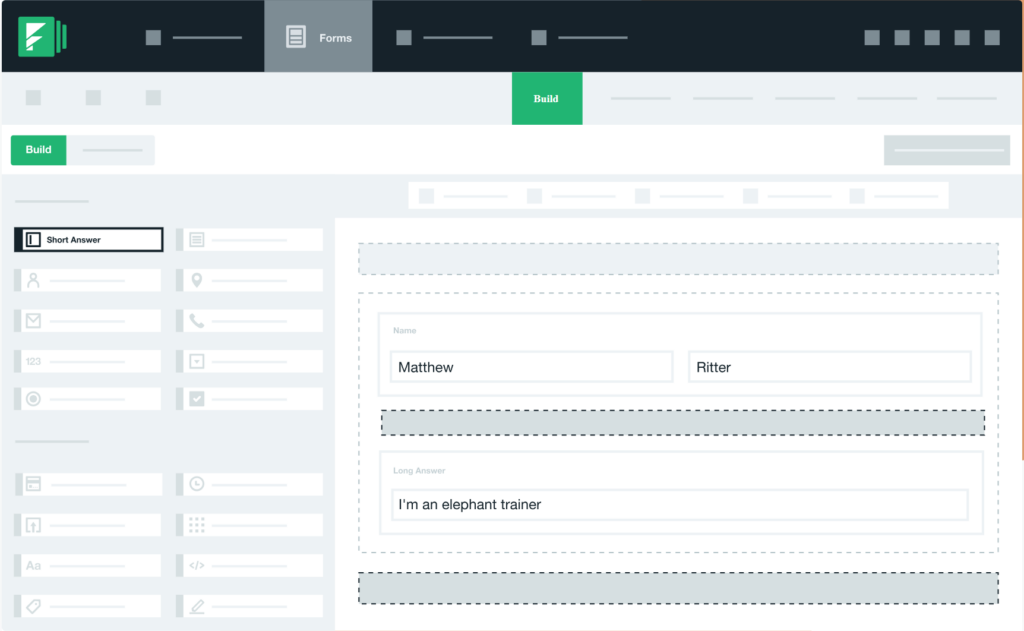
Formstack usually enters the picture when the stakes are higher. I have heard it recommended by operations leaders and IT teams who care about compliance, governance, and repeatable workflows more than visual polish.
One enterprise ops manager described it to me as “forms that actually run processes.” That sums it up well. Formstack is built around approvals, routing, partial submissions, and audit-friendly workflows. It is not lightweight, but it is dependable when forms are tied to regulated or high-risk processes.
It is overkill for simple use cases. But for enterprises, that is often the point.
Best For: Enterprise teams that need secure, compliant, workflow-driven forms.
Pros:
- Advanced workflow automation and approvals.
- Strong compliance and security controls.
- Partial submissions with automated follow-ups.
- Integrates with enterprise systems and CRMs.
Cons:
- Higher cost compared to most alternatives.
- Can feel heavy for simple or marketing-driven forms.
User Rating: 4.3/5 (G2)
Pricing: Free trial available. Paid plans start from $83 per month.
How I Chose the Best Form Creator Software for This List
Choosing form builder software can feel overwhelming. Most tools promise the same things. Easy setup. Powerful logic. Seamless integrations. That does not help you make a confident decision.
This shortlist was built using a practical evaluation framework that you can apply yourself. Follow these steps, and you will avoid the most common mistakes teams make.
Start With What Happens After Submission
Most buyers focus on how easy it is to build a form. That is only half the story.
Ask these questions first:
- Do responses need to be scored automatically?
- Should submissions be routed to different teams?
- Are approvals required before action is taken?
- Is trend reporting important over time?
If the form only collects information, almost any tool will work. If the form triggers decisions, workflows, or analysis, you need structured logic and reporting capabilities.
Evaluate Scalability and Pricing Structure
Growth often exposes limitations.
Before choosing, clarify:
- Expected number of responses per month
- Potential peak volumes during campaigns or company-wide surveys
- Response limits on free and entry plans
- Pricing jumps between tiers
Some tools appear affordable until volume increases. The right platform should support scale without sudden cost spikes or feature lockouts.
Assess Reporting and Analytics Depth
Data collection without usable reporting creates extra work.
Check whether the platform offers:
- Built-in dashboards
- Visual charts and segmentation
- Trend tracking over time
- Section-level scoring or calculated metrics
If exporting to spreadsheets is required for every insight, reporting is not truly built in.
Consider Real-World Adoption and Accessibility
Forms must be easy to access and complete.
Evaluate:
- Mobile responsiveness
- Simple, shareable URLs
- QR code support for physical locations
- Compatibility with shared devices
If part of your workforce does not use company email addresses or personal smartphones, accessibility features become critical.
Review Security and Data Controls
Security requirements vary by use case.
For employee feedback, healthcare data, or compliance workflows, confirm:
- User authentication options
- Role-based access permissions
- Controlled data exports
- Availability of anonymous response settings. Here’s a video you can watch to create your anonymous surveys effectively:
Not all form maker software supports advanced privacy controls. Verify before committing.
Balance Simplicity With Long-Term Fit
There are two common mistakes:
- Choosing a basic tool and outgrowing it within months
- Selecting an enterprise-grade platform that is unnecessarily complex
Match the tool to your current maturity level and expected growth. A startup validating ideas does not need enterprise governance. A company running regulated processes cannot rely on a lightweight builder.
Practical Decision Shortcut
Use this quick filter:
- For simple data collection, choose lightweight and free tools.
- For engagement and branding, prioritize user experience and design flexibility.
- For scoring and structured reporting, choose platforms with advanced logic.
- For approvals and compliance, select enterprise-ready software.
The best software to create forms is not defined by feature count. It is defined by alignment with your workflow, team size, and growth trajectory.
Common Problems Teams Face With Form Builder Software
Most teams do not fail because they chose a bad tool. They fail because they chose a tool that did not match how forms are actually used in the business.
Here are the most common problems that show up after launch, not before.
1. Response Limits That Punish Success
A campaign performs well. A survey gets shared widely. Suddenly, the form stops collecting responses, or the bill jumps overnight.
This happens when tools cap responses or charge aggressively by volume. If forms are tied to growth, response limits become a risk, not a feature.
What to Do Instead: Understand response caps and pricing thresholds upfront. Choose tools that scale predictably as volume grows.
2. Forms That People Do Not Finish
Low completion rates are often blamed on the audience. In reality, they are usually a design or flow issue.
Common causes include:
- Too many required fields
- Long forms without progress indicators
- Poor mobile optimization
- One-question-at-a-time layouts used in the wrong context
What to Do Instead: Match the layout to the use case. Use conversational flows for short surveys and document-style layouts for longer or professional forms.
3. Messy Data That Requires Manual Cleanup
Collecting data is easy. Making sense of it is harder.
Teams often end up:
- Exporting CSV files every week
- Manually tagging leads
- Calculating scores in spreadsheets
- Rebuilding reports from scratch
What to Do Instead: Choose form maker software with built-in scoring, calculations, and dashboards so insights are available immediately.
4. Integration Friction After Submission
Many tools only support automation after the final submit button is clicked. That limits what you can do mid-flow.
This becomes a problem when:
- Later questions depend on earlier answers
- Data needs to be checked against existing records
- Different paths require different follow-ups
What to Do Instead: Look for tools that support advanced logic, conditional flows, and flexible integrations that go beyond basic webhooks.
5. Low Internal Adoption
Internal forms often fail quietly.
Employees do not fill them out because:
- Links are hard to find
- Tools require personal email addresses
- Forms do not work well on shared devices
- Mobile experience is poor
What to Do Instead: Use short links, QR codes, and mobile-friendly designs. Make access as easy as possible.
6. Security and Privacy Concerns
This shows up most often in HR and compliance workflows.
If respondents worry about anonymity or data exposure, honesty drops immediately.
What to Do Instead: Verify anonymity controls, authentication options, role-based permissions, and data access policies before rolling out sensitive forms.
FREE. All Features. FOREVER!
Try our Forever FREE account with all premium features!
Implementation Tips to Get More Value From Form Builder Software
Choosing the right tool is only half the work. Most teams lose value not because the software is weak, but because the implementation is rushed. Here is a practical, step-by-step way to set up form builder software that actually supports growth rather than creating extra admin work.
1. Define the Outcome Before Building the Form
Before opening the builder, answer one question clearly:
What should happen after someone submits this form?
Examples:
- A hot lead should go directly to sales.
- An internal request should route to a specific manager.
- An employee survey should feed into a quarterly dashboard.
- A low NPS score should trigger a follow-up email. Here are a few email NPS templates you can use to quickly send out your survey:
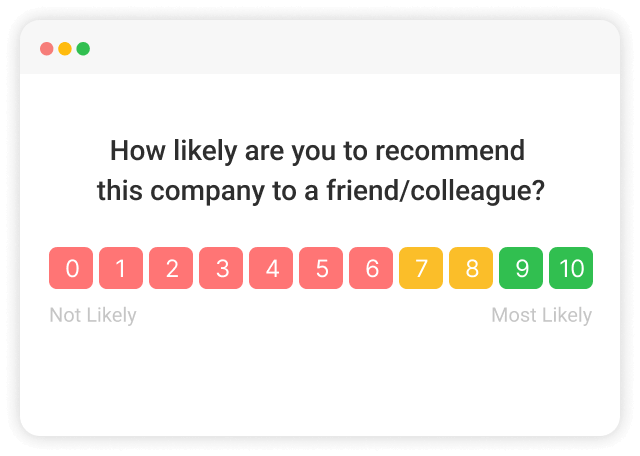
If the post-submission workflow is unclear, the form will feel disconnected from the business.
2. Keep the Form Shorter Than You Think
Most forms are too long.
To reduce abandonment:
- Remove fields that are “nice to have” but not essential.
- Group related questions logically.
- Use conditional logic to show only relevant questions.
- Add progress indicators for longer forms.
If completion rate matters, every extra field should justify its existence.
3. Choose the Right Layout for the Context
Not all forms should look the same.
- Use conversational layouts for short feedback or lead qualification flows.
- Use document-style layouts for applications or professional forms.
- Use multi-page forms for structured internal workflows.
The layout should match the mindset of the respondent.
4. Embed Strategically, Not Randomly
Where you place a form often matters more than how it looks.
Best practices:
- Place lead forms above the fold on landing pages.
- Use exit-intent or timed triggers carefully for feedback.
- Use QR codes for in-person events or frontline teams.
- Keep URLs short and easy to share.
Accessibility increases response rates without changing the form itself.
5. Automate Follow-Ups Immediately
A form without automation is a missed opportunity.
After submission, consider:
- Sending confirmation emails automatically.
- Routing high-value leads to a sales rep instantly.
- Scheduling follow-up tasks inside your CRM.
- Triggering different emails based on response scores.
Automation turns form builder software into an operational engine instead of a static collection tool.
6. Review Data Weekly at First
The first few weeks after launch are critical.
Check:
- Completion rate
- Drop-off points
- Average time to complete
- Distribution of scores or answers
Small tweaks early can dramatically improve performance.
7. Revisit Logic Quarterly
As your business evolves, your forms should evolve too.
- Are you asking outdated questions?
- Have your qualification criteria changed?
- Do routing rules still make sense?
Treat forms like living systems, not one-time projects.
Choosing the Right Form Builder Software for Your Business
The “best” form builder software is the one that matches your workflow, your volume, and your risk. If you pick based on surface features, you usually pay for it later in abandoned forms, messy data, or surprise pricing.
Use this quick fit guide:
- If you need scoring, reporting, and workflows that scale, start with ProProfs Survey Maker.
- If you need simple, free forms fast, Google Forms is hard to beat.
- If you need a flexible all-rounder with lots of integrations, look at Jotform.
- If your biggest problem is completion rate and engagement, Typeform is the cleanest bet.
- If you want fast setup and generous free usage, Tally is a strong option.
- If you are inside a suite already, go with the native fit: Microsoft Forms for Microsoft 365 and Zoho Forms for Zoho users.
- If you need brand-first, page-style forms, Paperform is built for that.
- If you need enterprise workflows and compliance, Formstack is the heavy-duty choice.
If you are stuck between two options, build the same test form in both and compare three things: mobile experience, reporting clarity, and how much work you save after submission. That is where the real difference shows up.
Frequently Asked Questions
What is the best form builder software for enterprise use?
Enterprise teams need scale, security, permissions, and workflow control. Formstack is strong for compliance-heavy processes. ProProfs Survey Maker is well-suited for large-scale surveys, authentication, advanced logic, and dashboard reporting without requiring a complex implementation cycle.
Is there free form builder software with unlimited responses?
Yes. Google Forms offers unlimited responses at no cost. ProProfs Survey Maker is also known for generous free usage. However, free tools often lack structured reporting, automation, and governance features. If forms are tied to revenue, compliance, or internal workflows, paid plans typically provide stronger long-term value.
How do I choose the right form creator software for my business?
Start with what happens after submission. If responses only need to be stored, lightweight tools are fine. If they need scoring, routing, follow-ups, or dashboards, choose a workflow-ready platform like ProProfs Survey Maker. Then evaluate response limits, integrations, security, and long-term pricing structure.
What features should I look for in form maker software?
Look for conditional logic, scoring or calculated fields, built-in dashboards, mobile responsiveness, and integration flexibility. If you collect sensitive information, prioritize authentication and permissions. Avoid tools that require constant exports and manual processing. Reporting and automation matter more than template variety.
How can I reduce form abandonment rates?
Remove unnecessary fields, shorten the form where possible, and use logic to hide irrelevant questions. Ensure the form is mobile-friendly and add progress indicators for longer flows. Match layout to context. Conversational formats help with short surveys, while document-style layouts work better for detailed submissions.
Can form builder software integrate with CRM and marketing tools?
Most modern tools support integrations, but the depth varies. If your forms feed sales or marketing pipelines, prioritize platforms with native CRM integrations and automated routing. ProProfs Survey Maker supports structured scoring and integration workflows that reduce manual tagging and follow-up delays.
Is form builder software secure for collecting sensitive data?
Security depends on the platform. Look for role-based permissions, authentication options, and anonymity controls. For employee or regulated data, ensure the system supports secure access and controlled reporting. Always confirm compliance features before rolling out forms tied to HR or confidential workflows.
What is the difference between conversational forms and traditional forms?
Conversational forms show one question at a time and can improve completion for short, engagement-focused flows. Traditional forms display multiple fields at once and work better for longer or professional submissions. The right choice depends on the audience, length, and whether speed or structure matters more.
Why do teams outgrow basic form builder software?
Teams outgrow basic tools when they need scoring, automation, dashboards, or workflow routing. Exporting spreadsheets weekly, manually tagging leads, and rebuilding reports are signs of strain. Growth exposes limitations in response caps, reporting depth, and integration flexibility.
What are common mistakes when choosing form builder software?
Common mistakes include ignoring response limits, underestimating reporting needs, overlooking security controls, and focusing only on design. Many teams choose based on price alone and later struggle with automation gaps or manual data processing. Matching the tool to the workflow prevents expensive rebuilds.
How can form builder software improve ROI?
ROI comes from automation and higher completion rates. If your team manually processes 500 leads per month at three minutes each, automation saves roughly 25 hours monthly. Better logic and routing also increase qualified leads, reduce admin time, and improve decision speed.
Is form builder software worth the investment?
If forms influence revenue, hiring, or compliance, the investment usually pays for itself quickly. Automation reduces manual work, scoring improves lead quality, and dashboards remove reporting friction. The key is choosing a platform aligned with your workflow, not just the lowest upfront price.
FREE. All Features. FOREVER!
Try our Forever FREE account with all premium features!

 We'd love your feedback!
What did you like & how can we make it even better?

 Thanks for your feedback!
 Ask Your Question
Have a question? Get expert help to make your decision easier.