
If you’ve implemented a customer experience management software and seen strong results in the early months, only to notice later that the insights aren’t leading to real changes, you’re familiar with a common challenge.
CX programs often struggle not because teams lack interest, but because the tools don’t hold up well in everyday use.
I’ve seen teams begin with something straightforward like an NPS survey, then layer on onboarding feedback or employee checks, and eventually the platform starts to strain. Limits on responses kick in, reports slow down, integrations become unreliable, and while the data is there, it doesn’t feel trustworthy enough for decision-making. At that stage, CXM efforts can begin to feel like extra work with minimal impact.
This comparison of 10 customer experience management tools focuses on what matters in the long term: performance under real-world load, ease of turning feedback into action, where setup challenges tend to arise, and which options add unnecessary complexity if you don’t need their full scope.
Let’s begin with what CXM software is!
What Is Customer Experience Management Software?
Customer experience management software is the system you use to capture feedback, make sense of it, and actually change behavior across teams. Not just surveys or tickets, but the whole loop.
In practice, CXM software usually sits in one of three places. Some tools focus on capturing context, such as what a user was doing when something broke or confused them.
Others are built for structured programs, like NPS & CSAT, or employee pulse surveys that run on a schedule and need clean reporting. Then some platforms try to unify everything, like feedback, support, CRM data, and analytics, under one roof.
Where teams get this wrong is assuming these tools are interchangeable. They’re not. A tool that’s excellent at in-the-moment feedback often falls apart when you try to run quarterly CX or EX programs. A tool built for enterprise reporting can feel painfully slow if you just want to understand why users drop during onboarding.
Good CXM software does three things reliably:
- It captures feedback without killing response rates.
- It holds up when volume and stakeholders increase.
- And it makes it easy to move from insight to action without exporting ten spreadsheets or chasing people on Slack.
10 Best Customer Experience Management Software
Before getting into the details, this table is here to do one thing. Help you narrow the field fast. Use it to shortlist. The deeper explanations come right after.
| Tool | Category | Best For | Standout Strength | Pricing | User Rating |
|---|---|---|---|---|---|
| ProProfs Survey Maker | CX Feedback and EX Surveys | Scalable, structured CX and EX programs | Handles volume and structured reporting without breaking | Free plan available. Paid plans start at $19.99/month | 4.8/5 (Capterra) |
| Qualaroo | In-Product Feedback | Capturing context during user actions | Preserves user intent with behavioral targeting | Free plan available. Paid starts at $19.99 | 4.7/5 (Capterra) |
| Qualtrics | Enterprise CXM | Large-scale VoC and EX programs | Deep analytics and governance | Custom quote | 4.5/5 (G2) |
| Medallia | Enterprise Experience Management | Cross-channel experience insights | Strong analytics across large datasets | Custom quote | 4.5/5 (G2) |
| Zendesk | Support-Led CX | CX driven by customer support workflows | Mature ticketing and support tooling | Starts at $19 per month | 4.3/5 (G2) |
| Salesforce Service Cloud | Enterprise Support CX | CRM-centric customer service | Tight CRM and service integration | Custom quote | 4.4/5 (G2) |
| HubSpot Service Hub | SMB Service CX | CRM-first support teams | Fast setup for small teams | Starts at $90/month/seat | 4.4/5 (Capterra) |
| Adobe Experience Manager | Digital Experience CX | Content-led customer journeys | Strong content and asset management | Custom quote | 4.2/5 (G2) |
| Freshdesk | Support & Experience CX | Practical support plus experience workflows | Easy onboarding and automation | Starts at $15/agent/month | 4.4/5 (G2) |
| Hiver | Email-Based CX | Gmail-based support teams | Simple collaboration inside the inbox | Starts at $25/user/month | 4.6/5 (G2) |
Next up is the full breakdown of each tool so you can see where they help, where they slow you down, and when to walk away.
This is the part where most “best tools” articles lose the plot. They mix survey tools, helpdesks, enterprise platforms, and in-product widgets as if they solve the same problem. They don’t.
I’m grouping these tools in one list, but I’m not pretending they’re interchangeable. Each one exists because a different CX problem shows up at a different stage. Some tools are built to capture context in the moment.
1. ProProfs Survey Maker
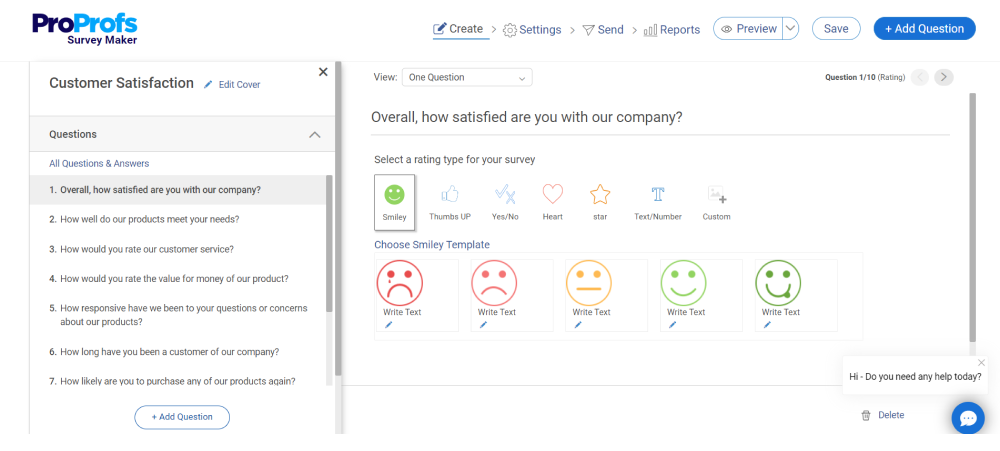
I’ve seen ProProfs Survey Maker show up most often when teams outgrow “quick surveys” and realize they need something that doesn’t collapse under real usage. This is the tool teams land on after hitting response caps, broken logic, or reporting limits elsewhere. It’s built for running repeatable CX and EX programs without having to constantly re-architect your setup.
What stands out in practice is predictability. Teams use it when they need to send surveys to thousands or millions of respondents and still trust the data. The AI Questionnaire Builder is useful here, not because it’s smart, but because it saves time when you’re spinning up surveys across multiple teams and don’t want to start from scratch every time.
Best For: Running structured CX and EX programs at scale, including NPS, CSAT, eNPS, and scored assessments that need clean reporting and governance.
Pros:
- 100+ professionally designed templates.
- Handles high response volumes without throttling or surprise limits.
- Strong survey logic and scoring for structured programs.
- Easy to standardize surveys across teams using templates.
- Integrates cleanly with CRMs and marketing tools for follow-ups.
- Reporting stays usable even as datasets grow.
- All-in-one customer delight suite for every customer need.
Cons:
- No dark mode, which becomes noticeable during long setup sessions.
- Advanced onboarding and account support are tied to paid plans.
User Rating: 4.8/5 (Capterra)
Pricing: Free plan available with all premium features. Paid plans start at $19.99/month.
2. Qualaroo
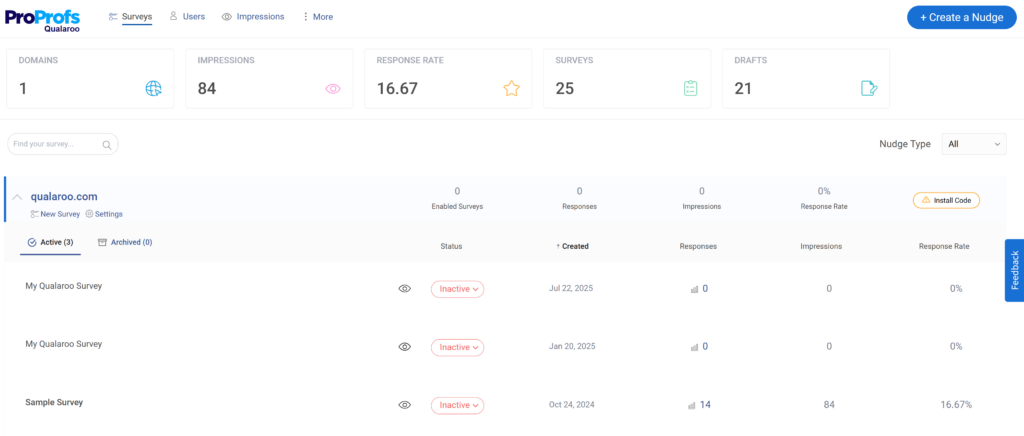
Qualaroo comes up consistently when teams care about context more than volume. I’ve seen product teams rely on it when they want to understand why users drop off, hesitate, or abandon a flow, not just how many did. This is not a general survey platform. It’s a precision tool for capturing intent while it still exists.
The Nudge™ is the core of the product. It lets teams ask questions at the exact moment something happens, after a failed onboarding step, during feature exploration, or before exit. That timing is the difference between useful insight and noise. Teams also lean on its sentiment analysis to cut through open-text responses quickly, especially when feedback volume spikes after releases.
Best For: Capturing in-the-moment, contextual feedback during specific user actions in web and product experiences.
Pros:
- Behavioral targeting keeps surveys relevant and non-disruptive.
- Excellent for diagnosing UX and onboarding issues.
- Branching logic keeps surveys short and focused.
- Strong handling of open-text feedback at scale.
- Supports in-app, web, and prototype feedback.
Cons:
- Onboarding and dedicated support are mainly available on paid plans.
- Requires an active internet connection; no offline or on-premise option.
User Rating: 4.7/5 (Capterra)
Pricing: Free plan available. Paid plans start at $19.99 per month.
3. Qualtrics
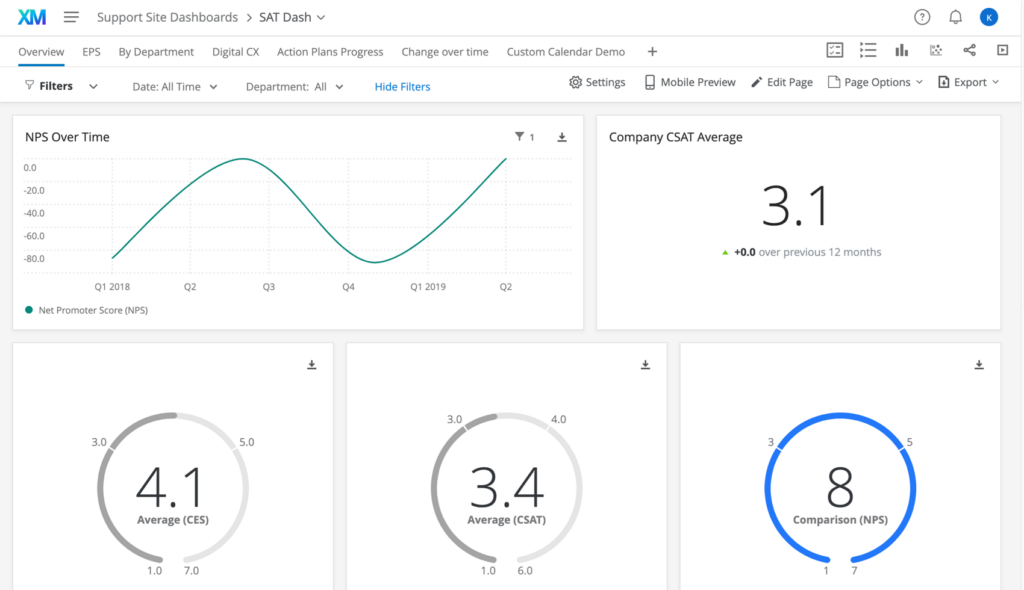
I usually see Qualtrics show up when CX stops being a single team’s responsibility and turns into an enterprise program. This is the tool large orgs adopt when surveys, EX, VoC, and governance all need to live under one roof, and leadership wants consistency more than speed.
Teams I’ve worked with use Qualtrics when data integrity and stakeholder alignment matter more than setup time. It’s powerful, but it’s not forgiving. You don’t “just spin something up” in Qualtrics without planning. In return, you get deep control over survey logic, analytics, and permissions, which is exactly why regulated and global teams stick with it.
Best For: Running large-scale VoC and EX programs across multiple departments with strict governance and reporting needs.
Pros:
- Very strong analytics and reporting depth for CX and EX.
- Handles complex survey logic and segmentation well.
- Mature governance controls for large teams.
- Trusted by enterprises running global programs.
- Scales cleanly across multiple business units.
Cons:
- Setups and changes take time and coordination.
- Overkill for teams that just need fast feedback loops.
- Cost and complexity make it a poor fit for smaller teams.
User Rating: 4.5/5 (G2)
Pricing: Custom quote.
4. Medallia
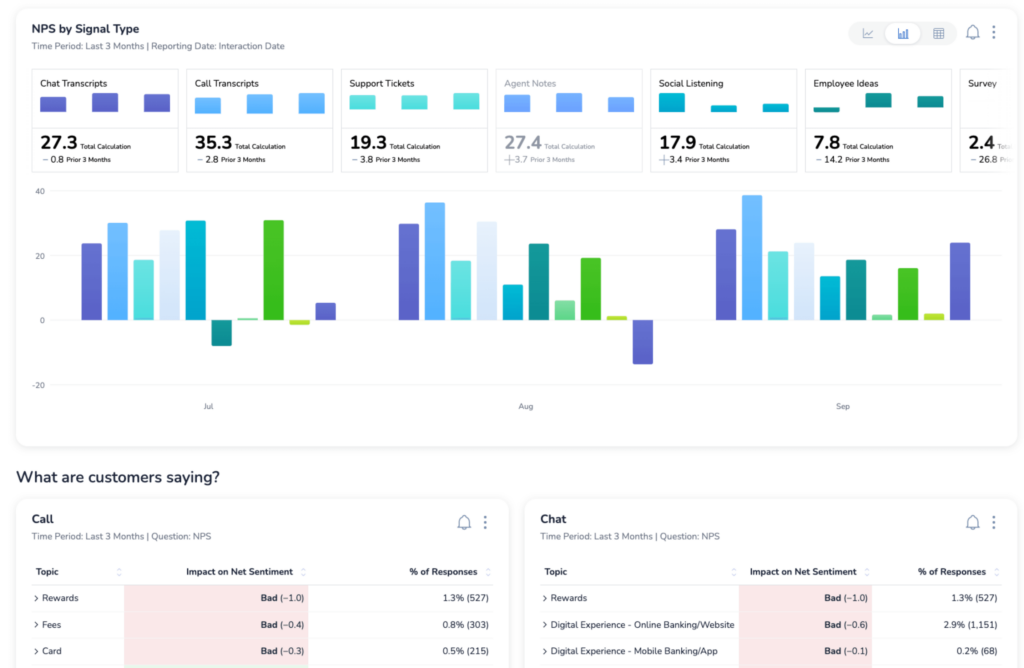
Medallia usually enters the picture when organizations want to centralize experience data from many channels and analyze it at scale. I’ve seen it used most often in enterprises that care deeply about trends over time and want a single source of truth for experience insights.
Teams that choose Medallia tend to be analytics-driven and process-heavy. The platform is built to ingest large datasets and surface patterns across touchpoints. That strength comes with complexity. You don’t adopt Medallia casually. It requires commitment, alignment, and often external help to get the most value out of it.
Best For: Organizations that need cross-channel experience insights and advanced analytics across large customer and employee datasets.
Pros:
- Strong analytics across structured and unstructured data.
- Designed to handle large volumes of feedback.
- Good fit for mature CX programs with executive visibility.
- Supports multiple feedback channels in one system.
- Reliable for long-term trend analysis.
Cons:
- Steep learning curve for non-technical teams.
- Slower to adapt when CX priorities change.
- Requires significant upfront setup and buy-in.
User Rating: 4.5/5 (G2)
Pricing: Custom quote.
5. Zendesk
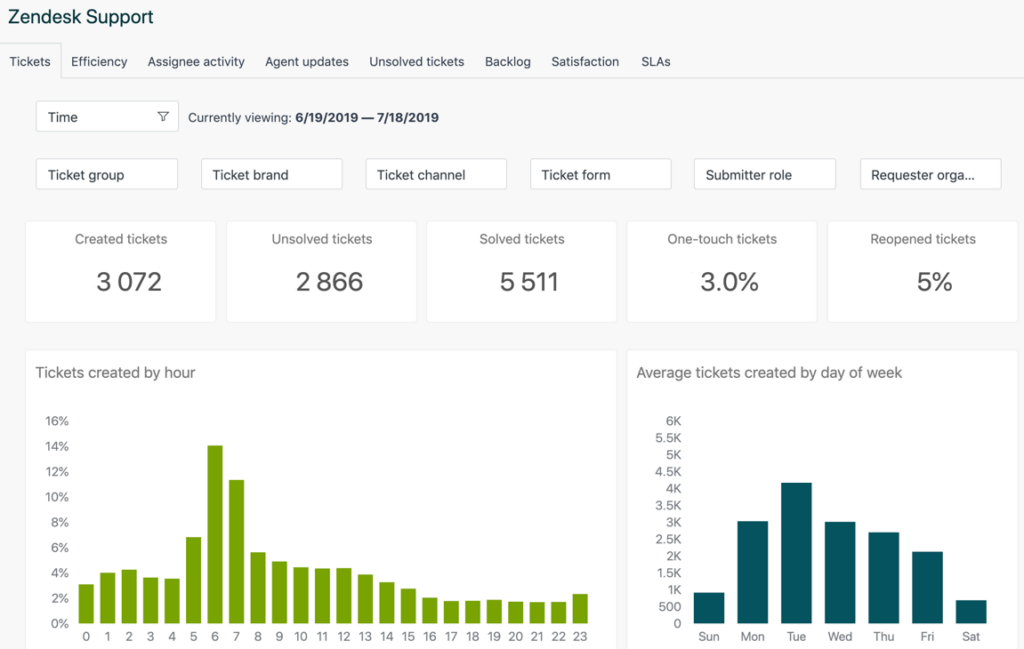
Zendesk is usually the first serious CX platform support teams adopt when email inboxes and shared spreadsheets stop working. I’ve seen it used across startups and mid-sized companies where customer experience is largely defined by how support tickets are handled and resolved.
Teams rely on Zendesk because it’s predictable. Ticket routing, SLAs, automations, and reporting are well understood. Where it starts to show limits is when teams try to stretch it into a full CX or VoC system. It can collect CSAT well, but deeper experience analysis usually lives elsewhere.
Best For: Customer experience programs that are primarily driven by support workflows and ticket resolution.
Pros:
- Mature, reliable ticketing and support workflows.
- Strong automation for routing and prioritization.
- Large ecosystem of integrations.
- Familiar interface for support teams.
- Scales well for growing support orgs.
Cons:
- Limited depth for CX analysis beyond support.
- Reporting can feel rigid without add-ons.
- Costs increase quickly as teams and features expand.
User Rating: 4.3/5 (G2)
Pricing: Starts at $19 per month.
6. Salesforce Service Cloud
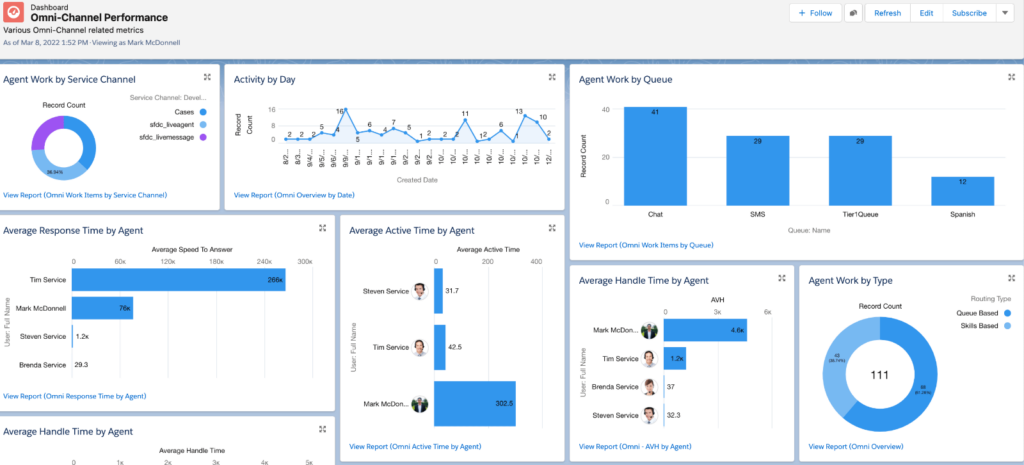
Salesforce Service Cloud shows up when CX is tightly coupled with CRM data and enterprise processes. I’ve mostly seen it used by large sales-led organizations that already live inside Salesforce and want service to follow the same model.
Teams that succeed with Service Cloud are usually disciplined about process. Everything is configurable, but very little is simple. When set up well, it creates a single view of the customer across sales, service, and support. When set up poorly, it becomes slow and brittle.
Best For: Enterprise teams that run customer service inside Salesforce and need tight CRM and service integration.
Pros:
- Deep integration with Salesforce CRM.
- Powerful case management and automation.
- Supports complex enterprise workflows.
- Strong ecosystem and extensibility.
- Good visibility across the customer lifecycle.
Cons:
- Setup and customization require expertise.
- Ongoing admin overhead is high.
- Not well-suited for teams needing fast iteration.
User Rating: 4.4/5 (G2)
Pricing: Custom quote.
7. HubSpot Service Hub
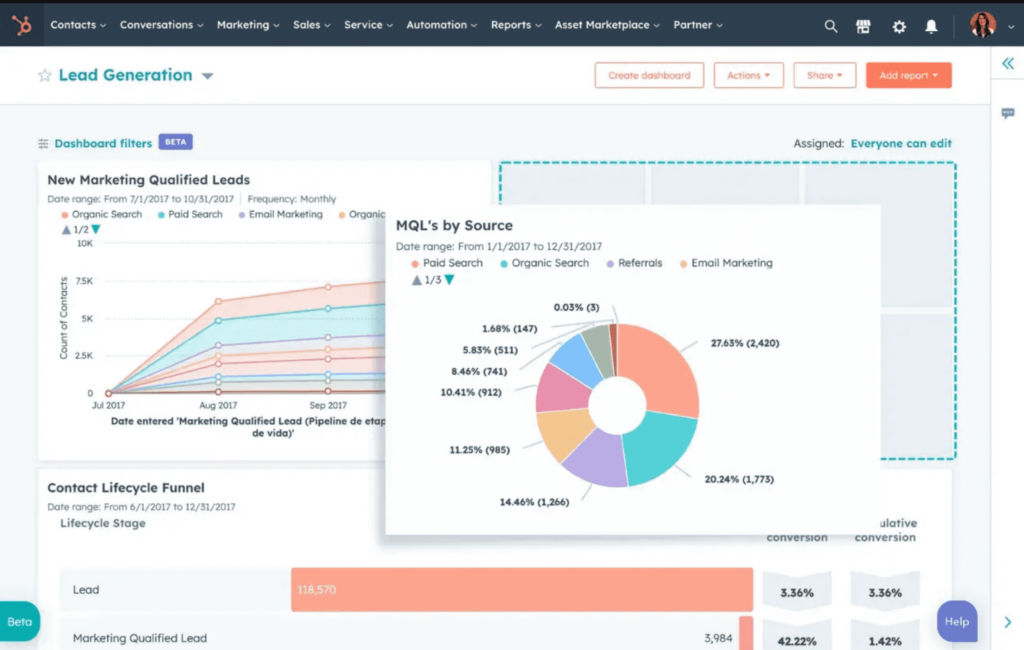
I usually see HubSpot Service Hub adopted by teams that already run sales and marketing in HubSpot and want support to live in the same system. It’s popular with SMBs because you can get from zero to a functioning support workflow quickly, without hiring an admin or consulting firm.
From what I’ve seen, teams like it when CX is tightly tied to CRM visibility, and speed matters more than depth. Where it starts to strain is when support volume increases or when teams want more advanced CX analysis. It’s strong at day-to-day execution, less so at long-term experience measurement.
Pros:
- Fast to set up and easy to adopt.
- Native CRM context for every support interaction.
- A clean interface that supports teams to pick up quickly.
- Good automation for common support workflows.
- Works well for small to mid-sized teams.
Cons:
- Reporting depth is limited for advanced CX analysis.
- Costs add up as seats and features increase.
- Not designed for complex or high-volume support orgs.
User Rating: 4.4/5 (Capterra)
Pricing: Starts at $90 per month per seat.
8. Adobe Experience Manager
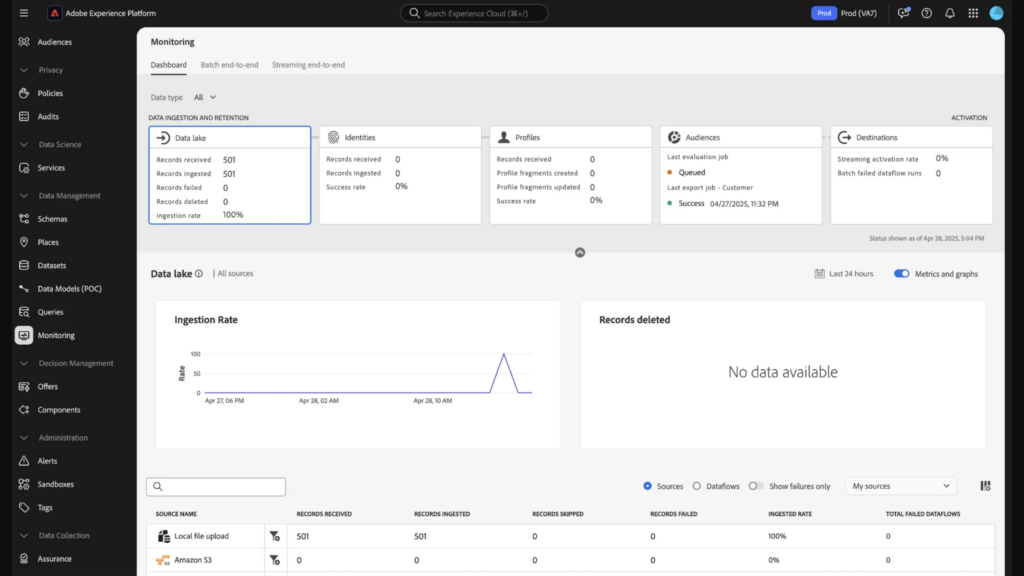
Adobe Experience Manager usually enters CX conversations when the experience problem is content, not feedback. I’ve seen it used by large marketing and digital teams where customer experience is shaped by personalization, content delivery, and consistency across channels.
Teams that use AEM successfully are already comfortable with complex systems. It’s powerful, but it’s not forgiving. This is not a tool you casually add to “improve CX.” It becomes part of your digital infrastructure, which makes it valuable for the right org and heavy for everyone else.
Best For: Organizations where customer experience is primarily driven by content, personalization, and digital journey orchestration.
Pros:
- Strong content and asset management at enterprise scale.
- Supports complex, multi-channel digital experiences.
- Integrates well within the Adobe ecosystem.
- Good control over personalization and publishing workflows.
- Reliable for large, distributed teams.
Cons:
- High setup and maintenance complexity.
- Requires specialized expertise to run well.
- Not a feedback-first CX tool.
User Rating: 4.2/5 (G2)
Pricing: Custom quote.
9. Freshdesk
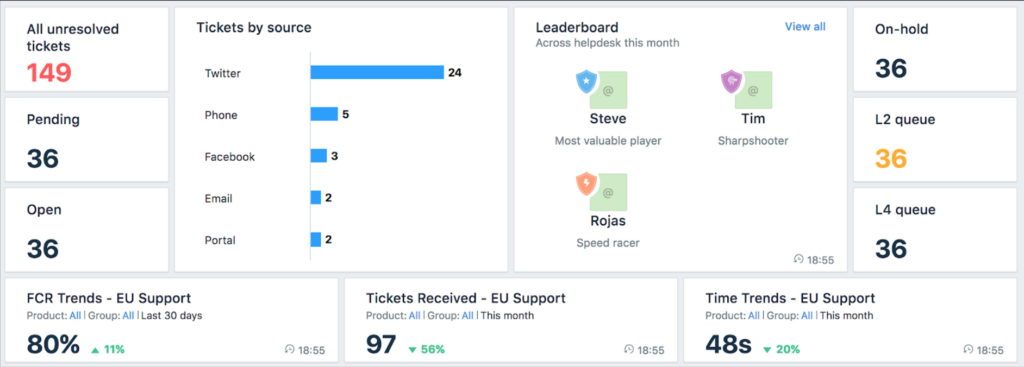
Freshdesk is the tool I most often see teams move to when they want support workflows that work out of the box without committing to an enterprise stack. CX leaders I’ve worked with usually describe it as practical. It does what it says, and it doesn’t fight you during setup.
Teams adopt Freshdesk when support is the backbone of their customer experience, and they need something more structured than email, but less heavy than Zendesk or Salesforce. It handles ticketing, automation, and basic CSAT well. Where it shines is onboarding. Most teams live in days, not weeks.
Best For: Support-led CX teams that want fast onboarding and reliable workflows without enterprise overhead.
Pros:
- Quick to set up and easy to adopt.
- Solid automation for routing and prioritization.
- Clean interface for day-to-day support work.
- Good value for growing teams.
- Scales reasonably without becoming too complex too fast.
Cons:
- Limited depth for advanced CX analytics.
- Customization options are more constrained.
- Less suitable for highly regulated enterprise environments.
User Rating: 4.4/5 (G2)
Pricing: Starts at $15 per agent per month.
10. Hiver
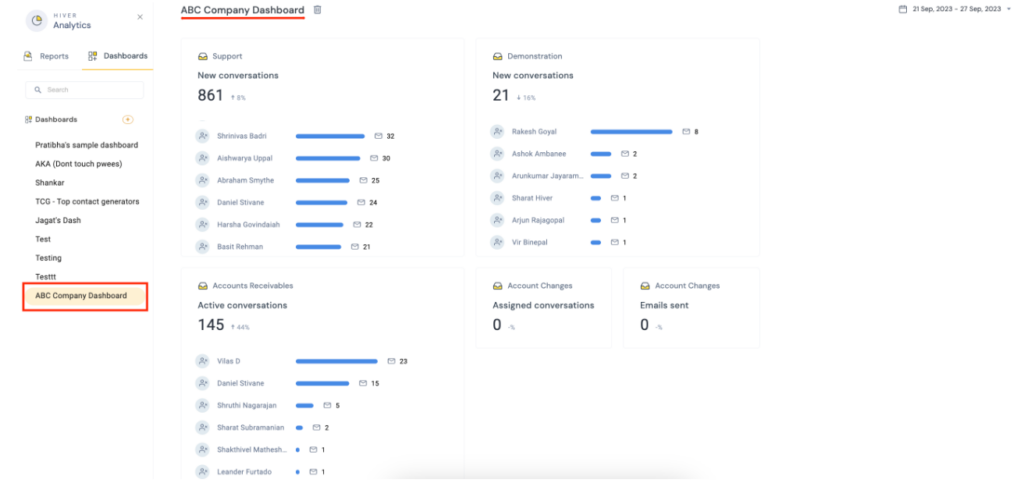
Hiver usually shows up when CX lives inside Gmail. I’ve seen teams adopt it when they want shared inbox visibility and accountability without forcing support reps into a separate helpdesk system.
It works best for teams that are email-first and don’t want to change how they operate. You get collaboration, ownership, and basic reporting directly inside Gmail. The trade-off is depth. Hiver simplifies execution, but it’s not built for complex CX programs or multi-channel analytics.
Best For: Gmail-based teams that want simple, collaborative customer support without leaving their inbox.
Pros:
- Native Gmail experience with minimal learning curve.
- Clear ownership and collaboration on customer emails.
- Easy to roll out across non-technical teams.
- Lightweight automation for basic workflows.
- Works well for internal and external CX use cases.
Cons:
- Limited reporting and CX analytics.
- Not designed for high-volume or multi-channel support.
- Grows restrictive as CX needs become more complex.
User Rating: 4.6/5 (G2)
Pricing: Starts at $25 per user per month.
My Top 3 Picks for Customer Experience Management in 2026
If you read the full list, you already know this. Most teams don’t need ten tools. They need one that fits how CX actually runs in their organization today.
These three show up consistently because they solve different CX problems cleanly, without pretending to be everything.
1. ProProfs Survey Maker
This is the pick when CX needs structure and scale.
I’ve used ProProfs when CX moved beyond one-off surveys and turned into a recurring program. NPS, CSAT, eNPS, internal feedback, assessments. The reason it holds up is simple. It doesn’t fall apart when volume increases or when multiple teams need standardized reporting. If your biggest risk is operational chaos, response limits, or unreliable reporting, this is the safest choice.
Pick this if: You need predictable, scalable CX and EX surveys that teams can actually run month after month without rework.
2. Qualaroo
This is the pick when context matters more than coverage.
I’ve used Qualaroo when we needed answers in the moment of friction, such as when users stalled, onboarding failed, or a feature confused people. The Nudge works because timing does the heavy lifting. You’re not asking people to remember what went wrong. You’re catching it while it’s happening. If you care about why users behave the way they do inside your product, this is hard to replace.
Pick this if: You need in-the-moment, behavior-triggered feedback to improve UX, onboarding, or product flows.
3. Qualtrics
This is the pick when CX is an enterprise discipline, not a team initiative.
I’ve seen Qualtrics work best in organizations where multiple departments contribute to CX, and leadership needs consistent reporting and governance. It’s not fast or lightweight, but that’s the trade-off. You get control, depth, and scale, as long as you’re ready to manage the complexity. Pick this if: You’re running large, multi-department CX and EX programs and need enterprise-grade analytics and controls.
Evaluation Criteria: How I Chose These CXM Tools and How You Should
I didn’t evaluate these tools based on how many features they advertise. I looked at what breaks first when CX moves from a pilot to a real program. Volume, trust in data, handoffs between teams, and the ability to act without heroics.
These are the criteria that actually matter once CX is in production.
1. Features That Support Execution, Not Just Collection
Most CX tools can collect feedback. That’s table stakes. What separates useful tools from shelfware is what happens after responses start coming in.
I prioritized tools that support:
- Structured CX and EX programs like NPS, CSAT, and eNPS
- Logic and scoring that reduce noise and keep surveys relevant
- Reporting that stays usable as datasets grow
- Clear paths from insight to action, not just dashboards
If a tool forces you to export data every time you want to act, it slows CX down fast.
2. Integrations With Systems Teams Already Use
CX never lives in isolation. Feedback has to flow into the systems where work happens.
I looked closely at how well these tools integrate with:
- CRMs and customer databases
- Support and helpdesk platforms
- Marketing and lifecycle tools
- Internal systems like LMS or workflow automation tools
Tools that integrate cleanly reduce manual work and preserve context. Tools that don’t usually end up being ignored, even if the data is good.
3. Pricing That Holds Up Under Real Usage
Pricing models matter more than most teams expect.
I paid attention to:
- Response-based limits that quietly cap scale
- Seat-based pricing that grows faster than headcount
- Enterprise plans that bundle support and governance behind big jumps
- Whether costs stay predictable as usage increases
Teams rarely abandon CX tools because they’re expensive upfront. They abandon them when costs spike unexpectedly after adoption.
Before you commit to any tool, map it against your actual CX workflow. How often do you collect feedback? Who needs access to the data? What systems does it need to connect to? And how much volume do you expect six months from now, not today?
If a tool fits those realities, it’s probably a good choice. If it doesn’t, no feature list will save it.
FREE. All Features. FOREVER!
Try our Forever FREE account with all premium features!
Features to Look for in CXM Software
If you’re stuck between multiple tools at this point, it usually means you’re trying to solve more than one CX problem with a single platform. That’s where most teams go wrong.
The fastest way to choose is to start with how CX actually runs in your organization today, not where you want it to be in theory.
1. If Your Biggest Problem Is Lack of Structure
You’re collecting feedback, but it’s inconsistent. Different teams run different surveys. Reporting doesn’t line up. Nobody trusts the numbers.
You need a tool built for repeatable, structured programs. Look for strong logic, scoring, and reporting that hold up as volume grows. This is where survey-first CX platforms make sense.
Avoid tools that are optimized for one-off feedback or UX research. They won’t scale cleanly.
2. If Your Biggest Problem Is Lack of Context
You have data, but you don’t know why users behave the way they do. Drop-offs, confusion, and friction show up in metrics, but not in explanations.
You need in-the-moment feedback, triggered by real behavior. Timing matters more than volume here. Tools that surface intent during the action outperform broad surveys every time.
Avoid heavy CX suites. They’re slow for this use case and dilute context.
3. If Your CX Is Defined by Support
Customer experience, for you, is response time, resolution quality, and follow-through. Feedback matters, but it’s secondary to ticket flow.
You need a support-led CX platform with strong routing, automation, and visibility. CSAT is useful here, but only if it ties directly to tickets and agents.
Avoid survey platforms as your primary CX system. They don’t manage the work itself.
4. If CX Is Tied to CRM or Revenue Workflows
Sales, service, and support all live in the same system. CX data needs to align with accounts, opportunities, and lifecycle stages.
You need a CRM-centric CX platform. Integration depth matters more than survey elegance. Expect setup complexity in exchange for control.
Avoid lightweight tools that sit outside your CRM. They’ll create silos fast.
5. If CX Is Driven by Content and Digital Journeys
Your experience problems are about messaging, personalization, and consistency across channels.
You need a digital experience platform, not a feedback tool. These systems are heavy, but they solve a different problem entirely.
Avoid trying to force survey tools into this role. They won’t fix content sprawl or journey fragmentation.
Customer Experience Management Software Trends to Watch in 2026
These trends are shifts you’ll feel whether you want to or not once CX programs mature.
| Trend | What’s Changing | What It Means for You |
|---|---|---|
| Tools Are Splitting, Not Converging | Teams are moving away from all-in-one CX platforms toward specialized tools that integrate with each other. | Choose tools that do one job well and connect cleanly, instead of forcing a single platform to cover every CX use case. |
| Context Matters More Than Volume | High response counts are less useful than feedback tied to specific user actions or moments. | Prioritize tools that capture intent at the moment of friction, not just broad surveys. |
| AI Is a Time-Saver, Not a Decision-Maker | Generic sentiment analysis is no longer enough. Teams expect AI to reduce manual work. | Use AI to speed up survey creation and analysis, not to replace human judgment. |
| Pricing Is Evaluated Under Load | Response caps, seat creep, and enterprise add-ons show up after rollout. | Look beyond starting prices and model what costs look like six months into real usage. |
| Human Support Is a Differentiator | Automated support works until something breaks during setup or scale. | Tools with real onboarding and human help reduce downtime and adoption risk. |
Final Verdict: Choosing the Right Customer Experience Management Software
What actually works is choosing a tool that matches how CX operates in your business right now, not how vendors frame the problem. If your CX effort is structured and recurring, you need reliability and scale more than novelty. If your biggest gaps are in understanding user behavior, timing, and context, volume matters more than volume. If CX is defined by support, then ticket flow and accountability come first, not survey depth.
The tools in this list exist because each solves a different failure mode I’ve seen repeatedly. Programs stall when data can’t be trusted. Teams disengage when insights don’t lead to action. Costs spiral when pricing models don’t hold up under real usage. The right tool avoids at least one of those outcomes for you.
If you take one thing from this guide, let it be this. Choose the tool that still works on a bad week, not the one that looks best in a demo. That’s what keeps CX programs alive.
Frequently Asked Questions

How is customer experience management different from CRM?
CRM systems track customer data, interactions, and sales activity. Customer experience management tools focus on capturing and acting on experience signals like feedback, sentiment, and friction points. CRMs tell you what happened. CXM tools help you understand why it happened and what to fix next.
Can CX software be used for employee experience as well?
Yes. Many teams use the same CX tools to run employee experience and eNPS programs. The key requirements are anonymity, structured reporting, and the ability to segment results by team or department. Tools not built for scale often struggle with internal programs over time.
How do CX tools handle large or distributed audiences?
This is where real limitations show up. Large or frontline workforces often lack consistent email or device access. Tools that support simple URLs, shared devices, and predictable response handling perform better at scale. It’s important to test this early, not after rollout.
Is NPS still relevant today?
NPS is still useful, but only as part of a broader CX system. On its own, it’s a lagging indicator. Teams get value when they pair NPS with follow-up questions, segmentation, and clear ownership for action. Without context, it quickly turns into a vanity metric.
FREE. All Features. FOREVER!
Try our Forever FREE account with all premium features!

 We'd love your feedback!
What did you like & how can we make it even better?

 Thanks for your feedback!
 Ask Your Question
Have a question? Get expert help to make your decision easier.