

Annual engagement surveys tell you what went wrong six months after it happened. An employee pulse survey tells you when you can still fix it.
The catch is that most pulse surveys quietly stop working, not because the questions are wrong, but because employees stop trusting them.
The last one changed nothing, or someone figured out who said what. Once that happens, you’re collecting safe, neutral, useless answers.
This guide covers what to ask, how often to ask it, and how to prove to your team that their answers move something.
You’ll also see how to build one in minutes using ProProfs Survey Maker’s AI Survey Maker.
What Is an Employee Pulse Survey?
An employee pulse survey is a short, recurring survey, usually 5 to 10 questions, sent weekly, biweekly, or monthly to track how employees feel about one specific theme, such as workload, manager support, or engagement. Unlike an annual survey, it measures change while you can still act on it.
Most teams don’t replace their annual survey with pulse surveys. They run both.
- The annual survey gives you the full picture once or twice a year.
- The pulse survey tells you what’s shifting in between.
Here’s how the two compare:
| Aspect | Pulse Survey | Annual Survey |
| Length | 5 to 10 questions | 50 or more questions |
| Frequency | Weekly to monthly | Once or twice a year |
| Focus | One theme at a time | Company-wide, broad |
| Best For | Catching problems early | Benchmarking year over year |
How Do You Set Up an Employee Pulse Survey Program?
Most pulse survey programs don’t fail because the questions are bad. They fail because nobody set up anonymity, targeting, or a follow-up plan before hitting send.
Pick One Theme per Cycle
If you can’t name the action you’d take when the score is low, don’t ask the question. “Employee satisfaction” is too broad to act on. “Workload this week” isn’t.
Target the Right Group
Decide whether the survey is company-wide, team-specific, or role-specific before you build it. Sending one generic survey to everyone gets you average data that helps nobody make a decision.
Protect Anonymity Before You Launch
Set your minimum group size, decide who can see individual responses, and lock in your slicing rules before you send the first invite.
This means deciding the anonymity guardrails covered earlier: no reporting below 5 to 10 people, no manager access to raw responses, and no stacking demographic filters.
If you figure this out after collecting data, you have no way to convince anyone it was safe to answer honestly. Here’s how you can anonymize your employee pulse surveys:
Keep It Under Two Minutes
Use 3 to 5 rating-scale questions plus one open-text question. Anything longer and completion rates drop fast, especially on repeat sends.
Match Distribution to How People Work
- Desk teams: email or a shared workplace chat link.
- Frontline teams: QR code or kiosk mode on a shared tablet.
- Distributed teams: a mobile-friendly link with a short reminder.
Set a Review and Action Timeline Before Launch
Decide this before you launch, not after results come in.
- Review results within 48 to 72 hours.
- Share results within 7 days.
- Announce actions within 14 days.
- Name an owner for each theme so nothing sits unassigned.
What Employee Pulse Survey Questions Get Honest Answers?
Question wording matters less than most guides suggest. What actually determines honesty is whether employees believe their answer is truly anonymous, and research suggests most don’t.
A 2024 Visier report highlights that 47% of employees feel pressured to withhold feedback, with 37% of that group citing a lack of trust in survey anonymity. The study suggests a significant trust gap in workplace engagement surveys.
Many employees also describe getting quietly confronted by managers after surveys they were told were anonymous.
That distrust is the real reason response quality drops over time, not question design.
Make anonymity believable, not just promised.
- Minimum Group Size: Don’t report results for any group smaller than 5 to 10 people.
- Manager Visibility: Keep managers out of individual-level responses. Share only aggregated themes.
- Slicing Limits: Avoid stacking more than one demographic filter, like department, tenure, and location, at the same time.
- Open Text Caution: Review open-ended comments for identifying detail before sharing themes with managers.
Once anonymity is enforced, these questions tend to hold up well across themes.
| Theme | Sample Question |
| Engagement | How likely are you to recommend this company as a place to work? (0 to 10) |
| Workload | How manageable is your workload right now? (Manageable to unsustainable) |
| Manager Support | My manager sets clear expectations. (Agree scale) |
| Change Readiness | I understand what is changing and why. (Agree scale) |
| Open Text | What is one thing slowing you down right now? (Short answer) |
What Should You Look for in a Pulse Survey Tool?
You don’t need an enterprise engagement platform to run a good pulse survey program, but a few employee pulse survey tool capabilities decide whether it lasts past the first couple of cycles.
- Fast Setup: You should be able to launch a new survey in minutes, not days, especially since you’re rotating themes every cycle rather than building once a year.
- Anonymous Reporting Controls: Look for built-in minimum group size and manager-visibility settings, not just a checkbox labeled “anonymous.”
- Themed Analysis on Open Text: Reading hundreds of comments by hand doesn’t scale past a cycle or two, so the tool needs to group open-ended answers into themes for you.
FREE. All Features. FOREVER!
Try our Forever FREE account with all premium features!
How Do You Create an Employee Pulse Survey Using the AI Survey Maker?
Building a pulse survey from a blank page is the step most HR teams put off. The AI Survey Maker inside ProProfs Survey Maker removes that step:
Step 1: Describe Your Goal in One Line
Open the AI Survey Maker and type a brief, such as “Monthly pulse survey for a 40-person support team on workload and burnout, five questions, one open text.” Try here:
Let ProProfs AI Build a Survey
Describe your survey and we'll create it for you
If you already have a past survey, policy brief, or engagement report, upload it as a PDF, DOCX, or TXT file and let AI build the survey from that instead.
You walk away with a full draft in under five minutes instead of a blank editor.
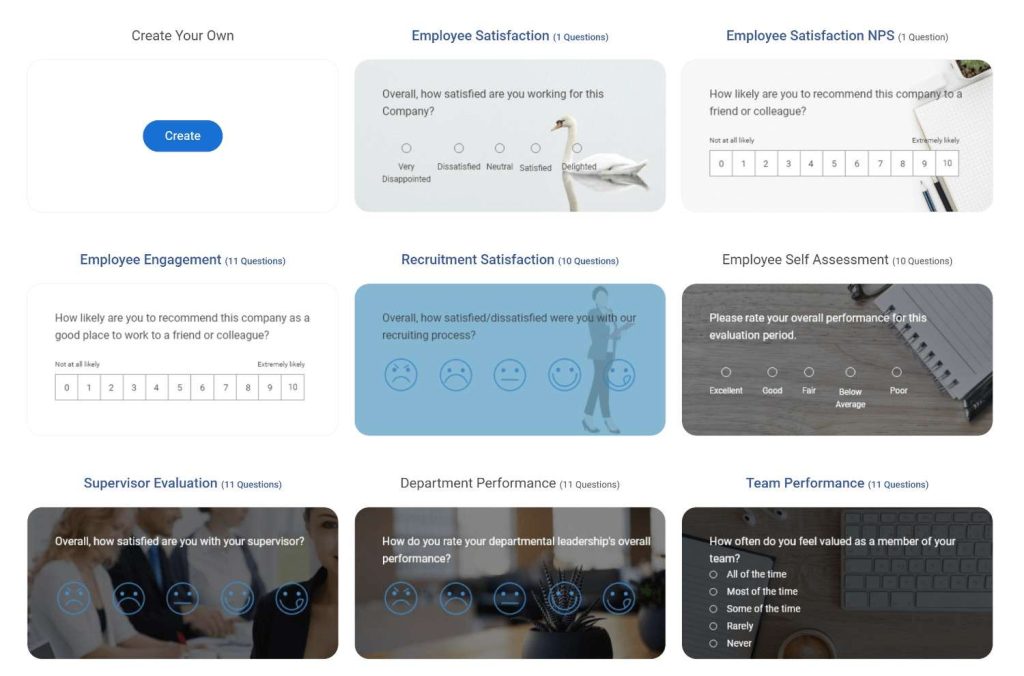
If you’d rather not prompt anything, skip AI entirely and start from one of the 100 plus ready-made templates instead, including several built for employee engagement and pulse-style check-ins.
Pick one employee survey template, and the question set is already there for you to trim down to your theme.
Step 2: Review and Adjust the Generated Questions
AI returns a full set of questions. Add all of them, select individual ones, delete anything off-target, or click Regenerate Questions for a new set.
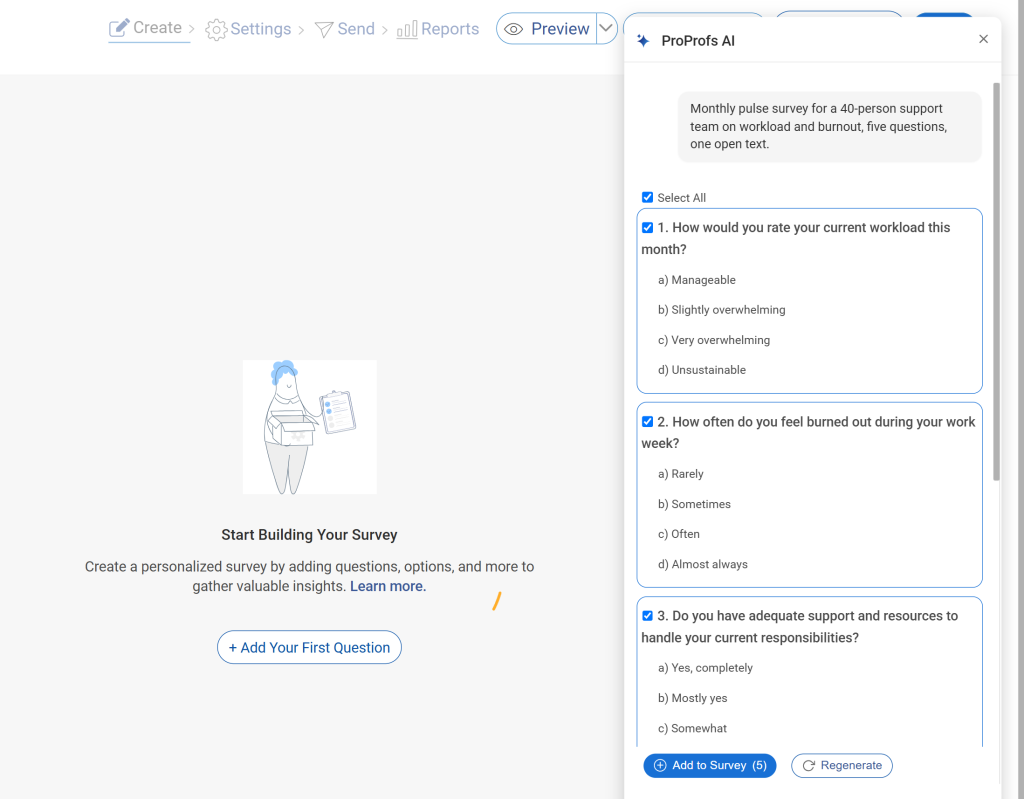
This gets your question list to something you’d actually be comfortable sending, without writing a single one from scratch.
Step 3: Sharpen a Question Using Edit With AI
Select any question, click Edit With AI, and describe the change you want, like tighter wording or a different scale.
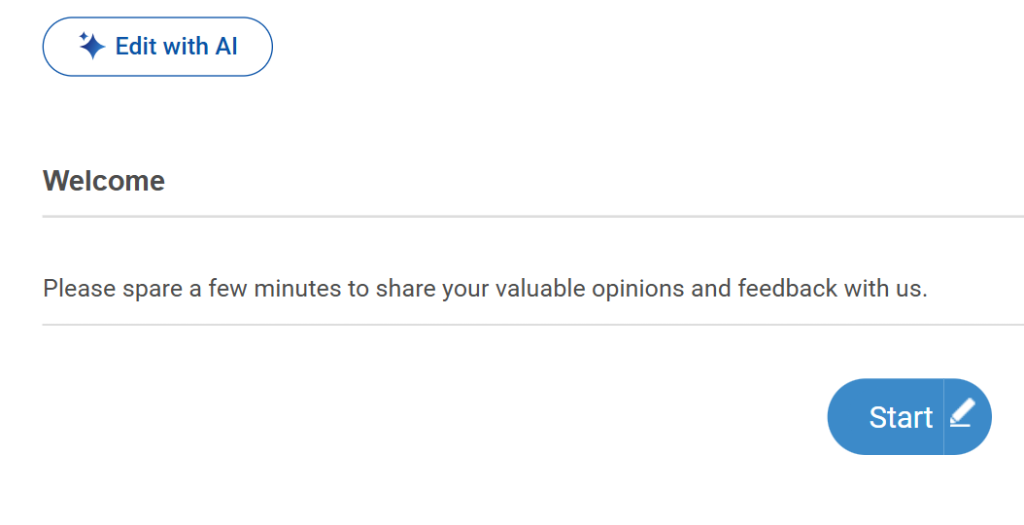
Click Regenerate Question, then Replace Question to apply it. Use this to fix the one or two questions that feel close but not quite right.
Step 4: Set Your Anonymity and Reporting Rules
Turn on anonymous responses and set your minimum group size before sharing the link.
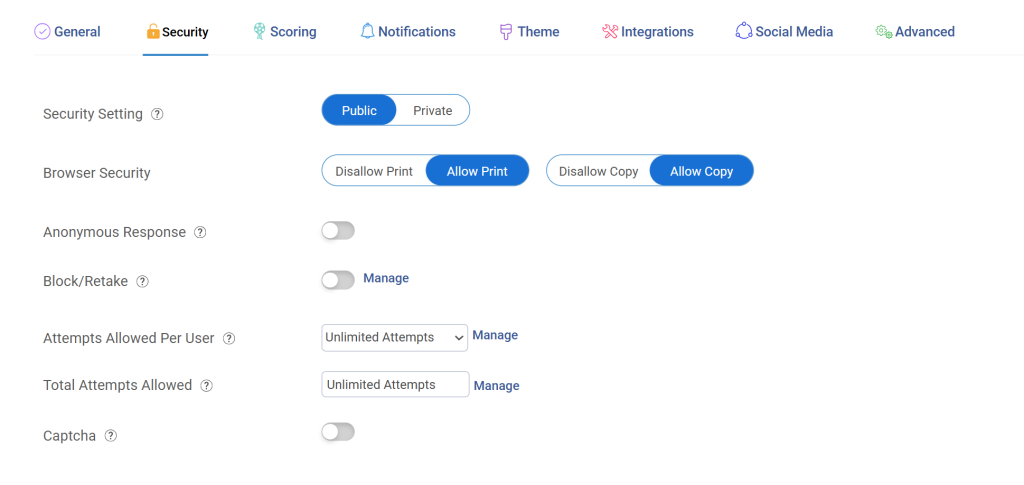
This is where you enforce the guardrails covered above, so anonymity is built into the survey rather than promised in a launch email.
Step 5: Distribute Through the Right Channel
Share as a direct link, email, embed, or QR code, whatever matches how your workforce actually works.
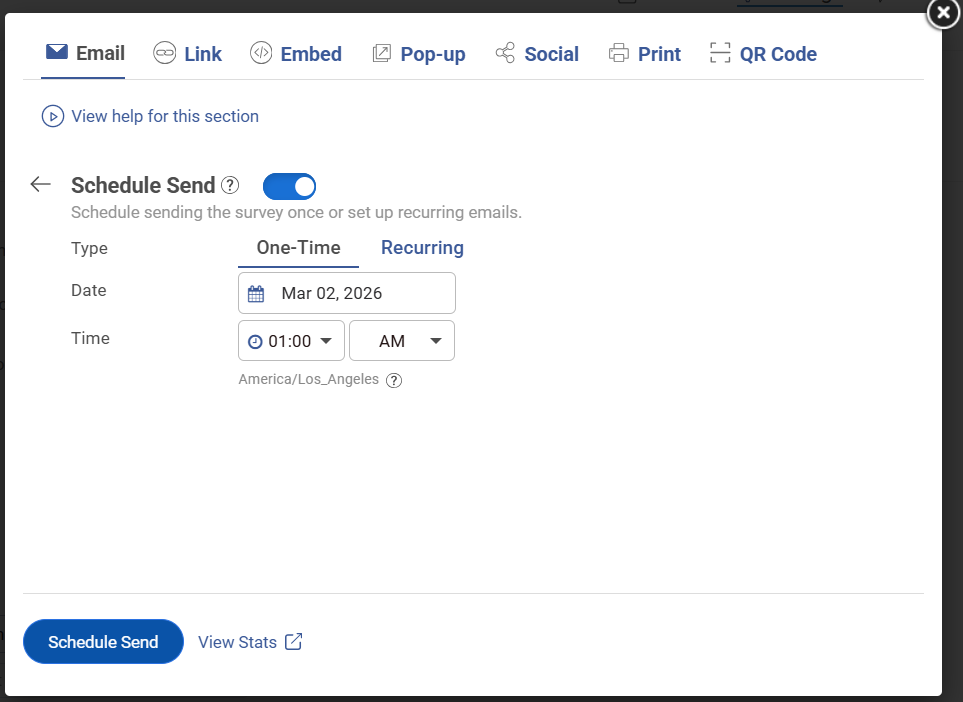
The AI Survey Maker supports 70+ languages, useful for global or multilingual teams. This gets the survey in front of people where they’ll actually complete it.
Step 6: Track Results on the Dashboard
Responses populate in real time, so you can review trends and export themed comments ahead of your action meeting instead of building a spreadsheet by hand.
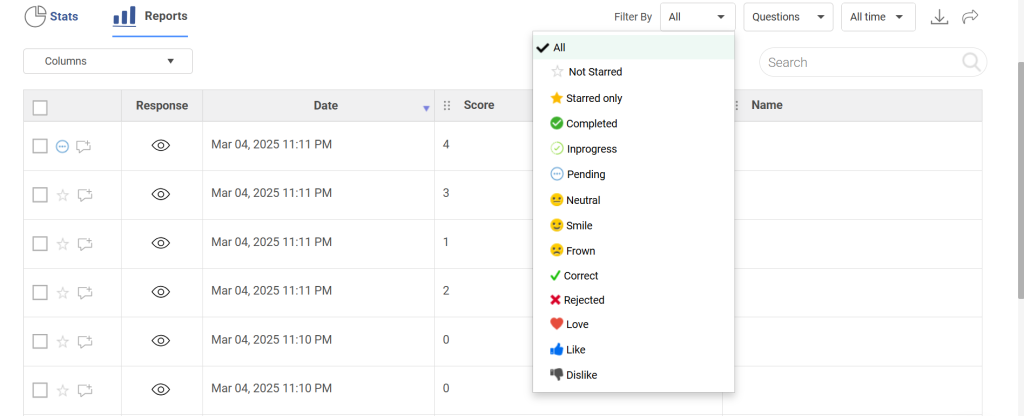
This is what makes the 48-hour review window in your setup plan realistic.
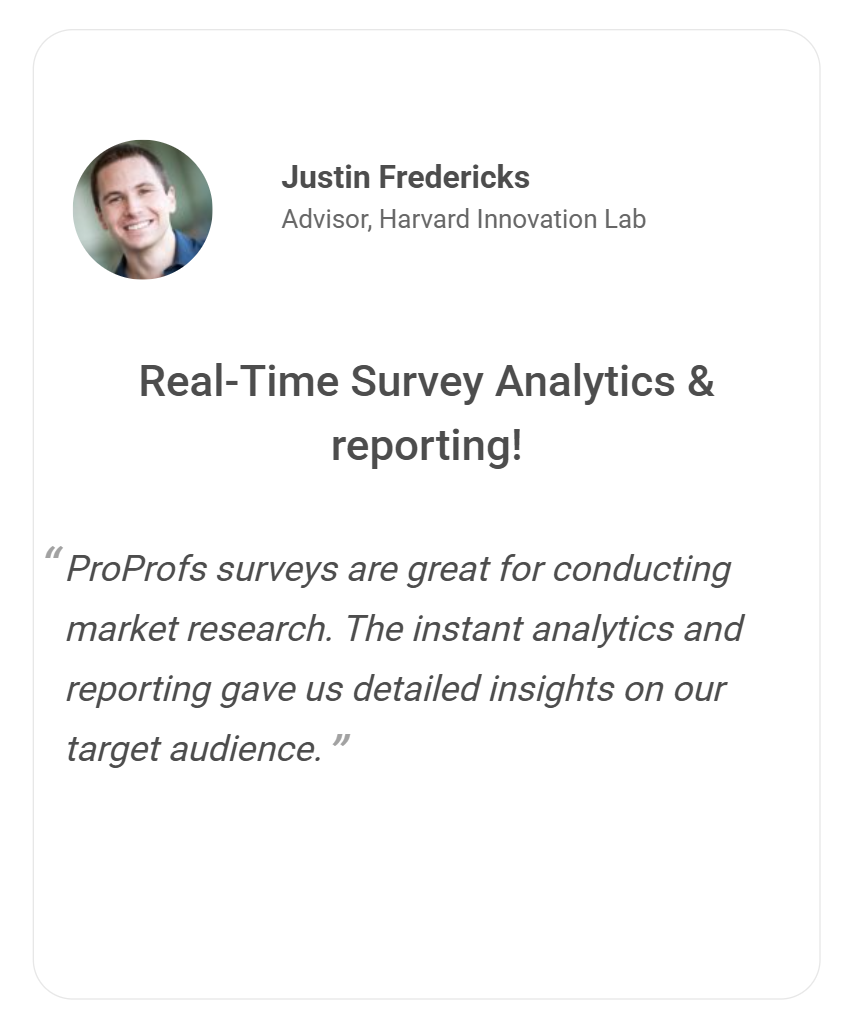
Teams already lean on this for speed: at Harvard Innovation Lab, Justin Fredericks credited ProProfs surveys with delivering fast, detailed audience insights during market research, the same kind of turnaround a pulse cycle depends on.
How Do You Turn Pulse Survey Results Into Action?
Industry research on pulse survey software points to the same conclusion again and again: gathering employee feedback and doing nothing with it damages trust more than skipping the survey altogether.
This is where most programs quietly die.
| What You See | What It Usually Means | What You Do Next |
| Workload Scores Drop | Capacity or prioritization issue | Cut scope, rebalance work, remove busywork |
| Manager Scores Drop | Coaching and clarity issue | Manager training, review 1:1 quality |
| Engagement Drops Slowly | Trust or recognition gap | Improve recognition and growth conversations |
| Comments Say “Nothing Changes” | Action gap | Announce two quick wins fast, then commit to a timeline |
| Everyone Answers Neutral | Fear or low trust | Reinforce anonymity, reduce slicing, change how results are shared |
Close the Loop Every Cycle
“Thanks for the feedback. Here’s what we heard, what we’re doing about it, and when you’ll hear from us next.”
Start Your First Pulse Survey This Week
A pulse survey only works when it’s honest, frequent enough to catch problems early, and followed by action people can actually see. Skip any one of those, and you’ve just built a faster version of the same disengaged annual survey you already had.
Before you send the next one, lock in three things:
- Anonymity That Holds Up: Minimum group size enforced, managers blocked from individual responses, and no stacked filters.
- One Theme, Matched to a Cadence You Can Sustain: Weekly for burnout during a rough stretch, monthly as your default, quarterly for eNPS.
- A Committed Action Timeline: Review within 72 hours, share within 7 days, announce a fix within 14.
None of that requires a dedicated survey team or a big rollout. It requires deciding these rules before you hit send, not after the first low score comes back and people start wondering if it was worth answering honestly.
Launch your first employee pulse survey with the ProProfs AI Survey Maker today.
Frequently Asked Questions
How often should you send an employee pulse survey?
Match frequency to your survey length and how fast you can act on results. Short, five-question surveys work well weekly or biweekly, especially for high-pressure themes like workload and burnout. If you're unsure where to start, monthly is the safest default, since it gives enough data points to spot trends without exhausting patience for repeat surveys.
How many questions should a pulse survey have?
Keep a pulse survey to 5 to 10 questions and under two minutes total, since length drives whether people finish it. A good structure is 3 to 5 rating-scale questions plus one open-text question. Anything longer starts losing completion rate fast, especially once you're sending the same survey on a repeat cadence.
Are employee pulse surveys really anonymous?
Only if you design your survey that way, since surveys aren't anonymous by default just because you call them that. Enforce a minimum group size before reporting any result, keep managers out of individual-level responses, and review open-text comments for identifying detail before sharing themes. Skip any of these guardrails, and employees will notice, and stop answering honestly.
What is the difference between a pulse survey and an annual survey?
A pulse survey is short, usually 5 to 10 questions, sent weekly to monthly, and focused on one theme at a time, like workload or manager support. An annual survey is long, 50 or more questions, sent once or twice a year, covering the full employee experience at once. Most companies run both.
How do you respond to negative feedback from a pulse survey?
Respond fast, and keep it simple: acknowledge what you heard, share one concrete action you're taking, and give a timeline for when people will hear more. Don't debate the feedback or try to figure out who wrote a specific comment. Doing either signals that honesty carries a cost, and your next survey will get quieter answers.
Can you run a pulse survey for frontline employees without email?
Yes. Share it as a QR code or a short link on a shared tablet or kiosk instead of relying on email, which many frontline workers don't check regularly. Keep the survey under a minute, since participation drops fast on shared devices where people are waiting for their turn or standing between tasks rather than sitting at a desk.
What is a good response rate for an employee pulse survey?
There's no universal benchmark, since response rates vary by company size, survey length, and how much trust already exists on your team. What matters more is the trend: a sudden drop between cycles is the real signal to watch, since it usually points to fatigue or fading trust rather than a problem with the questions you asked that cycle.
What is eNPS and how does it fit into a pulse survey program?
eNPS, or employee Net Promoter Score, asks how likely employees are to recommend the company as a place to work, scored 0 to 10, alongside a short follow-up question on why. It's typically run quarterly rather than monthly, since it tracks broad sentiment over time rather than a specific theme, and works well alongside other rotating pulse survey topics.
FREE. All Features. FOREVER!
Try our Forever FREE account with all premium features!

 We'd love your feedback!
What did you like & how can we make it even better?

 Thanks for your feedback!
 Ask Your Question
Have a question? Get expert help to make your decision easier.