
Enterprise survey software isn’t about sending prettier forms. It’s about collecting feedback that actually drives decisions.
I’ve been there, managing feedback loops across global teams and watching tools crumble under the pressure. The dashboards looked great until you needed automation. The analytics stopped making sense once the data hit five digits.
Most “enterprise-ready” tools aren’t ready at all. They stall when you push real data, juggle complex logic, or demand GDPR compliance without a week of setup calls.
This list cuts through that noise. It’s built for teams that need reliable automation, secure integrations, and reporting that doesn’t collapse under pressure.
Here’s what we’ll cover:
- What enterprise survey software really means in 2026
- A quick comparison table for fast evaluation
- And 9 tools that actually perform when scale, compliance, and speed matter most.
Let’s begin!
What Is Enterprise Survey Software?
An enterprise survey software is a comprehensive feedback engine designed to operate at scale.
When you’re collecting thousands of responses from customers, employees, or global partners, you can’t afford half-baked analytics or manual exports. You need a platform that automates, integrates, and protects data across every department.
Think of it as your organization’s feedback infrastructure, a system that:
- Syncs with your CRM and LMS so surveys trigger automatically when actions happen (like case closures or course completions)
- Segments data by role, region, or department, not just “total responses”
- Delivers real-time dashboards instead of weekly CSV dumps
- Keeps compliance airtight with GDPR, HIPAA, and SSO baked in
- And lets teams collaborate on one secure, scalable workspace
In short, enterprise online survey software turns scattered feedback into business intelligence. It helps you see what’s working, what’s broken, and how fast you can fix it, without adding another bottleneck to your tech stack.
Now, moving on to the list of top enterprise survey software!
Top Enterprise Survey Software
There are hundreds of “survey tools” out there — most of them fine for quick polls or one-off feedback. But when you’re dealing with enterprise-scale data — multiple teams, compliance demands, and integrations that can’t break — only a few actually hold up.
Below are nine enterprise survey platforms I’ve either used myself or seen teams rely on to collect feedback at scale.
Here’s a quick, skimmable list for you:
| Tool | Best For (Enterprise Use Case) | Starting Price / Plan | User Rating* |
|---|---|---|---|
| ProProfs Survey Maker | AI-powered, white-labeled, integrated enterprise feedback | Starts $19.99/month | 4.8/5 (Capterra) |
| Qualtrics (XM Platform) | Deep analytics and research-grade feedback orchestration | Custom enterprise pricing | 4.3/5 (G2) |
| Medallia | Omni-channel customer experience and Voice of the Customer programs | Custom enterprise pricing | 4.5/5 (G2) |
| Culture Amp | Employee engagement, 360° feedback, and HR analytics | Custom enterprise pricing | 4.5/5 (G2) |
| Checkbox | On-premise or private cloud surveys for regulated industries | Custom enterprise pricing | 4.8/5 (G2 & Capterra) |
| SurveyMonkey | Broad enterprise surveys and brand research | Starts at $30/month | 4.4/5 (G2) |
| SurveySparrow | Recurring, conversational, multi-channel enterprise surveys | Custom enterprise pricing | 4.4/5 (G2 & Capterra) |
| Typeform | Interactive, branded surveys and customer engagement | Starts at $25/month | 4.5/5 (G2) |
| QuestionPro | Global, multilingual enterprise feedback and offline data capture | $83/user/month | 4.5/5 (G2) |
Let’s start in-depth with the one I’ve personally used and trust the most.
1. ProProfs Survey Maker – Best for Easily Creating Custom Customer Surveys, CSAT, CX, & NPS Forms Using AI
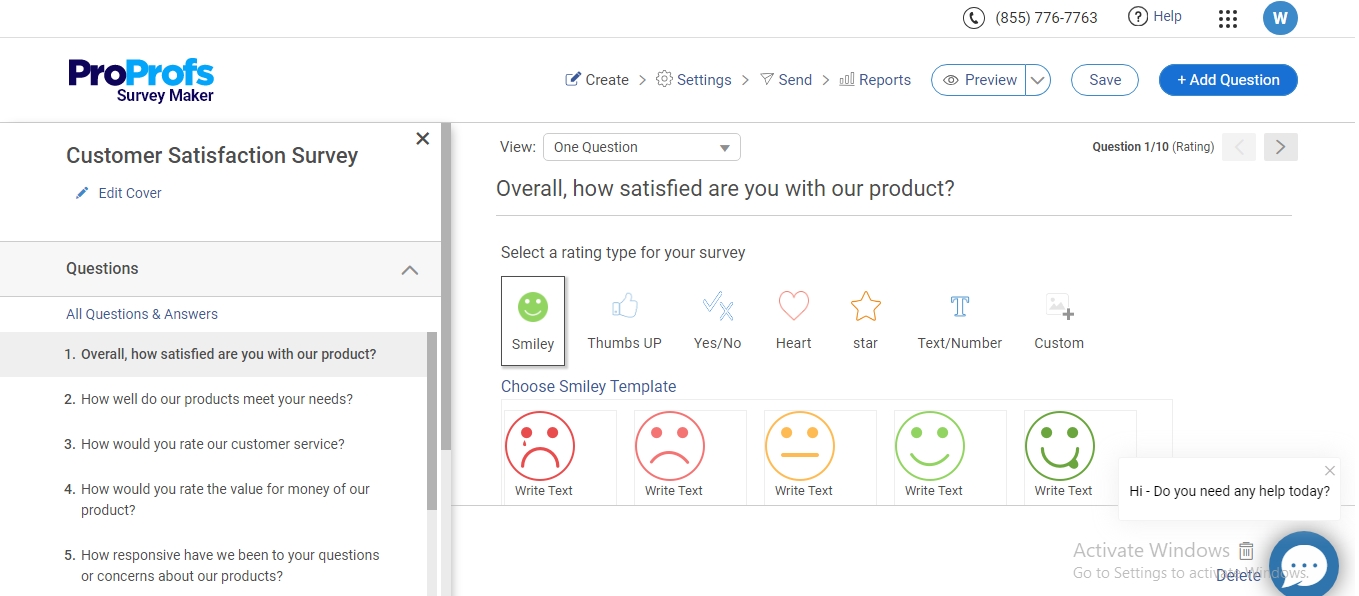
I’ve used ProProfs Survey Maker for large-scale feedback programs, and it’s one of the few tools that doesn’t buckle when you scale from a few hundred to tens of thousands of responses. It feels purpose-built for enterprise teams that need automation, integrations, and analytics that actually work out of the box.
What stands out most is AI Survey Maker: describe your survey goal in plain language, whether that’s a CSAT, CX, or NPS form, and get a complete, branded survey back in seconds, alongside white-label flexibility and CRM/LMS integrations. You can automate survey triggers right from Salesforce or HubSpot, pull data into dashboards in real time, and keep everything compliant with GDPR, HIPAA, and SSO. It’s built for efficiency; no endless CSV exports or rebranding headaches.
Best For: Enterprises that want AI-powered, white-labeled, and deeply integrated survey automation.
Pros:
- AI-assisted survey creation and insights
- Full white-label control (domain, logo, colors)
- Integrates with CRMs and LMSs seamlessly
- Enterprise-grade security and compliance
- 100+ ready-to-use professional templates
Cons:
- A dark theme isn’t available
- There’s no dedicated account manager for free plans
Pricing: Starts at $19.99/month; free plan available for limited responses
User Rating: 4.8/5 (Capterra)
2. Qualtrics (XM Platform) – Best for Deep Analytics and Research-Grade Feedback Orchestration Across Complex Enterprises
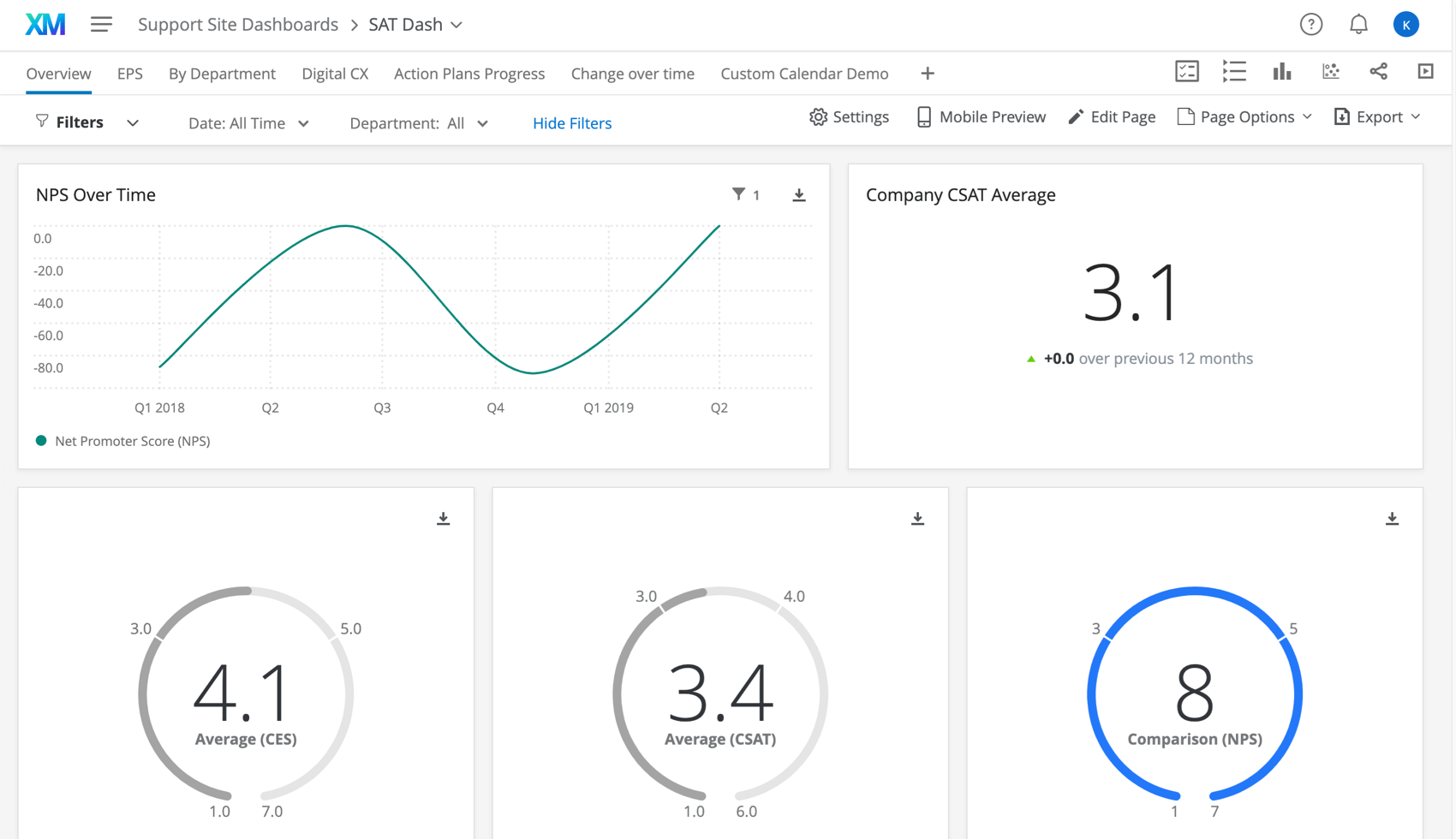
I first came across Qualtrics when a client’s operations team used it to analyze customer experience data across five regions, and it was immediately clear why it dominates the enterprise survey space. Qualtrics isn’t just a survey tool; it’s a full-scale Experience Management (XM) platform built for teams that treat feedback like business intelligence.
It shines in analytics depth, automation, and scale. You can map complex customer journeys, automate triggers from CRMs, and analyze unstructured data (text, audio, or video) with AI. The trade-off? It’s powerful but heavy. You’ll likely need an internal specialist or dedicated CSM to get the most out of it.
Best For: Enterprises running complex, global feedback operations that need deep analytics and experience orchestration.
Pros:
- Unmatched analytics and data segmentation
- AI-driven insights for unstructured feedback
- Broad integration ecosystem (Salesforce, SAP, Slack)
- Strong compliance and data governance controls
Cons:
- Steep learning curve for non-technical teams
- Expensive, with complex licensing and renewals
Pricing: Custom enterprise pricing
User Rating: 4.3/5 (G2)
3. Medallia – Best for Omni-Channel Customer Experience and Voice of the Customer Programs at Scale
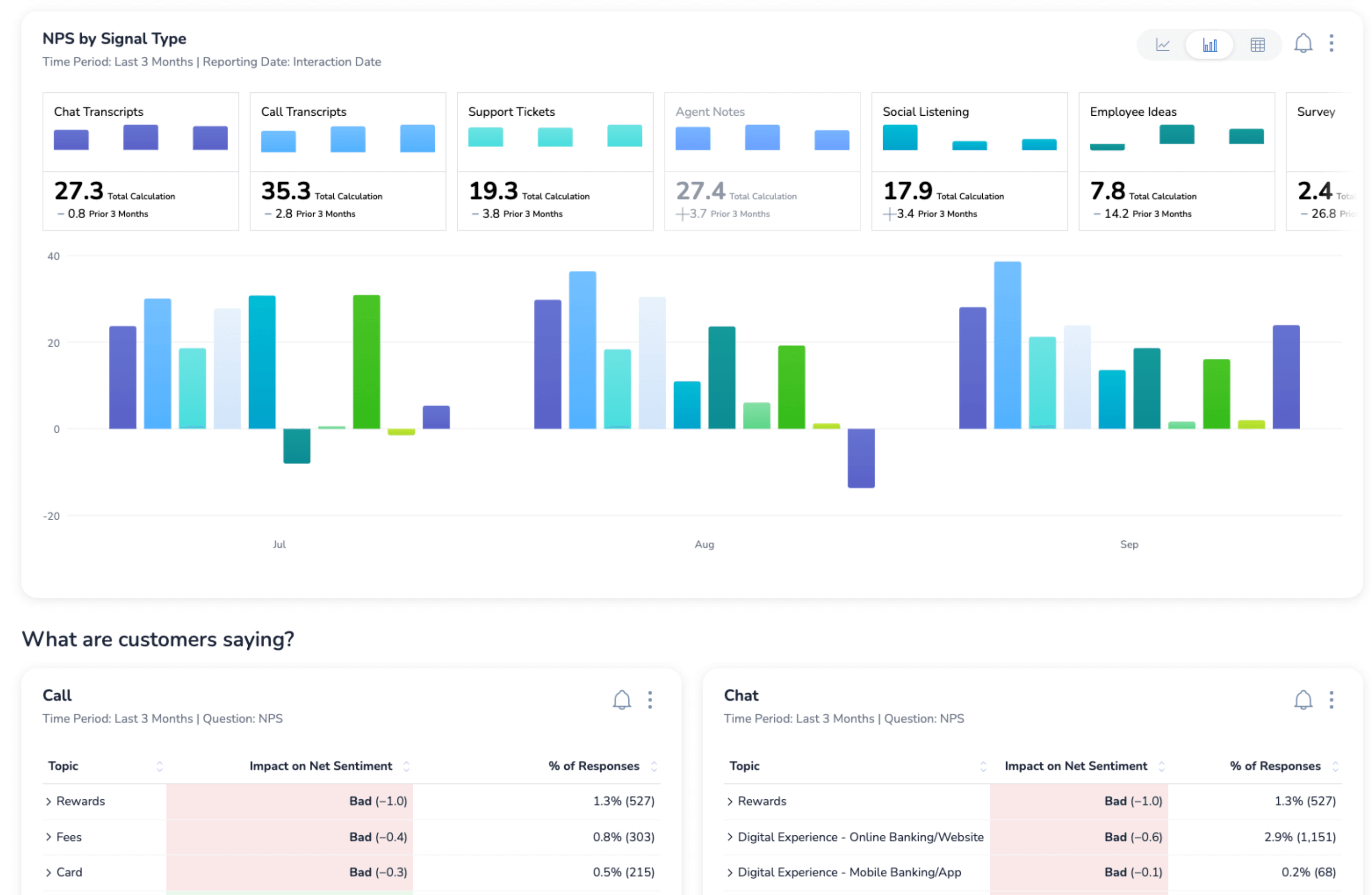
I first heard about Medallia from a customer success leader who’d used it to unify voice-of-customer data across multiple global support teams. It’s one of those platforms that doesn’t just collect feedback; it captures every signal from surveys, chats, and digital interactions, then turns them into real-time insights your teams can actually act on.
Medallia shines when managing feedback across multiple channels, including web, mobile, in-app, and contact centers, with everything flowing into a single analytics layer. It’s particularly strong for CX operations, where speed of insight and orchestration matter more than form design. It’s heavy-duty, but worth it if your organization lives and dies by experience metrics.
Best For: Enterprises running large-scale, omni-channel customer feedback and Voice of the Customer programs.
Pros:
- Powerful real-time analytics and feedback orchestration
- Excellent integration with CRM and support systems (Salesforce, Zendesk)
- Robust text and sentiment analytics
- Proven scalability for global feedback operations
Cons:
- Expensive and resource-intensive to implement
- Complex workflows can require dedicated Medallia specialists
Pricing: Custom enterprise pricing
User Rating: 4.5/5 (G2)
4. Culture Amp – Best for Employee Engagement, 360° Feedback, and HR Analytics
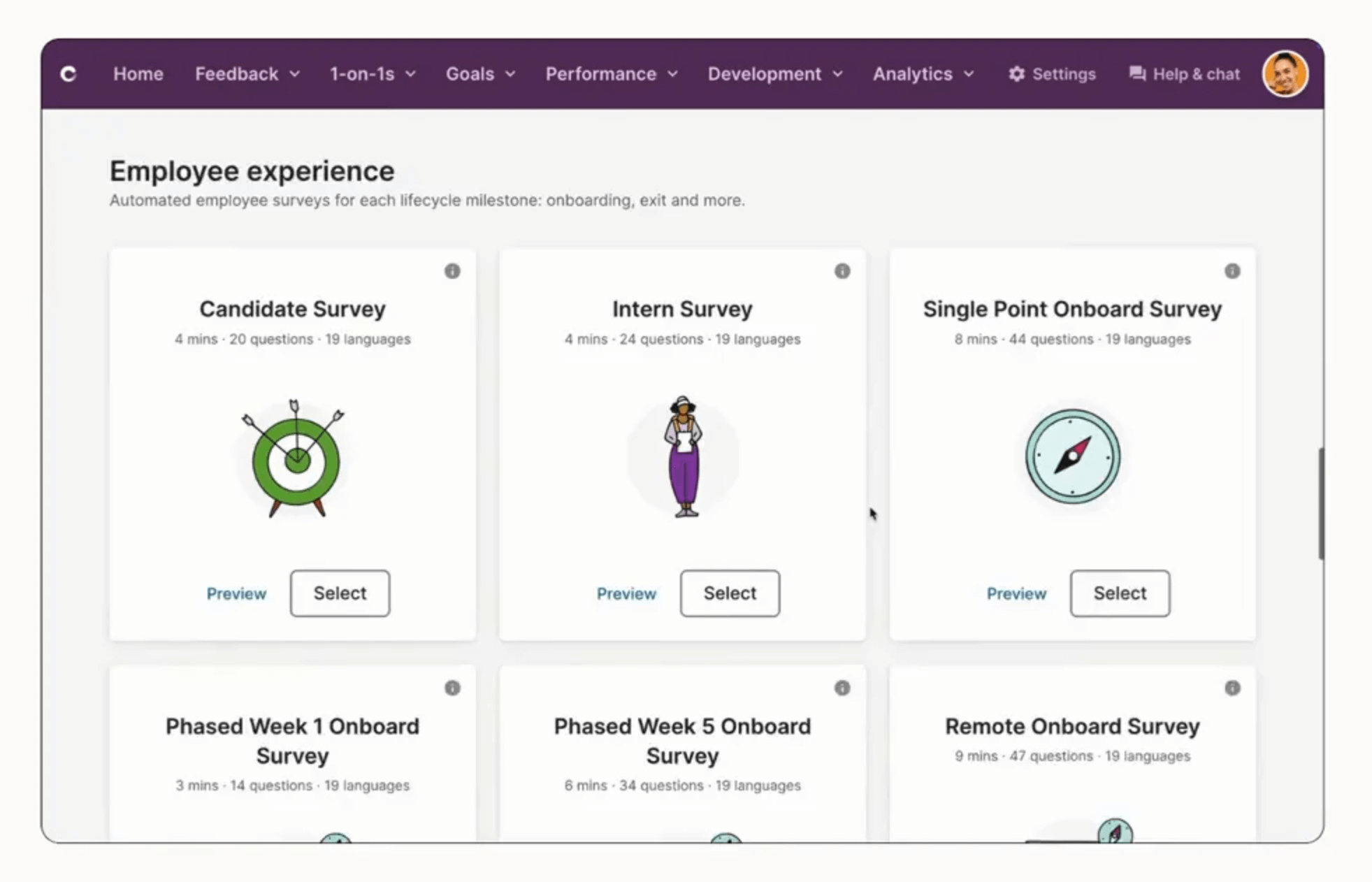
Culture Amp has quietly become the go-to platform for companies that actually take employee feedback seriously. It’s not trying to be a jack-of-all-trades; it’s built specifically for employee experience and engagement, and it nails that focus.
You get ready-to-use templates designed by psychologists, powerful analytics that show you what’s driving morale, and benchmarks from thousands of other organizations. It’s perfect for HR and leadership teams that want to make feedback measurable.
Best For: Organizations focused on employee engagement, culture health, and continuous feedback.
Pros:
- Expert-designed templates for HR and EX use cases
- Strong analytics and benchmarking features
- Excellent reporting for managers and leadership teams
- Highly regarded customer support and onboarding
Cons:
- Limited customization outside HR-focused workflows
- Not ideal for customer or market research programs
Pricing: Custom enterprise pricing
User Rating: 4.5/5 (G2)
5. Checkbox – Best for On-Premise or Private Cloud Surveys in Regulated Industries
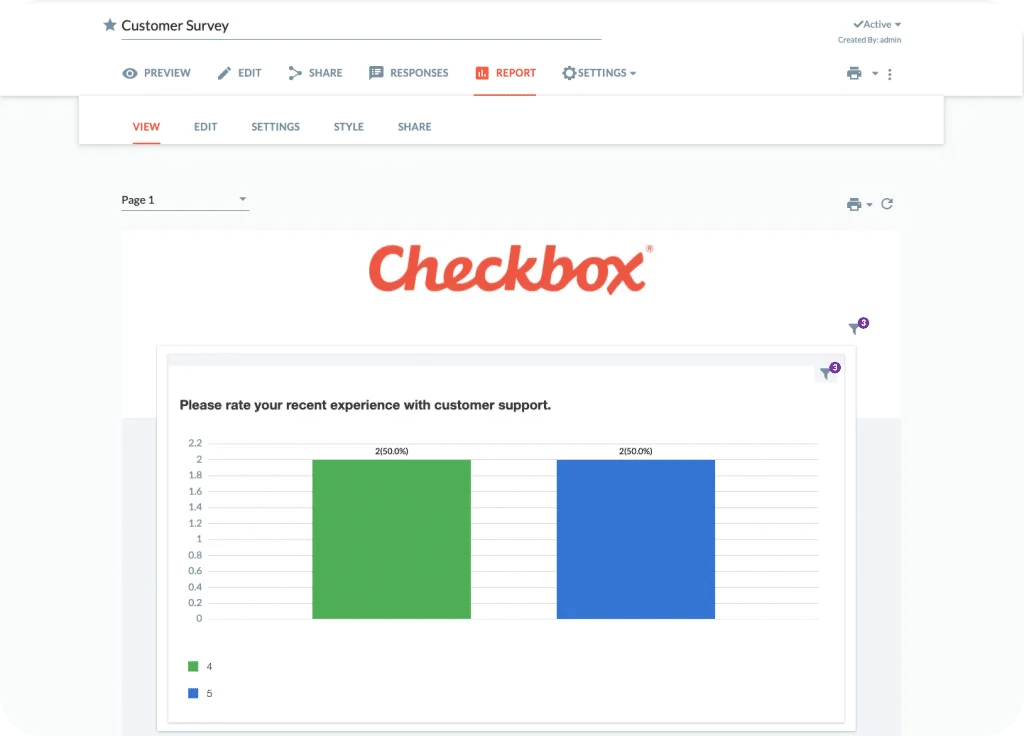
Checkbox isn’t flashy, but that’s precisely why some enterprises love it. It’s one of the few platforms that gives you full control over your survey environment, down to where your data lives. If compliance or data privacy keeps you up at night, Checkbox is probably already on your radar.
You can host it on-premise or in a private cloud, build custom logic, and brand everything without relying on external servers. It’s particularly useful for sectors such as healthcare, government, or finance, where even “secure” SaaS tools may not fully meet every requirement. It requires some technical setup to get started, but once it’s in place, it runs like a well-oiled machine: steady, customizable, and enterprise-ready.
Best For: Highly regulated industries (finance, healthcare, government) that need on-premise or private cloud deployment.
Pros:
- Full data ownership and on-prem hosting options
- Deep customization and complex logic support
- Granular role-based permissions for enterprise teams
- Reliable performance at scale
Cons:
- Interface feels dated compared to modern SaaS tools
- Setup and maintenance require technical bandwidth
Pricing: Custom enterprise pricing
User Rating: 4.8/5 (G2 & Capterra)
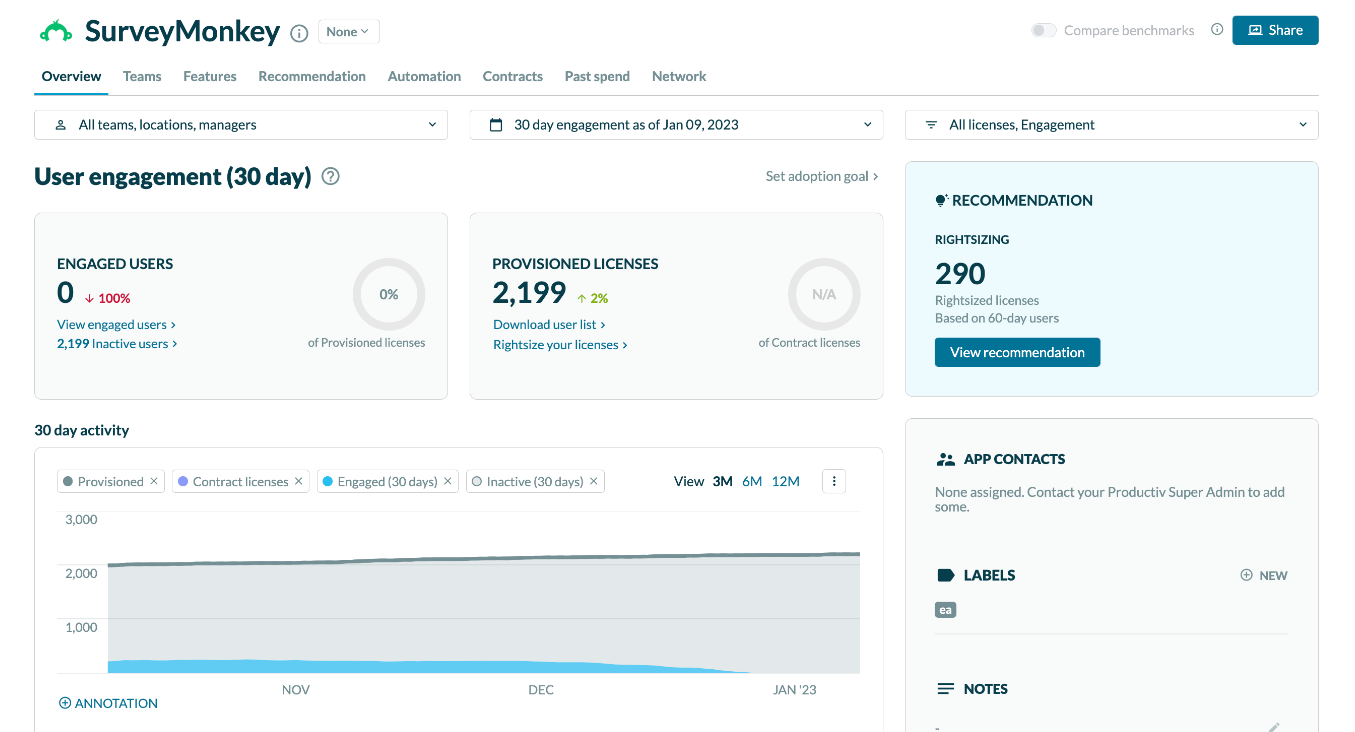
6. SurveyMonkey – Best for Quick, Reliable Surveys Rolled Out Across Departments
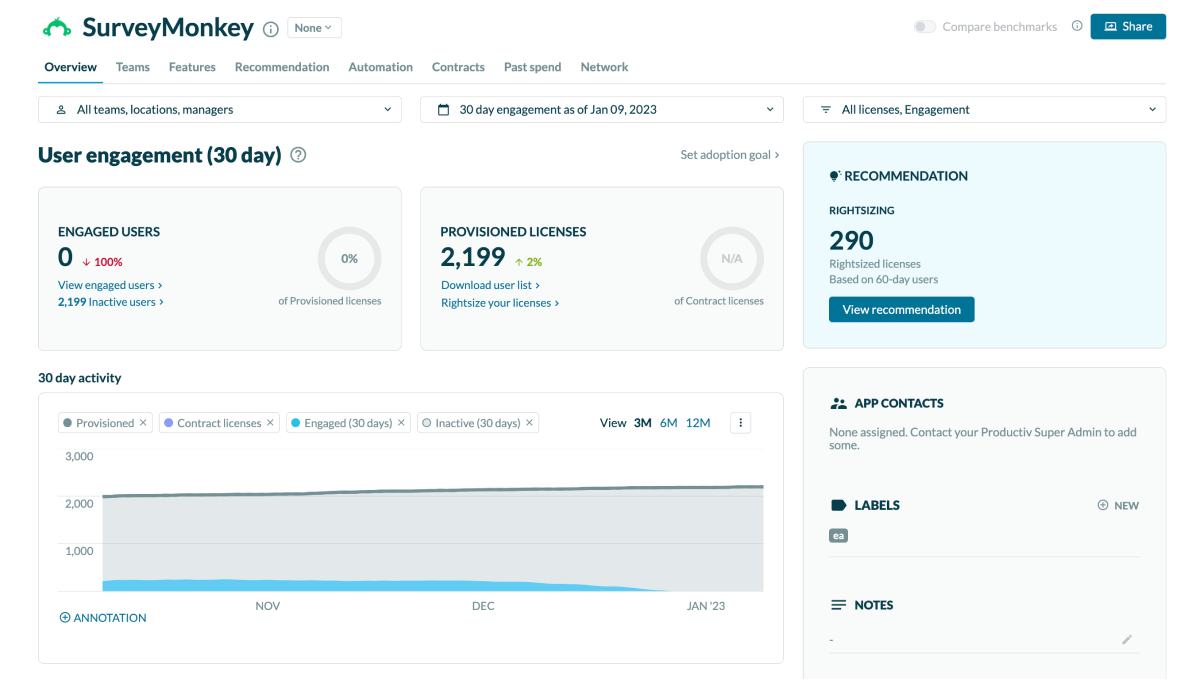
SurveyMonkey is the name everyone knows, and that familiarity is both its strength and its ceiling. It’s reliable, accessible, and easy to roll out across departments without heavy onboarding. If you’re running quick feedback loops or department-level surveys and don’t need deep customization, it gets the job done.
Where it really works for enterprises is in its collaboration tools, templates, and integration ecosystem. You can connect it with Slack, Salesforce, or HubSpot and keep responses flowing directly into your existing dashboards. However, when you start pushing the platform for complex analytics or multi-layered branching, you’ll quickly hit its limits. That’s when teams usually graduate to something like ProProfs or Qualtrics.
Best For: Teams that need a quick, reliable survey solution for broad use across departments.
Pros:
- Intuitive interface that works for both technical and non-technical teams
- Large template library for fast survey creation
- Smooth integrations with CRMs and collaboration tools
- Reliable analytics for quick, top-level insights
Cons:
- Limited advanced analytics for enterprise-scale use
- Pricing grows quickly with additional users and responses
Pricing: Starts at $30/month
User Rating: 4.4/5 (G2)
7. SurveySparrow – Best for Recurring, Conversational, Multi-Channel Enterprise Surveys
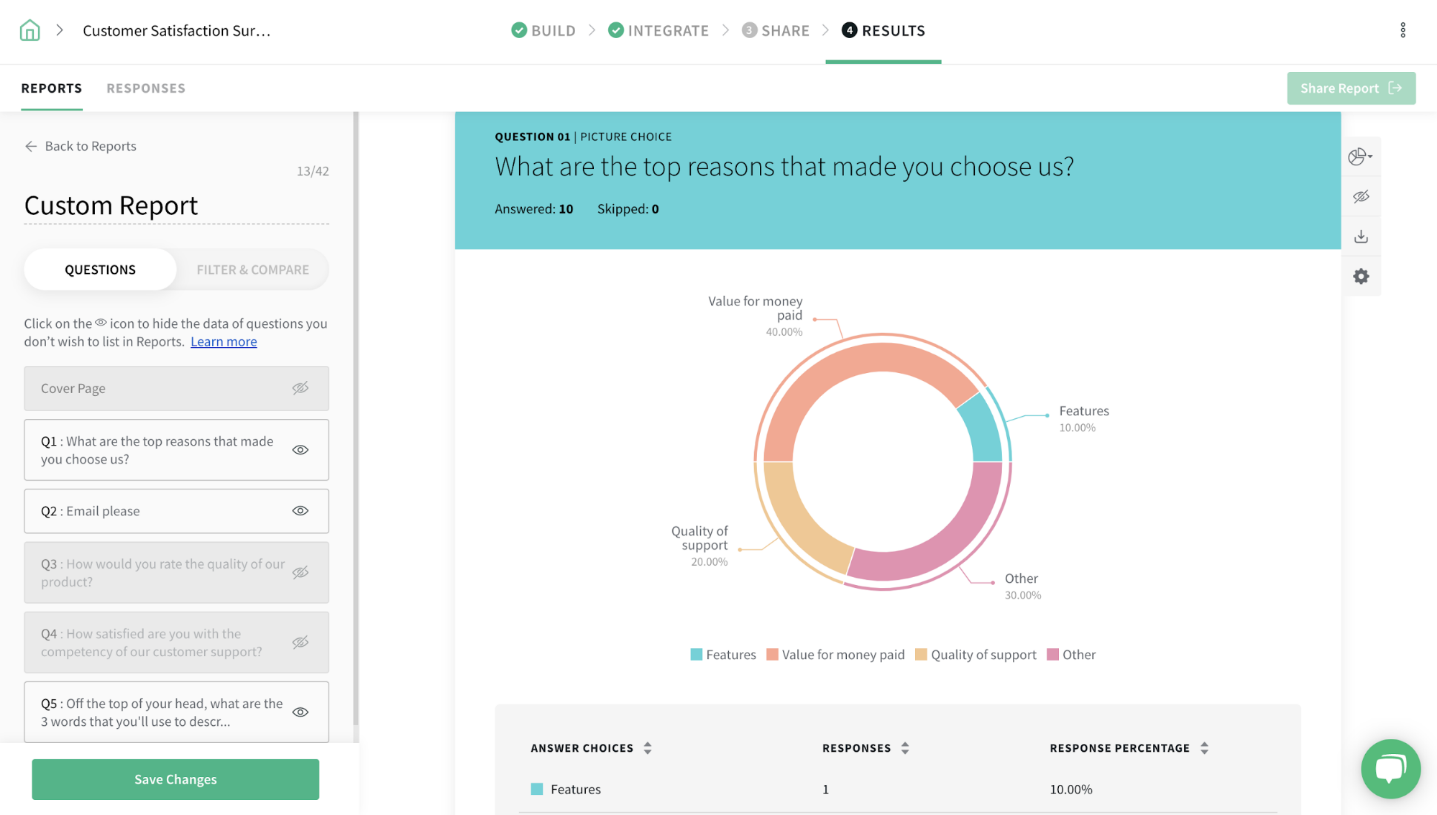
SurveySparrow has built its reputation on making surveys feel like conversations rather than chores. The interface is clean, mobile-friendly, and flexible enough for everything from quick feedback forms to recurring enterprise check-ins. It’s a great fit if you care about engagement and response rates as much as data accuracy.
Where it shines is automation. You can set up recurring eNPS or customer satisfaction surveys that trigger on schedule, run across multiple channels, and automatically route results into your CRM or Slack. It’s modern, fast, and visually polished, built for teams that want a friendly front end without losing reporting power.
Best For: Enterprises that want engaging, recurring surveys across multiple channels.
Pros:
- Conversational, mobile-first interface that boosts response rates
- Automation workflows for recurring feedback cycles
- Multi-channel distribution via email, SMS, QR, and embeds
- Smooth integrations with CRMs, marketing, and HR tools
Cons:
- Limited analytics depth compared to top-tier XM tools
- Some features require higher-tier enterprise plans
Pricing: Custom enterprise pricing
User Rating: 4.4/5 (G2 & Capterra)
8. Typeform – Best for Branded, Interactive Surveys That Drive High Completion Rates
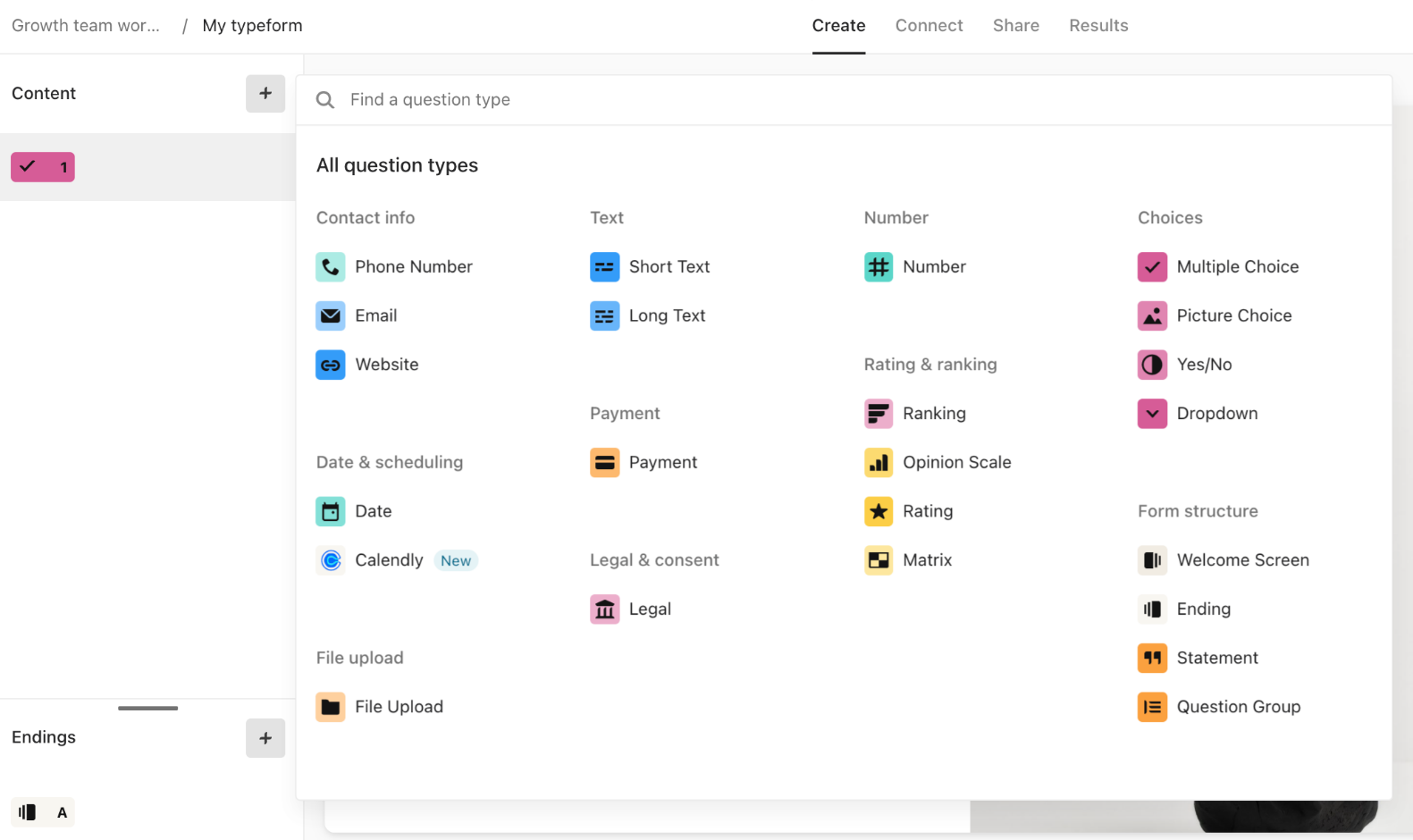
Typeform built its name on making surveys look and feel human. Instead of dumping a list of questions on people, it asks them one at a time, which makes responses more thoughtful and completion rates noticeably higher. It’s the go-to when you want feedback forms that actually represent your brand, not a stock template.
It’s best suited for marketing, customer experience, or product teams that care about design and user experience. You can embed Typeform surveys on landing pages, run them inside emails, or trigger them through automations. It’s less of a data analysis powerhouse and more of a conversion-friendly engagement tool, but it plays its role exceptionally well.
Best For: Teams that want branded, interactive, and high-converting feedback experiences.
Pros:
- Beautiful, conversational interface that feels native to your brand
- Strong embed and automation capabilities for marketing workflows
- Easy integrations with tools like HubSpot, Slack, and Notion
- Excellent for capturing feedback without survey fatigue
Cons:
- Limited analytics and segmentation features
- Pricing scales quickly for high-volume responses
Pricing: Starts at $25/month
User Rating: 4.5/5 (G2)
9. QuestionPro – Best for Global, Multilingual Feedback With Offline Data Capture
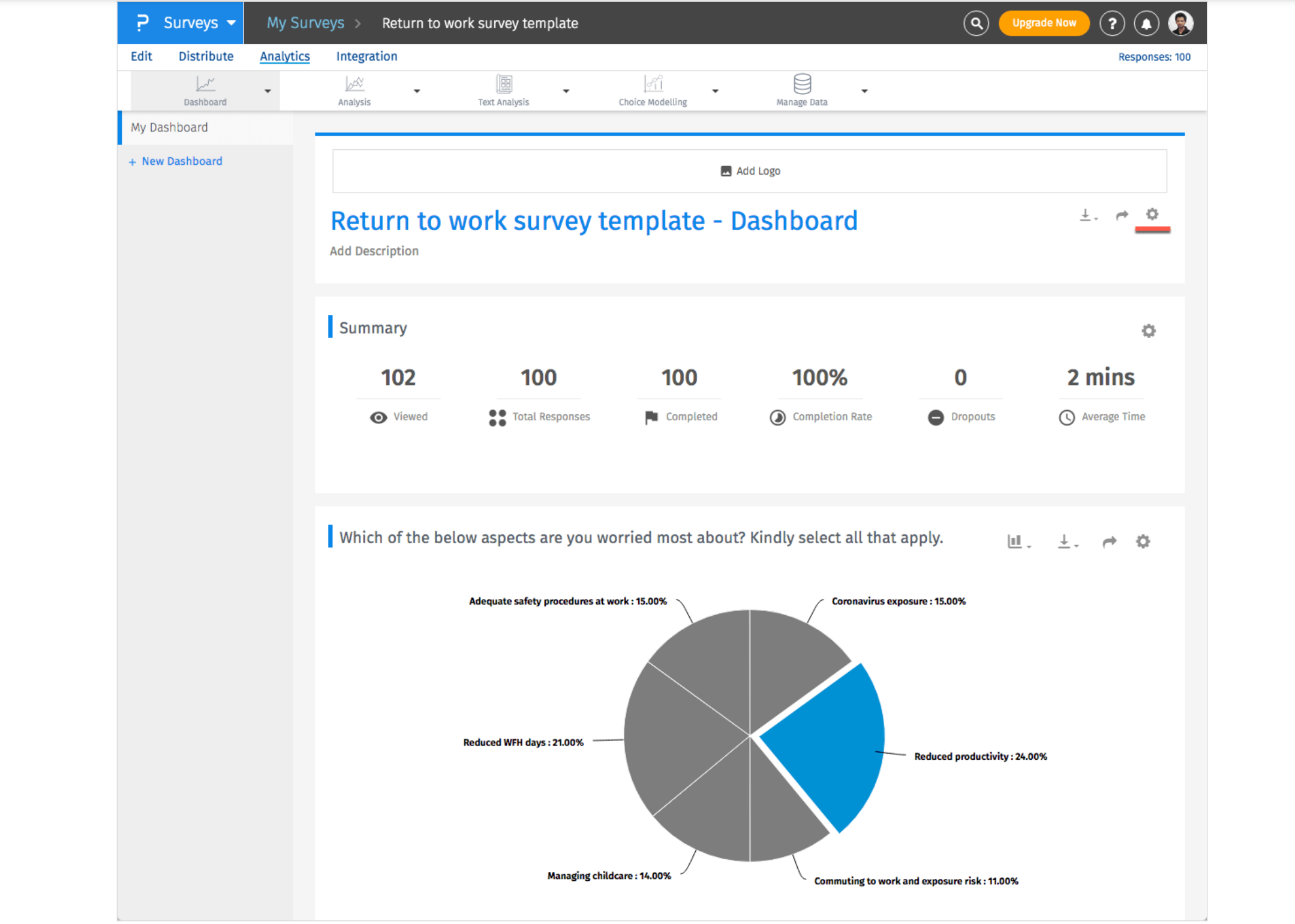
QuestionPro is one of those tools that quietly powers a lot of serious enterprise research. It’s built for large organizations that need to gather feedback across regions, languages, and devices without worrying about data gaps or offline limitations. It feels closer to a research platform than a traditional survey tool.
Its strength lies in flexibility. You can design complex surveys with advanced logic, run multilingual campaigns, and even collect responses offline through mobile apps. It also integrates well with CRMs and analytics platforms, which makes it easier to connect feedback to real business metrics.
Best For: Enterprises running global, multilingual, or large-scale research and feedback programs.
Pros:
- Handles multilingual and offline surveys seamlessly
- Deep customization and complex logic branching
- Integrates with major CRMs and analytics tools
- Strong data visualization and export options
Cons:
- Interface feels less modern compared to newer platforms
- Some integrations require technical configuration
Pricing: $83 per user per month
User Rating: 4.5/5 (G2)
My Top 3 Enterprise Survey Software Picks
If you are short on time, here’s the quick answer. These three tools stand out after testing, comparison, and real enterprise deployment. Each wins in a different area that matters most at scale: automation, analytics, and experience management.
1. ProProfs Survey Maker
The most balanced enterprise survey software for automation, integration, and compliance. It scales easily across departments, automates triggers from CRMs or LMSs, and supports GDPR and HIPAA without a complex setup. Perfect for organizations that want to collect and act on feedback without technical overhead.
2. Qualtrics (XM Platform)
The industry heavyweight for complex enterprise ecosystems. Its advanced analytics, AI sentiment tracking, and XM capabilities make it ideal for organizations that rely heavily on structured and unstructured feedback data. It is powerful, but expect a learning curve and higher operational investment.
3. Culture Amp
Purpose-built for HR and people teams. Culture Amp helps organizations collect, analyze, and act on employee feedback using research-backed templates and benchmarking data. It is the go-to choice for companies focused on improving engagement, leadership, and retention at scale.
How to Choose the Right Enterprise Survey Software
Picking the right enterprise survey software isn’t about comparing feature lists. It’s about knowing what matters for your scale, data flow, and reporting needs, and what will quietly break once your usage ramps up.
Here’s a complete walkthrough so you can shortlist with confidence.
1. Start with Where Feedback Lives in Your Business
Begin by mapping where feedback already happens.
- Customer-facing teams? You’ll want deep CRM integration.
- HR or culture programs? Focus on employee experience tools.
- Operations or research teams? Look for scalability and automation.
Use:
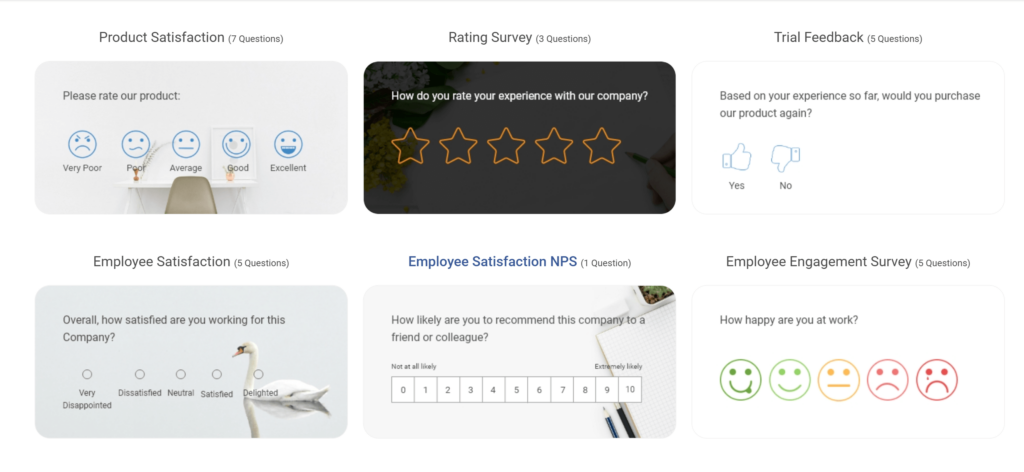
- ProProfs Survey Maker, if you’re collecting feedback across different departments and want one platform to handle both CX and EX without silos. Here are a few professional survey templates you can try:
- Culture Amp, if your feedback focus is internal: engagement, leadership feedback, or retention insights.
- Medallia, if most of your feedback comes through customer touchpoints and support interactions.
2. Integration and Automation Are Non-Negotiable
If your survey tool doesn’t talk to your CRM or HR system, you’re creating busywork. The goal is to make feedback triggered, not scheduled.
- Customer closes a ticket → an NPS survey goes out.
- Employee finishes a course → a training feedback form appears automatically.
Use:
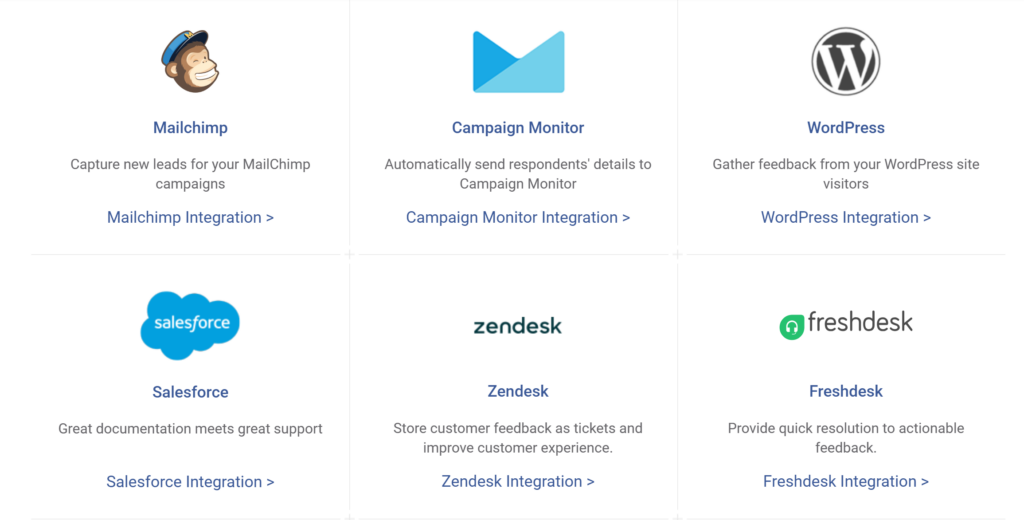
- ProProfs Survey Maker, for end-to-end automation with CRMs (like Salesforce, HubSpot) and LMS tools. It can send surveys automatically after key events and log responses where your team already works.
- Qualtrics, if you need complex automation logic across multiple business systems.
- SurveySparrow, for lightweight recurring automations like weekly pulse or recurring eNPS surveys.
3. Put Security and Compliance First
Enterprises can’t afford “almost secure.” You need to know exactly where your data is stored, who has access, and how compliance is enforced.
Ask:
- Is it GDPR and HIPAA compliant?
- Does it support SSO and data residency?
- Can it be hosted privately if needed?
Use:
- Checkbox, if your industry (finance, healthcare, government) demands private cloud or on-prem hosting.
- ProProfs Survey Maker, if you want strong compliance with less setup complexity. It already supports GDPR, HIPAA, and SSO out of the box.
- Qualtrics, if you have strict regional or multi-country data residency requirements.
Security doesn’t add friction; it protects trust. If compliance feels like an afterthought in the sales pitch, that’s your red flag.
4. Choose Analytics That Drive Action, Not Just Dashboards
Every platform has “reporting.” The question is: can you actually act on it? You want analytics that identify trends, surface outliers, and feed insights into your workflow automatically.
Look for:
- Filters by role, location, or customer type.
- AI summaries for open-ended feedback.
- One-click exports into formats your teams already use (PPTX, CSV, Word).
Use:
- ProProfs Survey Maker, if you want reports that summarize results for each team and let managers access dashboards in real time. Here’s a video to learn more about viewing & accessing reports:
- Qualtrics, if you need deep statistical analysis or text analytics on unstructured data.
- QuestionPro, if you run multilingual or offline research and need granular trend comparisons.
If you can’t get from “what happened” to “what do we do next” in under five clicks, your analytics are decorative, not functional.
5. Match Scale with Usability
A tool can be enterprise-ready and still impossible for non-technical users. The sweet spot is software that scales cleanly but can still be used by marketing, HR, or operations teams without training marathons.
Ask:
- Can multiple departments build their own surveys?
- Can you manage permissions without IT?
- Does it work well on mobile or shared devices for frontline teams?
Use:
- ProProfs Survey Maker for balanced usability and enterprise-grade scale — ideal if your organization needs both power and accessibility.
- SurveyMonkey if you want simple survey creation across departments with minimal oversight.
- Qualtrics only if you have internal admins who can manage its complexity long-term.
Scalability is only valuable if your people actually use the product.
6. Test Support Before You Buy
Don’t wait until you’re stuck mid-rollout to learn what “priority support” really means. The best vendors treat onboarding as part of the product, not an afterthought.
Ask:
- Will you get a dedicated success manager?
- Are there resources for enterprise onboarding and automation setup?
- What’s the real response time for technical queries?
Use:
- ProProfs Survey Maker, for fast onboarding and responsive human support (especially if your team prefers a more hands-on setup experience).
- Qualtrics, if you need enterprise-level support and internal training resources.
- SurveySparrow, for smaller teams that prefer chat-first support.
Always test the support quality during the trial. The way they handle setup tells you exactly how they’ll handle problems later.
7. Think ROI, Not Price Tag
A $100 tool that costs you 10 hours a week is more expensive than a $1,000 one that saves you 20. ROI in survey software comes from time saved, data quality, and actionability, not just license cost.
To Calculate ROI, Track:
- Manual reporting hours saved per month
- Increase in response rates or data accuracy
- Reduction in survey fatigue
- Faster feedback-to-decision turnaround
Use:
- ProProfs Survey Maker, if your goal is measurable ROI through automation and centralization. It reduces manual work across departments.
- Qualtrics, if your focus is executive-level reporting and cross-functional analytics.
- SurveySparrow, if you need frequent, lightweight check-ins to improve culture and engagement metrics.
Buy for long-term process efficiency, not short-term affordability.
| Category | What to Confirm | Why It Matters |
|---|---|---|
| Integrations | CRM, LMS, BI tools connect natively | Prevents data silos |
| Automation | Trigger-based workflows | Reduces manual survey tasks |
| Security | GDPR, HIPAA, SSO, data residency | Ensures compliance across regions |
| Analytics | Filtering, trend tracking, exports | Enables actionable insights |
| Customization | Branding, logic, templates | Keeps surveys consistent with brand |
| Scalability | Handles thousands of responses | Future-proofs your investment |
| Support | Dedicated success manager | Smooth implementation and faster ROI |
FREE. All Features. FOREVER!
Try our Forever FREE account with all premium features!
The Enterprise Survey Landscape: From Surveys to Systems of Action
Five years ago, running surveys at scale meant collecting data and hoping someone looked at the report. Today, that’s table stakes. The enterprise market has evolved from simple data collection to Experience Management (XM), a discipline focused on turning feedback into action across every department.
The shift is clear: modern enterprises don’t just want answers; they want systems that automate, predict, and orchestrate responses based on real-time data.
From Surveys to Experience Management (XM)
Modern platforms now automate feedback collection, analyze sentiment using AI, and push results into CRMs or HR systems in real time.
- Qualtrics leads in depth, offering advanced analytics and predictive insights, but often needs specialist support.
- ProProfs Survey Maker delivers a faster, lighter XM model: automated triggers, AI survey builder, and white-labeled dashboards without the setup fatigue.
- Medallia dominates omni-channel CX feedback, ideal for service-heavy organizations.
AI and Compliance Take Center Stage
AI now summarizes open responses, detects tone, and identifies emerging trends before they escalate. At the same time, data security has become non-negotiable.
- Checkbox fits highly regulated industries needing on-prem control.
- ProProfs Survey Maker strikes a balance between compliance (GDPR, HIPAA, SSO) and ease of deployment.
The Trade-Off: Power vs. Accessibility
XM heavyweights like Qualtrics and Medallia deliver unmatched analytics but require large budgets and long onboarding. Tools like ProProfs Survey Maker and SurveySparrow hit the sweet spot: powerful enough for enterprise analytics & simple enough for team-wide adoption.
In short, the market is shifting toward AI-driven, compliant, and automation-first feedback ecosystems. The winning software will be the one your teams actually use, and that’s usually the one that feels effortless.
Implementation Tips & Best Practices
Buying survey software is easy. Rolling it out across an enterprise is where most teams stumble. Here is how to make implementation smooth, structured, and effective.
1. Start Small, Scale Fast: Begin with one department or workflow, such as onboarding or customer feedback. Test the automation, refine the process, and confirm the data flows correctly. Once everything works, expand to other teams.
2. Automate Every Step: Set up triggers so surveys go out automatically after key actions, like a project close or ticket resolution. Manual sends create errors and delays. Automation keeps data consistent and feedback continuous.
3. Train Teams to Interpret Results: Most people do not need training to build surveys. They need help understanding what the data means. Walk managers through dashboards and reports, enabling them to identify trends and make informed decisions based on evidence.
4. Standardize Templates & Branding: Create shared templates with consistent wording, rating scales, and visual style. This ensures that your feedback remains consistent and your brand remains recognizable across all departments.
5. Protect Anonymity & Build Trust: People give honest feedback only when they know it is safe to do so. Use anonymous settings for internal surveys, limit who can view the results, and clearly explain how the data is used and stored.
6. Always Close the Loop: Share the results, explain what actions were taken, and follow up. When people see feedback lead to change, response rates and data quality both improve.
7. Review and Adjust Regularly: Set a quarterly review to refine questions, update triggers, and remove what no longer adds value. Feedback systems should evolve with your business, not run on autopilot.
In short: Start small, automate early, teach teams to act on insights, keep branding consistent, protect anonymity, and close the loop. When you do that, your survey software becomes more than a reporting tool. It becomes part of how your organization improves.
The End of Guesswork in Enterprise Feedback
Enterprise survey software is no longer about collecting opinions. It is about creating a reliable system for continuous feedback, faster decisions, and measurable impact. The right platform should automate data collection, protect privacy, and turn feedback into clear actions without adding work to your team’s plate.
Start simple, automate what you can, and focus on closing the loop every time. When feedback becomes part of your daily operations, you stop guessing and start improving continuously.
Some enterprise survey software fit naturally into that approach. It is flexible enough for any department and powerful enough for enterprise scale, helping you build a feedback engine that actually moves the business forward.
Frequently Asked Questions

Why do most enterprise teams outgrow tools like Google Forms or SurveyMonkey?
Basic tools can capture feedback, but they stop there. Once you need segmentation by region, automation with CRMs, or real-time dashboards across departments, those platforms become bottlenecks. Enterprises need a system that connects data, not one that traps it in spreadsheets.
How do I ensure our surveys meet compliance and security standards?
Confirm that your survey platform offers secure data hosting, encryption, and access controls. It should support regional data residency, single sign-on, and certifications like GDPR and HIPAA. Always clarify where data is stored and who can access it before implementation to avoid compliance risks later.
How do large organizations handle integrations across multiple systems?
Modern enterprise survey software connects directly with CRMs, LMSs, and BI tools. The key is automation. Surveys should trigger automatically when an event happens, and results should sync instantly with the system that needs them. That’s what turns feedback into action.
How can I justify ROI to leadership?
Focus on the time saved and the insights delivered. Measure how much faster reports are created, how many manual steps are removed, and how feedback leads to measurable improvements like higher CSAT or reduced churn. A good platform should prove its worth within one or two quarters.
FREE. All Features. FOREVER!
Try our Forever FREE account with all premium features!

 We'd love your feedback!
What did you like & how can we make it even better?

 Thanks for your feedback!
 Ask Your Question
Have a question? Get expert help to make your decision easier.