

Most companies do not have an engagement problem. They have a measurement problem.
When I see teams rely on annual surveys, it is usually the same story: the feedback is late, the report is long, and the action plan quietly disappears. Employee Net Promoter Score, or eNPS, cuts through that with one blunt question: “How likely are you to recommend this company as a place to work?” (0 to 10).
Used well, eNPS is an early warning system. It tells you loyalty is slipping before it shows up as resignations. Used poorly, it becomes a vanity number, especially when “anonymous” doesn’t feel anonymous or when managers start chasing 10s.
In this guide, I will break employee net promoter score down in plain English: how it works, how to calculate it, what is a good employee net promoter score, and how to run an employee net promoter score survey that people actually trust.
What Is Employee Net Promoter Score
Employee Net Promoter Score, or eNPS, is a simple way to measure how employees feel about working at your company.
I explain it like this: eNPS is not asking, “Are you happy?” It is asking, “Would you recommend this place to someone you care about?” That is a higher bar, because recommending a workplace feels personal. People do not put their reputation on the line for a company they do not believe in.
The eNPS survey uses one core question:
On a scale of 0 to 10, how likely are you to recommend this company as a place to work?
That rating gives you a quick snapshot of employee loyalty and sentiment. The real value comes when you track it over time and pair it with a simple follow-up like “What is the reason for your score?” so you can understand what is driving the number.
A solid employee net promoter score survey should include:
- The standard 0–10 recommendation question
- One open-ended follow-up to capture context
- Reporting that shows trends, not just totals
- Privacy employees can trust. Here’s a video you can watch to protect anonymity:
How to Create an Employee Net Promoter Score (eNPS) Survey
Net Promoter Score (NPS) surveys measure customer loyalty with a single, quick 0–10 rating question: “How likely are you to recommend [Company/Product] to a friend or colleague?” Followed optionally by open-ended feedback for deeper insights.
This helps track satisfaction trends, identify promoters/detractors, and improve experience over time.
Today, I’ll show you the full process, from logging in to analyzing responses, using ProProfs Survey Maker, which offers dedicated NPS templates, a specialized NPS Scale question type, AI assistance for creation and refinements, and built-in scoring/analytics:
Step 1: Log In and Start an NPS Survey
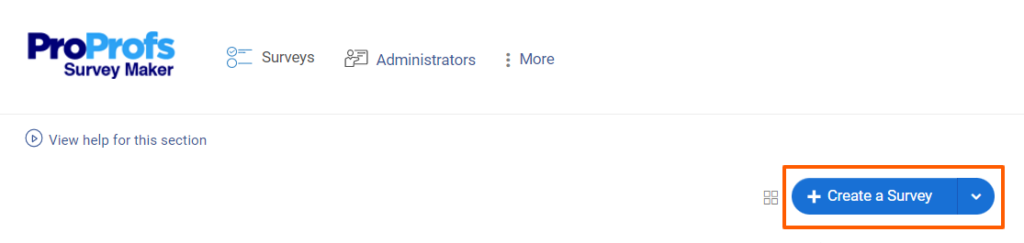
1. From the dashboard, click + Create a Survey.
2. Look for and click the Create Net Promoter Score option (or navigate to NPS-specific templates under categories like Net Promoter Score).
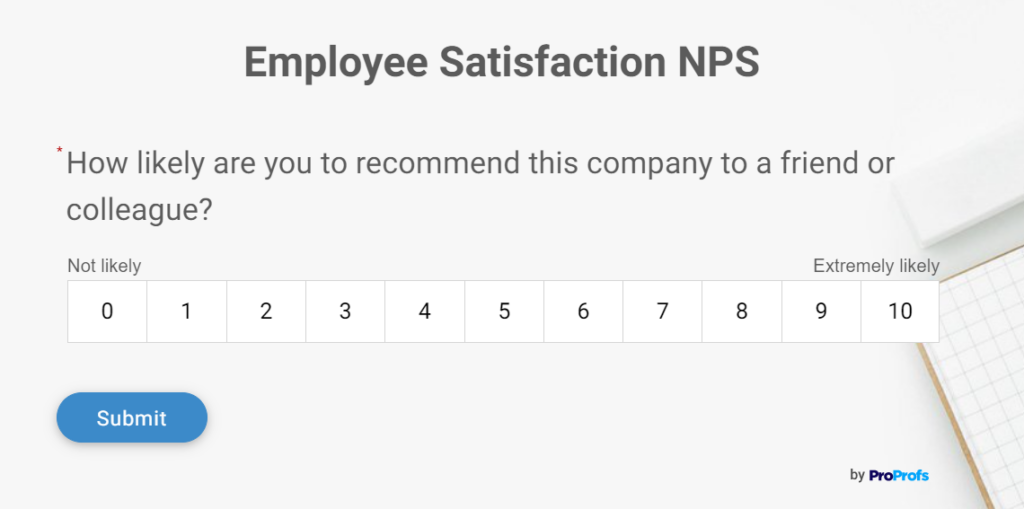
If you prefer a blank start or AI-generated questions, you can skip templates and proceed directly to adding questions via AI.
Start from scratch or open a blank survey.
1. Click Add Question → Generate with ProProfs AI.
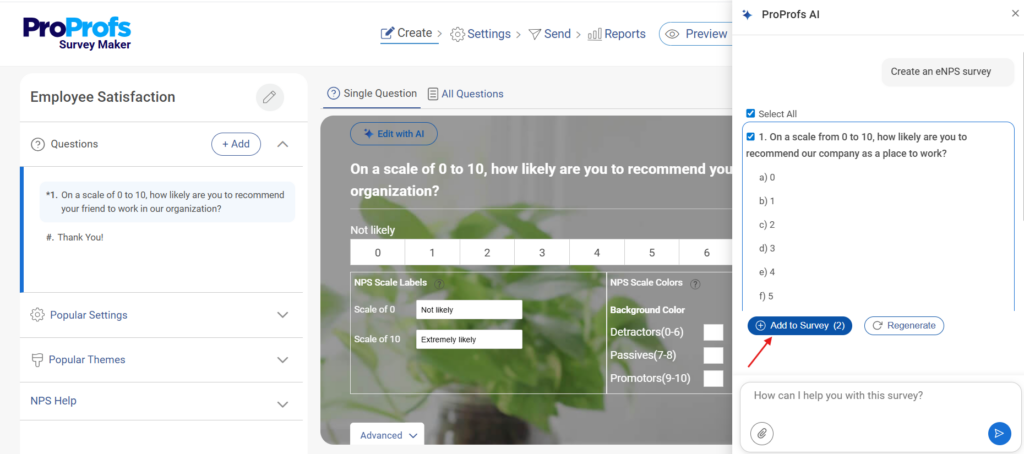
In the overlay:
- Topic (max 100 chars): e.g., “Standard NPS survey.”
- Description (max 200 chars): e.g., “Core 0-10 NPS rating question: ‘How likely are you to recommend [Company]?’ with labels. Add 1-2 open-text follow-ups: reason for score and improvement suggestions. Clear, neutral, professional.”
- Select types (Rating Scale for NPS, Text Box for follow-ups) and number (e.g., 3).
Click Generate with ProProfs AI.
Step 2: Edit and Customize the NPS Questions with AI
For richer insights, add 1–2 open-ended questions:
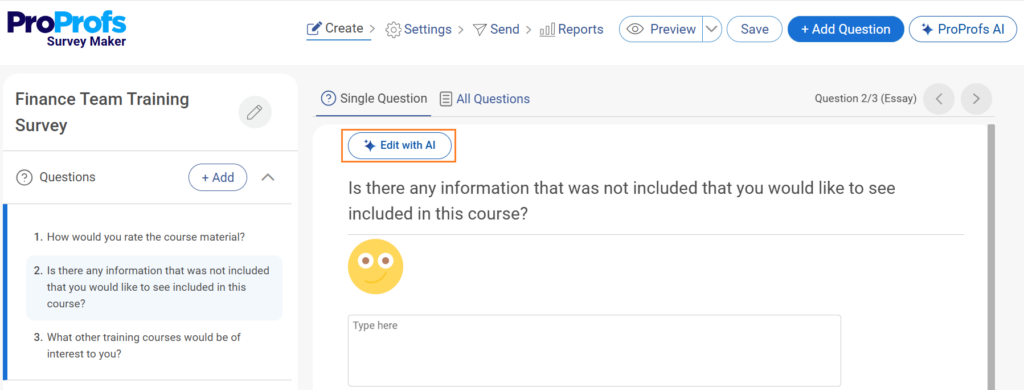
Refine any question with Edit with AI (select question → Edit with AI → prompt like “Make this more engaging and concise” → Regenerate → Replace).
Step 3: Set Up Survey Settings and Deployment
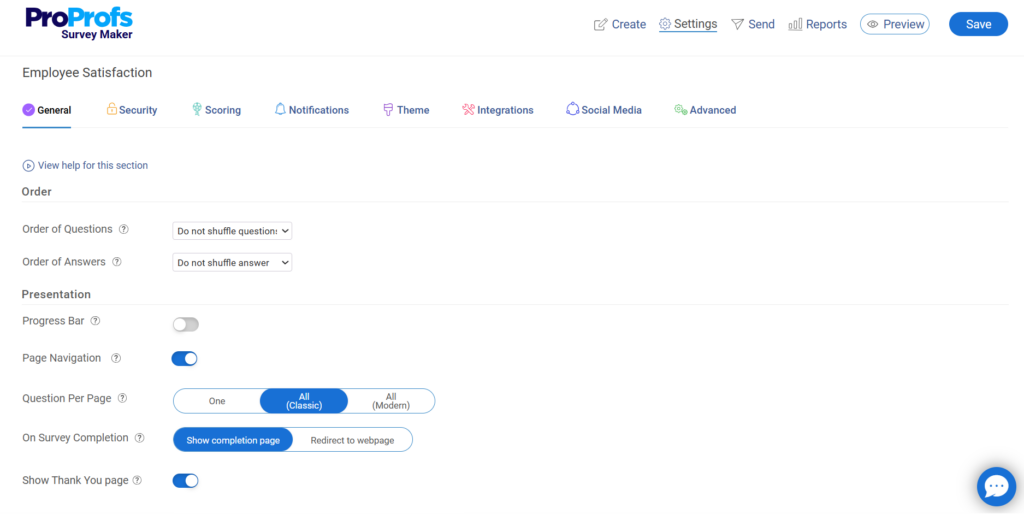
1. Go to Settings:
- Enable anonymity if desired from Security (for candid feedback).
- Add branding (logo, colors) via Theme tab.
- Set progress bar, shuffle questions/answers, or limit responses if needed.
- Configure completion page (custom thank-you message or redirect to a URL).
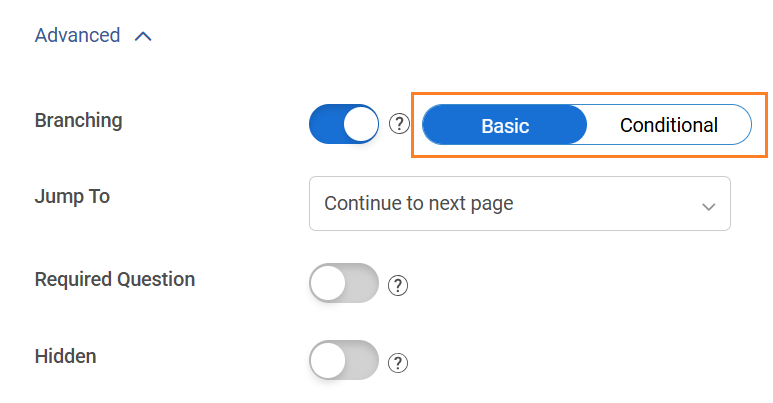
2. Add skip logic (e.g., show follow-ups only after rating) via branching.
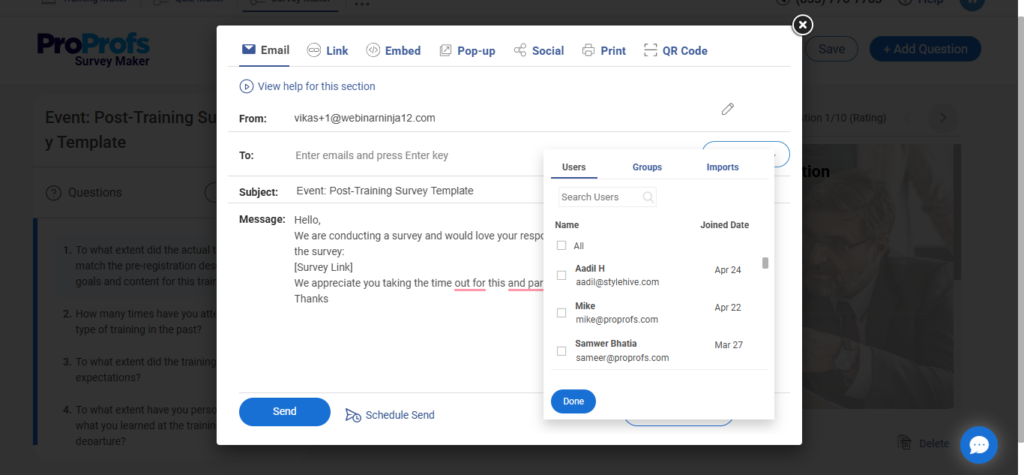
3. For distribution:
- Publish/Share tab: Get embed code (for website), URL link, popup, email schedule, or social share.
- Recommended triggers: Post-purchase, after support interaction, checkout, or periodic email pulses.
- Schedule invites or set availability dates.
Step 4: Publish, Collect, and Analyze Responses
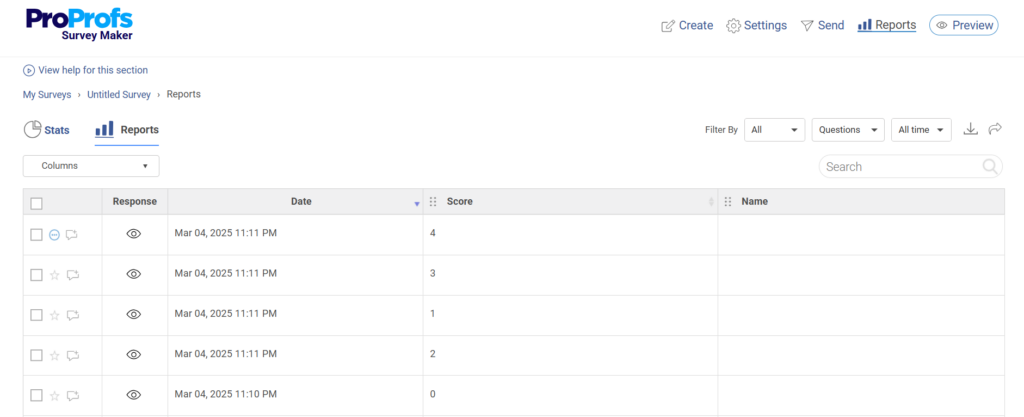
1. Monitor in Reports dashboard: Real-time averages, charts, individual responses.
2. Calculate NPS:
% Promoters (9–10) minus % Detractors (0–6) = NPS score (–100 to +100).
ProProfs provides built-in visuals and scoring tools for easy tracking.
3. Iterate: Track trends over time, address common detractor feedback, and re-survey periodically.
ProProfs Survey Maker simplifies NPS with ready-made templates, customizable visual scales, auto-scoring, and analytics. Sign up for free and create your NPS survey today.
If you prefer visual guidance, there’s also a short tutorial video in the dashboard that walks through creating a questionnaire from scratch, from choosing templates to publishing and viewing responses:
How to Measure and Calculate Employee Net Promoter Score
Measuring employee net promoter score is intentionally simple. That is the point.
You send employees the eNPS question, collect responses, and group the scores into three buckets based on how people answered.
Scores of 9 or 10 are promoters. Scores of 7 or 8 are passives. Scores from 0 to 6 are detractors.
Once responses are grouped, you calculate the score using this formula:
| Employee Net Promoter Score (eNPS) = (% of Promoters − % of Detractors) × 100 |
For example, if 40 percent of employees are promoters and 24 percent are detractors, the calculation looks like this:
eNPS = (0.40 − 0.24) × 100 = 16
Passives are included in the total number of responses but are not used in the calculation itself.
The math takes seconds. The real work starts after you have the number, when you look at trends over time and the reasons employees gave for their scores.
Employee Net Promoter Score Survey Questions You Can Use
An employee net promoter score survey works best when you keep it short and direct. The goal is to make it easy for employees to respond without overthinking it. Running your first eNPS survey does not need to feel like a project.
After the core eNPS question, you can ask:
1. Context & Drivers
- What is the biggest reason behind the score you gave?
- What part of your work experience most influenced your rating?
2. Manager & Team Experience
- How supported do you feel by your direct manager?
- How clearly do you understand what is expected of you in your role?
3. Growth & Career
- Do you feel you have opportunities to learn and grow here?
- What would make this company a better place for your long-term career?
4. Work Environment
- How manageable is your current workload?
- What is one thing that would improve your day-to-day work experience?
5. Trust & Communication
- How confident do you feel in the company’s leadership decisions?
- What could leadership do better to earn your trust?
6. Retention Signals
- What, if anything, would make you consider leaving this company?
- What would make you more likely to recommend this company as a place to work?
Used sparingly, these questions turn an employee net promoter score survey from a number into something you can actually learn from and act on.
FREE. All Features. FOREVER!
Try our Forever FREE account with all premium features!
eNPS Best Practices: Timing, Benchmarks, and What to Do With Your Score
Employee net promoter score works best when you treat it as a habit, not a one-time project.
From what I have seen, the teams that get real value from eNPS follow a few simple practices.
- Run eNPS on a Steady Cadence: Quarterly or twice a year is usually enough to spot trends without survey fatigue.
- Pulse After Big Moments: Use eNPS after leadership changes, restructures, policy updates, or return-to-office decisions.
- Track Trends, Not One-off Scores: One score is a snapshot. A pattern over time is the signal.
- Use Employee Net Promoter Score Benchmark Carefully: An employee net promoter score benchmark gives context, but your best comparison is your own past score.
- Define “Good” in Plain Terms: A positive score means promoters outnumber detractors. Higher generally signals stronger loyalty.
- Do Not Obsess Over Passives: A lot of 7s and 8s can hold your score down. Focus on what would move them up, not on blaming the math.
- Always Include a Follow-up Question: Without the “why,” you get a number you cannot act on.
- Look for Themes, Not Drama: Pay attention to recurring topics across teams, not the loudest comment.
- Close the Loop Publicly: Share what you heard, what you will change, and what will not change (and why).
- Act Small and Fast: Pick the top 1–2 issues, assign owners, set timelines, then measure again.
- Keep eNPS out of Bonus Conversations: If managers are rewarded for scores, people will game them, and you will lose honest feedback.
The Downsides of Employee Net Promoter Score and How to Avoid Them
Employee net promoter score is useful, but it is not perfect. I have seen teams get real value from it, and I have seen teams completely misread it. Most problems come from how eNPS is used, not from the question itself. Here are the common issues you can take care of:
| Downside | Quick Reality Check | Do This Instead |
|---|---|---|
| Passive Problem (7–8 Trap) | Lots of 7s and 8s can still produce a “meh” score | Trend the score and ask what would move a 7–8 to a 9–10 |
| Anonymity Trust Gap | People think “anonymous” is not really anonymous | Use minimum reporting thresholds and avoid slicing results too thin |
| Cultural Scoring Bias | A 7 can mean “great” in one region and “bad” in another | Compare within teams first, then add local context for global views |
| KPI Weaponization | Managers chase numbers, and coaching starts | Keep eNPS out of bonuses and reviews; use it as a diagnostic signal |
| One-Question Blind Spot | The score tells you nothing about the why | Always include one follow-up question and pull themes before acting |
Employee Net Promoter Score Survey vs. Engagement Surveys
Employee net promoter score and engagement surveys are often treated as substitutes. They are not.
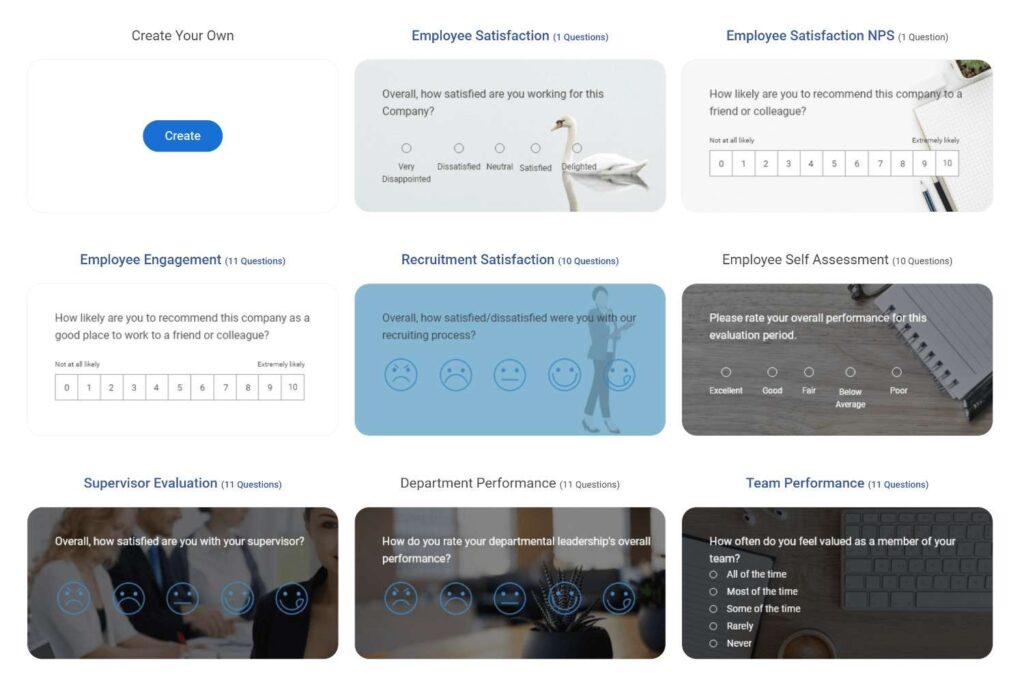
In practice, eNPS works best as a lightweight pulse. Engagement surveys do the heavy lifting. Using one without the other usually creates blind spots. Here are a few engagement templates you can try, along with your eNPS survey:
Think of it this way:
| If You Want to Know | Use This |
|---|---|
| “How do employees feel right now?” | Employee Net Promoter Score |
| “Why do they feel this way?” | Engagement surveys |
| “Is sentiment improving or declining?” | Employee Net Promoter Score |
| “What exactly should we fix?” | Engagement surveys |
In fact, here are also a few tips you can use to create effective employee engagement:
Why Should You Use Employee Net Promoter Score?
Most leadership teams are not short on opinions. They are short on timely signals.
From what I have seen, employee net promoter score is used because it answers one uncomfortable question fast: Are people still willing to recommend working here? That matters because loyalty usually cracks before performance does.
Teams rely on eNPS because it helps them:
- Spot disengagement before it shows up as resignations
- See how decisions land without waiting for an annual survey
- Track whether changes are actually improving sentiment
eNPS is not meant to replace deeper engagement work. It exists so you are not flying blind in between.
FREE. All Features. FOREVER!
Try our Forever FREE account with all premium features!
Use eNPS as a Signal, Not a Scoreboard
Employee net promoter score is not magic. It is not even a culture report card. It is a simple signal that tells you whether people would recommend working at your company, and that signal is worth paying attention to.
Run it consistently, learn from the trendline, and repeat. That is how employee NPS turns from “another HR metric” into a practical loop for building a workplace people want to stay in. Tools matter less than process, but the right setup makes consistency easier.
When you are ready to launch an employee net promoter score survey, an eNPS survey tool like ProProfs Survey Maker makes it easy to set up the core question with an AI survey builder and templates, keep responses confidential, and track results over time without turning the process into a spreadsheet project.
Frequently Asked Questions
Can an employee and an employer both contribute to NPS?
Yes. Employees contribute to eNPS by sharing feedback, while employers contribute by acting on it. eNPS only works when leadership listens, responds, and improves the workplace based on employee input.
How often should employee NPS be measured?
Most organizations run employee NPS quarterly or biannually. This cadence balances timely feedback with survey fatigue and allows enough time to act on insights before measuring again.
Is employee NPS reliable if surveys are anonymous?
Employee NPS is reliable only if anonymity is trusted. When employees believe responses can be traced back to them, scores tend to be inflated and comments filtered, reducing the usefulness of the data.
What are the downsides of using eNPS alone?
eNPS shows sentiment direction but not root causes. On its own, it cannot explain what to fix. It works best when paired with follow-up questions or short pulse surveys for context.
Can eNPS predict employee turnover?
eNPS is an early indicator, not a guarantee. A declining score often appears before higher attrition, especially when detractors increase or promoters drop, making it useful for proactive retention planning.
Should managers see individual eNPS responses?
No. Individual responses should remain confidential. Managers should only see aggregated results to protect anonymity and ensure employees feel safe providing honest feedback.
Does culture affect eNPS scoring?
Yes. Cultural norms influence how people score. In some regions, a 7 or 8 is considered positive, while others reserve high scores for exceptional experiences. Scores should always be interpreted with context.
Can eNPS be used in performance reviews?
It should not be used directly in performance evaluations. Tying eNPS to reviews or bonuses often leads to gaming the system and discourages honest employee feedback.
What should companies do after collecting eNPS results?
Companies should identify recurring themes, communicate what they heard, act on one or two priorities, and re-run the survey later. eNPS creates value only when feedback leads to visible action.
FREE. All Features. FOREVER!
Try our Forever FREE account with all premium features!

 We'd love your feedback!
What did you like & how can we make it even better?

 Thanks for your feedback!
 Ask Your Question
Have a question? Get expert help to make your decision easier.