

You’ve set up an NPS survey. You sent it. Now your dashboard shows a score, and you’re not sure what to do with it.
This is the most common NPS problem: collecting a number without collecting the context to act on it. The issue is almost always the questions you asked, or didn’t ask.
This guide gives you 40+ ready-to-use NPS survey questions organized by use case, respondent type, and survey trigger.
More importantly, it shows you when to ask each question, how to structure your survey so you actually get responses, and how to turn what you collect into decisions your team can act on.
What Is an NPS Survey Question?
An NPS survey question is a standardized feedback question: “On a scale of 0 to 10, how likely are you to recommend [Company/Product] to a friend or colleague?” It is used to measure customer loyalty and predict business growth. The score is paired with one or two open-ended follow-up questions that explain the reason behind the rating. Responses categorize customers into three groups: Promoters (9 to 10), Passives (7 to 8), and Detractors (0 to 6).
Your NPS score is calculated by subtracting the percentage of Detractors from the percentage of Promoters, giving you a number between -100 and +100.
The question was developed by Fred Reichheld at Bain & Company in 2003 after his research showed it correlated more directly with customer repurchase and renewal behavior than any other loyalty question.
Today, it is used by organizations across industries to track sentiment, identify friction, and benchmark performance.
What NPS Does Not Tell You on Its Own: A score without follow-up questions gives you a signal but not a cause. It tells you customers are unhappy, but not why. It tells you promoters exist, but not what created them.
The follow-up question is where the program earns its value. Without it, NPS is a number in a dashboard.

“A company that is an NPS leader in its industry — the one with the highest competitive benchmark Net Promoter Score — grows on average two and half times as fast as the rest of its market.”
— Rob Markey, Global Customer Strategy & Marketing, Bain & Company
Source: Bain & Company
What Is the Main NPS Score Question, and How Should You Word It?
The core NPS question has been standardized for a reason. Changing the wording introduces bias and breaks comparability against benchmarks. Here is the standard formulation:
“On a scale of 0 to 10, how likely are you to recommend [Company/Product/Service] to a friend or colleague?”
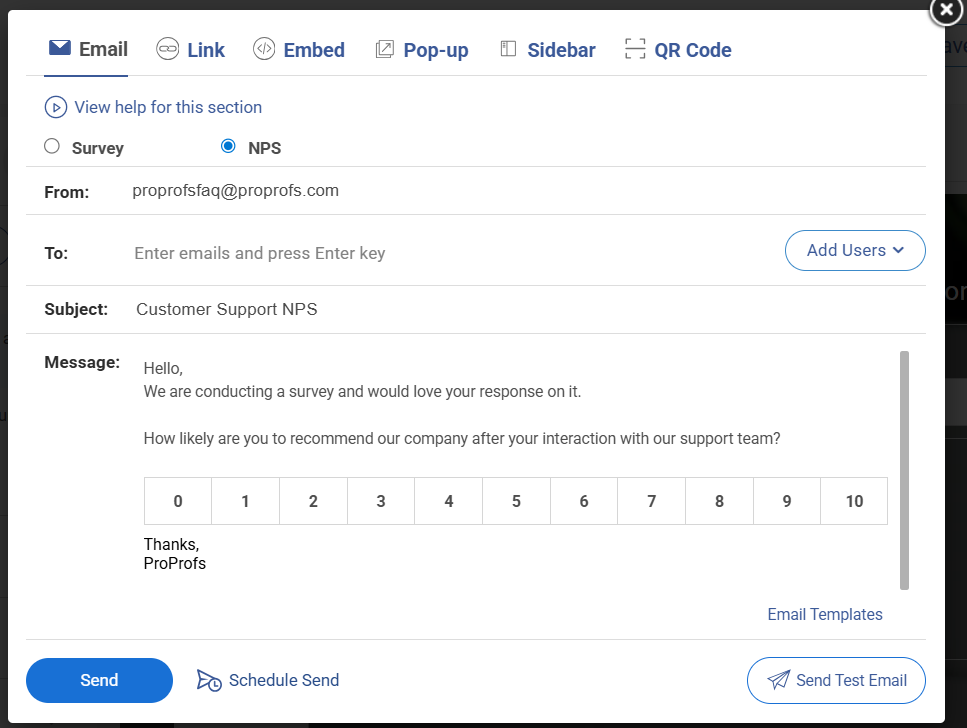
Here’s an email NPS survey template:
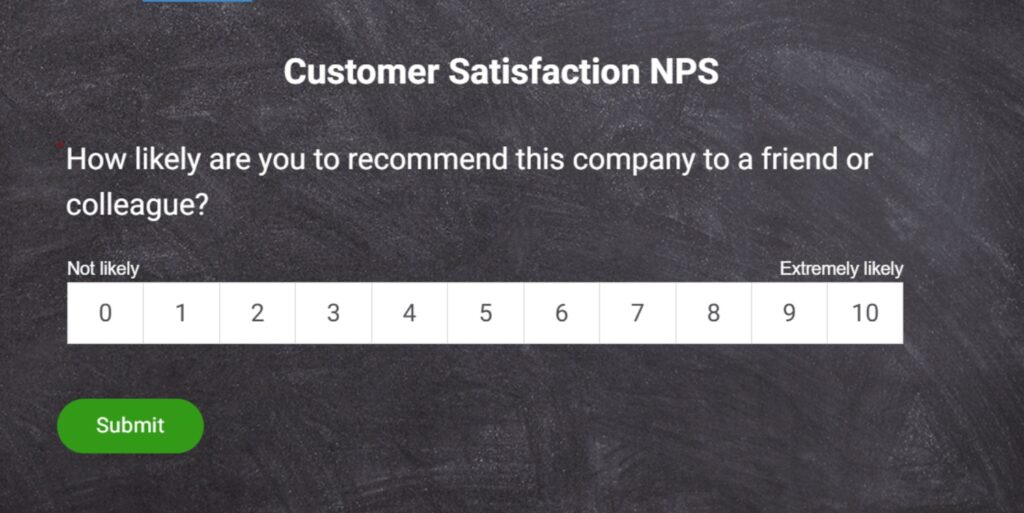
Here’s a quick NPS microsurvey template for you:
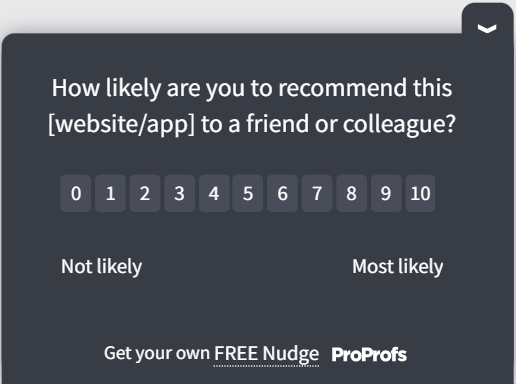
A few things that matter about this phrasing:
The word “recommend” is intentional.
It correlates most directly with repurchase and renewal behavior. Words like “share” or “suggest” soften the commitment and produce a weaker signal.
Avoid injecting emotional language.
“How likely are you to enthusiastically recommend our amazing product…” biases answers upward. Neutral wording produces more reliable data.
Keep the scale at 0-10. Switching to a 5-point or 7-point scale makes it impossible to calculate a proper NPS or benchmark against other companies.
You can tailor the object of the question based on the survey type:
- Relationship NPS: “…recommend [Company Name]…”
- Product NPS: “…recommend [Product Name]…”
- Support NPS: “…recommend us based on your recent support experience…”
- Onboarding NPS: “…recommend us based on your onboarding experience…”
Net Promoter Score Question Examples by Survey Type
Relationship: “On a scale of 0 to 10, how likely are you to recommend [Company] to a friend or colleague?”
Transactional (Post-Support): “Based on your recent support experience, how likely are you to recommend us to someone in your role?”
Transactional (Post-Onboarding): “Now that you’ve completed onboarding, how likely are you to recommend [Product] to a colleague?”
Product-Specific: “How likely are you to recommend [Feature Name] to someone facing the same challenge you had?”
18 NPS Follow-Up Questions You Should Ask
This is where most NPS programs either add value or waste the whole exercise.
A generic follow-up like “What is the reason for your score?” produces generic answers. You get vague responses like “it’s good” or “could be better,” which tell you nothing.
The fix is to tailor your follow-up question to the group the respondent belongs to.
According to 2024 CustomerGauge research, surveys with 2 to 6 targeted questions, 3 being the best, achieve the best balance of response rate and data quality.
The sweet spot is one NPS rating question, one segment-specific follow-up, and optionally one permission question to follow up directly.
What Should You Ask Promoters?
Promoters gave you a 9 or 10. They are already on your side. Your job with these questions is to find out what is working so you can double down on it and build advocacy.
6 Ready-to-Use Promoter Follow-Up Questions:
- “What do you love most about [Product/Company] that made you give us this score?”
- “What is the one thing we should never change about our product or service?”
- “What convinced you to choose us over other options you considered?”
- “Would you be open to sharing your experience in a short testimonial or case study?”
- “Who else in your network do you think would benefit from using [Product]?”
- “What has been the biggest improvement you’ve seen since you started using us?”
Here’s a promoter follow-up NPS survey template:
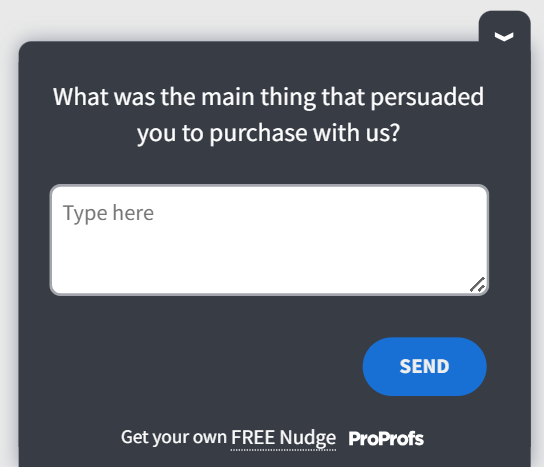
The goal here is to find the exact language and outcomes your happiest customers associate with your brand. These answers become your positioning, your testimonials, and your referral triggers.
What Should You Ask Passives?
Passives scored you 7 or 8. They are satisfied but not enthusiastic. They will not recommend you, and they will switch to a competitor if a better offer appears. These are your highest conversion opportunities.
6 Ready-to-Use Passive Follow-Up Questions:
- “What would make you move your score to a 9 or 10?”
- “What’s the one thing missing from our product that would make you a stronger advocate?”
- “Did anything in your experience leave you less than fully satisfied?”
- “What other products or options do you consider alongside ours?”
- “What would make you more confident recommending us to a colleague?”
- “If you could change one thing about your experience, what would it be?”
Here’s a passive follow-up NPS survey template:
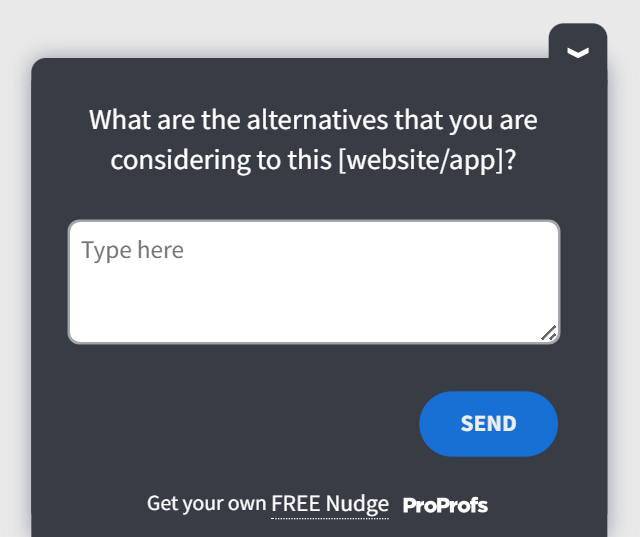
Passives are often one specific friction point away from becoming promoters. These questions help you find that friction fast.
What Should You Ask Detractors?
Detractors scored you 0 to 6. They are at high risk of churning and may already be telling others about a poor experience. These questions need to surface what went wrong without being defensive.
6 Ready-to-Use Detractor Follow-Up Questions:
- “What is the main reason for the score you gave?”
- “What specific issue or experience led to this score?”
- “What would need to change for you to feel differently about us?”
- “Did something specific fall short of what you expected?”
- “What would make you reconsider your opinion of [Product/Company]?”
- “Is there anything we could do right now to improve your experience?”
Here’s a detractor follow-up NPS survey template:
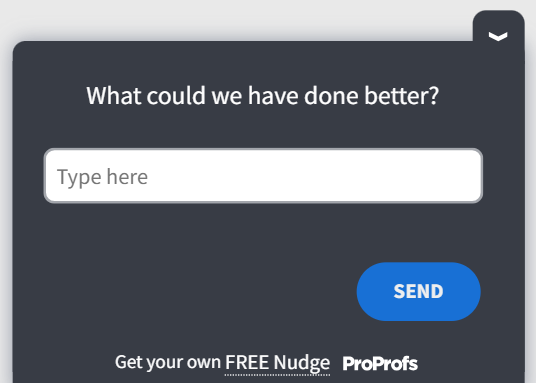
The tone here matters. These questions should feel like a genuine attempt to understand, not a PR recovery exercise. If you can follow up directly with detractors, do it within 24 to 48 hours.
According to CustomerGauge’s closed-loop research, prompt personal outreach converts 40 to 60% of detractors into passives or promoters.
25 Best NPS Questions for Specific Business Scenarios
Beyond the segment-specific structure above, here is a second layer of questions organized by business context. These are designed for use in transactional NPS surveys triggered at specific moments in the customer journey.
What NPS Questions Work for Product and Feature Feedback?
Use these after a feature launch, onboarding completion, or a significant product update.
- “On a scale of 0 to 10, how likely are you to recommend [Feature Name] to someone in your role?”
- “How does [Feature] compare to similar tools you have used before?”
- “What additional capabilities would make [Feature] more valuable for your workflow?”
- “Did [Feature] do what you expected it to do?”
- “What is the biggest friction point you have encountered in [Feature] so far?”
Here’s a quick NPS survey template for product and feature feedback:
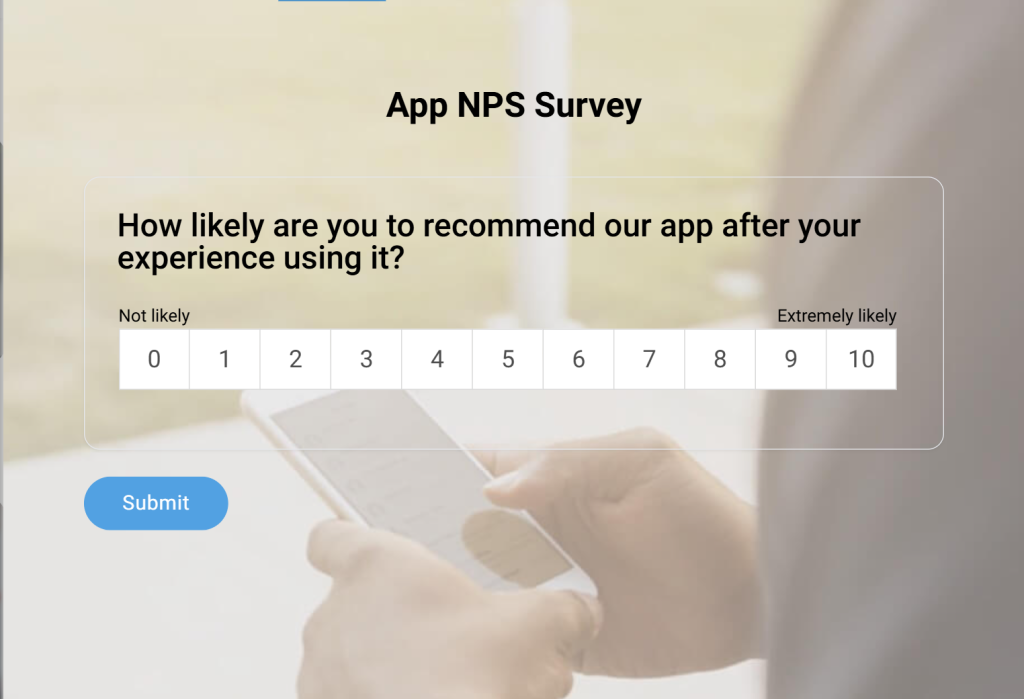
What NPS Questions Work for Customer Experience and Support?
Use these within 24 hours of a support interaction, resolution, or live chat session.
- “Based on your recent experience with our support team, how likely are you to recommend us?”
- “How satisfied are you with the speed at which your issue was resolved?”
- “How effectively did our team address your concern?”
- “How easy was it to find the help you needed?”
- “What could our support team have done better in this interaction?”
Here’s a customer support NPS template you can use:
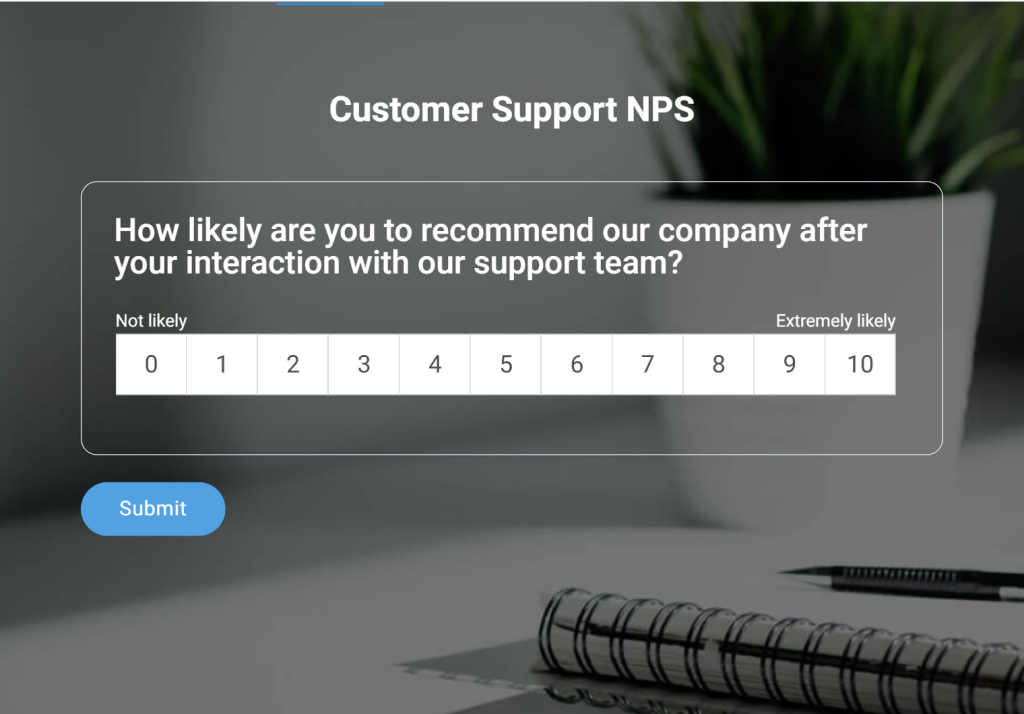
What NPS Questions Work for Retention and Renewal?
Use these 30 to 60 days before a renewal decision or contract expiry.
- “How likely are you to renew your subscription with us?”
- “What is the biggest reason you continue using [Product]?”
- “What would cause you to reconsider renewing?”
- “How well does our product fit your current business needs compared to when you started?”
- “Is there anything we could improve that would make your renewal decision easier?”
Here’s a quick NPS template to gauge if the customer will renew:
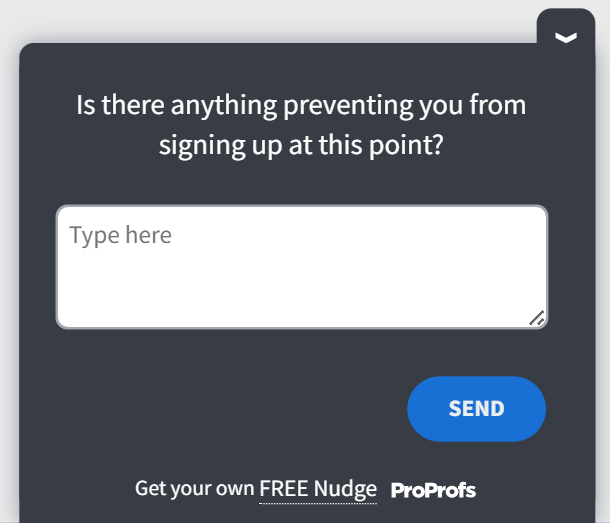
What NPS Questions Work for Onboarding?
Use these within the first 7 to 14 days of a new customer’s journey, after their first meaningful product interaction.
- “Based on your onboarding experience so far, how likely are you to recommend us?”
- “Did our onboarding process make it easy to get started?”
- “What was the most confusing part of getting started with [Product]?”
- “What would have made your first week with us easier?”
- “What goal were you hoping to achieve in the first 30 days, and are you on track?”
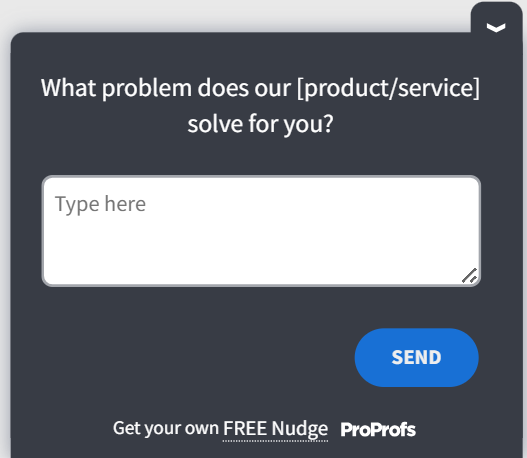
Tweak and use this onboarding survey template:
What NPS Questions Work for Competitive Positioning?
Use these in relationship surveys with established customers who have been with you for at least 90 days.
- “How would you compare our product to other tools you have evaluated or used?”
- “What does [Product] do better than the alternatives you have tried?”
- “What do competitors offer that you wish we did too?”
- “How likely are you to switch to a competitor in the next 12 months?”
- “What would have to be true for you to consider switching to another provider?”
FREE. All Features. FOREVER!
Try our Forever FREE account with all premium features!
What Are the Two Types of NPS Surveys, and Which One Do You Need?
Before picking your questions, you need to decide which kind of NPS survey you are running. Getting this wrong means collecting data that doesn’t connect to any decision.
Relationship NPS (rNPS) measures how customers feel about your company or product overall. Sent on a fixed cadence, typically quarterly or semi-annually, it gives you a macro view of loyalty over time and tracks whether things are improving or declining.
Use relationship NPS to set a baseline, track year-over-year improvement, compare against industry benchmarks, or report NPS as a company-level KPI.
Transactional NPS (tNPS) captures feedback immediately after a specific event. It fires after onboarding, a support call, a purchase, a renewal, or any high-stakes touchpoint. The question is tailored to that experience: “Based on your recent onboarding experience, how likely are you to recommend us?”
Use transactional NPS to identify which specific interactions drive satisfaction or dissatisfaction, catch problems before they compound, and understand exactly where your experience is winning or losing customers.
| Relationship NPS | Transactional NPS | |
|---|---|---|
| Trigger | Set schedule (quarterly, semi-annual) | Specific interaction or event |
| Question focus | Overall company or product | The specific touchpoint |
| Best for | Macro loyalty trends, executive reporting | Diagnosing friction, improving specific journeys |
| Frequency | Recurring, fixed intervals | Event-based, triggered |
| Sample trigger | "It has been 90 days since you joined." | "You just completed onboarding" |
Most teams need both. Start with one, establish your baseline, then layer in the other.
How Do You Create an NPS Survey With ProProfs Survey Maker’s AI?
If you would rather not start from a template, ProProfs Survey Maker’s AI Survey Maker builds your entire NPS survey from a single text prompt.
You describe your goal, and the AI generates a complete, ready-to-send survey in seconds, with the right question types, follow-up structure, and logical flow already in place.
Here is exactly how it works:
Step 1: Open the AI Survey Maker
Log in to ProProfs Survey Maker and select “Create with AI” from the dashboard. You will see a plain-language prompt field, not a form builder.
Step 2: Describe Your Nps Goal in One Sentence
Type what you want the survey to do. For example: “Create an NPS survey for SaaS customers after their first 30 days, with follow-up questions for promoters, passives, and detractors.”
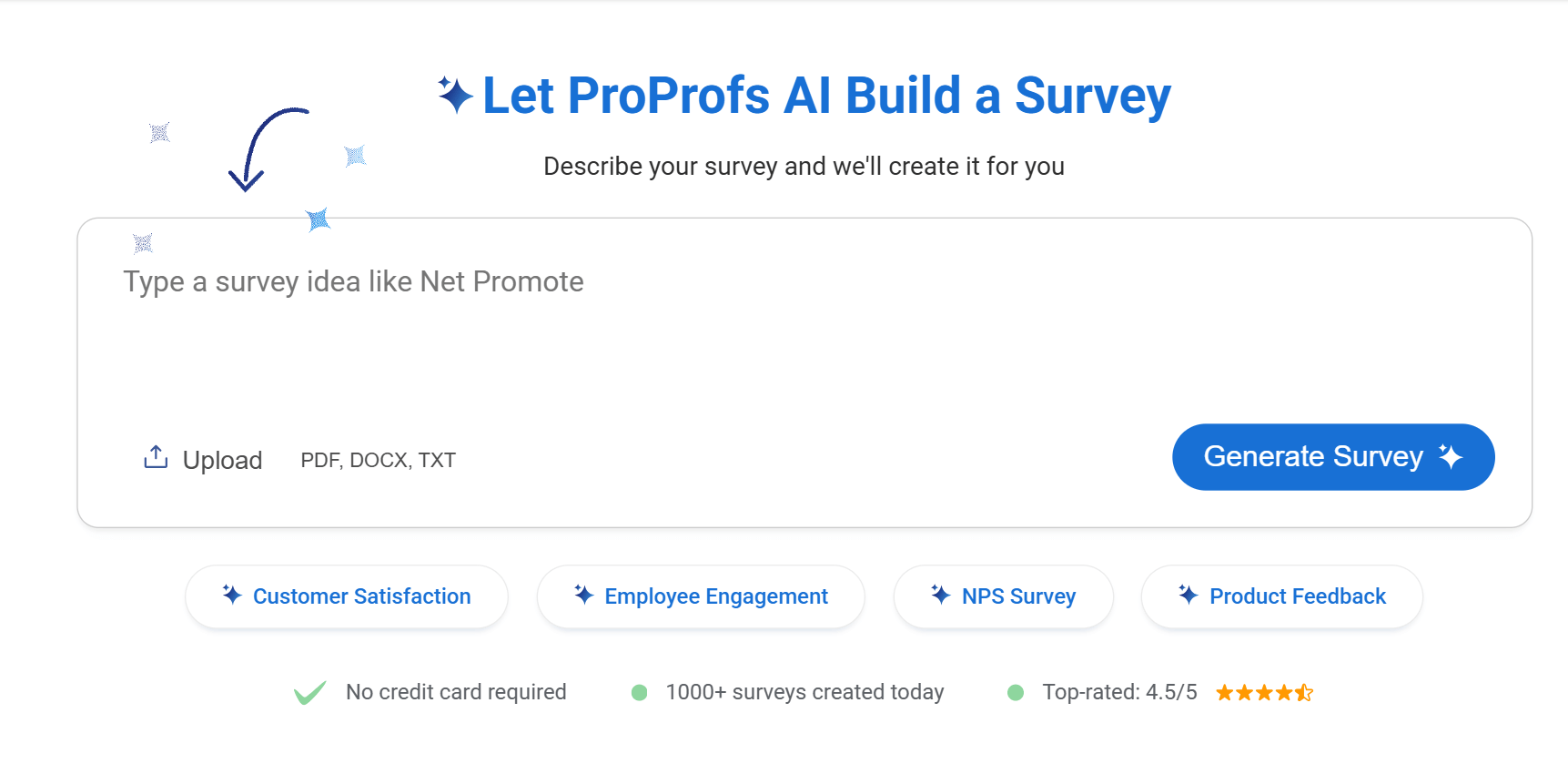
The more specific your prompt, the more targeted the output. You can even upload existing PDFs, Word docs, or presentations and let the AI convert them into complete surveys instantly
If your NPS follow-up needs more than a text response, ProProfs Survey Maker’s file upload question type lets respondents attach images, videos, or documents directly inside the survey.
You can include your industry, respondent type, touchpoint, and any specific friction areas you want the survey to probe.
Step 3: Review the Generated Survey
The AI builds the full survey instantly, including the core NPS question on the correct 0 to 10 scale, segment-specific follow-ups with branching logic already configured, and question wording that matches your stated context.
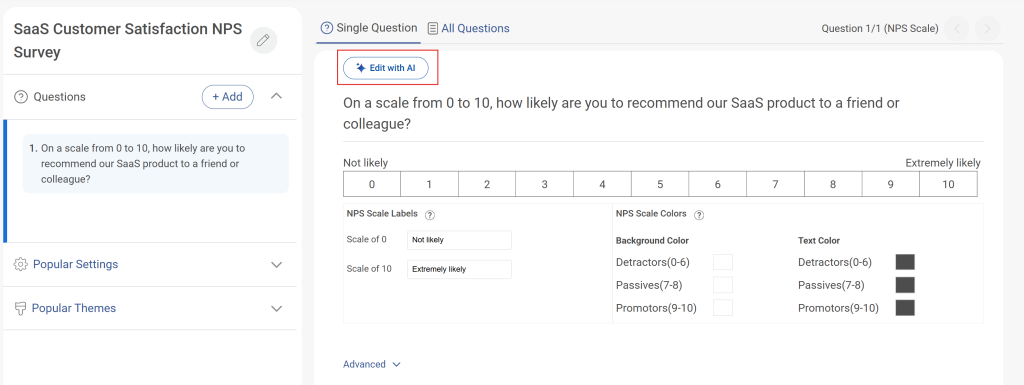
Review each question and edit any wording that doesn’t align with your product or brand voice.
Step 4: Adjust Skip Logic if Needed
The AI sets up branching by default, but you can fine-tune the rules in the skip logic panel.
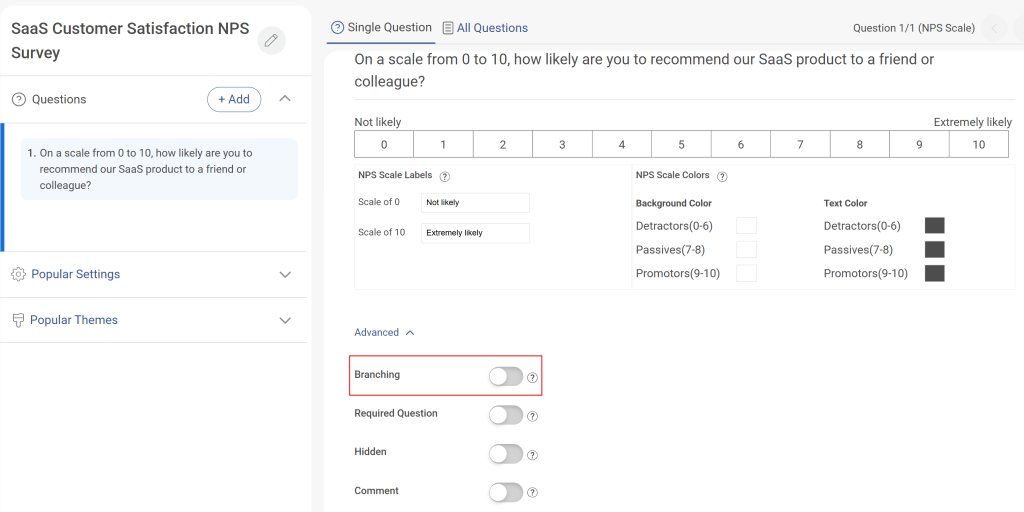
Confirm that promoters (9 to 10), passives (7 to 8), and detractors (0 to 6) are each routed to the right follow-up before moving forward. Here’s how:
Step 5: Set Distribution and Launch
Choose your delivery channel, set your send schedule or behavioral trigger, connect your CRM integration, and publish. The AI does the question design. You handle the targeting.
How Do You Structure an NPS Survey for Maximum Response Rates?
Survey design affects completion rates as much as the questions themselves. Here’s what to follow:
Keep It to 2 to 3 Questions: According to the 2024 CustomerGauge research, this is the sweet spot for completion rates of 40 to 60%. Every additional question multiplies the risk of abandonment.
Sequence Matters: Always lead with the NPS rating question, then the follow-up. Never ask demographics before the NPS question.
Tailor the Follow-up to the Score in Real Time: Use conditional logic to show different follow-up questions to promoters, passives, and detractors automatically. This is what turns a static survey into a useful data collection instrument.
Deliver It at the Right Moment: The most accurate NPS data comes from asking when the experience is still fresh. In-app and in-product surveys (from tools like Qualaroo) triggered at the moment of experience consistently perform 10x better than delayed emails.
This is where ProProfs Survey Maker’s skip logic and delivery solve a real operational problem. You can set branching rules so each segment sees its specific follow-up automatically, embed the survey in email, on your website, or inside your product, and trigger sends based on time delay or user behavior, without any developer involvement.
How Do You Analyze NPS Responses and Turn Them Into Action?
Collecting NPS is the easy part. Most programs stall right after it.
A score of 42 sitting in a dashboard tells you nothing on a Monday morning. Here is a practical four-step framework for making NPS data actually useful.
Step 1: Calculate and Segment Your Score
Subtract the percentage of detractors from the percentage of promoters. Then break the data down by segment: customer tenure, product line, user role, geography, or plan tier. Here’s how you can calculate:
An aggregate NPS of 42 might hide a promoter-heavy enterprise segment and a detractor-heavy SMB segment that need completely different responses.
Step 2: Extract Themes From Open-Ended Responses
Tag verbatim feedback with common themes from your open-ended responses: onboarding, pricing, performance, support, feature gaps, and so on. Patterns emerge fast when you tag consistently.
Step 3: Route Feedback to the Right Team
Detractor responses should trigger an alert to the account owner within 24 hours, including the score, verbatim comment, and account context.
Promoter themes should go to marketing for messaging and testimonial opportunities. Feature-related themes should go to the product. Routing is what makes NPS a team sport instead of a CS metric.
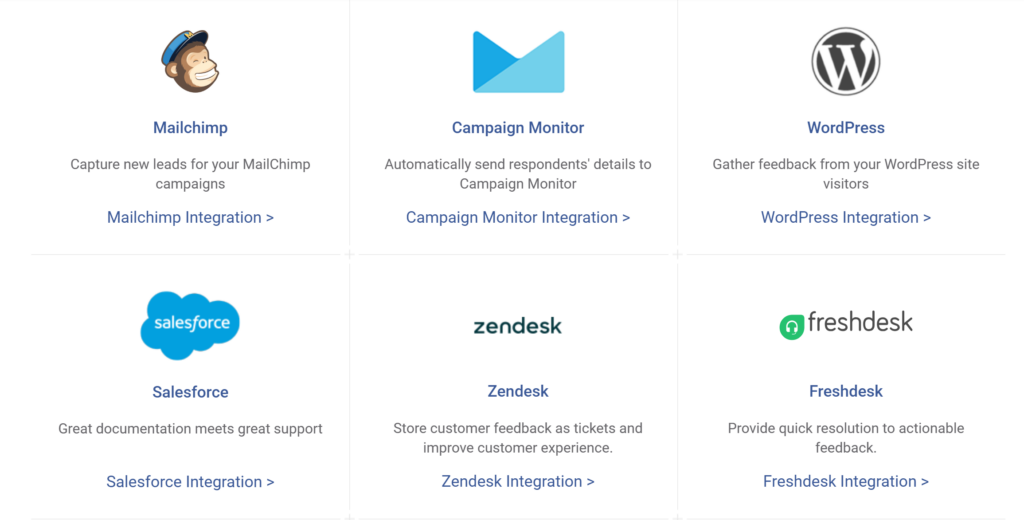
If your NPS data sits in a survey dashboard that only the CS team sees, it is not doing its job. ProProfs Survey Maker’s integrations let you pipe responses directly into the queues and workflows where each team already works, so routing is automatic rather than a manual weekly export.
Step 4: Close the Loop With Respondents
For detractors: reach out directly, acknowledge the issue, explain what you are doing, and re-survey within 60 days.
For passives: follow up with a targeted improvement or offer. For promoters: thank them and activate them as advocates through referral programs, case studies, or community programs.
If you close the loop consistently, your NPS compounds. If you just report the number every quarter, it will plateau.
FREE. All Features. FOREVER!
Try our Forever FREE account with all premium features!
What Is a Good NPS Score for Your Industry?
Customer experience varies significantly across industries, and Net Promoter Score (NPS) benchmarks provide a useful lens for comparing performance.
The following table summarizes average NPS scores by industry based on CustomerGauge data, along with key context for interpreting each sector’s results:
| Industry | Average / Industry NPS (CustomerGauge) |
|---|---|
| Technology | 60 |
| Healthcare | 58 |
| Retail & Consumer Goods | 41 |
| Financial Services | 44 |
| Insurance | 35 |
| Telecom | 24–31 |
| Airlines | 28 |
What Are the Common NPS Survey Mistakes That Kill Your Data?
Most NPS programs do not fail because of bad intentions. They fail because of small design and process decisions that compound into data you cannot trust or act on.
Here are the mistakes that show up most often and how to fix each one:
| Mistake | Why It Hurts Your Data | How to Fix It |
|---|---|---|
| Batch sending to all customers at once | Mixes emotional states, inflates passive rate | Trigger sends by journey stage or behavior |
| Same follow-up for every segment | Generic questions produce generic answers | Use skip logic to route by score segment |
| More than 3 questions | Response rate drops after the third question | Keep it to NPS rating plus one follow-up |
| Ignoring open-ended responses | You lose the "why" behind the score | Tag themes after every survey cycle |
| Sending too frequently | Survey fatigue from the best customers | Quarterly for relationship NPS, once per interaction type for transactional |
| Not closing the loop with detractors | Churns the customers most at risk | Route to the account owner within 24 hours, follow up directly |
How Do You Put These NPS Survey Questions to Work?
The score is not the outcome. What you do with it is.
You now have the core question, the segment-specific follow-ups, the scenario banks for every touchpoint, and the framework for turning responses into action.
The difference between a program that improves customer loyalty and one that just reports a number every quarter is not the tool. It is whether the right question reaches the right person at the right moment, and whether someone follows up.
Start with one survey. Pick your highest-stakes touchpoint, onboarding, renewal, or post-support, and set it up with skip logic so each segment sees the right follow-up automatically.
Read every open-ended response in the first cycle. Tag the themes. Route detractor feedback within 24 hours. Then build from there.
If you want to set up segment-specific NPS surveys with branching logic, real-time reporting, and multi-channel delivery, try ProProfs Survey Maker.
Frequently Asked Questions
What is the difference between relationship NPS and transactional NPS?
Relationship NPS measures overall loyalty at a set cadence, typically quarterly or semi-annually. Transactional NPS captures feedback immediately after a specific interaction, like onboarding, a support call, or a renewal. Relationship NPS tracks macro trends. Transactional NPS pinpoints specific moments of friction or delight. Most teams need both.
What follow-up question should I ask after the NPS score?
Tailor the follow-up to the score segment. For promoters, ask what they love most and what you should never change. For passives, ask what would move their score higher. For detractors, ask what specific issue drove the score and what needs to change. Generic follow-ups like "why did you give this score?" produce generic, non-actionable answers.
What is a good NPS score?
It depends on your industry. According to the creators of NPS, Bain & Co., a good Net Promoter Score (NPS) typically ranges from 0 to 100, with 30-50 considered "good" and 50+ "excellent." B2B companies average around +34, while top consumer brands can exceed +50. It is crucial to benchmark within your specific industry, as top-tier performance varies, such as in finance (approx. 50+) or automotive.
Why is Net Promoter Score (NPS) important for businesses?
NPS is important because it provides a simple, standardized way to measure customer loyalty and satisfaction. It helps businesses understand how likely customers are to recommend their brand, which directly relates to retention and growth. Studies show that NPS is strongly linked to revenue growth and customer lifetime value, making it a practical business KPI.
When should I send an NPS survey?
For relationship NPS, send on a fixed schedule, typically quarterly or semi-annually. For transactional NPS, send within 24 hours of the triggering interaction while the experience is still fresh. Surveys triggered at the moment of experience produce higher response rates and more accurate data than delayed email sends.
How do I use NPS results to reduce customer churn?
Focus on detractors first. Route their feedback to the account owner within 24 hours. Follow up with an acknowledgment, a resolution plan, and a re-survey within 60 days. Programs that complete this loop convert 40 to 60% of detractors, according to CustomerGauge. Monitor passives closely too, since they switch quietly without warning.
Can I use NPS to measure employee loyalty, too?
Yes. Employee NPS (eNPS) asks employees how likely they are to recommend your company as a place to work, using the same 0 to 10 scale and promoter/passive/detractor segmentation. It works best alongside more comprehensive employee engagement surveys that diagnose specific drivers.
FREE. All Features. FOREVER!
Try our Forever FREE account with all premium features!

 We'd love your feedback!
What did you like & how can we make it even better?

 Thanks for your feedback!
 Ask Your Question
Have a question? Get expert help to make your decision easier.