
NPS software is a survey tool that sends one question, collects a 0–10 rating, and automatically sorts respondents into Promoters, Passives, and Detractors.
The score equals % Promoters minus % Detractors. The best platforms automate distribution, track score trends over time, and connect to your existing CRM or HR systems.
Picking the right NPS tool sounds deceptively simple. Ask one question, get a number, done. Except it is never that straightforward.
The market is full of tools built for completely different teams, at completely different price points, with completely different ideas about what “NPS software” should actually do. Most listicles do not help you tell them apart.
This one does. I have spent time testing, researching, and collecting honest feedback from CX teams, HR directors, and SaaS founders to put together a guide that tells you which tool fits your situation, not just which tool has the most features.
Depending on your stack and your goals, one of the tools on this list may be a suitable fit.
The 11 Best NPS Software Tools
These NPS software do three things well: they collect the score reliably across your chosen channels, integrate with the systems you already use, and give you trend data over time, not just a single snapshot.
The tools below are evaluated on those criteria, plus ease of setup, pricing transparency, and how well they serve specific use cases.
| Tool | Best For | Key Strength | Starting Price | User Rating (G2 / Capterra) |
|---|---|---|---|---|
| ProProfs Survey Maker | All-in-one, free start | Full NPS features free, AI builder, email embed, HubSpot/Salesforce sync | Free plan/ $19.99/month | 4.8/5 (Capterra) |
| AskNicely | Service-based business | Real-time feedback, frontline coaching, CRM integration | Custom | 4.7/5 (G2) |
| Refiner.io | SaaS in-app NPS | Behavioral triggers after specific in-app milestones | $99/month | 4.6/5 (G2) |
| Zonka Feedback | End-to-end NPS programs | AI-powered insights | Custom | 4.7/5 (G2) |
| SurveySensum | Mid-market CX | SensAI auto-tagging and action prioritization | $3600/year | 4.6/5 (G2) |
| Alchemer | Mid-market value | Enterprise-grade features at a fraction of the enterprise price | Custom | 4.5/5 (Capterra) |
| Medallia | Enterprise CX | Agentic AI, predictive churn, and frontline operational agility | Custom | 4.5/5 (G2) |
| Qualtrics | Enterprise research | Complex data modeling, multi-domain feedback, advanced analytics | Custom | 4.4/5 (G2) |
| Nicereply | Zendesk support teams | Embeds NPS in ticket signatures, auto-triggers post-resolution | $59/month | 4.5/5 (G2) |
| Simplesat | Helpdesk NPS | Dead-simple setup, Zendesk and Freshdesk native | $109/month | 4.8/5 (G2 & Capterra) |
| CustomerGauge | B2B revenue attribution | Links NPS scores directly to revenue and account health data | Custom | 4.6/5 (G2) |
1. ProProfs Survey Maker
ProProfs Survey Maker is honestly one of the few tools I have stuck with for years because it scales incredibly well without the usual headaches. You can go from sending a quick poll to 10 early users to pushing a complete NPS survey to a million people, and nothing breaks, no surprise bills, no begging your rep for more quota.
Let ProProfs AI Build a Survey
Describe your survey and we'll create it for you
The AI survey builder is super handy. You give it a small prompt, ask it to create a survey for customer onboarding feedback, and it hands you a polished, ready-to-go survey with branching logic in seconds.
Best For: Established businesses and enterprises that require unlimited responses, advanced integrations, high-level security (SSO/GDPR), and AI-powered survey creation.
Pros:
- AI-powered survey creation with a “Generate with ProProfs AI” button that writes, refines, and replaces questions on command.
- Access to 100+ professional templates, including pre-built NPS, eNPS, product NPS, and customer support NPS.
- Full branding and customization options, including white-label capabilities and NPS scale color coding.
- 20+ question types, including NPS scale, ranking, slider, and open text.
- Advanced features like Skip Logic, Branching, and Scored Surveys.
- Compliance with GDPR and SSO (SAML) support in the Enterprise plan.
- Seamless integration with popular CRMs and marketing automation tools like Salesforce, HubSpot, and more.
Cons:
- No dark user interface for long work sessions or late nights.
- Dedicated onboarding and account manager services are only available on paid plans.
User Rating: 4.8/5 (Capterra)
Pricing: Free plan available with all premium features. Paid starts at $19.99/month, Business at $49.99, and Enterprise at $149.99.
2. AskNicely
I first heard AskNicely mentioned in a conversation about frontline service businesses, specifically a franchise operator who told me it was the only tool that turned NPS data into daily coaching conversations for his location managers.
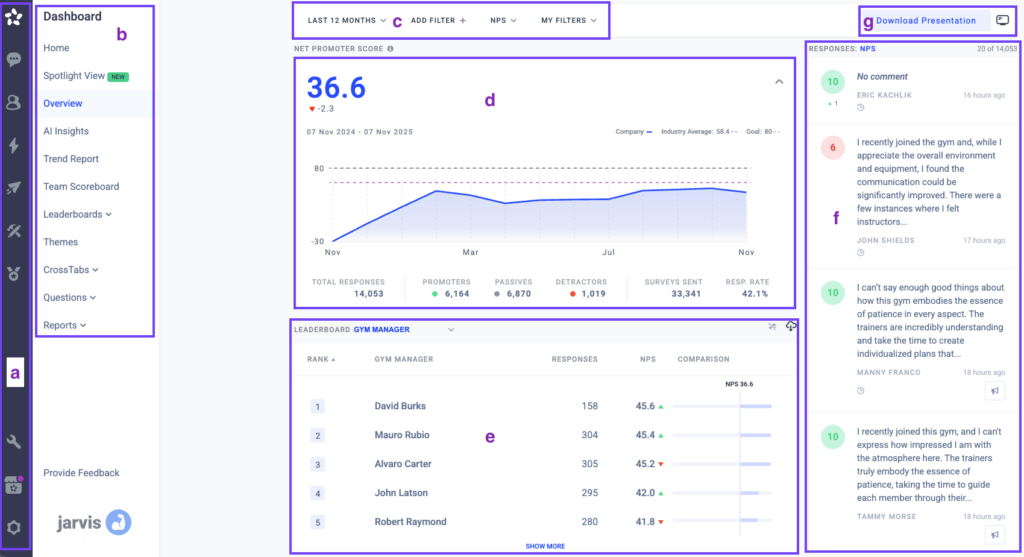
AskNicely is built around the idea that NPS should drive frontline behavior, not just executive reporting. It collects real-time customer feedback and then surfaces it directly to the people doing the work, whether that is a service agent, a branch manager, or a field technician. The coaching tools let managers respond to individual feedback and run recognition workflows based on scores.
Best For: Service-based businesses, franchise networks, and field service organizations that need real-time NPS feedback to flow directly to frontline managers and teams.
Pros:
- Real-time feedback delivery to frontline staff, not just dashboards for executives.
- Built-in coaching workflows that let managers respond to feedback and track team improvement over time.
- Multi-channel NPS collection via email, SMS, and web without requiring developer setup.
- Strong integration with Salesforce and other CRMs for contact sync and result attribution.
- Purpose-built for service business models, with relevant industry benchmarks included.
Cons:
- Less suitable for product-led or SaaS companies where frontline coaching is not the primary use case.
- Custom pricing means you cannot evaluate cost without going through a sales process first.
- Analytics are optimized for operational use rather than deep research or multi-program trend modeling.
User Rating: 4.7/5 (G2)
Pricing: Custom. Contact AskNicely directly for pricing based on your team size and program scope.
3. Refiner.io
I came across Refiner through a Slack community for SaaS product managers. Someone posted that their NPS response rate jumped from 4% to 23% after switching from an email-based survey blast to a contextual in-app trigger using Refiner.
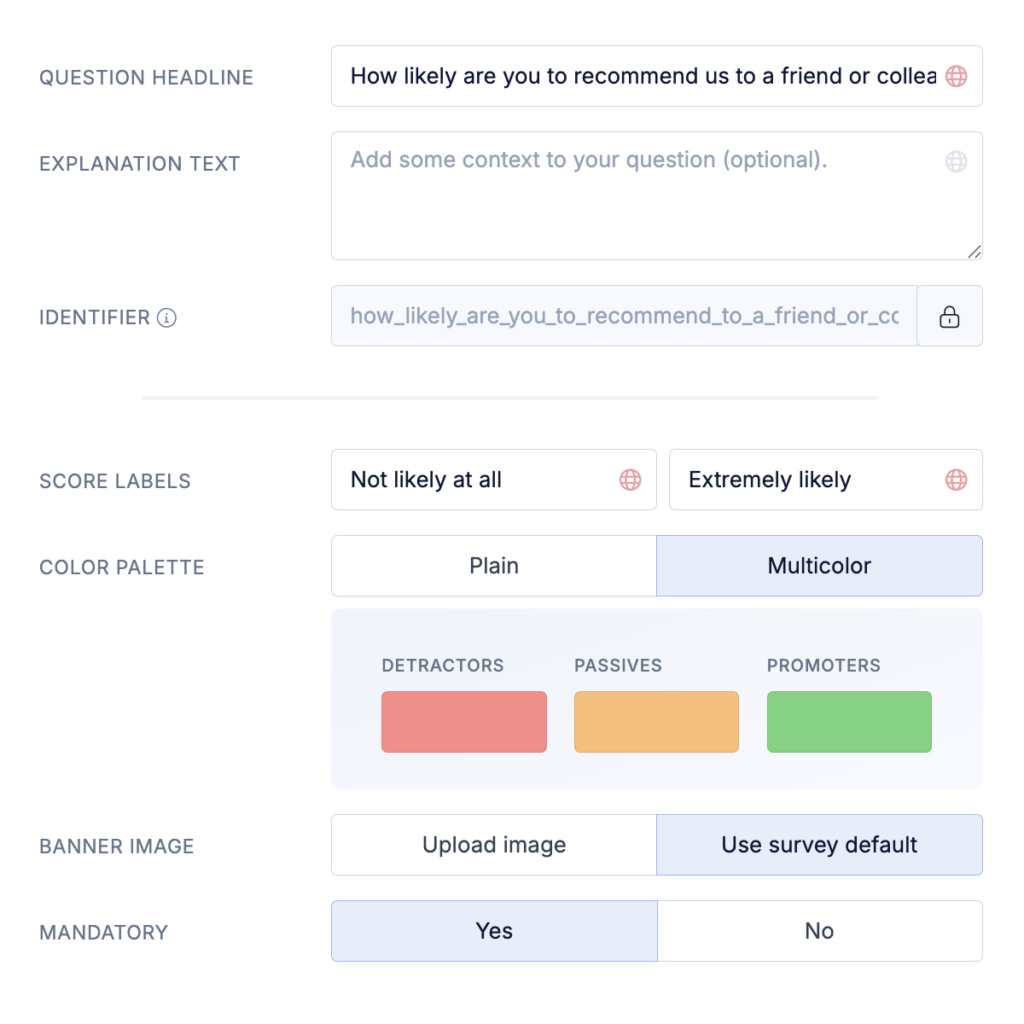
Refiner is built entirely around behavioral triggering. You do not just schedule a survey to go out on a date. You fire it when a user completes a specific event in your product, reaches a usage milestone, or hits a certain number of sessions.
Best For: SaaS companies and product teams that need in-app NPS triggered by specific user behaviors or product milestones rather than time-based email blasts.
Pros:
- Behavioral event triggers that fire surveys based on in-app actions, not just a fixed schedule.
- Clean, lightweight widget that integrates with React, JavaScript, and mobile SDKs.
- Strong user segmentation so you can target specific cohorts with different survey versions.
- Consistently higher response quality than email-based NPS because of contextual timing.
- Integrates with Segment, Mixpanel, HubSpot, and Intercom.
Cons:
- Primarily an in-app tool, so it is not the right choice if email is your main distribution channel.
- Pricing scales with monthly tracked users, which can become expensive for large free-tier products.
- Requires developer resources for the initial SDK setup, so it is not a no-code solution.
User Rating: 4.6/5 (G2)
Pricing: Starts at $99/month. Scales with monthly active users.
4. Zonka Feedback
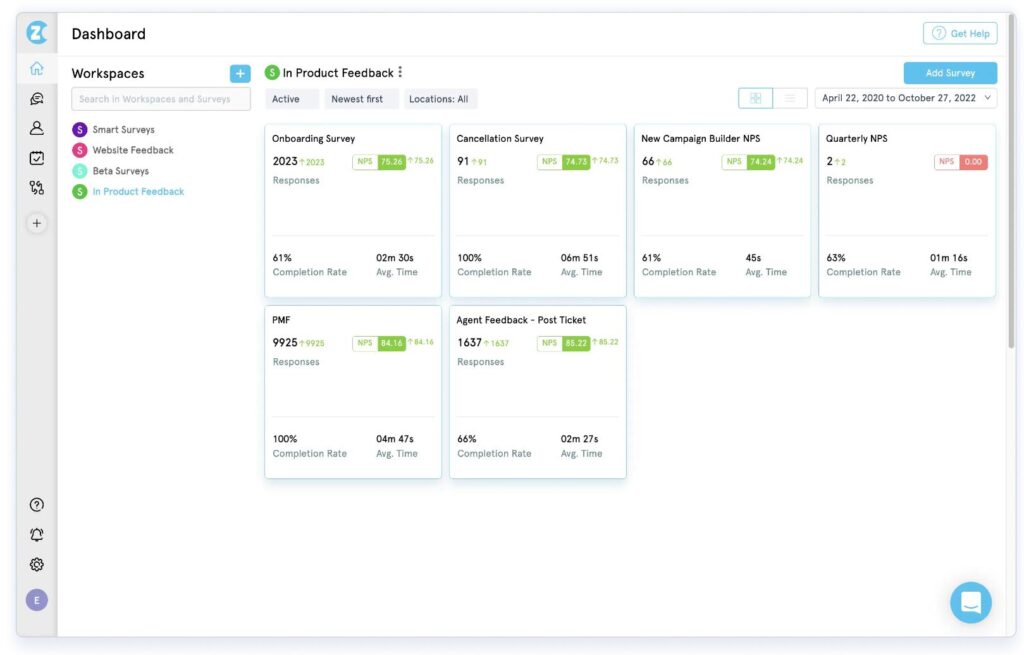
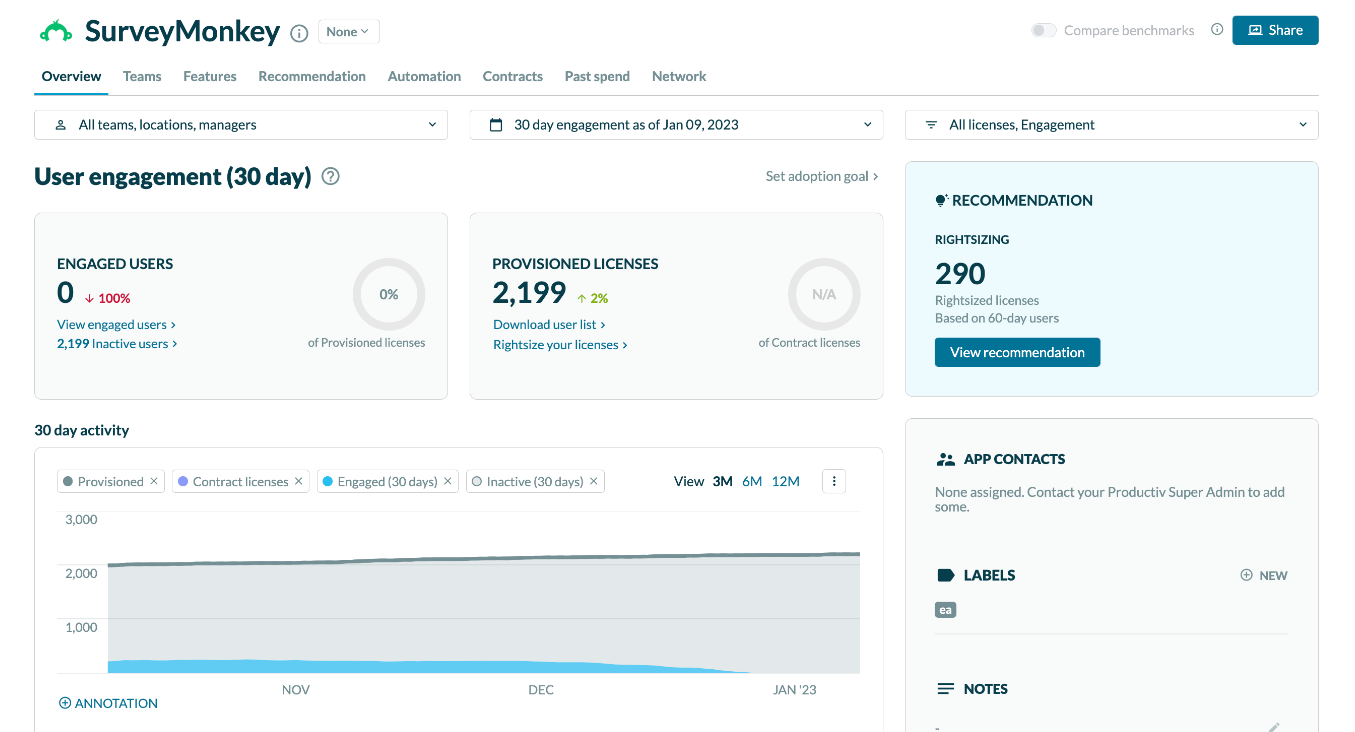
Zonka Feedback is a customer feedback platform with advanced AI capabilities designed to run complete NPS programs across all key touchpoints. What immediately stands out is how easy it is to deploy NPS surveys via email, SMS, WhatsApp, websites, and in apps without complex setup.
From my experience, the omnichannel flexibility makes it incredibly versatile for both product and service teams. You can pair NPS questions with smart follow-ups, trigger surveys after critical actions, and analyze feedback in real time. I also appreciate the built-in response inbox, which helps you close the loop quickly by turning detractor comments into actionable tasks.
Pros:
- AI-powered insights, including sentiment, themes, intent, urgency, and entity recognition.
- Omnichannel NPS surveys via email, SMS, WhatsApp, in-app, web widgets, and kiosks.
- Real-time dashboards for NPS trends, key drivers, agents, and locations.
- Smart follow-up questions and automated workflows to close the loop.
- Centralized response inbox with alerts, tasks, tags, and collaboration tools.
Cons:
- Advanced AI features are only available on higher-tier plans
- The interface can feel overwhelming for first-time users due to the depth of features
User Rating: 4.7/5 (G2)
Pricing: Zonka Feedback offers flexible plans with pricing available on request.
5. SurveySensum
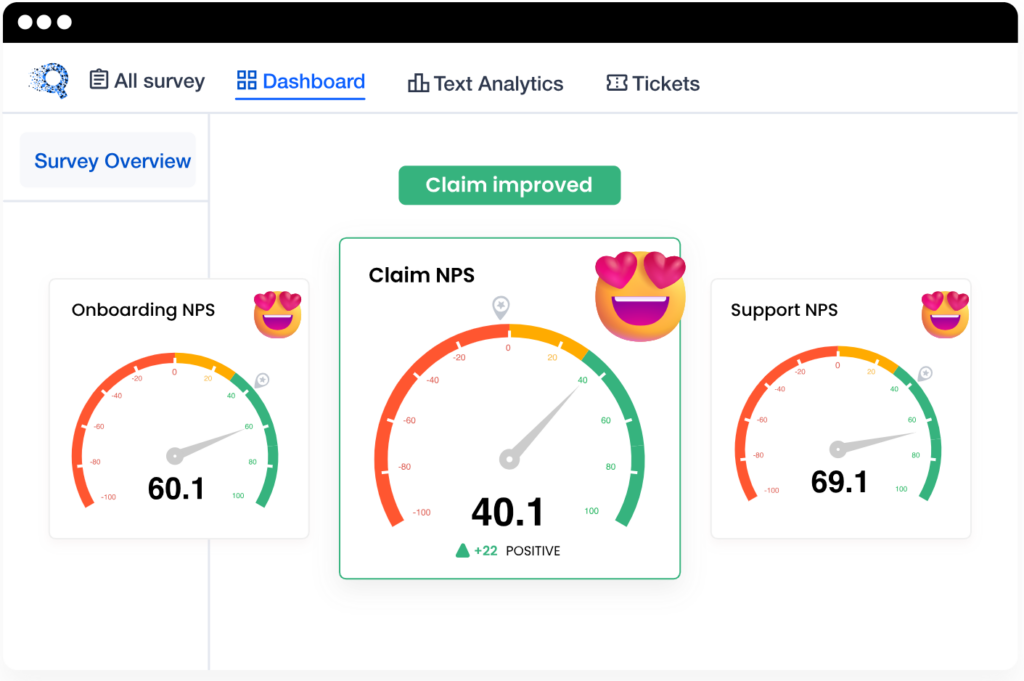
I heard about SurveySensum on a CX podcast where the host was interviewing a customer success leader who described it as “the tool that finally made our feedback actionable instead of just visible.” Anyone can show you a score. Far fewer tools tell you what to do next.
SurveySensum is a mid-market CX platform built around its SensAI engine, which automatically tags open-text feedback with sentiment labels and surfaces prioritized action recommendations for your team. It categorizes Detractors and tells you where to focus first.
Best For: Mid-market CX teams that need AI-assisted feedback analysis and action prioritization without enterprise pricing or enterprise complexity.
Pros:
- SensAI automatically tags open-text responses with sentiment categories and topic labels.
- Action prioritization that surfaces which issues are appearing most frequently and most urgently.
- Multi-channel NPS distribution including email, WhatsApp, and in-app.
- Built-in CX consulting support that helps teams set up programs and interpret results.
- Competitive pricing relative to enterprise platforms offering similar AI-assisted analysis.
Cons:
- Annual pricing at $3,600/year means a higher upfront commitment than month-to-month tools.
- Brand recognition is lower than the top-tier platforms, which can make internal stakeholder buy-in harder.
- Reporting customization is less flexible than Qualtrics or Alchemer for teams that need complex analysis.
User Rating: 4.6/5 (G2)
Pricing: Starts at $3,600/year. Enterprise pricing available on request.
6. Alchemer
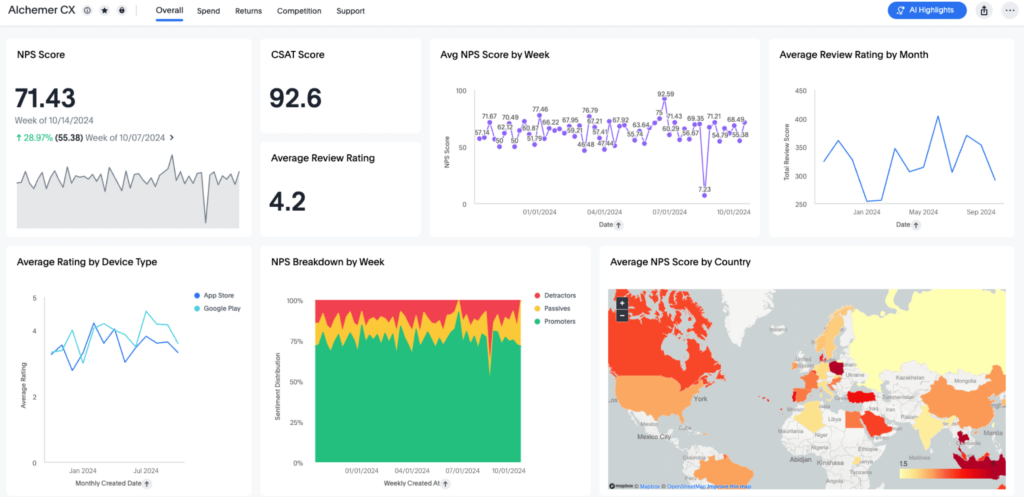
A friend who runs a research consultancy told me about Alchemer when I asked her what she used for clients who needed Qualtrics-level functionality without the Qualtrics bill. The total cost of ownership is dramatically lower.
Alchemer, formerly SurveyGizmo, sits in the sweet spot between a basic survey builder and a full enterprise platform. For NPS programs specifically, it handles multi-channel distribution, trend reporting, and CRM integration. However, it is not as polished visually as the newer tools, but it is extremely capable and significantly more affordable.
Best For: Mid-market teams and research-driven organizations that need enterprise-grade survey functionality without committing to enterprise-tier pricing.
Pros:
- Advanced branching and logic that supports complex, multi-path survey flows without developer help.
- Conjoint analysis and statistical tools that are usually locked behind enterprise pricing on competing platforms.
- API-first architecture that integrates with almost any system in your stack.
- Flexible reporting and data export options that satisfy both operational and research needs.
- Strong customer support reputation across all plan tiers, not just enterprise accounts.
Cons:
- The interface feels dated compared to newer tools and carries a steeper learning curve for new users.
- NPS-specific features are not as purpose-built or polished as dedicated NPS platforms.
- Custom domain and white-labeling require a higher-tier plan.
User Rating: 4.5/5 (Capterra)
Pricing: Custom. Contact Alchemer for pricing based on your team size and program requirements.
7. Medallia
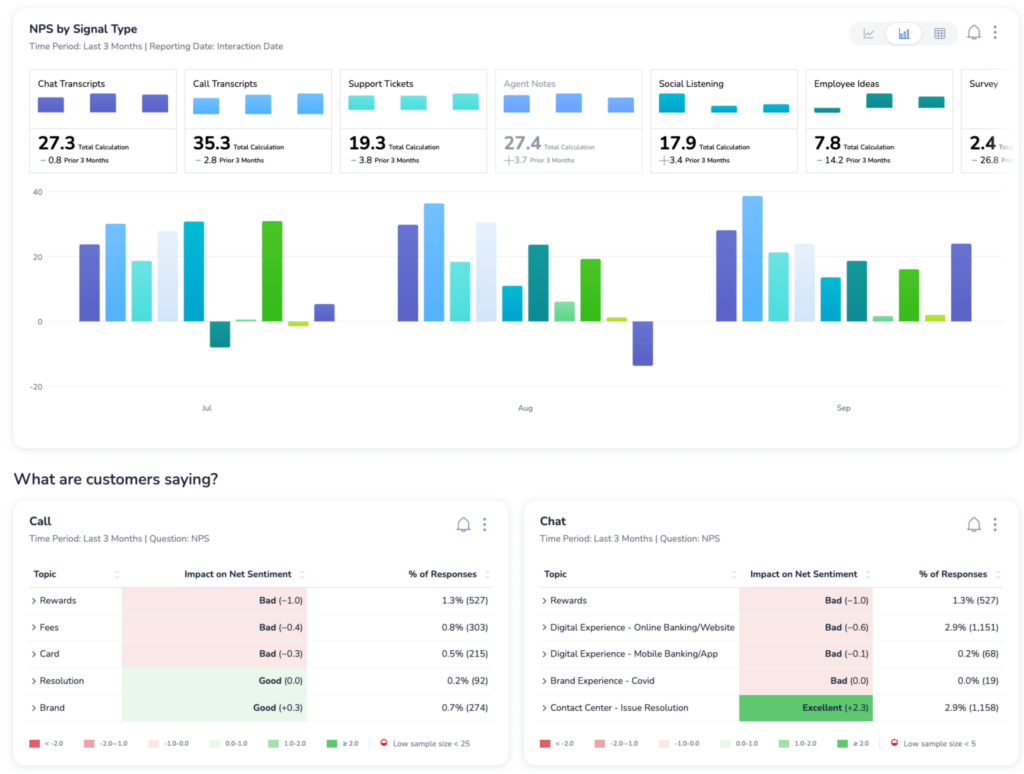
I first came across Medallia when a CX director at a large retail enterprise told me it was the only platform that could keep up with her frontline team’s speed. They were using it to take action the same day a Detractor responded. That operational urgency, at enterprise scale, is what Medallia is built for.
Medallia sits firmly in the enterprise tier. It is designed for organizations running thousands of customer touchpoints simultaneously across distributed teams, such as hotel chains, banks, and telecoms.
Best For: Large enterprises in retail, hospitality, and financial services that need real-time operational agility and AI-driven closed-loop resolution at scale.
Pros:
- Agentic AI that resolves customer issues within the survey flow without requiring human involvement.
- Predictive churn modeling that identifies at-risk accounts before they cancel.
- Omnichannel feedback collection across email, SMS, in-app, kiosk, and contact center.
- Strong integration with Salesforce, ServiceNow, and enterprise data warehouses.
- Best-in-class frontline coaching tools that surface insights to the people positioned to act on them.
Cons:
- Custom pricing with no publicly listed tiers, and implementation costs can be substantial.
- Significant onboarding time. This is not a platform you configure in an afternoon.
- Overkill for organizations under 200 employees or without a dedicated, well-resourced CX program.
User Rating: 4.5/5 (G2)
Pricing: Custom. Request a demo for pricing based on organization size and program scope.
8. Qualtrics
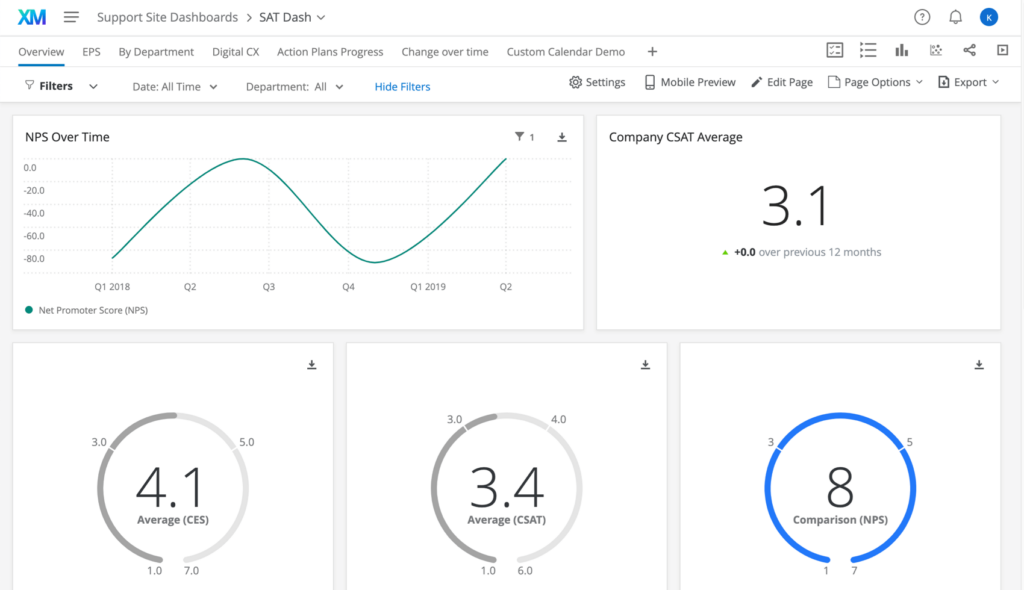
A colleague in enterprise research recommended Qualtrics to me while we were deep in a conversation about academic-grade survey methodology.
Qualtrics is the research-first enterprise option. While Medallia is optimized for frontline operational speed, Qualtrics is built for organizations that need complex data modeling, multi-domain feedback programs spanning customer, employee, product, and brand, and a platform that doubles as a research engine.
Best For: Enterprises running complex, multi-program feedback operations that need academic-grade analytics and cross-domain data modeling across large, global organizations.
Pros:
- Unmatched analytics depth, including conjoint analysis, driver analysis, and statistical significance testing.
- Experience Agents that automate issue resolution within survey flows at scale.
- Multi-domain programs covering customer, employee, product, and brand in one unified platform.
- Extremely robust security and compliance certifications, including SOC 2, ISO 27001, and FedRAMP.
- An extensive ecosystem of pre-built integrations and partner connectors.
Cons:
- Enterprise pricing that puts it out of reach for most mid-market teams without a dedicated CX budget.
- Steep learning curve. Even experienced researchers take time to become fully fluent.
- Former Delighted users migrating to Qualtrics often face a 5x price increase compared to their previous plan.
User Rating: 4.4/5 (G2)
Pricing: Custom. Contact sales for a quote based on your program scope and organization size.
9. Nicereply
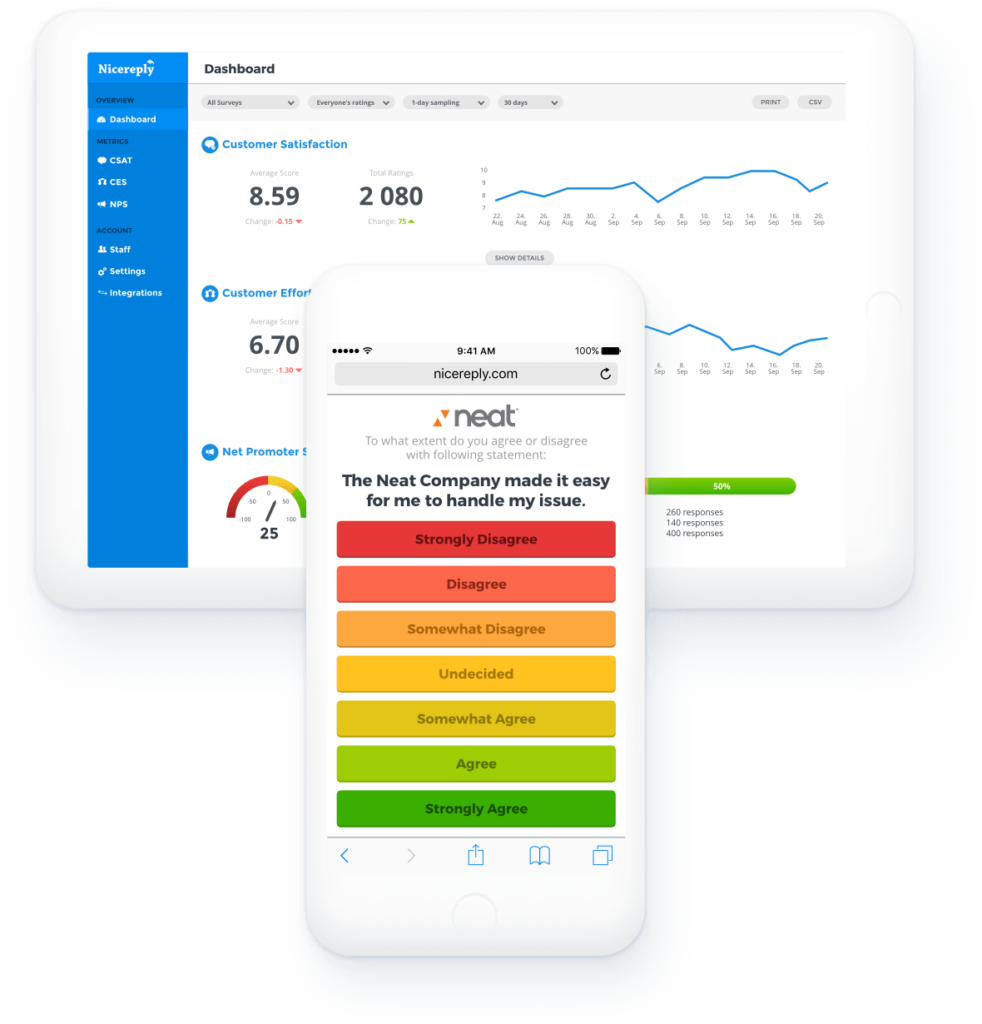
I came across Nicereply while going through G2 reviews, specifically looking for support-focused NPS tools. What stood out was the unusually high concentration of reviews from customer support managers at B2B SaaS companies, and they were not talking about NPS in the abstract.
Nicereply is built for support teams. It embeds surveys directly into agent email signatures or Zendesk ticket notifications so the customer can rate the interaction in a single click, without navigating away from their inbox.
Best For: Support teams using Zendesk, Intercom, or Freshdesk who want to embed NPS or CSAT ratings directly into ticket resolutions or agent email signatures.
Pros:
- One-click rating embedded directly in support emails and ticket notifications without any redirect.
- Native integrations with Zendesk, Intercom, Freshdesk, HelpScout, and LiveAgent.
- Automatic survey triggers based on ticket resolution status, no manual sending required.
- Agent-level reporting so you can measure individual support performance alongside overall team NPS.
- Simple setup with no developer involvement required for the core use case.
Cons:
- Designed specifically for the support channel, so it is not the right tool for product NPS or eNPS programs.
- Limited survey design flexibility compared to more general-purpose NPS platforms.
- Reporting depth is sufficient for support teams but not for complex CX analysis or multi-program programs.
User Rating: 4.5/5 (G2)
Pricing: Starts at $59/month. Scales based on the number of agents on your team.
10. Simplesat
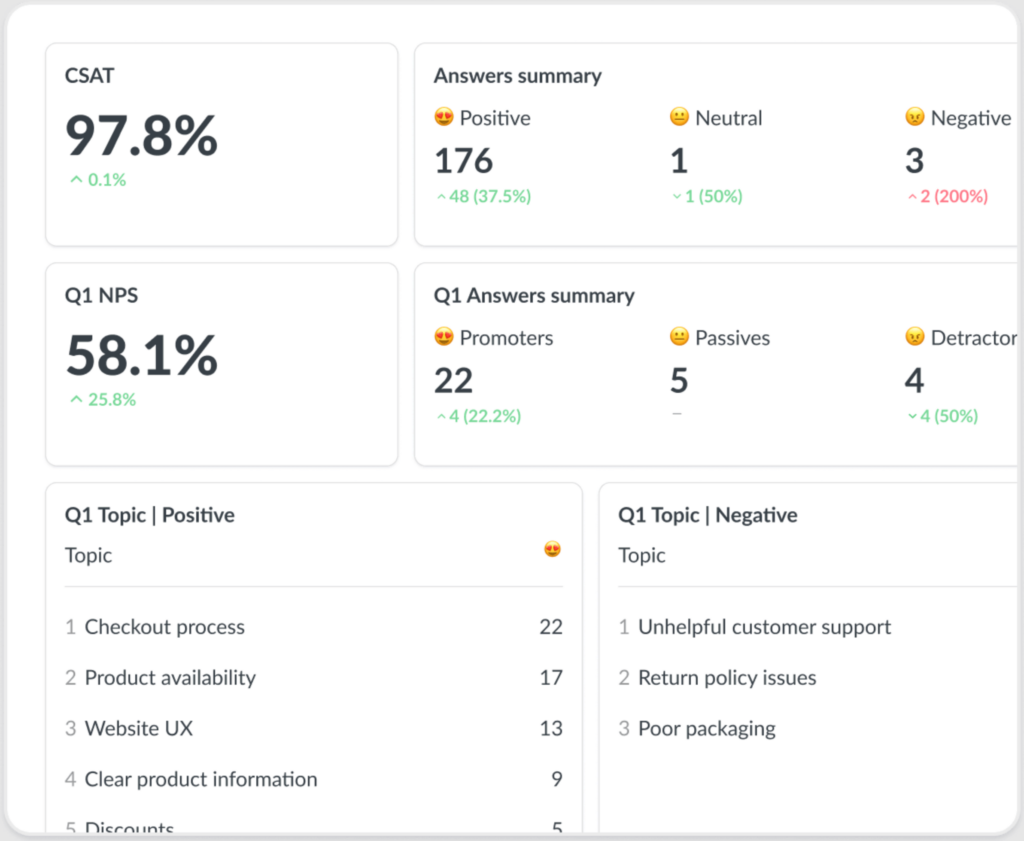
I heard about Simplesat from a friend who runs customer success at a small managed services company. Simplesat, he said, was the first tool that his agents adopted without any training at all, because there was genuinely nothing to learn.
Simplesat is the minimal-friction option for helpdesk teams. It connects to Zendesk, Freshdesk, Intercom, and ConnectWise in minutes, embeds the NPS or CSAT question directly into your ticket closing email or footer, and starts collecting responses the same day you set it up.
Best For: Small to mid-sized support teams that need fast, no-frills NPS or CSAT collection integrated directly with their existing helpdesk, with same-day setup.
Pros:
- Extremely fast setup, typically live within an hour of connecting your helpdesk platform.
- Clean one-click email embed that renders reliably across email clients and devices.
- Native integrations with Zendesk, Freshdesk, ConnectWise, and Intercom.
- Simple, readable dashboard with no learning curve for managers or agents.
- Flat pricing with no per-agent fees, which makes budgeting predictable.
Cons:
- Very limited survey customization. You get NPS and CSAT question types, and that is largely the extent of it.
- Not designed for customer NPS programs outside the support interaction context.
- Reporting is basic and will not satisfy teams that need deep segmentation, trend modeling, or cross-channel analysis.
User Rating: 4.8/5 (G2 & Capterra)
Pricing: Starts at $109/month. Flat pricing with no per-agent fees.
11. CustomerGauge
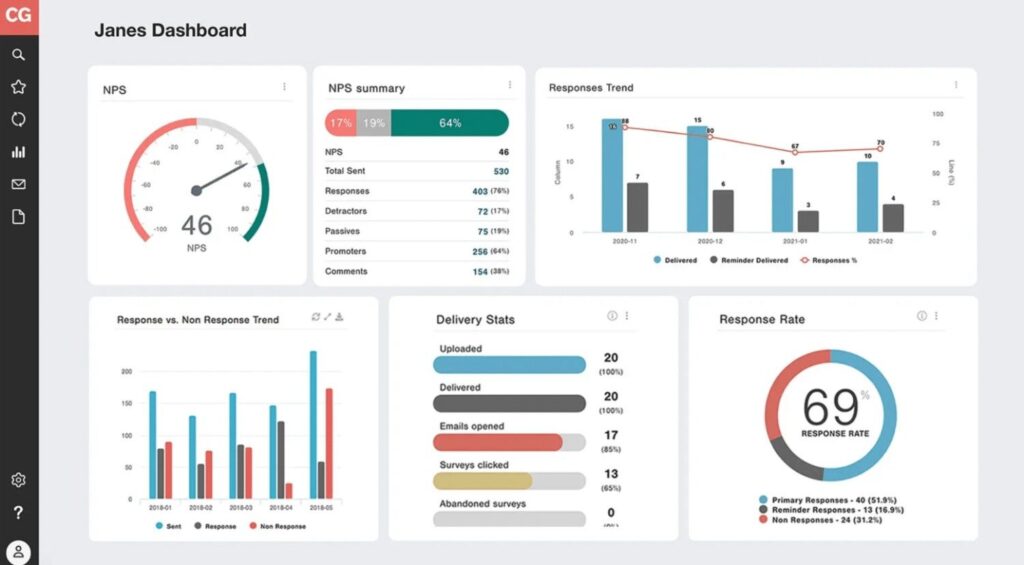
I discovered CustomerGauge through a B2B SaaS community thread on LinkedIn where a VP of Customer Success posted that it was the only NPS tool that had ever helped her team have a real revenue conversation with their CFO.
CustomerGauge is purpose-built for B2B. It gives you a score attached to an account value, a renewal date, and a health trend. It is designed specifically for account-based businesses where a single Detractor can represent a seven-figure churn event. If you sell to consumers or SMBs at high volume, it is likely not the right fit.
Best For: B2B SaaS and enterprise sales teams that need to connect NPS responses directly to account health, revenue risk, and renewal timing rather than aggregate score reporting.
Pros:
- Direct linkage between NPS scores and account-level revenue data for genuine business impact measurement.
- Account health scoring that combines NPS with usage data, support history, and renewal signals.
- Built-in closed-loop workflow so account managers know exactly which customers to prioritize calling.
- Strong B2B-specific benchmarking data across industries for meaningful score contextualization.
- Multi-contact NPS that surveys multiple stakeholders within the same account for a fuller picture.
Cons:
- Custom pricing and a sales-led process, so you cannot self-serve your way to a trial or a quote.
- Not designed for consumer NPS or high-volume transactional survey programs.
- Reporting is powerful but requires meaningful configuration time to reflect your specific account structure.
User Rating: 4.6/5 (G2)
Pricing: Custom. Built for mid-market to enterprise B2B organizations.
What Are My Top 3 NPS Software Picks?
I have spent enough time with these tools to give you a direct answer. If you want to skip the full evaluation and just know where to start, these are my three picks.
Pick 1: ProProfs Survey Maker: Best Overall, Especially if You Are Starting out or Running Both Customer NPS and eNPS
It does more for free than most paid tools do at their base tier, and the AI builder genuinely saves setup time. ProProfs Survey Maker lets you build and send your first NPS survey in under five minutes, free, with no feature limits on the base plan.
The anonymous mode covers eNPS, the HubSpot and Salesforce integration covers customer NPS, and the scheduling and trend analysis covers everything in between. There is no other tool at this price point that handles this much ground without compromising on any one area.
Pick 2: CustomerGauge: Best if You Are in B2B and Need NPS to Mean Something in a Revenue Conversation
If your primary question is “which accounts are at risk of churning and what is that worth?” rather than “what is our aggregate score?”, CustomerGauge is purpose-built for this in a way no other tool is.
It links NPS responses to account health, contract value, and renewal timing. Enterprise pricing, but it pays for itself quickly if you are working with large contract values and high churn stakes.
Pick 3: Refiner.io: Best for SaaS Companies Who Want Behavioral Precision, Not Batch Blasting
Refiner does not just send NPS surveys. It fires them when a user reaches a specific milestone in your product. That distinction drives dramatically higher response rates and meaningfully better data quality.
If you are running a SaaS product and your current NPS program is a monthly email to your full contact list, switching to contextual in-app triggering via Refiner will change the signal you are getting.
Evaluation Criteria
To compare NPS software platforms fairly, I evaluated each tool across four criteria that determine whether an NPS program is actually usable in a real organization: integrations, measurement capabilities, response-rate optimization, and total cost of ownership.
Integration Capabilities: The tools were evaluated based on how well they integrate with commonly used systems such as CRM platforms, HRIS tools, and customer support software. Strong integrations allow NPS responses to sync directly with existing data sources, making it easier to analyze feedback by customer attributes, employee segments, or support interactions.
Measurement Flexibility: Each platform was assessed based on the types of NPS programs it supports. This includes customer NPS, employee NPS (eNPS), in-app product surveys, and post-support feedback. Tools that allow surveys to be deployed across multiple channels—such as email, in-app prompts, and support workflows—scored higher for their ability to capture feedback at different stages of the customer journey.
Response Rate Optimization: Since reliable NPS insights depend on strong participation, the tools were compared based on their ability to drive higher response rates. Features such as embedded email surveys, event-triggered in-app surveys, branding controls, and survey timing automation were considered important factors in this evaluation.
Ease of Use: The usability of each platform was reviewed with a focus on survey creation, dashboard clarity, reporting features, and overall navigation. Tools that allow teams to launch surveys quickly and analyze results without requiring heavy technical expertise received higher ratings.
Value for Money: Pricing was evaluated in relation to the features, scalability, and functionality offered by each platform. Consideration was also given to factors such as data export capabilities, integration maintenance, and whether the platform provides sufficient value for teams running ongoing NPS programs.
User Feedback and Market Reputation: Insights from user reviews, product documentation, and industry discussions were also considered to understand real-world experiences with each tool. This helped identify common strengths, limitations, and reliability issues reported by actual users.
How Does ProProfs Survey Maker Help You Run NPS Surveys Without the Complexity?
ProProfs Survey Maker is a full-featured survey platform with built-in NPS functionality from the ground up.
It offers:
- NPS templates + dedicated 0–10 scale question (editable labels & color coding)
- Automatic Promoter / Passive / Detractor scoring (no manual setup required)
- Real-time dashboard with instant categorization of responses
- Trend analytics across survey cycles (often missing in free tools)
- Anonymous mode for eNPS that removes identity before results appear (builds employee trust)
- Multi-channel distribution: email embed, website pop-up, in-app, shareable link, QR code — all from one editor
- Native HubSpot & Salesforce integration (auto-attaches responses to contact records)
- Free-forever plan with core NPS features included (not paywalled)
FREE. All Features. FOREVER!
Try our Forever FREE account with all premium features!
How Do You Create an NPS Survey Using ProProfs AI?
When I was choosing a tool to demonstrate the steps, I went with ProProfs Survey Maker because it keeps the NPS setup process straightforward without cutting corners.
It gives you two practical ways to build an NPS survey.
And if you want to refine things further, the AI question generator lets you draft and polish follow-up questions using a simple plain-language prompt. Here are the steps:
Method 1: Use ProProfs AI to Write and Refine Follow-Up Questions
The NPS rating question captures the score. The open-text follow-up captures the reason. That second question is where ProProfs AI adds the most value, because the wording matters more than most teams realize.
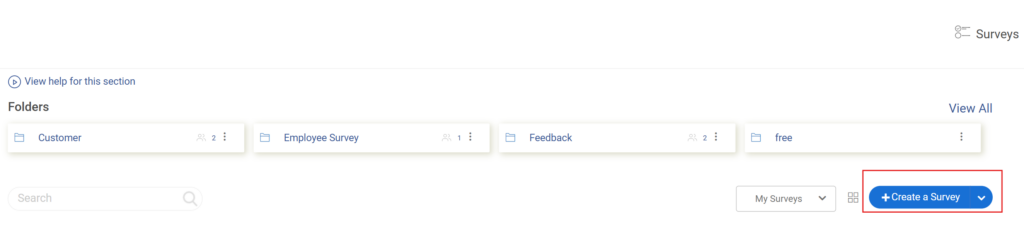
Step 1: Hover over “Create a Survey.”
- Choose either “Create from Scratch” or choose the NPS Template from the library.
- Now, you already have the basic NPS question and the follow-up questions.
Step 2: In the Survey Editor, Click “Add Question” (If You Wish to Add More Follow-Ups)
- Click the “Generate with ProProfs AI” button that appears in the question panel.
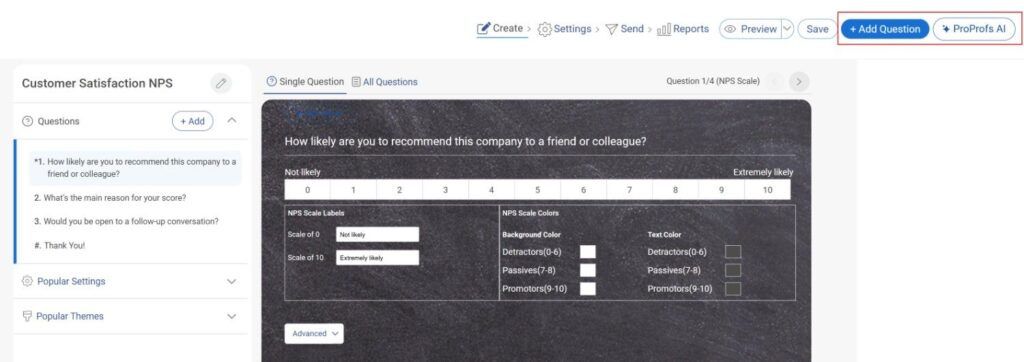
- In the AI overlay, describe what the survey is about in up to 100 characters.
- For an NPS program, you might write: “Customer NPS survey for SaaS onboarding.” Add a brief supporting description of up to 200 characters that explains the context and goal.
- Select the question type, which will, of course, be NPS. Select how many questions to generate and click “Generate with ProProfs AI.”
Step 2: Review the Generated Questions
- You can add all of them to your survey, select individual ones, delete any that do not fit, or click “Regenerate Questions” for a completely fresh set.
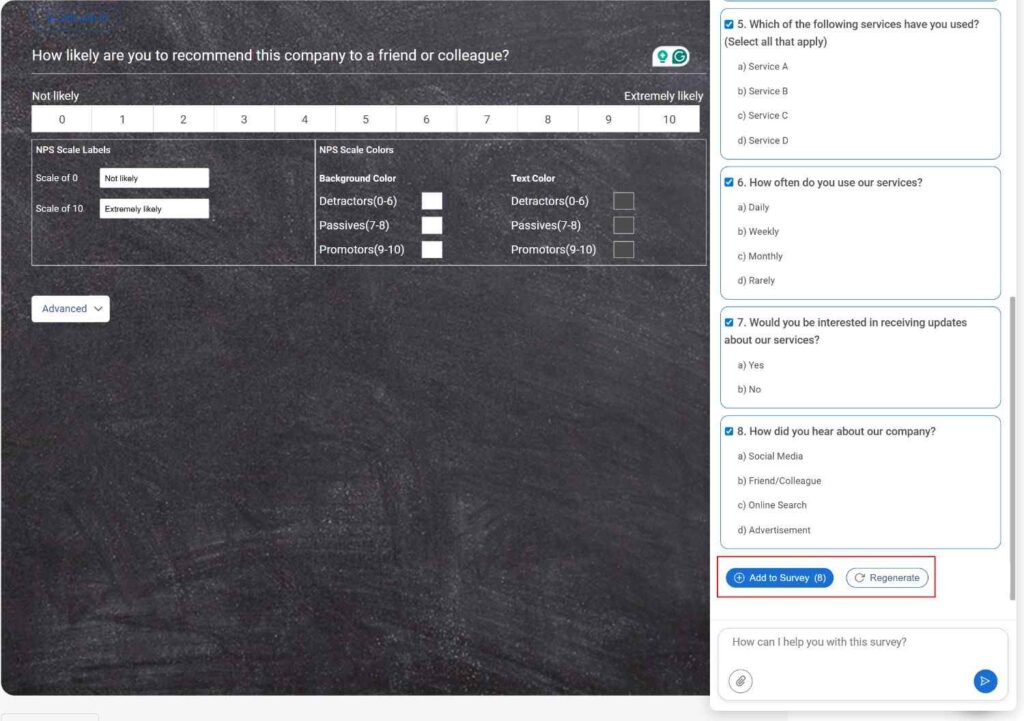
Step 3: If You Want to Improve an Existing Question, Select It in the Editor and Click “Edit With AI”
- In the prompt field, type an instruction like “make this more conversational” or “simplify the language for a general audience.”
- Click “Regenerate Question” and review the updated version. When you are happy with it, click “+ Replace Question” to apply it.
- Click on “Go to Survey”
Step 4: Step 5: After the Survey Is Built:
- Go to Settings to select your distribution channel and set the start and end dates for your survey window.
- Limit user responses so the same person is not surveyed too frequently.
- Enable anonymous mode if you are running eNPS.
- Then distribute and watch the real-time analytics dashboard update as responses arrive.
For a traditional, manual setup, you can choose Method 2.
Method 2: Create via the Dedicated NPS Flow
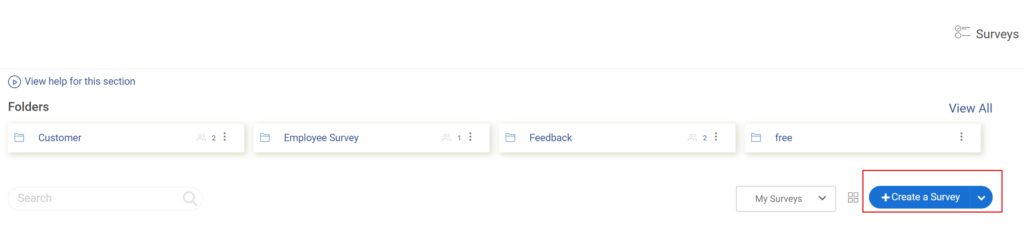
Step 1: Log in to ProProfs Survey Maker and Click “+ Create a Survey” on Your Dashboard
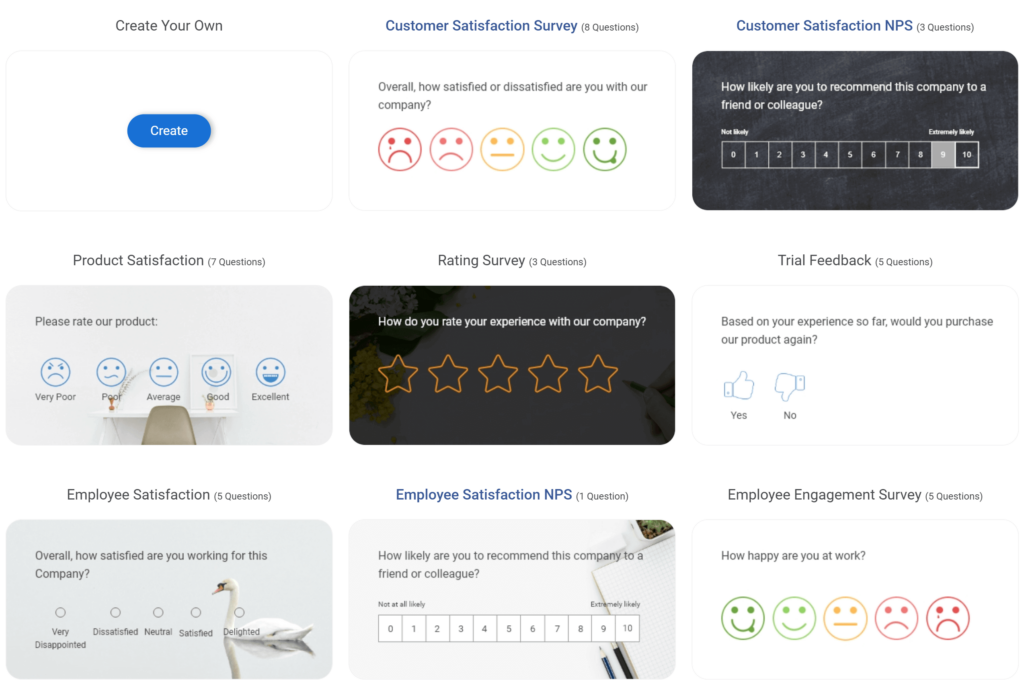
Step 2: Select “Create Net Promoter Score” From the Options
- ProProfs includes pre-built templates for Customer Support NPS, Product NPS, eNPS, and more. Hover over the one closest to your use case, i.e, NPS, and click “Use This Template.”
Step 3: In the Survey Editor, Click “Edit Question” if You Want to Change the Wording
- You can edit the NPS Scale Labels and add colors to the scale, for example, making 0–6 red and 9–10 green, to make the scale visually intuitive for respondents.
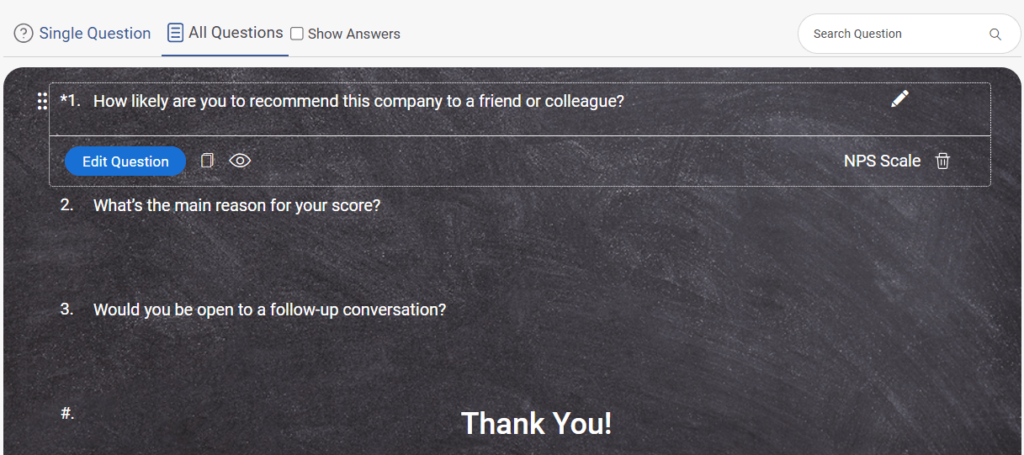
- ProProfs dynamically inserts its score using the variable “X,” so the message reads: “Thank you for giving us a [X].” Adjust this message to match your brand voice.
Step 5: Click “Save”
- Preview your survey, and if everything is good to go, click on “Save.”

ProProfs Survey Maker lets you build and send your first NPS survey in under five minutes, free, with no feature limits on the base plan.
Which NPS Software Is Actually Worth Your Time?
There is no shortage of NPS tools in 2026. The harder question is which one fits the way your team actually works, connects to the systems you already use, and gives you data you can act on rather than just report on.
If you are a SaaS company chasing higher response quality, Refiner’s behavioral triggers will change the numbers you are seeing.
If you are in enterprise B2B and need NPS to mean something in a revenue conversation, CustomerGauge is built specifically for that moment.
And if your organization is large enough to need predictive churn modeling and real-time AI-driven resolution across thousands of touchpoints, Medallia and Qualtrics exist at exactly that tier.
But for most teams, the answer is simpler than all of that. You need a tool that handles customer NPS and eNPS without requiring a consultant to set it up, integrates with HubSpot or Salesforce without a custom API project, and does not charge you enterprise prices before you have enterprise results to justify them.
That is the gap ProProfs Survey Maker fills better than anything else at its price point. The AI builder gets your first survey live in minutes.
Frequently Asked Questions
How is eNPS different from NPS?
NPS measures customer loyalty; eNPS measures employee engagement. Both use the same 0–10 scale and the same formula, but they differ in audience, anonymity requirements, distribution method, and cadence. eNPS requires anonymous mode to get honest responses. Without guaranteed anonymity, employees give safe answers rather than real ones.
What is a good NPS score?
Scores above 0 are positive, above 50 are excellent, and above 70 are world-class. That said, a single score means very little without context. Always compare against your own trend line and industry benchmarks rather than a universal number. A score of +30 that has improved from +10 over two quarters tells a better story than a static +50.
How often should you send NPS surveys?
For customers, every 90 days per contact is the practical maximum before fatigue sets in. For eNPS, the most common cadence is quarterly. Sending more frequently drops response rates, produces noisier data, and signals to customers or employees that you are not actually doing anything with the feedback.
Does NPS software integrate with HubSpot?
Yes. Several tools integrate natively with HubSpot, including ProProfs Survey Maker. The integration syncs contacts automatically, so survey results attach to the correct records in your CRM. This means you can filter your NPS results by lifecycle stage, deal size, or customer segment without any manual matching.
Is NPS still a reliable metric in 2026?
NPS measures sentiment, not behavior, which is a real limitation worth acknowledging. A customer can give you a 9 and still churn three months later. Use NPS as a trend metric, not a verdict, and pair it with product usage data or Customer Effort Score for a fuller picture. The score is most useful when it is moving.
Do I need a trademark license to use NPS?
Bain & Company owns the NPS trademark. Commercial use in SaaS products or consulting services typically requires a license, estimated at $2,000–$5,000 per year. For internal measurement only, you are generally not at risk. Many companies quietly rebrand to "Customer Loyalty Score" to sidestep the issue entirely.
What NPS tool is best for SaaS companies?
ProProfs Survey Maker is the strongest choice for SaaS teams because it triggers surveys based on specific in-app behaviors rather than batch email schedules. The response quality improvement from contextual timing is significant.
FREE. All Features. FOREVER!
Try our Forever FREE account with all premium features!

 We'd love your feedback!
What did you like & how can we make it even better?

 Thanks for your feedback!
 Ask Your Question
Have a question? Get expert help to make your decision easier.