

Customer experience software is a category of tools that helps businesses collect feedback, manage support interactions, track customer health, and act on data across the entire customer journey. It covers everything from post-purchase NPS surveys to AI-powered help desks.
Most customer experience software lists hand you a few popular names and call it a day. But some get expensive fast, and some genuinely need a dedicated analyst to unlock their value.
If you are a team of 30 and you pick the wrong tool, you are not just wasting money; you are losing the feedback that would have saved your biggest accounts.
This list was built from personal use, real customer data, community research across platforms like Reddit and Quora, and verified user reviews on G2 and Capterra.
The goal is simple: to match you to the right tool for your actual situation, not the most popular one.
Whether you are replacing a broken setup, scaling a support operation, or trying to get ahead of churn, there is a tool on this list for you.
10 Best Customer Experience Software Tools
There is no single best tool. There is only the best tool for your situation, your team size, and the specific problem you are trying to solve right now.
The 10 platforms below cover the full range: from lightweight survey tools you can have up and running in an afternoon to enterprise contact center infrastructure that takes months to configure properly.
Start with the comparison table if you already know your use case. Or read through the full list if you are still figuring out which type of CX software your team actually needs.
| Tool | Best For | Standout Feature | Starting Price | User Rating |
|---|---|---|---|---|
| ProProfs Survey Maker | Easy NPS/CSAT at any scale | AI survey builder + real-time dashboards | Free/$19.99/month | 4.8/5 (Capterra) |
| Qualaroo | In-the-moment feedback | AI Sentiment Analysis & Word Clouds, Behavior-triggered Nudges | Free/ $19.99/month | 4.7/5 (Capterra) |
| Qualtrics | Enterprise CX analytics | Predictive churn modeling | Custom | 4.3/5 (G2) |
| Zendesk | Omnichannel support at scale | Unified ticketing across all channels | $19/agent/month (AI adds on) | 4.3/5 (G2) |
| Freshdesk | Affordable SMB helpdesk | Clean UI + solid automation | $29/agent/month (Freddy add-ons) | 4.4/5 (Capterra) |
| Genesys Cloud CX | Enterprise contact centers | AI-driven omnichannel routing | $75/agent/month | 4.4/5 (G2) |
| Gainsight | SaaS customer success and retention | Health scores + churn playbooks | Custom | 4.5/5 (G2) |
| HubSpot Service Hub | CRM-native CX management | Full HubSpot ecosystem integration | From $100/month/seat; Higher tiers scale fast | 4.4/5 (G2 & Capterra) |
| Help Scout | Small team, human-feel support | Collision detection + shared inbox | $25/user/month | 4.4/5 (G2) |
| Intercom | Conversational support + AI | Modern UI + in-app messaging | $0.99/resolution + Intercom plan | 4.5/5 (G2) |
Below is the deep dive into each and every customer experience software:
1. ProProfs Survey Maker
ProProfs Survey Maker is honestly one of the few tools I have stuck with for years because it scales incredibly well without the usual headaches.
You can go from sending a quick poll to 10 early users to pushing a complete survey to a million people, and nothing breaks, no surprise bills, no begging your rep for more quota. The 100+ templates and AI builder are super handy.
If you already have a brief, a report, or a product spec in a PDF or Word doc, you can upload it directly and let the builder extract the questions.
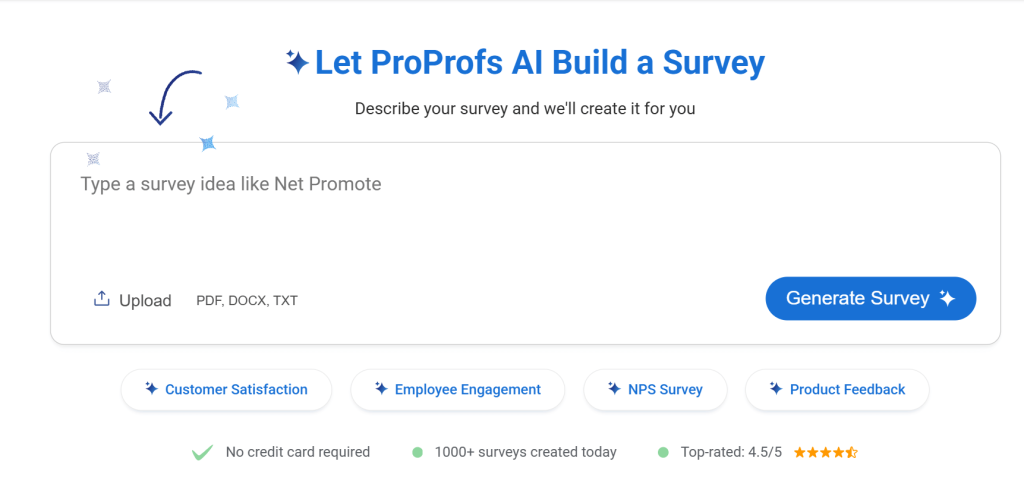
You give it a brief prompt, ask it to create a post-onboarding feedback survey, and it hands you a polished, ready-to-go survey with branching logic in seconds. I first started using it when our team needed to run quarterly eNPS surveys across three time zones. It handled everything out of the box.
Best For: Established businesses and enterprises that need unlimited responses, advanced integrations, high-level security, and AI-powered survey creation.
Pros:
- AI-powered survey creation from a simple text prompt
- Upload PDF or Word documents to auto-generate surveys from existing content
- 100+ professional templates for NPS, CSAT, CES, and more
- Full branding and white-label capabilities
- 20+ question types including NPS, ranking, and slider
- Skip logic, branching, and scored surveys
- GDPR compliance and SSO (SAML) in the Enterprise plan
- Native integrations with Salesforce, HubSpot, and major CRMs
Cons:
- There is no dark user interface for long hours or late nights
- Dedicated onboarding and account manager services are available only in paid plans
Pricing: Free plan available with all premium features. Paid starts at $19.99/month, Business at $49.99, and Enterprise at $149.99.
User Rating: 4.8/5 (Capterra)
2. Qualaroo
Qualaroo has been my go-to for in-the-moment feedback for a while now, and it is the one tool that actually feels like it was built for product teams who move fast.
The star of the show is the Nudge, those small, non-intrusive surveys that slide in when someone is on your site or inside your app. You can target them only to users who just failed onboarding, paid customers who have not logged in for two weeks, or visitors from a specific campaign.
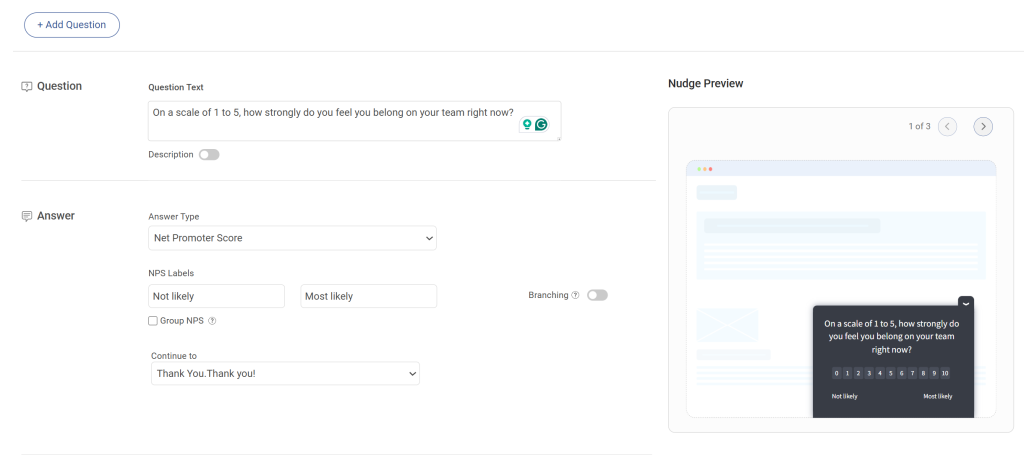
AI-powered sentiment analysis turns thousands of open-text responses into themes you can actually act on in minutes, not weeks. Branching works intelligently too, asking only the follow-up questions that make sense, so your users never feel interrogated.
Best For: Businesses and enterprises seeking real-time user insights by surveying visitors on their website, app, or prototypes at the moment of interaction.
Pros:
- AI-driven sentiment analysis and word clouds
- Advanced targeting by identity, behavior, geolocation, and exit intent
- Nudge for Figma, Adobe XD, and InVision prototypes
- Branching and skip logic for contextually relevant questions
- Multilingual surveys in 70+ languages
- Customizable branding, colors, and logo
- In-app surveys for iOS and Android
Cons:
- Dedicated onboarding and account manager services are generally reserved for paid plans
- There is no downloadable or on-premise version available; an internet connection is required to use the tool
Pricing: Free plan available with all premium features. Paid starts at $19.99 per month, Business at $49.99, and Enterprise at $149.99.
User Rating: 4.7/5 (Capterra)
3. Qualtrics
I have never personally run Qualtrics day-to-day, but I have sat in rooms with enterprise CS and research teams who swear by it, and I have also watched it sit completely unused at two companies that bought it without the internal capacity to operate it.
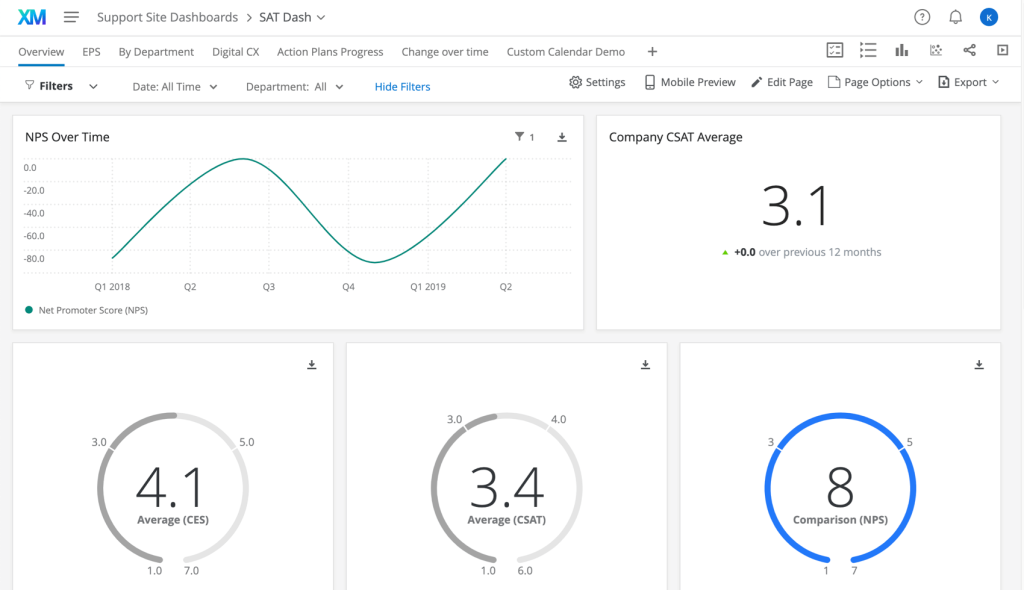
Qualtrics is the most powerful CX analytics platform you can buy. It does predictive churn modeling, journey analytics, and advanced benchmarking across business units.
If you have a dedicated CX analyst or a research function, it is genuinely extraordinary.
Best For: Enterprise organizations with a dedicated CX or data analytics team that needs predictive insights, advanced logic, and cross-departmental reporting.
Pros:
- Advanced survey logic and branching
- AI-driven text and sentiment analysis
- Customer journey analytics and benchmarking
- Role-based dashboards for different teams
- Extensive CRM and business app integrations
Cons:
- Steeper learning curve for new users
- Pricing can be high and difficult to justify for smaller teams
Pricing: Custom pricing based on requirements.
User Rating: 4.4/5 (G2)
4. Zendesk
A colleague of mine who runs support at a Series B company described Zendesk perfectly: “It is the Ferrari you build yourself.” That framing has stuck with me.
Zendesk is genuinely excellent at centralizing every customer conversation across email, chat, phone, and social. Teams that configure it properly, and many do, run extremely lean and fast. The problem is getting there.
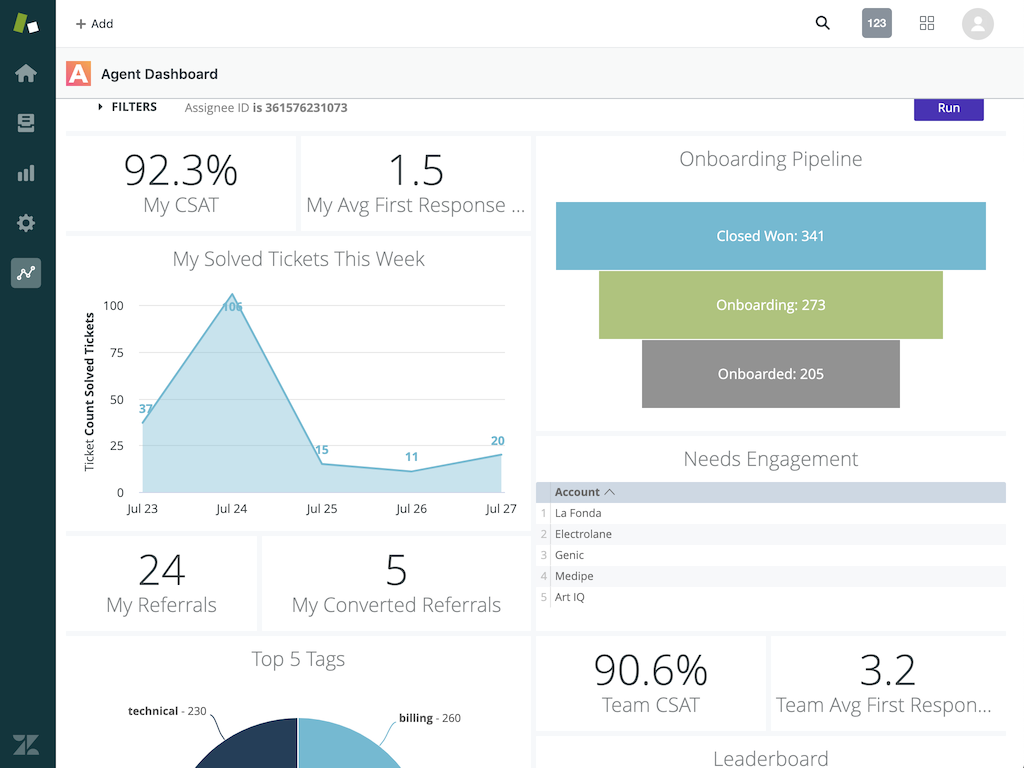
Setup takes time, configuration requires expertise, and costs compound as your agent count grows.
Best For: Scaling support teams that need a reliable, omnichannel helpdesk with strong automation and a deep integration ecosystem.
Pros:
- Centralized helpdesk across email, chat, voice, and social
- AI-powered automation and macros
- Built-in knowledge base for self-service
- Customizable dashboards and SLA management
- 1,000+ integrations via Zendesk Marketplace
Cons:
- Costs rise quickly per agent as the team scales
- It can feel heavy and complex for smaller businesses or new setups
Pricing: Starts at $19/agent/month. Advanced features jump significantly at higher tiers.
User Rating: 4.3/5 (G2)
5. Freshdesk
Freshdesk came to my radar when I was helping a 25-person e-commerce team move away from a shared Gmail inbox that had become genuinely unmanageable. They needed something clean, fast to set up, and not priced for a Fortune 500 company.
Freshdesk delivered all three. They were live within a few days, agents loved the interface immediately, and ticket chaos turned into an organized queue almost overnight.
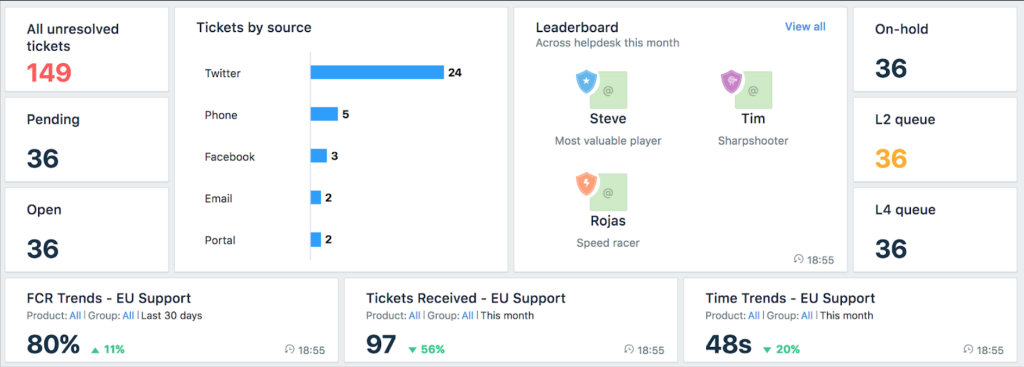
It is not flashy, but it works exactly as advertised for teams at that stage.
Best For: Small to mid-sized businesses that need an intuitive, affordable helpdesk without heavy IT setup or training overhead.
Pros:
- Omnichannel support across email, chat, social, and phone
- AI-powered chatbots and self-service portals
- Ticket routing, tagging, and SLA management
- Automation for recurring tasks like follow-ups and assignments
- Clean, fast reporting dashboards
Cons:
- Some advanced features, like in-depth analytics, are limited to higher-tier plans
- May not scale as easily for very large enterprise operations
Pricing: Starts at $29/agent/month, billed annually.
User Rating: 4.4/5 (G2)
6. Genesys Cloud CX
Genesys is one of those tools you hear about when you start talking to people who run contact centers at scale. A VP of Support I met at an operations conference described it as “the only platform that did not break when we hit 300 concurrent voice calls.” That is the kind of use case it was built for.
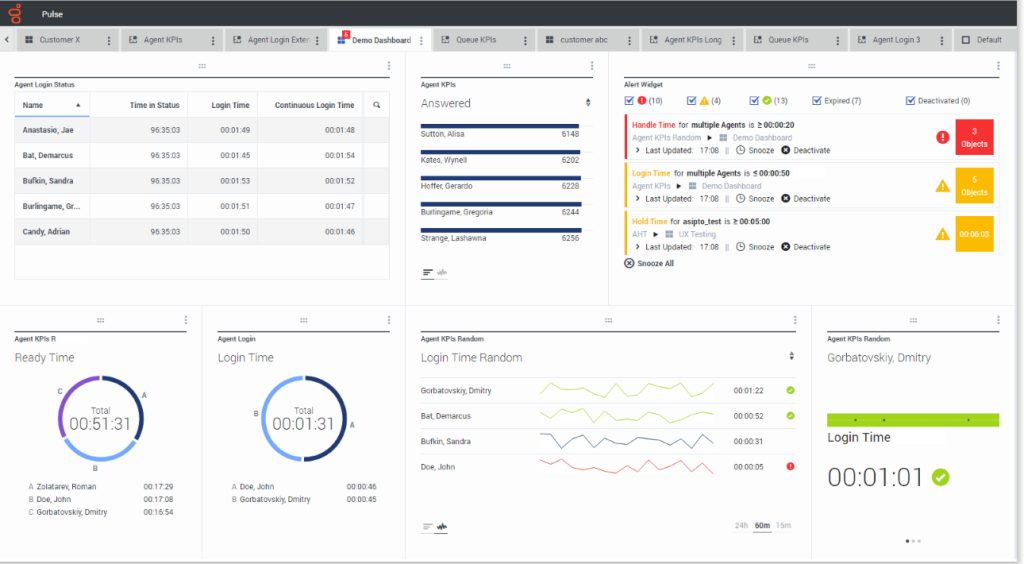
For teams managing hundreds of agents across voice, chat, email, and messaging apps simultaneously, Genesys is the serious answer. For everyone else, it is likely overkill.
Best For: Large enterprises running high-volume, multi-channel contact centers that need AI-driven routing, workforce management, and enterprise-grade security.
Pros:
- Omnichannel routing across voice, chat, email, and social
- AI-driven bots and predictive engagement
- Workforce engagement management, including scheduling and QA
- Real-time analytics and reporting dashboards
- Cloud-native architecture with strong compliance features
Cons:
- Higher price point that is difficult to justify below enterprise scale
- Requires significant training and setup time for teams
Pricing: Starts around $75/agent/month, billed annually, varies by features.
User Rating: 4.3/5 (G2)
7. Gainsight
A CS leader I know at a SaaS company put it simply: “Before Gainsight, we were guessing. After Gainsight, we were managing.” That about sums it up.
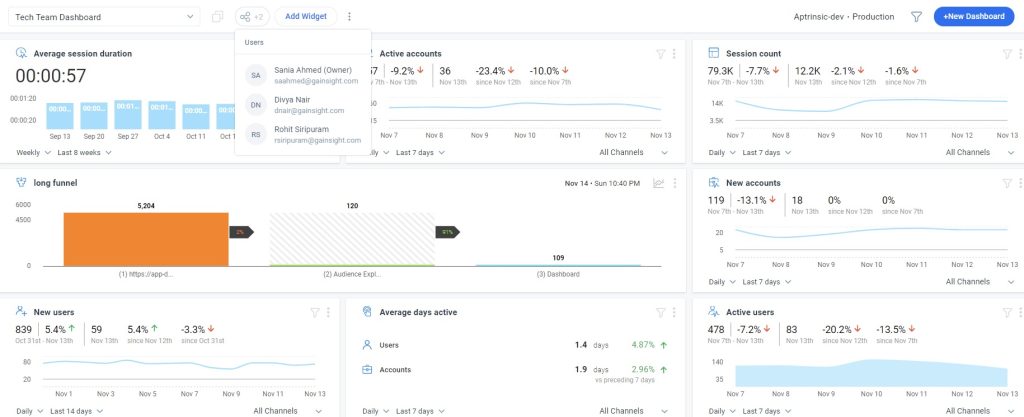
Gainsight is the gold standard for customer success teams managing recurring revenue. The health scoring system, playbooks, and churn prediction models are genuinely sophisticated. Teams that use it well shift from reactive firefighting to proactive retention, reaching out to accounts before they even consider churning.
Best For: SaaS and subscription businesses with a dedicated Customer Success function that needs to manage churn risk at scale.
Pros:
- Configurable customer health scores
- Playbooks for onboarding, renewals, and upsell workflows
- Timeline view for all customer interactions
- Dashboards tailored for CSMs and executives
- Deep integrations with Salesforce and HubSpot
Cons:
- Steep learning curve for new users and teams
- Premium pricing limits accessibility for smaller or early-stage businesses
Pricing: Custom pricing available on request.
User Rating: 4.4/5 (G2)
8. HubSpot Service Hub
HubSpot Service Hub came up constantly in conversations with growth-stage teams who were already deep in HubSpot’s CRM. The pitch is compelling: keep sales, marketing, and support data in one place, no syncing, no gaps, no context lost between teams.
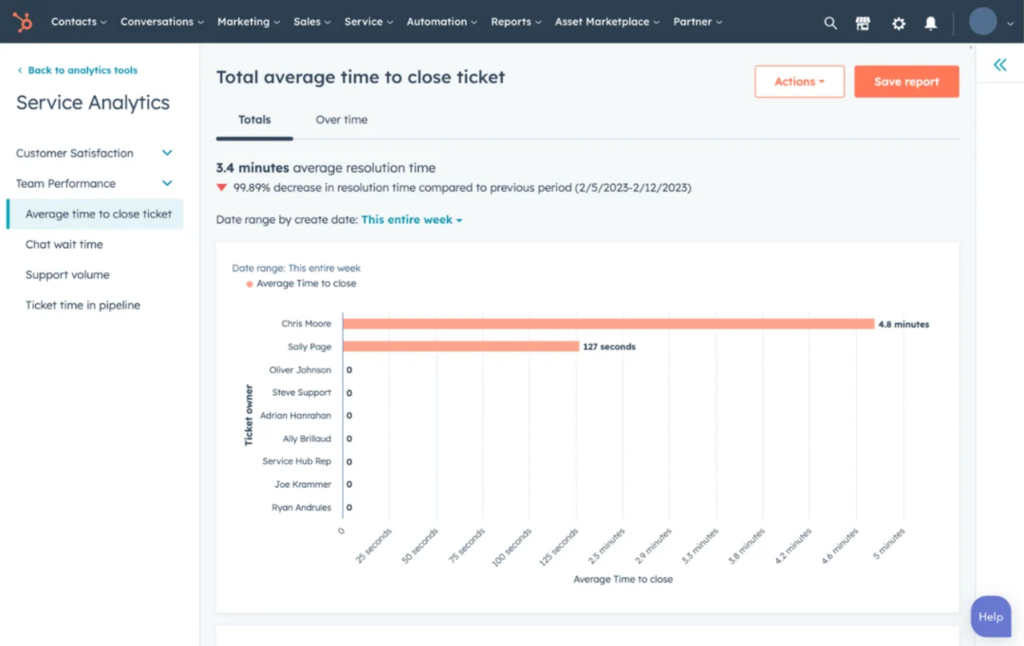
If you are already using HubSpot’s ecosystem, adding Service Hub is a logical extension. If you are not, the $90 per seat starting price is hard to justify against standalone tools that do the same job for a fraction of the cost.
Best For: Growing teams already using HubSpot CRM who want to bring support and feedback into the same system without adding another integration.
Pros:
- Omnichannel ticketing across email, chat, phone, and social
- Native NPS, CSAT, and CES feedback surveys
- Automation for routing, tasks, and follow-ups
- Shared inbox and knowledge base tools
- Full integration with HubSpot CRM and marketing suite
Cons:
- Pricing is high compared to standalone support tools
- Some advanced features are locked behind higher-tier plans
Pricing: Starts at $100/seat/month.
User Rating: 4.4/5 (G2)
9. Help Scout
A founder friend of mine told me about Help Scout during a call where she was venting about Zendesk feeling like “enterprise software dressed up as startup software.” Help Scout was her fix, and after seeing her team use it, I understood why.
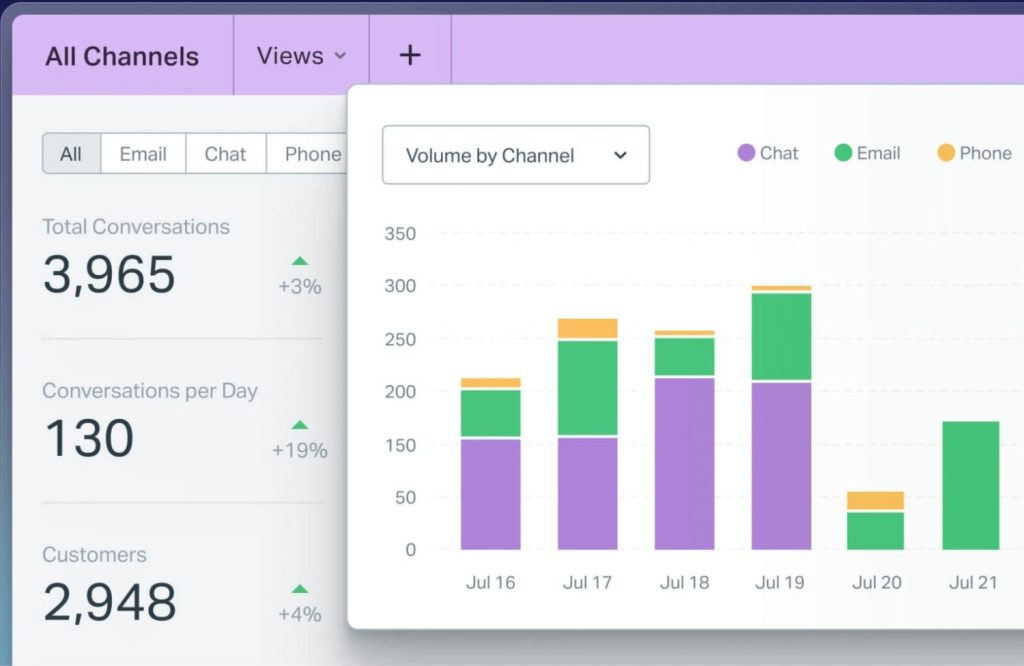
It is the cleanest, most human-feeling shared inbox for small support teams. Agents do not feel like they are navigating enterprise software. The collision detection feature alone, which prevents two agents from replying to the same ticket simultaneously, saves real embarrassment and wasted effort every week.
Best For: Small support teams that prioritize a clean, human-feeling inbox experience over enterprise-grade complexity.
Pros:
- Shared inbox with collision detection
- Saved replies and workflows for faster responses
- Built-in knowledge base (Docs)
- Customer profiles with full conversation history
- Integrations with Shopify, Stripe, HubSpot, and more
Cons:
- Scales well up to around 100 users, but teams frequently outgrow it
- Less suitable for high-volume operations or teams needing built-in telephony
Pricing: Starts at $25/user/month.
User Rating: 4.4/5 (G2)
10. Intercom
Intercom kept coming up in Reddit’s SaaS threads whenever someone asked about in-app support for SaaS products. The common response was always some version of “it’s the best for conversational support, just budget carefully.”
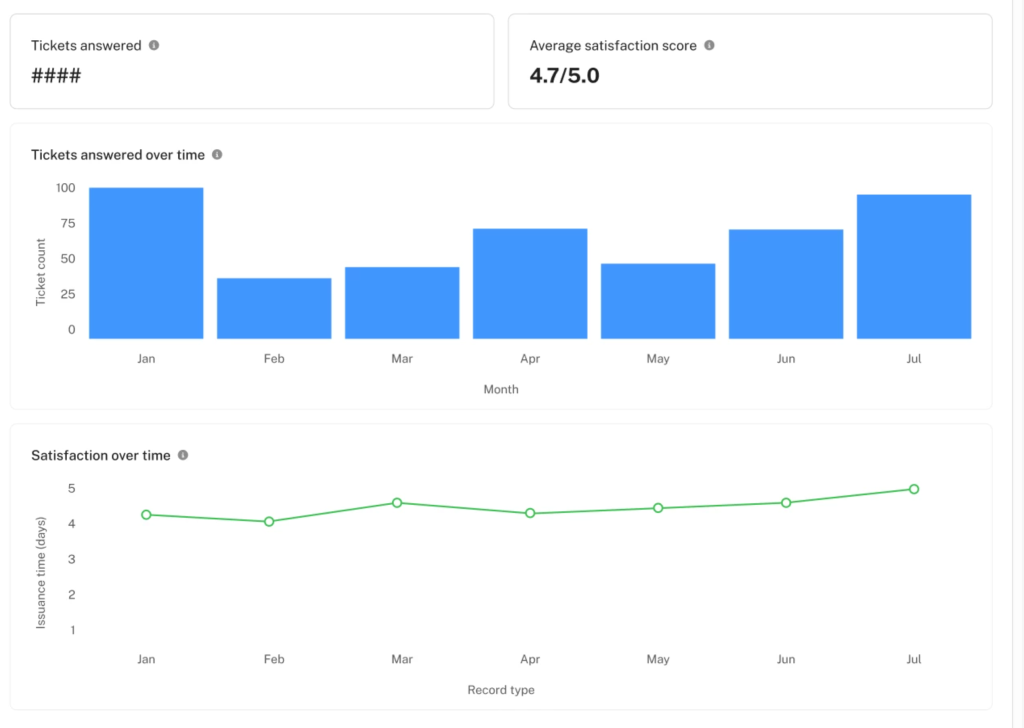
That framing is accurate. Intercom’s in-app messaging, AI assistant, and product tours are genuinely best-in-class for SaaS teams that want support baked directly into their product. The usage-based pricing model, however, can spike unpredictably as your customer base grows. Multiple Reddit threads document sticker shock at renewal time.
Best For: SaaS teams that want conversational, in-product support with strong AI and messaging capabilities.
Pros:
- In-app messaging and live chat
- AI-powered support agent (Fin) for automated resolution
- Product tours and onboarding flows
- Customer data platform for behavior-based targeting
- Integrations with Salesforce, HubSpot, Stripe, and more
Cons:
- Usage-based pricing is unpredictable and can scale rapidly
- AI performance in niche or complex use cases is inconsistent
Pricing: Starts at $0.99/resolution + Intercom plan; usage-based model that scales with conversation volume.
User Rating: 4.4/5 (G2)
My Top 3 Customer Experience Software Picks
After going through all eleven tools, here is where I land when someone asks me to just give them the answer.
ProProfs Survey Maker (for Feedback-First Teams)
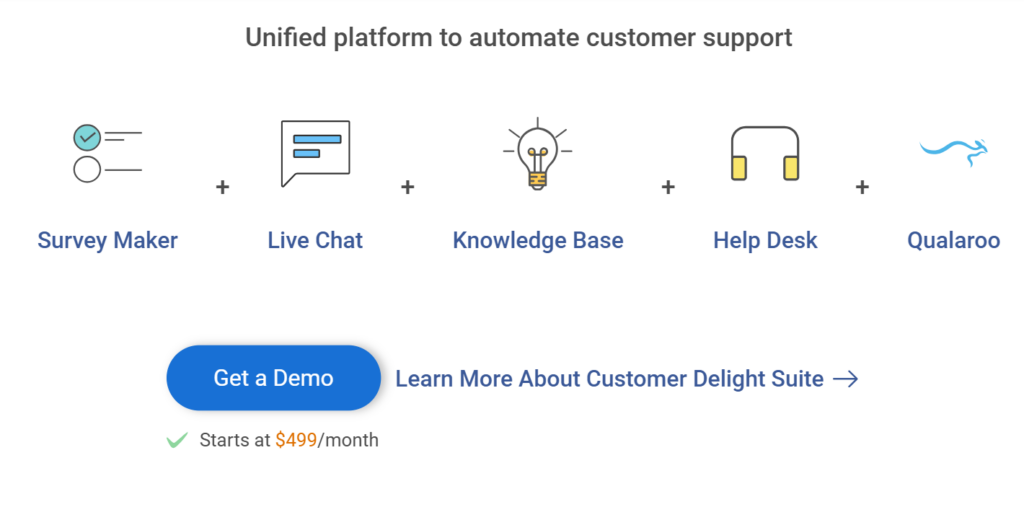
If you need a reliable, repeatable NPS and CSAT engine that does not require IT involvement, starts free, and scales without surprise pricing, this is the one. The AI builder alone saves hours per survey cycle. Moreover, it comes with complete packaged suites, such as the Customer Delight Suite for automating your customer support. I have used it across multiple feedback programs, and it has never been the bottleneck.
ProProfs Help Desk integrates natively with ProProfs Survey Maker and Qualaroo through the Customer Delight Suite. If you’re already running feedback programs on either platform, adding ProProfs Help Desk gives you ticketing, surveys, and a knowledge base in one connected system without any Zapier workarounds or sync issues.
Gainsight (for SaaS and Subscription Businesses)
If churn is your biggest problem and you have a Customer Success function to run it, Gainsight is in a league of its own. The health scoring and playbooks shift your team from reactive firefighting to proactive retention, and that shift alone tends to pay for the platform many times over within the first year.
Freshdesk (for Scaling Support Teams)
For the majority of teams under 200 people, Freshdesk hits the sweet spot of capability, usability, and cost. It is fast to set up, easy to adopt, and handles the core job well without the configuration overhead of Zendesk or the price tag of HubSpot.
How Did I Evaluate These CX Tools?
Not every tool on this list is one I have run personally. Some I have used across multiple feedback programs, some I have watched other teams deploy, and some I researched exhaustively before including. Here is exactly how each tool was assessed.
Personal Usage and Direct Observation: Tools like ProProfs Survey Maker, Qualaroo, Freshdesk, and Help Scout were evaluated from hands-on experience, either running them directly or sitting alongside teams who use them daily. Observations about setup time, configuration overhead, and daily usability come from that firsthand exposure, not vendor documentation.
Verified User Reviews on G2 and Capterra: Every tool’s rating reflects aggregated scores from verified purchasers on both platforms as of early 2026. Where ratings differed significantly between platforms, both were noted. Volume mattered too: a 4.8 from 40 reviews carries less weight than a 4.4 from 4,000.
Community Sentiment on Reddit and Quora:Vendor-facing reviews tend to skew positive. Community forums do not. Threads on r/CustomerSuccess, r/SaaS, and r/Entrepreneur were used specifically to surface pricing complaints, scaling frustrations, and real renewal experiences that review sites rarely capture. The Intercom pricing warning, for example, came directly from documented Reddit threads, not from a sales page.
Pricing Transparency at Scale: Every tool was evaluated not just at its entry price but at 2x and 5x team size. Tools that looked affordable at 10 seats but became cost-prohibitive at 50 were flagged accordingly. Custom pricing was treated as a yellow flag for teams without budget certainty.
Integration Depth, Not Just Integration Count: A tool listing 200 integrations is not the same as a tool with a native, maintained Salesforce sync. Each platform was assessed on whether its critical integrations, particularly CRM connections to Salesforce and HubSpot, are native or middleware-dependent. Zapier-dependent integrations are noted where relevant.
What this list is not: It is not a sponsored ranking, and no vendor paid for placement or review. Ratings reflect publicly available data and direct experience. If a tool made this list, it is because it solves a real problem for a specific team type, not because it is the most well-funded or most searched.
Which Tool Is Right for Your Team?
Here is a fast diagnostic. Answer three questions, and you will have your shortlist.
Question 1: What is your biggest CX problem right now?
| Problem | Start Here |
|---|---|
| Customers leave without telling you why | ProProfs Survey Maker, Qualaroo |
| Tickets pile up with no system | Freshdesk, Zendesk, Help Scout |
| Churn happens without warning | Gainsight |
| In-app experience feels disconnected | Qualaroo |
Question 2: What is your team size?
| Team Size | Recommended Start |
|---|---|
| 1 to 20 | Freshdesk, Help Scout, ProProfs Survey Maker |
| 20 to 100 | Qualaroo, ProProfs Survey Maker, Zendesk, Intercom |
| 100 to 500 | ProProfs Survey Maker, Qualaroo, HubSpot Service Hub, Gainsight, Qualtrics |
| 500+ | ProProfs Survey Maker, Genesys, Qualtrics, Zendesk Enterprise |
Question 3: What does this cost at 2x your current headcount?
Always model pricing at double your current team size before signing. Tools that look affordable at 15 agents routinely cost three times as much at 50.
Ask every vendor: “What does this look like at [2x headcount] and what features get unlocked or locked at that tier?”
FREE. All Features. FOREVER!
Try our Forever FREE account with all premium features!
Which Customer Experience Software Will You Start With?
The right CX software doesn’t have to be the most powerful on the market. It has to be the one your team will actually use, for the problem that is costing you the most right now.
If tickets are piling up, start with a helpdesk. If customers are quietly churning, start with a health-scoring tool.
If you have no reliable feedback cadence at all, start there, because you cannot fix what you cannot measure.
Most teams do best when they pick one use case, get it working in 30 days, and expand from there.
The teams that struggle are almost always the ones that tried to roll out five tools and five workflows at once and got adoption on none of them.
If feedback is where you want to start, ProProfs Survey Maker is worth a look. The free plan is genuinely usable, setup takes minutes, and it scales without the pricing surprises that tend to hit you at the worst possible time.
Pick the problem. Pick the tool. Get it running. Everything else follows from there.
Frequently Asked Questions
What is the difference between CX software and CRM?
CRM manages customer data and relationships, primarily for sales and marketing teams. CX software focuses on the quality of every customer interaction, collecting feedback, resolving issues, and improving satisfaction across the full journey. Put simply, CRM tells you who the customer is. CX software tells you how they feel.
How much does customer experience software cost for small businesses?
ProProfs Survey Maker and Qualaroo both offer free plans with premium features, with paid plans starting at $19.99 per month. Help Scout starts at $22 per user per month. Enterprise platforms like Qualtrics and Gainsight use custom pricing. Budget $20 to $90 per seat per month for most mid-market tools, and always model pricing at 2x your current team size.
Which CX software is best for a team under 50 people?
For support, Freshdesk or Help Scout. For feedback and surveys, use ProProfs Survey Maker or Qualaroo. For self-service, ProProfs Knowledge Base. All four are affordable, fast to implement, and do not require dedicated admin resources to run. Avoid Qualtrics, Gainsight, and Genesys at this scale.
How does CX software help reduce customer churn?
By making churn visible before it happens. Tools like Gainsight track customer health scores using usage data, support history, and engagement signals to flag at-risk accounts early. Survey tools like ProProfs Survey Maker identify dissatisfied customers through NPS and CSAT trends before they cancel. Research suggests that a 5% increase in retention can improve profitability by 25 to 95%, which is the financial case for investing in CX systems.
Can CX software integrate with Salesforce or HubSpot?
Most major CX platforms integrate natively with both. ProProfs Survey Maker, Zendesk, Freshdesk, Gainsight, and HubSpot Service Hub all have direct Salesforce and HubSpot connections. Always confirm that the integration you need is native, not middleware-dependent, before signing. A Zapier workaround is not a real integration at scale.
What metrics should I track with customer experience software?
Start with three: NPS (relationship-level satisfaction), CSAT (transaction-level satisfaction), and First Response Time (operational efficiency). Once those are stable, add CES (Customer Effort Score) to measure friction, Average Handle Time for support efficiency, and churn rate as the ultimate outcome metric. Avoid tracking everything at once. Three metrics you act on beat ten metrics you report.
How long does it take to implement customer experience software?
Survey tools like ProProfs Survey Maker and Qualaroo can be live within hours. Helpdesks like Freshdesk typically take one to two weeks for a clean setup. Zendesk requires two to four weeks with proper configuration. Enterprise platforms like Qualtrics and Gainsight can take one to three months, depending on integration complexity and team training needs. Start with one use case and expand once you have proven value.
What are the most common mistakes when buying CX software?
The five most common: buying for features instead of a specific outcome, underestimating per-seat pricing at scale, skipping the integration audit before signing, launching too many use cases simultaneously, and collecting data without a clear process to act on it. The last one is the most expensive mistake. Data that sits unread is not CX improvement; it is just overhead.
How is AI changing customer experience software?
The shift is from AI as a feature to AI as the workflow. The industry is moving away from single-response chatbots toward autonomous agents that handle multi-step interactions end-to-end, processing refunds, updating accounts, escalating issues, all without human handoff. The key risk is hallucination when AI is fed unstructured or inconsistent documentation. Teams that structure their knowledge base before connecting AI to it will see significantly better results.
What is the difference between a helpdesk and a customer success platform?
A helpdesk manages inbound support requests. It is reactive. A customer success platform monitors account health proactively and triggers outreach before a problem surfaces. Zendesk and Freshdesk are helpdesks. Gainsight is a customer success platform. You often need both, but they serve different functions and different teams.
How do I prove ROI from CX software to leadership?
Tie your metrics to three numbers leadership already cares about: cost per resolution (does the tool reduce it?), retention rate (does it improve it?), and agent efficiency (does it increase tickets resolved per agent per day?). Lead with the number, then show the system that drives it.
FREE. All Features. FOREVER!
Try our Forever FREE account with all premium features!

 We'd love your feedback!
What did you like & how can we make it even better?

 Thanks for your feedback!
 Ask Your Question
Have a question? Get expert help to make your decision easier.