
I hit the same wall with Paperform that many teams do. The document-style editor is genuinely pleasant to use, but the free plan caps out at 30 responses a month, and I found out the hard way that custom CSS is behind the $49-a-month Pro tier.
When I needed an NPS survey with automatic scoring, I realized Paperform just wasn’t built for that.
So I tested 10 Paperform alternatives, from budget form builders to dedicated survey platforms, to find the one that actually solves the problem that pushed me to look in the first place.
ProProfs Survey Maker is where I landed first, because it closes the exact gap Paperform can’t: NPS surveys with automatic scoring, scored assessments with custom result pages, and an AI Survey Maker that builds a complete survey from a plain-language prompt, all without per-seat fees.
Why Are Teams Looking for Paperform Alternatives?
The reasons appear the same across Capterra, G2, and community discussions, regardless of who’s asking.
- The free plan caps at 30 responses a month, which is tight for any live campaign or active intake form.
- Custom CSS and full design control require the $59/month Pro plan, not the entry tier.
- Reporting is thin. Several reviewers say they export data to a spreadsheet just to make sense of it.
- The document-style editor has a real learning curve if you’re used to a drag-and-drop builder.
- There’s no dedicated NPS survey type or scored-survey result pages, since Paperform is a general form builder, not a survey platform.
- Support is chat and email only. There’s no phone line, which frustrates users with payment issues.
- Adding team members costs an extra $9 per month per seat on top of your plan price.
- HIPAA compliance isn’t available at any tier, which rules it out for healthcare intake forms.
What Are the 10 Best Paperform Alternatives?
The table below covers use case, Capterra rating, and starting price so you can scan and jump to the entry that fits.
Pricing model varies (response-based, seat-based, or flat rate), so check the entry itself before comparing sticker prices directly.
| Tool | Best For | Key Strength | Capterra Rating | Starting Price |
| ProProfs Survey Maker | NPS, scored surveys, AI-generated surveys | All premium features on the free plan, no per-user pricing | 4.8/5 | Free forever. Paid from $19.99/month |
| Typeform | Conversational forms with higher completion rates | One-question-at-a-time format built for brand-sensitive forms | 4.7/5 | Free plan available. Paid from $28/month |
| Jotform | Payment-heavy and intake-heavy workflows | 150+ integrations, broad payment gateway support, e-signatures | 4.7/5 | Free plan available. Paid from $19/month |
| Google Forms | Free data collection in Google Workspace | Unlimited responses, no subscription needed | 4.7/5 | Free for Google Workspace users |
| SurveyMonkey | Mid-market survey programs and benchmarking | Industry benchmarking data and built-in NPS/CSAT scoring | 4.6/5 | Paid from $30/month |
| Cognito Forms | Complex calculations and workflow automation | Repeating sections, conditional logic, and built-in calculations | 4.7/5 | Free plan available. Paid from $19/month |
| Zoho Forms | Zoho ecosystem users | Native Zoho CRM integration and offline mobile collection | 4.5/5 | Free plan available. Paid from $10/month |
| Gravity Forms | WordPress-native forms | Hosted entirely inside WordPress, no third-party embed | 4.6/5 | Paid from $59/year |
| 123FormBuilder | Power-user calculators and approval forms | Strong calculator and conditional logic depth | 4.4/5 | Free plan available. Paid from $18.5/month |
| Formstack Forms | Enterprise compliance and HIPAA workflows | HIPAA-ready forms with audit trails and approvals | 4.0/5 | Paid from $83/month |
Here’s the full breakdown of Paperform alternatives:
1. ProProfs Survey Maker: Best for Easily Creating Custom Customer Surveys, CSAT, CX, & NPS Forms Using AI
I put ProProfs Survey Maker first because it covers the specific gap Paperform leaves open: dedicated survey functionality, not just form functionality.
The scored survey capability is the standout. You assign point values to individual answers, set score ranges, and show respondents a custom result page based on where they land.
That’s directly useful for HR maturity assessments, coaching program worksheets, lead qualification surveys, and educational evaluations, none of which Paperform’s Calculations field was built to handle out of the box.
The AI Survey Maker removes the blank-page problem entirely. Describe your survey goal in plain language, and it generates a complete, ready-to-send survey in seconds.
Beyond generating a full survey from a prompt, the tool also suggests individual questions as you build and can turn an uploaded PDF, DOCX, or TXT file, like an existing intake form or assessment rubric, into a ready-to-send survey.
You can try it here using a prompt like “Create a 10-question lead qualification survey for a B2B SaaS company that scores leads by budget, urgency, and decision-making authority, with a custom result page for high-fit leads.”
Let ProProfs AI Build a Survey
Describe your survey and we'll create it for you
Add 100+ templates, 1,000,000+ ready-to-use questions, NPS surveys with automatic scoring and scheduling, skip logic, 20+ question types, and 70+ language support.
Pros:
- Scored surveys with custom result pages, something Paperform doesn’t offer natively
- AI-powered survey generation from a plain-language goal description
- Free plan includes all premium features with no capability gating
- White label add-on for agencies and enterprise buyers at $300/year
- NPS surveys with automatic scoring and scheduling built in
- Seamless integrations with tools like Salesforce, HubSpot, and Mailchimp are included on paid plans
Cons:
- There is no dark user interface for long hours or late nights.
- Dedicated onboarding/account manager services are available only in paid plans.
How It Compares to Paperform: Paperform gives you a flexible document-style form builder with no dedicated NPS type and no scored-survey result pages. ProProfs Survey Maker gives you both, on a free plan that includes every premium feature, with no per-seat add-on fee.
Pricing: Free forever plan available. Paid plans from $19.99/month
Capterra Rating: 4.8/5
2. Typeform: Best for Conversational Surveys With Higher Completion Rates
If the real complaint about Paperform is that external respondents aren’t finishing forms, Typeform is the direct answer.
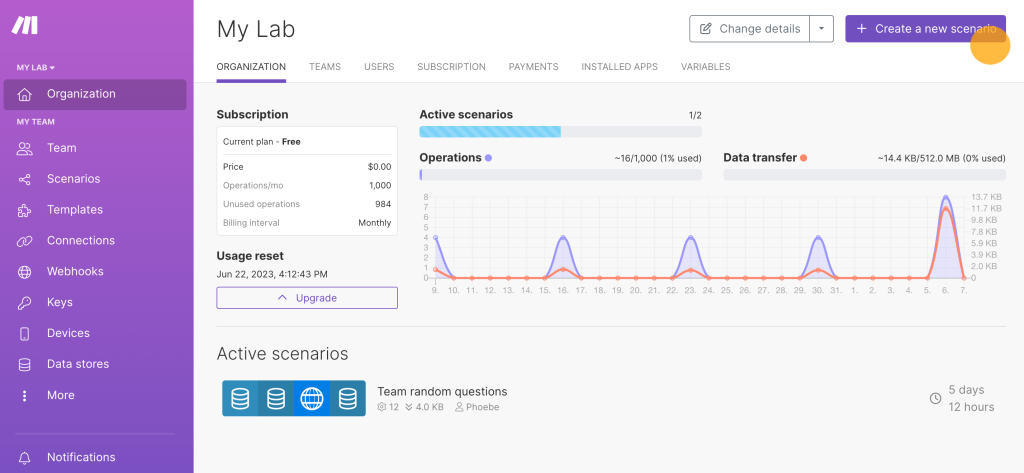
Its one-question-at-a-time format is the defining feature and the most consistent topic across reviews on every platform.
For longer or more complex forms, that same one-question format can work against completion, and Typeform’s response caps get tight fast. Reviewers consistently flag the jump from a 10-response free plan to paid tiers as a hard sell for small teams.
Pros:
- One-question-at-a-time format improves completion on short, brand-sensitive forms
- Visually polished output with minimal design effort
- Conditional logic covers most standard branching scenarios
- Integrates with HubSpot, Mailchimp, Slack, and Stripe
Cons:
- Free plan caps at 10 responses per month, unusable for real programs
- Response caps on paid tiers (100 on Basic) get hit fast on active campaigns
- Pricing climbs steeply with response volume
How It Compares to Paperform: Both are document-light, design-forward tools. The difference is format: Paperform lets you build a full page of content and questions together, while Typeform isolates one question per screen. If completion rate on short forms is the actual problem, Typeform addresses it directly.
Pricing: Free plan available. Paid plans from $28/month.
Capterra Rating: 4.7/5
3. Jotform: Best for Payment-Heavy and Intake-Heavy Workflows
Jotform handles use cases that go well beyond forms. Registration forms with payment collection, approval workflows, file uploads, and e-signatures.
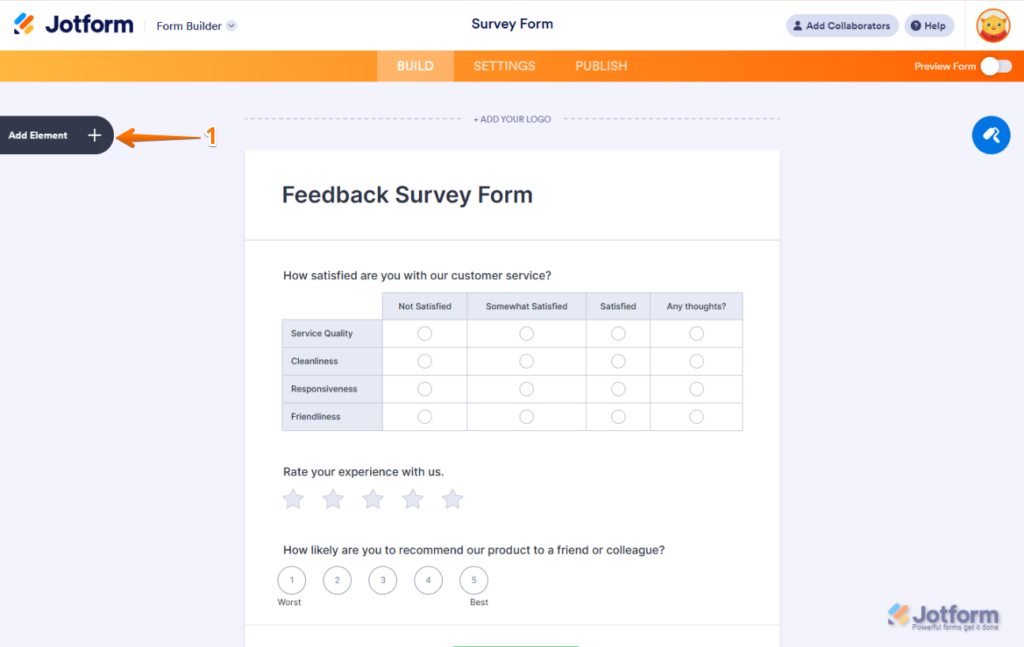
If your use case looks more like intake or transaction processing than a branded form, Jotform’s massive template library almost certainly has a starting point.
The free Starter plan is more restrictive than Paperform’s (5 forms, 100 submissions), but it includes features that Paperform’s free plan doesn’t offer, such as payment processing and e-signatures.
Pros:
- Payment collection through Stripe, PayPal, Square, and more
- File upload, e-signature, and approval workflow support
- 150+ native integrations
- Generous free plan to test before buying
Cons:
- HIPAA compliance is only available on the Gold tier and above
- Every non-Enterprise plan is single-user only
- Form view limits (not just submission limits) can get hit fast on embedded forms
How It Compares to Paperform: Paperform can collect payments, but doesn’t natively support e-signatures or multi-step approval workflows the way Jotform does. If your forms function more like business processes than content pages, Jotform is the clearer upgrade.
Pricing: Free plan available. Paid plans from $19/month.
Capterra Rating: 4.7/5
4. Google Forms: Best for Free, No-Frills Data Collection in Google Workspace
If the primary complaint about Paperform is the price tag, Google Forms is the most direct swap. It’s free with no response caps and no subscription gate.
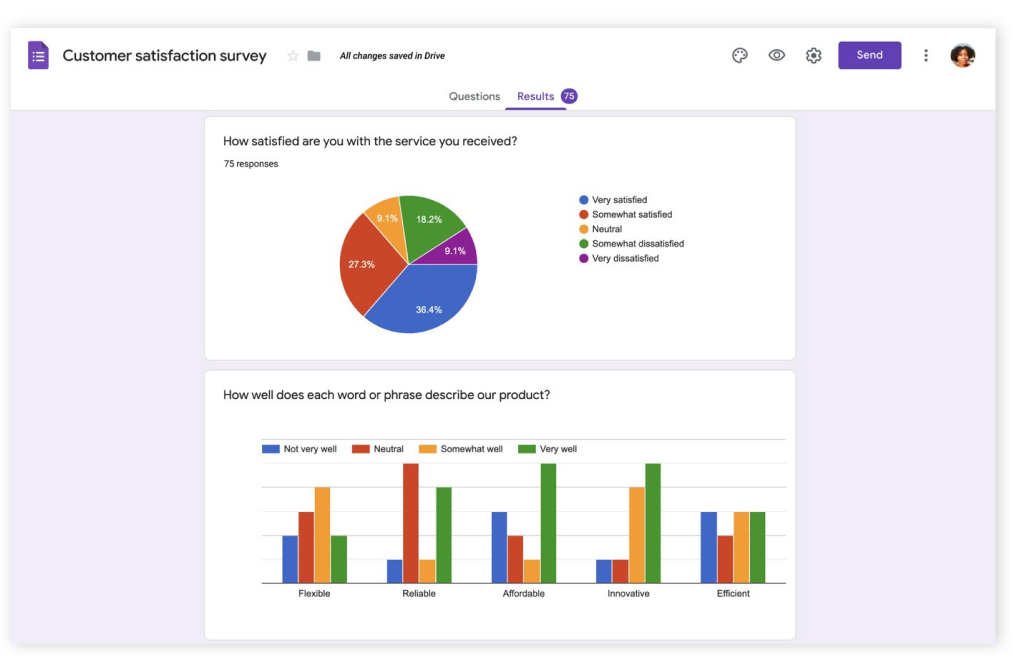
For teams already in Gmail, Drive, or Sheets, responses flow into a linked spreadsheet automatically.
The honest tradeoff: Google Forms also lacks NPS survey types, scored surveys with custom result pages, custom branding beyond a header image, and HIPAA compliance, the same functional ceiling that Paperform’s reviewers complain about, just at no cost.
Pros:
- Completely free with unlimited forms and unlimited responses
- Native Google Sheets integration for real-time data sync
- Simultaneous team collaboration on form editing
- Familiar, low learning curve
Cons:
- No NPS, scored surveys, or advanced survey types
- No custom branding, custom domain, or white labeling
- No HIPAA compliance
How It Compares to Paperform: Paperform’s document-style editor and templates are more visually flexible, but Google Forms removes the cost barrier entirely. If budget is the only constraint and branding doesn’t matter, Google Forms covers the basics for free.
Pricing: Free for Google Workspace users.
Capterra Rating: 4.7/5
5. SurveyMonkey: Best for Mid-Market Teams Needing Benchmarking Data
SurveyMonkey has been the default for organizational survey programs long enough to accumulate deep practitioner feedback, and it brings something Paperform was never built for: benchmarking.
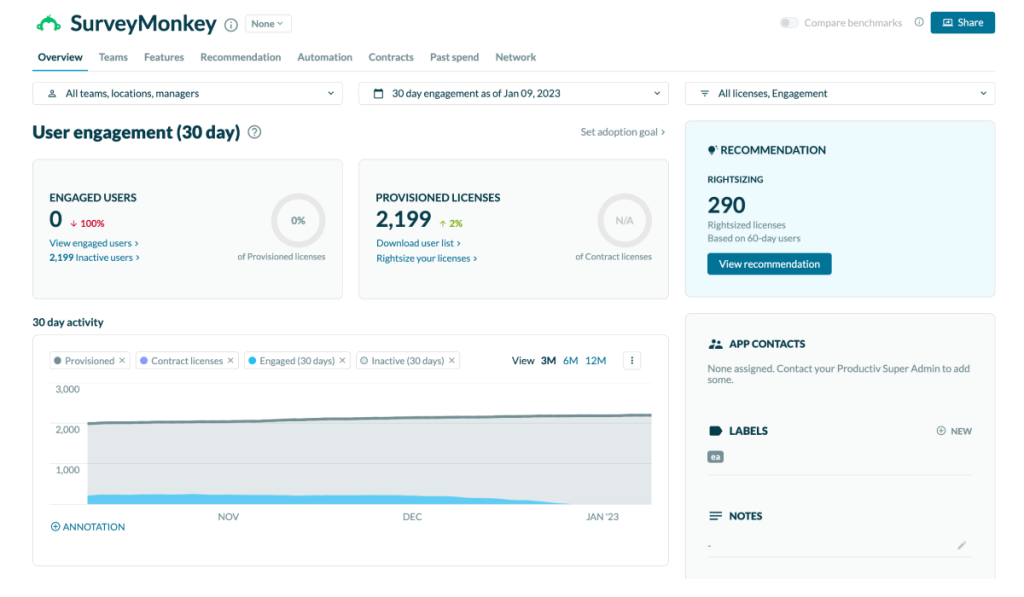
It lets you compare your NPS or CSAT scores against industry-wide data from SurveyMonkey’s response panel.
For CX teams presenting results to leadership, that context is hard to replicate elsewhere.
Pros:
- 200+ expert-written templates covering most survey use cases
- Benchmarking against industry data
- NPS, CSAT, and CES survey types with built-in scoring
- Strong reporting with sentiment analysis and chart customization
Cons:
- Free plan is heavily restricted: 10 questions per survey, 25 viewable responses
- Team plans require per-user pricing that grows quickly at scale
- Advanced analytics sit behind higher-tier plans
How It Compares to Paperform: Paperform gives you raw response data with basic charts. SurveyMonkey gives you context for that data, including benchmarking and sentiment analysis built for leadership presentations.
Pricing: Paid from $30/month.
Capterra Rating: 4.6/5
6. Cognito Forms: Best for Complex Calculations and Workflow Automation
Cognito Forms is worth a look, specifically when Paperform’s Calculations field starts feeling like a workaround rather than a feature.
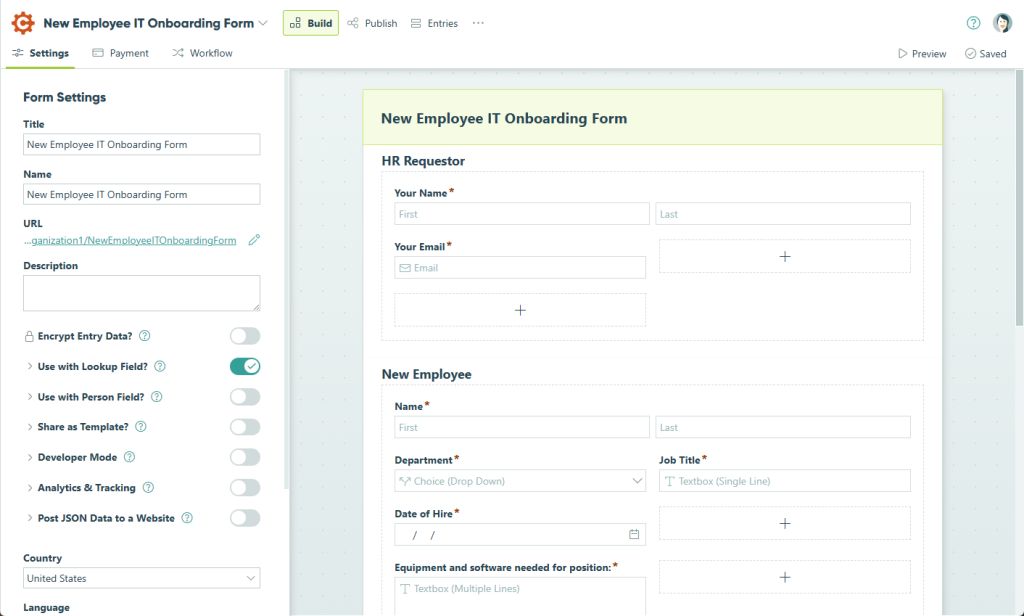
Cognito’s calculation engine, repeating sections, and Lookup fields handle pricing logic, quotes, and dynamic forms more natively.
Workflow automation lets custom conditional logic rules trigger approvals, signatures, and payments without a separate Zapier step.
Pros:
- Free version available with a generous feature set
- Advanced calculations, repeating sections, and Lookup fields
- Client Portal for self-service submission tracking
- Workflow automation for approvals and signatures
Cons:
- No appointment scheduling option built in
- Some advanced features, like e-signatures, sit behind the Pro plan
- The formula syntax differs from Excel, which adds a learning curve
How It Compares to Paperform: Both handle calculation-heavy forms, but Cognito Forms treats calculations and workflow automation as a core feature rather than an advanced workaround, and its free plan is more usable than Paperform’s.
Pricing: Free plan available. Paid from $19/month.
Capterra Rating: 4.7/5
7. Zoho Forms: Best for Teams Already in the Zoho Ecosystem
If your team already runs on Zoho CRM, Zoho Desk, or Zoho Analytics, Zoho Forms is the cleanest way to connect survey and form data to existing customer records without a middleware layer, unlike Paperform.
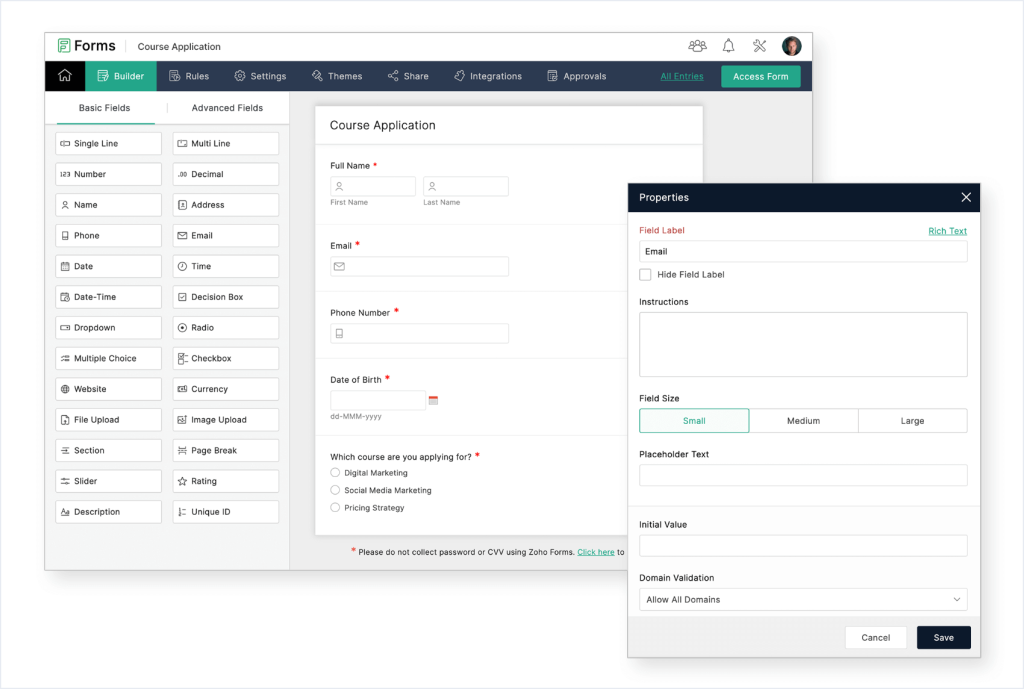
It also includes offline mobile data collection, useful for field teams collecting data without a reliable connection, which Paperform doesn’t prominently offer.
Pros:
- Native integration with Zoho CRM, Desk, and Analytics
- Offline mobile app for field data collection
- Affordable starting price relative to feature coverage
- Free plan available for light use
Cons:
- Free tier limits you to 1 user, 3 forms, and 500 submissions per month
- Some reviewers find the jump to paid plans confusing
- The design interface feels dated compared to newer tools
How It Compares to Paperform: Paperform isn’t tied to any CRM ecosystem. Zoho Forms is built specifically for teams already inside Zoho’s product suite. For teams not already there, the value proposition narrows considerably.
Pricing: Free plan available. Paid from $10/month.
Capterra Rating: 4.5/5
8. Gravity Forms: Best for Forms Built Natively Inside WordPress
Gravity Forms solves a problem Paperform can’t: building forms that live inside your WordPress site rather than getting embedded from a third-party tool.
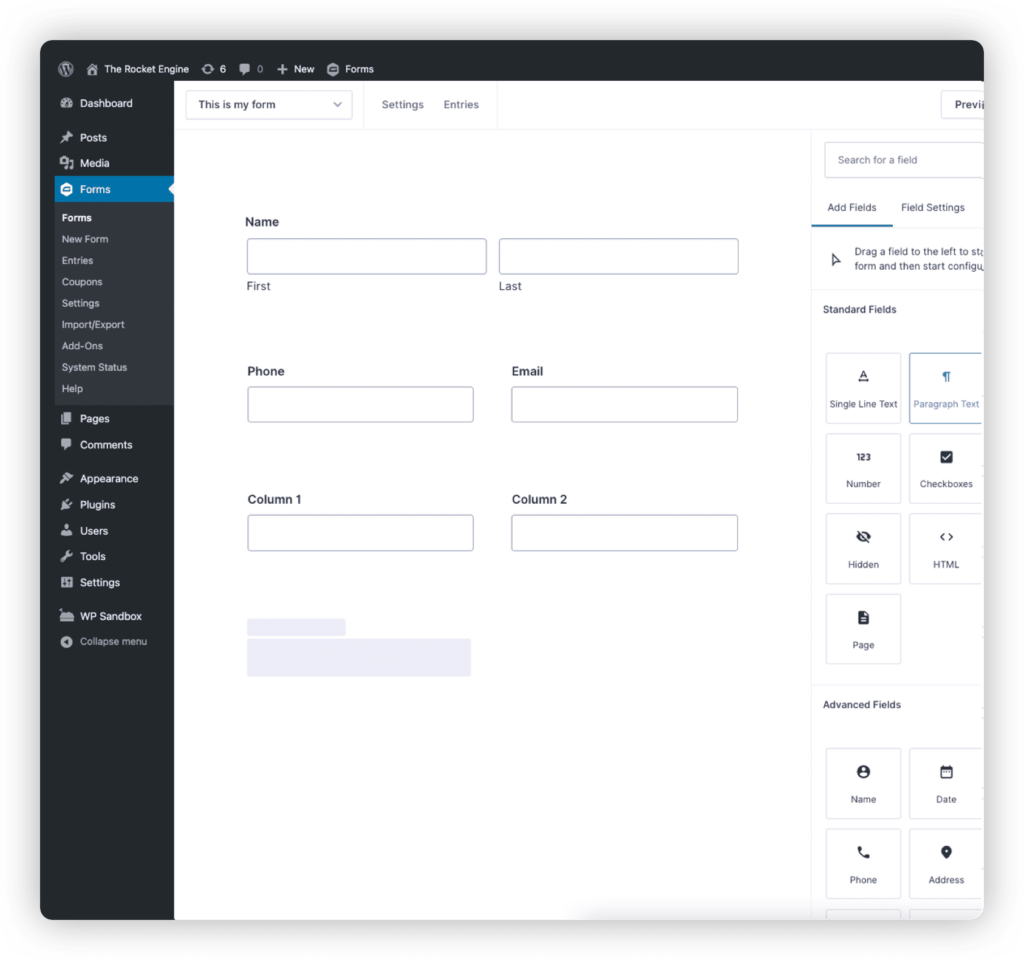
For developers and agencies managing client WordPress sites, that’s a meaningful difference in control and ownership.
The tradeoff is that it relies heavily on the WordPress admin interface, which some reviewers find less polished than a standalone, hosted builder.
Pros:
- Forms are hosted natively in WordPress, not embedded externally
- Strong third-party integrations through add-ons (Stripe, PayPal, Mailchimp)
- Flat annual pricing instead of per-response charges
- Reliable and well-established in the WordPress ecosystem
Cons:
- Not beginner-friendly; relies on the WordPress admin UI
- Many advanced features require paid add-ons
- Out-of-the-box styling often needs custom CSS to match a site’s branding
How It Compares to Paperform: Paperform is a standalone, hosted tool you embed or link to. Gravity Forms lives inside the site itself. If you’re already building in WordPress and want forms under the same roof, Gravity Forms is a better native fit.
Pricing: Paid from $59/year.
Capterra Rating: 4.6/5
9. 123FormBuilder: Best for Power-User Calculators and Approval Forms
123FormBuilder earns its spot for calculator-heavy forms. Reviewers specifically call out its secure calculator function for use cases that Paperform’s Calculations field can technically do, but with more friction.
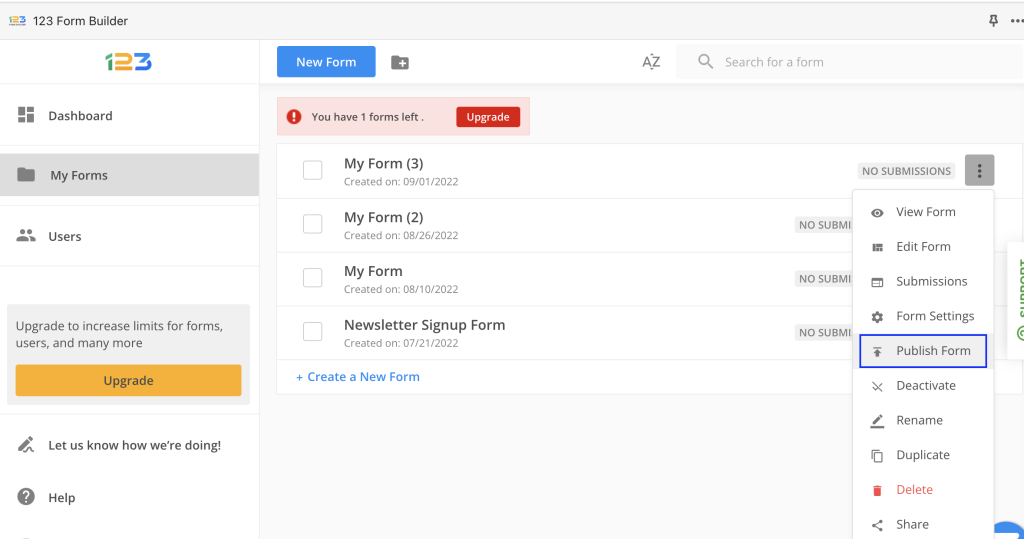
It’s a solid middle ground for teams that need more logic depth than a basic form builder but don’t need a full survey platform.
Pros:
- Strong calculator and conditional logic capabilities
- Drag-and-drop editor with theme and font customization
- Integrates with Zapier, Mailchimp, and Google Drive
- Affordable relative to its feature depth
Cons:
- Free plan options are limited
- Some reviewers note that the interface feels dated
- Customer service response times have been flagged in reviews
How It Compares to Paperform: Paperform’s Calculations field is flexible but general-purpose. 123FormBuilder’s calculator tools are better suited to forms where the math is the point, such as quotes or secure financial calculators.
Pricing: Free plan available. Paid from $18.5/month.
Capterra Rating: 4.4/5
10. Formstack Forms: Best for HIPAA-Ready Enterprise Compliance
Formstack Forms is the pick when the problem isn’t price or design, it’s compliance.
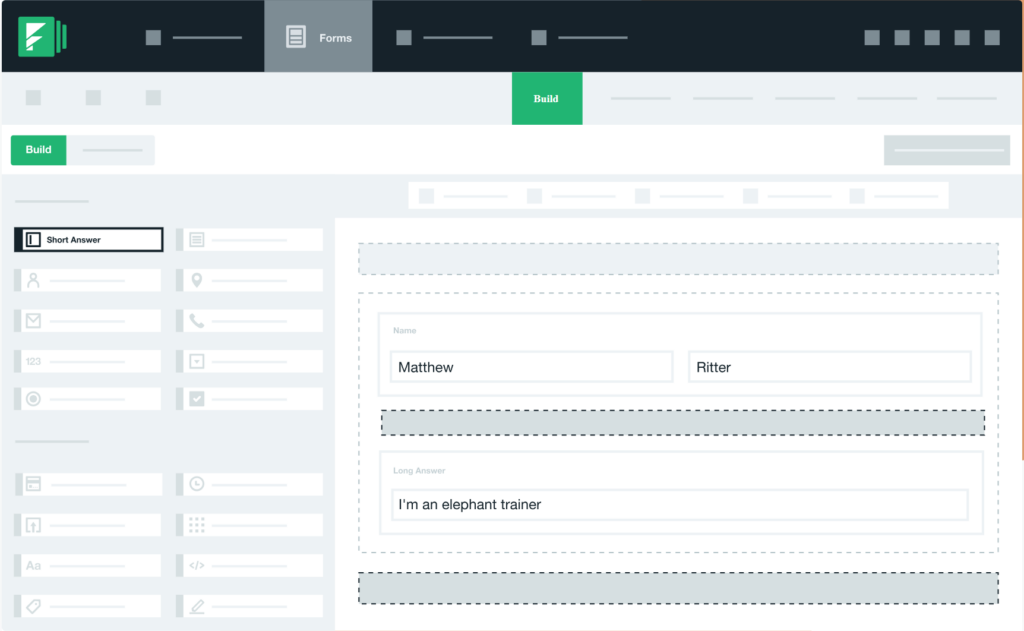
Paperform offers no HIPAA-compliant plan at any tier, which rules it out entirely for healthcare intake or any workflow handling protected health information.
Formstack adds audit logging, detailed permission controls, and a Business Associate Agreement, the documentation that regulated teams actually need.
Pros:
- HIPAA, GDPR, and PCI compliance are available with a signed BAA
- Detailed audit logs and permission controls
- Workflow automation extending to document generation and e-signatures
- Built for regulated industries like healthcare and finance
Cons:
- Highest starting price on this list
- Steeper learning curve for non-technical teams
- Overkill for teams that just need a simple branded form
How It Compares to Paperform: Paperform has no compliance tier at any price. If you’re collecting any form of regulated or sensitive data, Formstack Forms is built for that from the ground up; Paperform simply isn’t an option.
Pricing: Paid from $83/month.
Capterra Rating: 4.0/5
What Are My Top 3 Picks Among Paperform Alternatives?
I reviewed the Capterra data, documented use cases, and the actual feature gaps for each tool.
If someone asked me to pick three that solve the most common Paperform switches, here’s where I land.
1. ProProfs Survey Maker
For any team that needs NPS, scored surveys, or AI-generated forms without paying per seat.
The free plan, which includes every premium feature, is unusual in this category, and it closes the exact gap Paperform leaves open for assessments, lead qualification, and feedback-to-action work.
The white-label add-on also makes it practical for agencies managing surveys across multiple clients.
2. Typeform
For any team where the completion rate on external forms is a documented problem.
The conversational, one-question-at-a-time format works best for short, brand-sensitive forms like lead capture or post-purchase feedback.
Pricing makes it harder to justify at scale, but for that specific use case, it’s the strongest option here.
3. Jotform
For any team whose needs lean toward structured intake rather than branded content pages.
Registrations, payments, approval workflows, and e-signatures are all things Paperform can technically do, but with more friction.
Jotform’s payment gateway depth and template library make it the clearest upgrade when the use case is process-oriented rather than content-oriented.
How Were These Paperform Alternatives Evaluated?
Every platform on this list was assessed against the same set of criteria, not a feature dump.
- Capterra-Verified Ratings: Pulled directly from Capterra for consistency, since rating scales and review depth vary across review sites.
- Direct Fit for Paperform’s Actual Limitations: Each tool was weighed on whether it solves a documented Paperform gap, like NPS, scoring, branding, compliance, or payments, not just whether it can build a form.
- Ease of Setup: How fast a non-technical team member can get a real form or survey live without developer help.
- Real-World Pricing: What each tier actually includes once response caps, per-seat add-on fees, and feature gating are factored in, not just the advertised starting price.
FREE. All Features. FOREVER!
Try our Forever FREE account with all premium features!
How Do You Choose the Right Paperform Alternative?
Match the tool to the constraint that pushed you to look, not to the longest feature list.
| If Your Primary Problem Is | Start Here |
| No NPS or Scored Survey Types | ProProfs Survey Maker |
| Free Plan Response Caps Too Tight | Google Forms or Cognito Forms |
| Low Completion Rates on External Forms | Typeform |
| Payment Collection and E-Signatures at Scale | Jotform |
| Already Deep in the Zoho Ecosystem | Zoho Forms |
| Building Forms Natively Inside WordPress | Gravity Forms |
| HIPAA-Ready Compliance Workflows | Formstack Forms |
| Power-User Calculators and Approvals | 123FormBuilder |
| Industry Benchmarking Data | SurveyMonkey |
Stop Paying Per Seat for What Paperform Can’t Do
Pick the alternative that solves your actual bottleneck first. You can always expand from there.
Most teams don’t start looking for alternatives to Paperform because they dislike the tool.
They start because they’ve hit a documented wall: a response cap, a branding paywall, weak reporting, or a complete absence of NPS and scoring functionality.
If the gap is survey depth, NPS tracking, or scored assessments, ProProfs Survey Maker closes it directly, on a free plan that doesn’t charge per seat to get there.
Frequently Asked Questions
What is the best free alternative to Paperform?
ProProfs Survey Maker's forever-free plan includes all premium features, unlimited surveys, and up to 50 responses per month, with no capability gating on the free tier. Google Forms is also free with no response cap, but it lacks NPS, scored surveys, and branching logic, so it works better for basic data collection than for feedback programs.
Which Paperform alternative supports NPS surveys?
ProProfs Survey Maker, SurveyMonkey, and Zoho Forms all support NPS surveys with automatic scoring and reporting built in. Paperform has no dedicated NPS question type; scoring would need to be built manually with its Calculations field, which adds setup time and doesn't scale well for recurring NPS programs run on a schedule.
Does any Paperform alternative support scored surveys with custom result pages?
ProProfs Survey Maker does. You assign point values to answers, set score ranges, and show a custom result page based on where the respondent lands. This is built for assessments, lead qualification, and coaching programs, use cases that Paperform's general-purpose Calculations field wasn't designed to handle out of the box.
Which Paperform alternative is best for small teams on a tight budget?
ProProfs Survey Maker's free plan includes all premium features with no feature gating, up to 50 responses per month. Cognito Forms starts at $19/month and Zoho Forms at $10/month, both well under Paperform's $24/month entry tier, and neither charges the $9 per-seat add-on Paperform does for extra team members.
Can I keep a document-style editor if I switch away from Paperform?
Most alternatives on this list, including Cognito Forms and Jotform, use a more traditional drag-and-drop builder rather than Paperform's slash-command, document-style editor. Expect a short adjustment period with any switch, since the mental model for building a form changes even when the end result looks similar to respondents.
How long does it take to switch from Paperform to a different tool?
Initial setup on most alternatives takes under an hour for a standard form or survey. Rebuilding complex forms with calculations or branching logic takes longer, depending on how many conditional rules are involved. A few platforms accept CSV imports from Paperform exports, which speeds up migration for simple, non-branching forms.
Does any Paperform alternative offer white labeling for agencies?
Yes. ProProfs Survey Maker offers a white-label add-on at $300 per year that removes all ProProfs branding, including footer links and logos, from every survey. This is useful for agencies managing client-facing surveys under their own brand, and for enterprise teams that need a fully branded respondent experience.
FREE. All Features. FOREVER!
Try our Forever FREE account with all premium features!

 We'd love your feedback!
What did you like & how can we make it even better?

 Thanks for your feedback!
 Ask Your Question
Have a question? Get expert help to make your decision easier.