
I’ve been running survey programs for a while now, across NPS campaigns, lead qualification workflows, and employee engagement cycles.
QuestionPro was in my stack at one point, and I know what it does well. The research depth is real. The free nonprofit tier is one of the most generous in the category. For academic and research teams, it punches well above its price.
But for most marketing, HR, and CX teams I’ve spoken to, the experience looks different in practice. The interface starts to feel heavy once you move past basic surveys.
The pricing jumps when you need anything beyond standard data collection.
And features that most modern survey programs depend on, like AI-assisted creation, dynamic reporting, and in-product delivery, sit behind plan upgrades that aren’t always worth it for what you actually use.
I’ve personally used ProProfs Survey Maker for NPS and scoring assessment workflows, Qualaroo for in-product feedback, Jotform for operational forms with payment collection, and SurveySparrow for CES programs where completion rates were low.
For the remaining tools on this list, I’ve leaned on verified Capterra reviews and direct conversations with CX managers, HR leads, and product teams who run them in production every day.
Here’s what I found after going through all 10.
Why Are Teams Looking for QuestionPro Alternatives?
QuestionPro covers a lot of ground: CX management, employee experience, market research, and academic studies from one platform. That breadth is also what makes it a mismatch for teams with narrower, faster needs.
The most common reasons teams start evaluating alternatives:
Pricing Jumps Without Proportional Value: The free plan supports basic surveys, but anything involving advanced logic, real-time reporting, or dedicated support sits behind the professional tier at $83/user/month on annual billing. For a team of three, that is $249/month before feature add-ons. Multiple verified Capterra reviewers describe the cost as disproportionate to what they actually use day to day.
Interface Complexity That Slows You Down: Navigation is described repeatedly as cluttered and non-intuitive for complex surveys. The branching logic setup is error-prone enough that one reviewer flagged it, creating mistakes affecting which questions display to respondents. Another described the reporting dashboards as slow to load mid-campaign.
Analytics Locked Behind Higher Tiers: Dynamic charts, cross-tab filtering, and segmented reports are available, but only on upper plans. Teams running stakeholder-facing programs often export CSVs and reprocess the data elsewhere, adding manual work to every reporting cycle.
Email Distribution Limits Disrupting Programs: Spam limits on outgoing survey emails come up frequently in reviews. For teams running volume NPS campaigns or recurring employee pulse programs, hitting those caps mid-cycle is an operational problem, not a minor inconvenience.
No Native In-App or Contextual Survey Delivery: QuestionPro collects responses via email, links, and embeds. It was not built to capture feedback while users are actively inside a product. Teams that need behavior-triggered, real-time feedback need a different tool.
The 10 Best QuestionPro Alternatives
I’ve used four of these tools directly across real programs. For the others, I’ve pulled from Capterra reviews and direct accounts from product, HR, and CX colleagues running them in production.
| Tool | Best For | Capterra Rating | Starting Price |
| ProProfs Survey Maker | AI survey creation, NPS, scored assessments | 4.8/5 | Free forever; paid from $19.99/month |
| Qualaroo | In-product and website contextual feedback | 4.7/5 | From $19.99/month |
| SurveyMonkey | Fast deployment, broad template coverage | 4.6/5 | From $30/month (individual) |
| Jotform | Payment forms, multi-purpose data collection | 4.7/5 | Free plan; paid from $19.50/month |
| Typeform | Design-forward, respondent-first surveys | 4.7/5 | Free plan; paid from $28/month |
| SurveySparrow | Conversational surveys, recurring programs | 4.4/5 | From $19/month |
| Alchemer | Advanced logic, CRM automation, custom scripting | 4.5/5 | On request |
| Zoho Survey | Zoho ecosystem users, multilingual surveys | 4.6/5 | From $7.42/month |
| SurveyLegend | Visually rich, mobile-first surveys | 4.6/5 | Free plan; paid from $15/month |
| Google Forms | Free basic data collection | 4.7/5 | Free |
Here’s a closer look at each:
1. ProProfs Survey Maker: Best for Easily Creating Custom Customer Surveys, CSAT, CX, & NPS Forms Using AI
You can go from sending a quick poll to 10 early users to pushing a complete survey to a million people, and nothing breaks. No surprise bills, no quota negotiations with a rep mid-program.
The AI survey builder is genuinely useful: give it a short prompt describing what you want, and it returns a polished, branching survey in seconds. Not a rough draft you spend an hour fixing. You can try creating your survey here using AI:
Let ProProfs AI Build a Survey
Describe your survey and we'll create it for you
Beyond generating full surveys, the tool also suggests individual questions as you build and can turn an uploaded PDF, DOCX, or TXT file, like an existing intake form or assessment rubric, into a ready-to-send survey.
The scored survey workflow is the feature that surprises most people. You assign point values to answer options, respondents get bucketed into score ranges, and custom result pages appear based on their outcome.
QuestionPro has no native equivalent. For lead qualification, coaching assessments, and HR maturity tools, that structural gap matters.
How It Compares to QuestionPro: QuestionPro scales cost by user seat and plan tier, unlocking features at each level. ProProfs Survey Maker puts all premium features on every plan, including the free one, and scales only by response volume. For teams that want the full capability set without managing upgrade conversations, that model is structurally easier to budget around.
Pros:
- AI-powered survey creation from a short prompt
- 100+ professional templates across NPS, CSAT, employee engagement, and event surveys
- Full branding and customization options, including white-label capabilities
- 20+ question types, including NPS scale, ranking, slider, and open-ended
- Skip logic, branching, and scored surveys with custom result pages
- Integrations with Salesforce, HubSpot, MailChimp, Zendesk, and more
- GDPR compliant with SSO (SAML) available on Enterprise plans
Cons:
- No dark mode interface for long hours or late nights
- Dedicated onboarding and account manager support are paid plan features
Capterra Rating: 4.8/5
Pricing: Free forever. Paid plans begin from $19.99/month.
2. Qualaroo: Best for In-Product and Website Contextual Feedback
I’ve run Qualaroo in product feedback workflows, and the data quality difference compared to post-session email surveys is immediate.
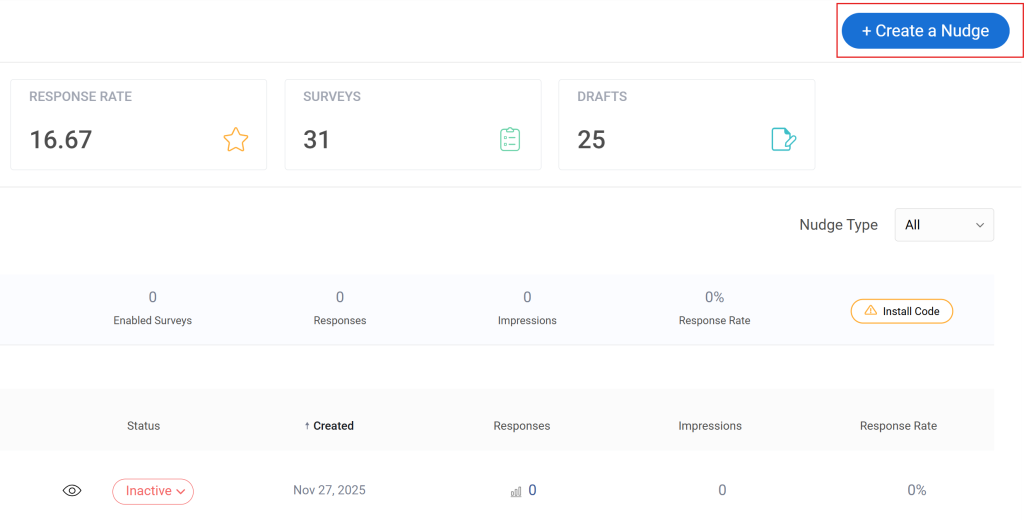
The mechanism is the Nudge: a lightweight survey prompt that appears while users are actively on your site or inside your product, not after they’ve navigated away and the moment has passed. Triggers include scroll depth, time on page, exit intent, specific URLs, or custom behavioral events.
The native AI sentiment analysis is what makes it operationally practical at scale. Open-ended responses are automatically categorized and scored, so you can process hundreds of responses without manual coding.
If you’re trying to understand why users drop off, convert, or churn, the timing difference changes what the data actually tells you.
How It Compares to QuestionPro: QuestionPro collects post-experience feedback through email and links. Qualaroo captures responses while the experience is still happening. For product teams and CX leads trying to understand behavior rather than just record sentiment after the fact, that timing difference is significant.
Pros:
- Behavior-based and URL-specific targeting for contextual survey placement
- AI sentiment analysis (IBM Watson) on open-ended responses
- 12+ question types including NPS, CSAT, CES, and UES
- No-code deployment with no developer dependency
- 100+ templates for exit intent, product feedback, and UX research
- Heatmaps and Session Recordings for understanding user behavior on any page
- Identify API to link responses to specific users by email or customer ID
- iOS and Android SDK for mobile in-app surveys
- A/B testing for survey variants
- Integrations with HubSpot, Salesforce, Mailchimp, and major analytics platforms
Cons:
- No dark mode interface for extended use
- No on-premise version available
Capterra Rating: 4.7/5
Pricing: From $19.99/month.
3. SurveyMonkey: Best for Fast Deployment With Broad Template Coverage
SurveyMonkey is the tool most teams already know, and that familiarity matters when asking external respondents to trust a survey link.
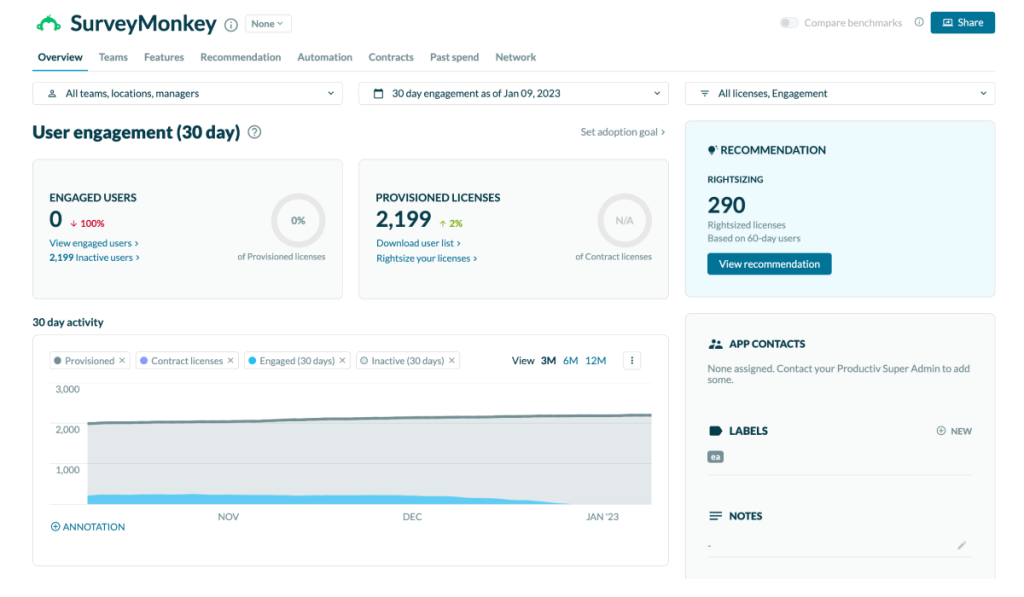
The template library is extensive, the drag-and-drop builder is intuitive, and results are readable without post-processing. For teams that need surveys deployed quickly and consistently, it delivers.
Where it breaks down is cost at scale and feature access at the base tier. The free plan limits surveys to 10 questions and 25 responses per survey, which is too constrained for most real programs. Advanced logic, custom branding, and in-depth analytics sit behind higher plan tiers.
How It Compares to QuestionPro: Both tools operate at a similar capability level for standard surveys. SurveyMonkey’s edge is faster team adoption and a cleaner onboarding experience. Its limitation is per-seat team pricing and paywalled features that push monthly costs well above comparable alternatives with flat-rate models.
Pros:
- 500+ expert-built templates across every survey category
- Drag-and-drop builder with intuitive branching logic
- Real-time analytics with charts, filters, and cross-tab analysis
- 100+ integrations, including Salesforce, HubSpot, Slack, and Tableau
- Industry benchmarking data for NPS and CSAT programs
- HIPAA compliance available on enterprise plans
Cons:
- Free plan capped at 10 questions and 25 responses per survey
- Custom branding and skip logic require higher plan tiers
- Per-seat team pricing adds up quickly for larger groups
Capterra Rating: 4.6/5
Pricing: From $30/month (individual).
4. Jotform: Best for Payment Forms and Multi-Purpose Data Collection
Jotform comes up whenever a team needs one tool that handles surveys, payment collection, registrations, and file uploads without separate subscriptions.
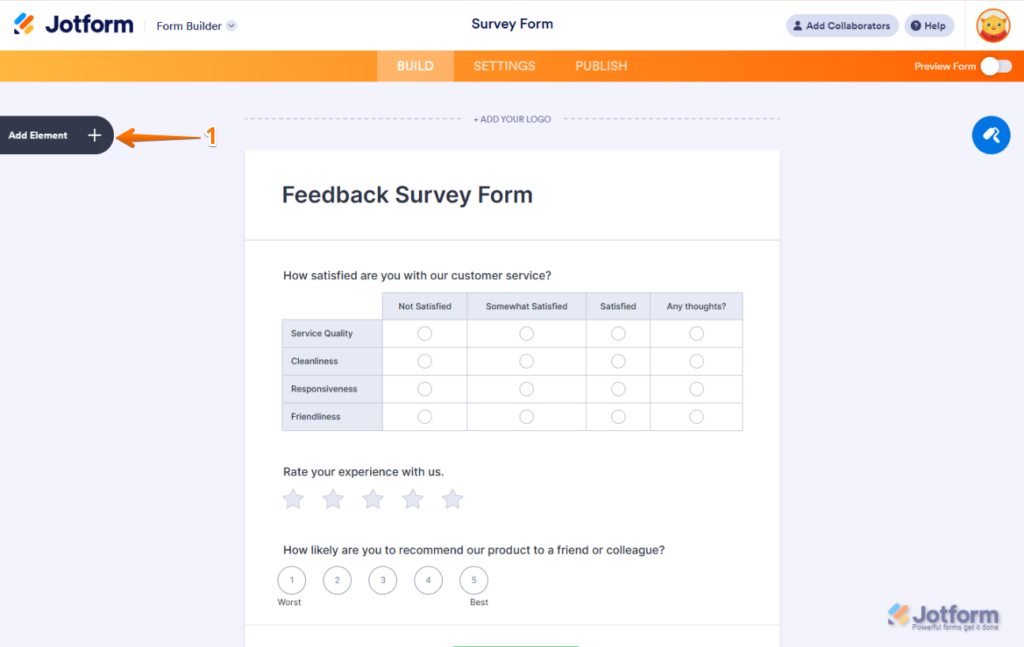
I’ve built operational forms in it myself, and the multi-purpose capability is real. The 10,000+ template library covers use cases well beyond what any dedicated survey platform offers.
The Forms Analytics feature is what separates it from basic form builders. It tracks where respondents drop off and which question formats affect completion, adding behavioral data on survey performance that most tools at this price point don’t offer out of the box.
How It Compares to QuestionPro: QuestionPro is built around the survey as a research object. Jotform treats the form as one component in a wider operational workflow. If you need a form that accepts a payment, collects a file, or routes a registration, Jotform handles the full sequence. QuestionPro handles only the data collection part.
Pros:
- 10,000+ templates across surveys, registrations, payments, and lead capture
- 30+ payment gateways, including Stripe, PayPal, and Square
- Forms Analytics for behavioral data on respondent drop-off points
- E-signature support and file upload fields
- Conditional logic and multi-page forms
- HubSpot, Salesforce, Google Workspace, and Zoom integrations
Cons:
- Navigation feels dense compared to survey-focused tools
- Some bug reports around form rendering in reviews
Capterra Rating: 4.7/5
Pricing: Free plan available. Paid from $19.50/month.
5. Typeform: Best for Design-Forward, Respondent-First Surveys
Typeform’s one-question-at-a-time format is not a gimmick. It reduces cognitive load, keeps respondents focused, and produces measurably higher completion rates on external-facing surveys where respondent experience matters.
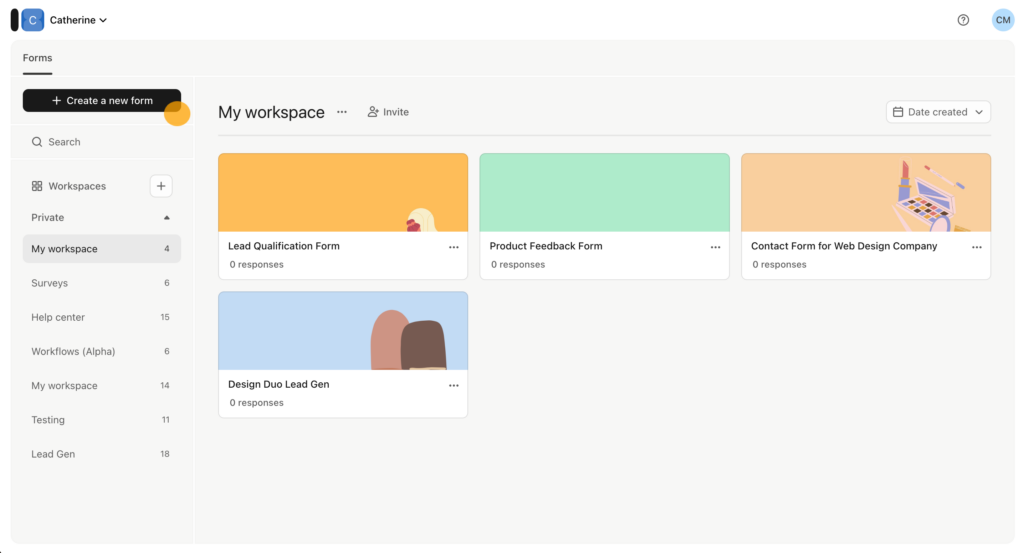
A colleague building discovery forms for a boutique consultancy uses it for first-touch prospect surveys specifically because the experience signals care before the first call.
Where it falls short is cost at volume. The free plan limits responses to 10 per month. Getting to remove Typeform branding and access higher response caps requires plan upgrades that quickly surpass alternatives with comparable features.
How It Compares to QuestionPro: QuestionPro delivers deeper analytics and research tooling at the cost of a heavier interface. Typeform delivers a superior respondent experience at the cost of analytical depth and pricing flexibility. If respondent experience and brand perception are your primary metrics, Typeform is the stronger choice.
Pros:
- Conversational one-question-at-a-time format with high completion rates
- Extensive visual customization and branded survey design
- Conditional logic jumps and custom endpoints
- VideoAsk integration for video greetings before surveys
- Google Sheets, Slack, HubSpot, and Salesforce integrations
Cons:
- Free plan limited to 10 responses per month
- Analytics depth is limited compared to research-focused tools
- Not suitable for high-volume NPS or operational survey programs
Capterra Rating: 4.7/5
Pricing: Free plan available. Paid from $28/month.
6. SurveySparrow: Best for Conversational Surveys and Recurring Feedback Programs
SurveySparrow offers a chat-style survey format similar to Typeform but with stronger infrastructure for recurring programs: quarterly NPS, employee pulse surveys, and ongoing CSAT measurement.
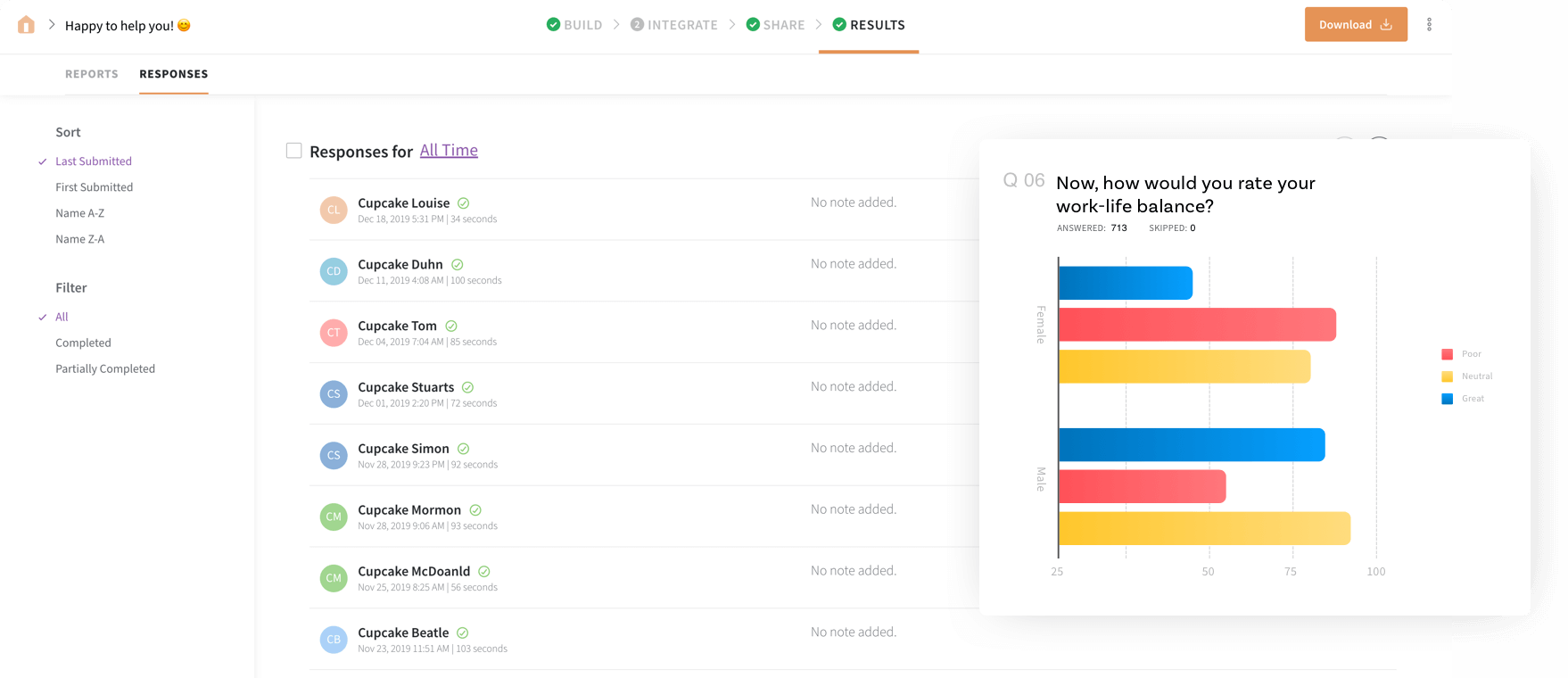
I’ve run it for CES programs where completion rates were an issue, and the conversational format made a noticeable difference without the price jump that Typeform’s higher tiers require.
The recurring survey automation is the practical differentiator. You set up NPS on a schedule, and the tool handles distribution, follow-up, and report generation without manual intervention each cycle.
How It Compares to QuestionPro: QuestionPro has deeper research tools; SurveySparrow has a more modern interface and purpose-built recurring survey automation. For teams running ongoing CX or employee programs rather than one-off research studies, the operational difference is real.
Pros:
- Chat-style conversational surveys across 130+ languages
- Recurring survey automation for NPS, CSAT, and pulse programs
- 360-degree feedback and performance assessments for HR teams
- Offline survey mode for events and field data collection
- Multi-channel distribution across email, web, WhatsApp, and SMS
Cons:
- Team plan pricing details require a form submission to access
- Not designed for advanced research methodologies
Capterra Rating: 4.4/5
Pricing: From $19/month.
7. Alchemer: Best for Advanced Logic, CRM Automation, and Custom Scripting
Alchemer (formerly SurveyGizmo) sits between everyday survey tools and enterprise platforms. The logic depth is the real differentiator: 40+ question types, 20+ branching and skip conditions, question piping, auto-complete text fields, and API-level customization that standard tools cannot match.
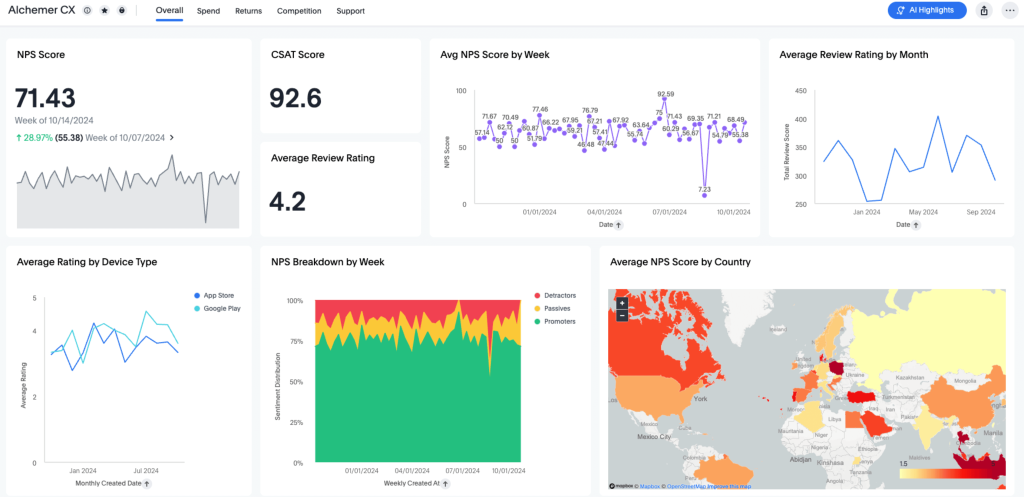
A researcher I know described it as the only self-serve tool that handles disqualification logic to the depth their market research required without involving a developer.
The bidirectional Salesforce integration is a meaningful operational advantage for CRM-connected teams.
How It Compares to QuestionPro: Both tools target similar buyer profiles, but Alchemer’s edge is in workflow depth and CRM automation. If survey results need to automatically update Salesforce records, trigger follow-up tasks, or route responses to specific teams, Alchemer handles the full sequence natively.
Pros:
- 40+ question types with 20+ logic and branching options
- Bidirectional Salesforce and HubSpot CRM integration
- Automated workflows triggered by survey responses
- Offline data collection for field and event use
- Response encryption for sensitive survey programs
- Microsoft Power BI, Google Sheets, and Okta integrations
Cons:
- Per-user pricing scales steeply at higher tiers
- Learning curve for advanced logic and scripting is steeper than most alternatives
- Some reviewers report slower resolution on account-related issues
Capterra Rating: 4.5/5
Pricing: On request.
8. Zoho Survey: Best for Zoho Ecosystem Users and Multilingual Survey Programs
Zoho Survey earns its place as the natural pick for teams already running the Zoho suite. The integration with Zoho CRM means form data flows into CRM records automatically without manual exports or Zapier workarounds.
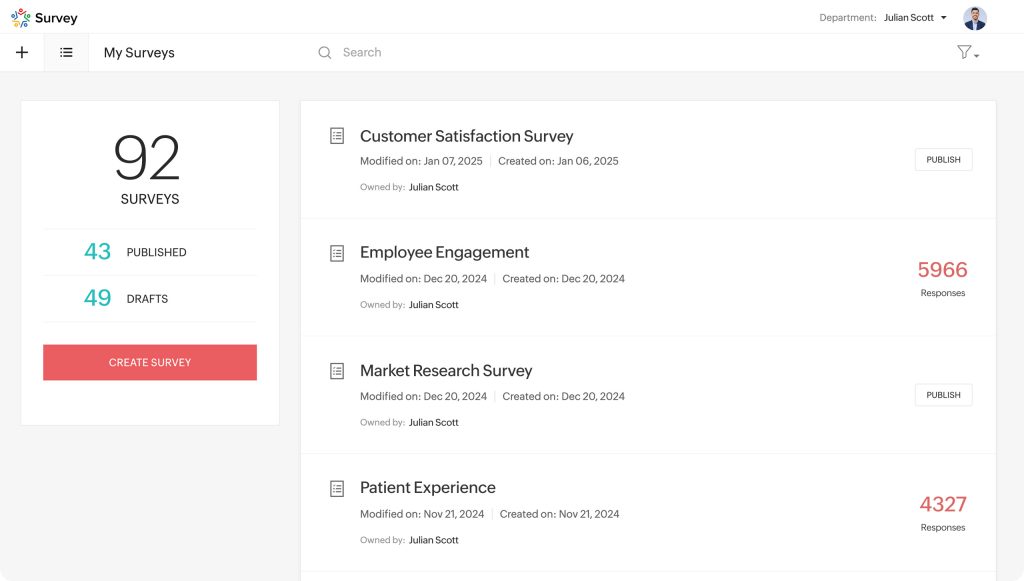
At under $8/month to start, it is also the most affordable paid option on this list that still supports NPS natively.
For teams running multilingual surveys across global employee or customer populations, Zoho Survey’s language support covers a wide range without requiring add-on purchases at every tier.
How It Compares to QuestionPro: QuestionPro treats CRM integration as a connection to configure through third-party tools. Zoho Survey treats it as the default state for teams already in the Zoho ecosystem. The cost difference is substantial: Zoho Survey’s entry point is nearly 10x cheaper than QuestionPro’s paid tier.
Pros:
- Native Zoho CRM integration with automatic data sync
- NPS, CSAT, and satisfaction survey templates built in
- Multilingual survey support across a wide language range
- Affordable entry price with a genuinely usable free tier
- Salesforce integration and Zapier are available for non-Zoho stacks
Cons:
- Interface is less polished than newer survey tools
- Analytics depth is limited compared to dedicated survey platforms
- Custom logic can require meaningful configuration time
Capterra Rating: 4.6/5
Pricing: From $7.42/month.
9. SurveyLegend: Best for Visually Rich, Mobile-First Surveys
SurveyLegend is the tool that comes up when visual design and mobile rendering are non-negotiables.
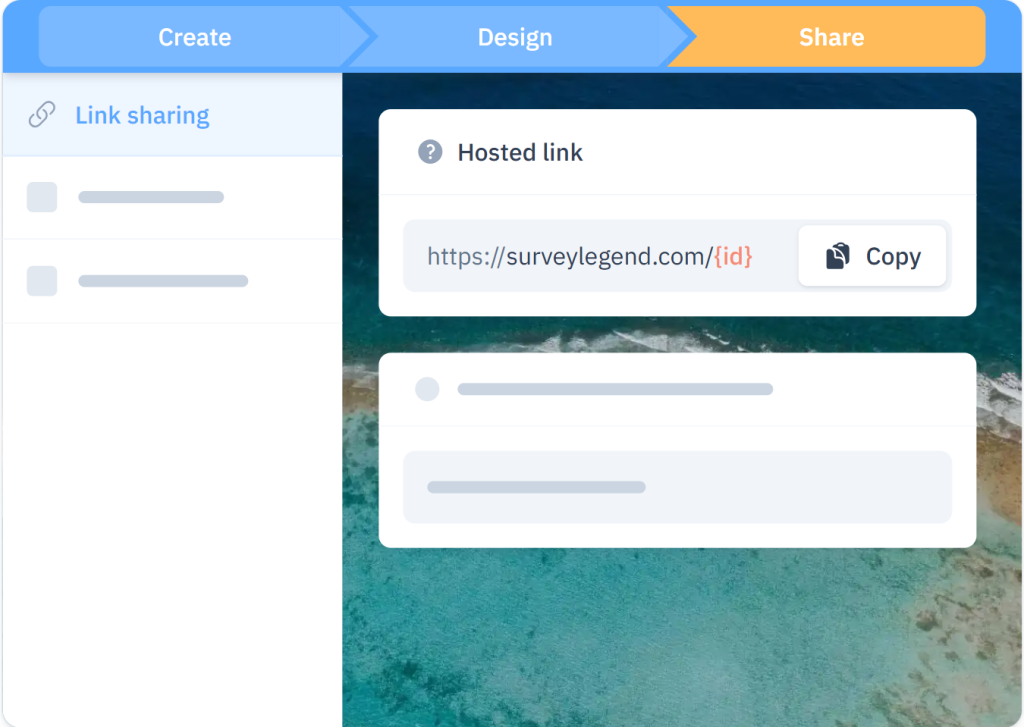
Image-based questions, picture-choice options, and a layout that renders cleanly across screen sizes make it a strong choice for retail, hospitality, and consumer-facing brands whose respondent base is predominantly mobile.
A colleague at a consumer goods company switched to it specifically because their audience dropped off on standard survey interfaces when completing forms on phone screens. SurveyLegend’s mobile-first rendering kept completion rates steady.
How It Compares to QuestionPro: QuestionPro is built for research depth. SurveyLegend is built for visual quality and mobile experience. If your respondents are primarily mobile and your surveys include image-based or visual-choice questions, SurveyLegend delivers a better respondent experience at a fraction of the cost.
Pros:
- Image-based questions and picture-choice answer options
- Strong mobile rendering across device types and screen sizes
- Visual survey design with drag-and-drop customization
- Custom branding and logo support on paid plans
- Free plan available with core survey creation features
Cons:
- Limited advanced logic compared to research-grade tools
- CRM integrations require higher plan tiers
- Not suited for high-volume NPS or CX programs
Capterra Rating: 4.6/5
Pricing: Free plan available. Paid from $15/month.
10. Google Forms: Best for Free Basic Data Collection
Google Forms is the honest answer to “what if I just need a free survey tool and don’t need anything advanced?” It’s genuinely free, works on any device, and integrates directly with Google Sheets for live data output.
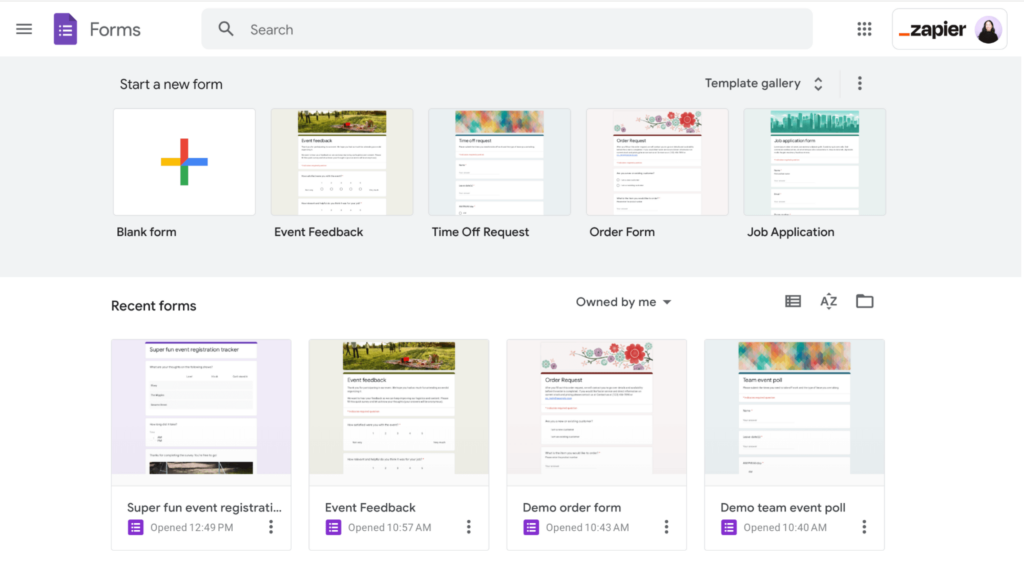
For quick internal polls, one-off feedback collection, and teams that live in Google Workspace, the friction-to-value ratio is hard to argue with.
Where it stops working is any program requiring NPS scoring, skip logic beyond basic branching, CRM integration, or meaningful analytics depth. It was not built for those needs, and the absence is not a bug.
How It Compares to QuestionPro: Google Forms is the zero-cost starting point; QuestionPro is the research platform you graduate to when the job outgrows it. If Google Forms covers your actual needs, there is no reason to pay for QuestionPro. If it doesn’t, almost everything else on this list is a better fit than either.
Pros:
- Completely free with unlimited responses
- Native Google Workspace integration with real-time export to Sheets
- Drag-and-drop editor accessible from any device
- Collaborative editing and basic skip logic
Cons:
- No NPS, scored surveys, or advanced branching logic
- Basic charts only with no filters or cross-tab analysis
- No CRM integrations, white labeling, or export-ready dashboards
Capterra Rating: 4.7/5
Pricing: Free.
My Top 3 Picks Among These QuestionPro Alternatives
After using several of these tools directly and speaking with teams running them in production, here is where I actually land.
1. ProProfs Survey Maker
This is the tool I recommend first to almost any team evaluating QuestionPro replacements. The AI survey builder removes the blank-page problem entirely.
The scored survey workflow handles lead qualification and HR assessments that QuestionPro cannot match natively. And the per-response pricing model means small teams are not overpaying for enterprise infrastructure.
Every premium feature is on the free plan, which makes it genuinely low-risk to test before committing. Start here.
2. SurveyMonkey
For teams that need surveys deployed fast, recognized by external respondents, and connected to the tools they already use, SurveyMonkey remains the most practical all-around choice on this list.
The template library is the deepest in the category, the onboarding is fast enough that non-technical team members can own their own programs, and the industry benchmarking data adds genuine context to NPS and CSAT scores that most standalone tools cannot match.
If your team was on QuestionPro for the breadth of its survey creation and distribution capabilities, SurveyMonkey is the cleanest lateral move.
3. Jotform
For teams whose survey needs sit within a wider operational workflow involving payments, file collection, or registrations, Jotform covers it all from one platform.
The Forms Analytics feature adds behavioral insight that most tools at this price range don’t offer.
At a 4.7 Capterra rating, a free plan to start, and 10,000+ templates, it is one of the most versatile options on this list for operational survey programs.
How I Evaluated These QuestionPro Alternatives
I didn’t want this to be a list that looks credible in a comparison table but falls apart the moment you try one. Here’s exactly what shaped my assessments.
Survey Creation Speed and Ease: How long from a brief to a live survey? AI-assisted creation, template quality, and editor intuitiveness all factor in. Tools that require developers or prolonged setup add hidden costs to every campaign.
Logic and Branching Depth: Standard branching is table stakes. The meaningful differentiator is multi-condition logic, question piping, custom scripting, and the ability to build surveys that adapt to respondent behavior in real time.
Feedback Metric Coverage: Whether NPS, CSAT, and CES are native or require workarounds determines friction in every reporting cycle. A tool that needs a manual point-scoring setup for every NPS survey creates recurring overhead.
Pricing Transparency and Model: Per-user pricing, per-response pricing, and flat-rate plans produce very different total costs at scale. I modeled the actual cost at realistic usage volumes and team sizes before drawing any conclusions.
Integration Depth: Whether a tool connects natively to your CRM, marketing automation platform, and analytics stack determines whether data flows automatically or requires manual exports after every collection cycle.
Verified User Ratings: Capterra reviews from verified users surface what happens after onboarding, not during a demo. High ratings from real users in your industry carry more weight than product marketing claims.
FREE. All Features. FOREVER!
Try our Forever FREE account with all premium features!
Which Tool Works Best for Your Role?
The right tool depends on what you are actually trying to do. Use this table to find your fit fast.
| Your Role | Primary Problem | Best Tool |
| Marketing Manager | Need scored lead qualification and CRM push without developer help | ProProfs Survey Maker |
| HR Manager | Per-user pricing scales against headcount; need anonymous pulse surveys | ProProfs Survey Maker |
| CX Lead (email programs) | NPS automation and CRM sync without manual exports each cycle | ProProfs Survey Maker |
| Product Manager | Feedback arrives too late; need in-product targeting by user behavior | Qualaroo |
| UX Researcher | Can’t attribute open-text responses to specific users or accounts | Qualaroo |
| Agency or Consultant | Managing multiple client survey programs from one account | ProProfs Survey Maker |
| Operations Manager | Surveys need to include payments, signatures, and file uploads | Jotform |
| Brand or Marketing (external) | Respondent experience and completion rate are the primary metrics | Typeform |
| Zoho Ecosystem User | Need native CRM data sync and multilingual support at a low entry cost | Zoho Survey |
| Mobile-First Audience | Respondents drop off on standard survey interfaces on phone screens | SurveyLegend |
| Research or Mid-Enterprise | Complex branching logic, CRM automation, and custom scripting needed | Alchemer |
When Should You Switch From QuestionPro?
QuestionPro earns its place among research-heavy teams and nonprofits through its free nonprofit license. Outside those scenarios, here is a framework for deciding when a switch makes sense.
| Your Situation | What to Look for Instead |
| You’re paying more per month than the insights justify | Per-response or flat-rate pricing with no tier jumps |
| Surveys still show platform branding you can’t remove affordably | White label included or available as a low-cost add-on |
| Every report cycle starts with a CSV download and reformatting | Live dashboards with share-ready stakeholder outputs |
| NPS and scored surveys require manual workarounds each time | Native feedback metric templates with automatic scoring |
| Respondents drop off before completing surveys | Conversational or one-question-at-a-time layouts |
| Feedback arrives too late to act on the experience that prompted it | Behavior-triggered in-product surveys that capture the moment |
| The branching logic setup keeps breaking your live surveys | Clean branching UI with visual preview before launch |
| You operate in a regulated industry with compliance requirements | GDPR compliance, SSO, role-based access, and documented data governance |
The Right QuestionPro Alternative Is the One That Solves Your Actual Problem
There is no universally correct answer here. All QuestionPro alternatives on this list solve a real problem well.
The ones that cause frustration are chosen for the wrong reason: familiarity, price at first glance, or brand name, rather than fit with the actual workflow.
Start with the problem your current tool isn’t solving. Find the tool built specifically for that gap. Test the free plan before committing.
If you are not sure where to start, try ProProfs Survey Maker first. The forever-free plan includes AI survey creation, scored surveys, skip logic, NPS templates, 70+ language support, and Salesforce integration, with no credit card required.
It is the fastest way to validate whether a QuestionPro replacement fits your workflow before any budget conversation.
Frequently Asked Questions
What is a QuestionPro alternative?
A QuestionPro alternative is a survey platform that replaces QuestionPro for teams that don't need its full research-grade toolkit, such as academic-level statistical analysis or large-panel market research. These alternatives typically offer simpler pricing, faster survey creation, and features like AI-assisted survey generation or in-product feedback delivery that QuestionPro doesn't prioritize.
What is the best free alternative to QuestionPro?
Google Forms is completely free with unlimited responses and integrates directly with Google Sheets. For teams that need free access to premium features like AI survey creation, scored surveys, and skip logic, ProProfs Survey Maker's forever-free plan includes all three with no credit card required, supporting up to 50 responses per month.
Which QuestionPro alternative works best for in-app and website feedback?
Qualaroo is purpose-built for this. Its Nudge surveys trigger on user behavior, scroll depth, exit intent, or specific URLs, capturing feedback while users are still inside the experience. Native AI sentiment analysis processes open-ended responses at scale, and the Identify API links every response to a specific user. No other tool here matches its contextual targeting depth.
What is the best QuestionPro alternative for NPS surveys?
ProProfs Survey Maker handles NPS natively with automatic scoring, scheduled recurring sends, and CRM push to Salesforce and HubSpot. SurveySparrow is a strong second for teams that want conversational NPS delivery and automated follow-up cycles. Qualaroo is the right choice, specifically when NPS needs to be collected in-product rather than by email, where response rates are typically much lower.
Which survey tool is best for HR teams running employee engagement surveys?
ProProfs Survey Maker covers the broader HR survey stack, including scored competency assessments, engagement and onboarding surveys, and pulse programs, without per-user pricing that scales against large employee populations. SurveySparrow's recurring automation and 360-degree feedback module are also worth evaluating for ongoing employee programs. Both support anonymous response collection, which is essential for psychologically safe feedback.
What is the best QuestionPro alternative for small businesses?
ProProfs Survey Maker is the most practical starting point: a forever-free plan with all premium features, per-response pricing that doesn't penalize growth, AI survey creation for fast setup, and simple reporting that non-technical team members can read without additional analysis. Google Forms works for basic needs at zero cos,t but has no NPS, scored surveys, or CRM integration.
What is the best option if my respondents are primarily on mobile?
SurveyLegend is built specifically for mobile-first survey delivery with image-based questions and strong rendering across screen sizes. SurveySparrow's chat-style format also performs well on mobile for shorter NPS and CSAT programs. ProProfs Survey Maker's mobile-optimized templates cover most standard use cases without additional configuration.
Which alternative is best for marketing teams running lead qualification?
ProProfs Survey Maker is the strongest native option. Scored surveys assign point values to answer options, bucket respondents by score range, and display custom result pages based on outcome, all without developer involvement. Results integrate directly with Salesforce and HubSpot. Most other tools on this list require workarounds to replicate this workflow natively.
How long does it take to switch from QuestionPro to a new tool?
Most teams complete a working migration in one to three days: export existing survey questions, rebuild in the new tool using AI or templates, set up CRM integrations, and test the distribution workflow. Tools with AI survey builders significantly reduce rebuild time. ProProfs Survey Maker can generate a complete survey from a plain-language brief in under a minute, which makes recreating existing surveys faster than it sounds.
FREE. All Features. FOREVER!
Try our Forever FREE account with all premium features!

 We'd love your feedback!
What did you like & how can we make it even better?

 Thanks for your feedback!
 Ask Your Question
Have a question? Get expert help to make your decision easier.