ProProfs Survey Maker Editorial Team is a diverse group of professionals passionate about survey creation and market research. We update you on the latest trends, dive into technical topics, and offer insights to elevate your business.
Customer feedback analysis is the difference between collecting feedback and acting on it.
If you’re gathering input through surveys, reviews, and support tickets but still feel like you’re reading the same complaints every quarter without fixing them, the problem usually isn’t the feedback itself.
It’s the lack of a repeatable analysis process.
Customer feedback analysis turns scattered comments into a short, ranked list of fixes your team can actually work through.
Whether you’re running NPS surveys with ProProfs Survey Maker, monitoring product reviews, or sitting on a backlog of support transcripts, the same seven-step process applies.
This guide walks through how CX leads, HR managers, product managers, and consultants running scored assessments can build that process, including where AI analysis genuinely helps and where they still need a human to check their work.
What Is Customer Feedback Analysis?
Customer feedback analysis is the process of collecting customer input from surveys, reviews, and support conversations, then categorizing and interpreting it to find patterns you can act on. It converts scattered opinions into a short list of fixes, ranked by how often an issue appears and how much it affects retention or revenue.
Why Manual Analysis Breaks Down at Scale
Reading through fifty or a hundred open-ended responses feels manageable. The wheels come off once volume climbs into the thousands, spread across five or six channels with no shared tagging system.
That’s the pattern across CX discussions and software reviews on Capterra and G2: teams don’t fail because they lack feedback.
They fail because manual coding takes days or weeks, by which point the data is already stale, and the next batch has arrived.
For HR managers running global engagement surveys or consultants running scored discovery assessments, this shows up as the same finding surfacing every cycle, with no clear owner assigned to fix it.
ProProfs Survey AI Coach
Ask anything about surveys, feedback, and user insights
","text/html");
function clean(node){
if(node.nodeType===3){var t=node.textContent.replace(/\s+/g," ").trim();return t?t:"";}
if(node.nodeType!==1)return "";
var tag=node.tagName;
if(!allowed[tag])return Array.prototype.map.call(node.childNodes,clean).join("");
if(tag==="BR")return " ";
var inner=Array.prototype.map.call(node.childNodes,clean).join("");
if(tag==="A"){
var href=(node.getAttribute("href")||"").trim();
if(!/^https?:\/\//i.test(href))return inner;
return ''+inner+"";
}
return "<"+tag.toLowerCase()+">"+inner+"";
}
return Array.prototype.map.call(doc.body.childNodes,clean).join("");
}
function addBot(html,stacked){var r=document.createElement("div");r.className="proprofs_ai_chat__row";r.innerHTML='
'+(stacked?'':'')+'
'+linkify(html)+'
';scroll.appendChild(r);scrollToBottom();}
function addUser(t){var r=document.createElement("div");r.className="proprofs_ai_chat__row proprofs_ai_chat__row--user";var b=document.createElement("div");b.className="proprofs_ai_chat__user-bubble";b.textContent=t;r.appendChild(b);scroll.appendChild(r);scrollToBottom();}
function addCrisis(){var r=document.createElement("div");r.className="proprofs_ai_chat__row";r.innerHTML='
';scroll.appendChild(r);scrollToBottom();}
function typingOff(){var t=document.getElementById("proprofs_ai_chat_typing");if(t)t.remove();}
function typingOn(){typingOff();var r=document.createElement("div");r.className="proprofs_ai_chat__row";r.id="proprofs_ai_chat_typing";r.innerHTML='
';scroll.appendChild(r);scrollToBottom();}
function respond(text,questionType){
questionType=(questionType===1)?1:0;
startAiChatDurationTimer();
if(crisisLatch||hitsTripwire(text)){
crisisLatch=true;
addCrisis();
saveChatTurn(text,CRISIS.title+" "+CRISIS.body.replace(/<[^>]+>/g," "),true,questionType);
return;
}
busy=true;sendBtn.disabled=true;typingOn();
history.push({role:"user",content:text});
fetch(PROXY_URL,{
method:"POST",headers:{"Content-Type":"application/json"},
body:JSON.stringify({messages:history,articleTitle:ARTICLE_TITLE,artile_description:artile_description,coachName:"ProProfs Survey AI Coach"})
}).then(function(r){return r.json();}).then(function(data){
typingOff();
var reply=(data&&data.reply)?data.reply:"Sorry, something went wrong. Please try again.";
history.push({role:"assistant",content:reply});
saveChatTurn(text,reply,false,questionType);
var chunks=reply.split(/\n\s*\n/).map(function(c){return c.trim();}).filter(Boolean);
if(chunks.length===0){busy=false;sendBtn.disabled=false;return;}
var delay=0;
chunks.forEach(function(chunk,idx){
setTimeout(function(){
typingOff();
addBot(sanitizeHtml(chunk),idx>0);
if(idxYou could start with';
STARTERS.forEach(function(q){var b=document.createElement("button");b.className="proprofs_ai_chat__starter";b.textContent=q;b.addEventListener("click",function(){send(q,1);});st.appendChild(b);});
scroll.appendChild(st);
})();
How Do You Analyze Customer Feedback in 7 Steps?
Each step builds on the one before it. Skipping the taxonomy step before bringing in AI is the single most common reason sentiment tools produce results nobody trusts.
Step 1: Collect Feedback From Every Channel in One Place
Before you analyze anything, get every channel into one place. For your first cycle, pull the last 60 to 90 days from each one, even if that means a manual export to start:
One dataset beats five separate exports you have to cross-reference by hand later.
If your surveys are scattered across email links, embedded widgets, and one-off popups, consolidating collection is the first fix.
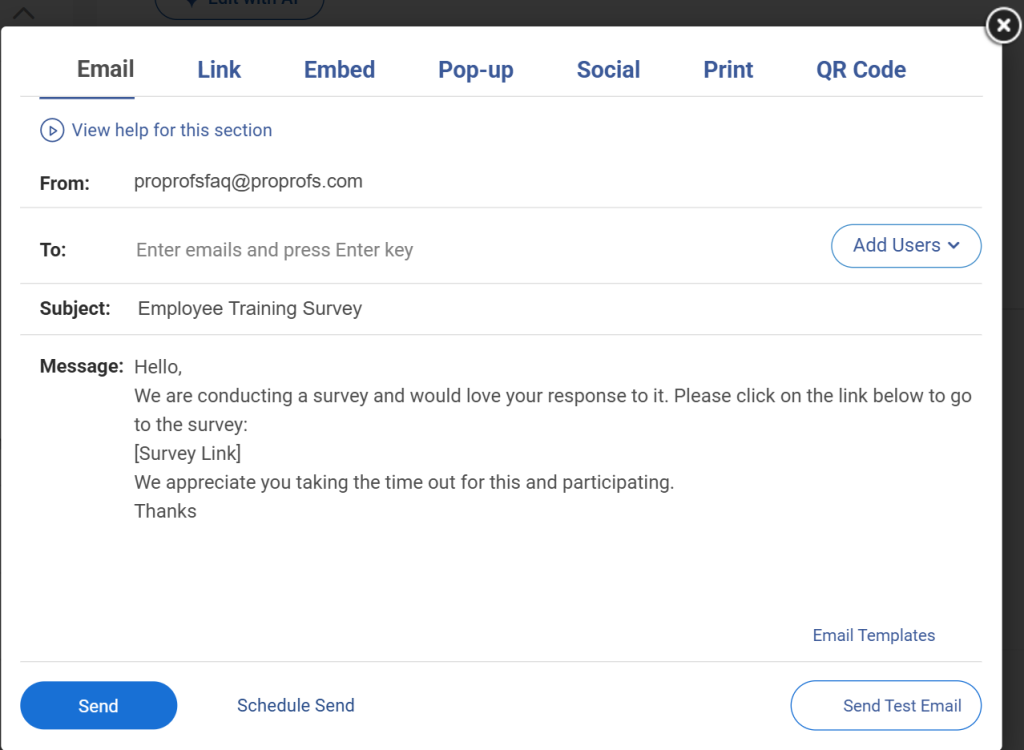
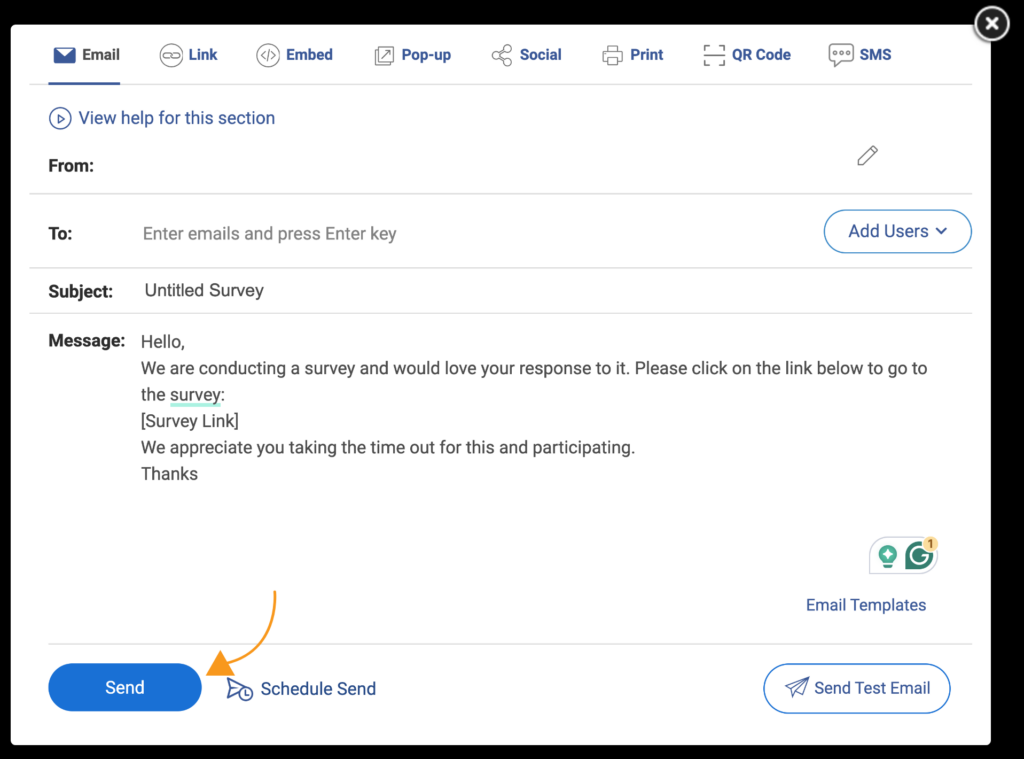
ProProfs Survey Maker offers omnichannel distribution of the same survey across email, QR code, website embed, and in-app popup, so responses land in one dashboard instead of five separate exports.
Step 2: Build a Tagging Taxonomy Before You Touch Any Tool
A taxonomy is the set of categories you’ll sort feedback into. Without it, AI tools have nothing consistent to apply, and two analysts will tag the same comment two different ways.
Start broad, then add subcategories as patterns emerge. Here’s a taxonomy you can copy as a starting point:
Category
Example Subcategories
Product
Performance, Features, Reliability
Onboarding
Setup Time, Documentation, Training
Pricing
Value Perception, Billing Issues
Support
Response Time, Resolution Quality
Keep tags mutually exclusive where possible, and document each one with a short example so new team members apply them consistently.
Step 3: Run Sentiment Analysis to Separate Signal From Noise
Sentiment analysis for customer feedback flags whether a response leans positive, negative, or neutral, so you’re not reading every comment cold. It’s a filter, not a final verdict, so validate it before you trust it:
Run your tagged feedback through a sentiment tool to sort it into positive, negative, and neutral buckets.
Pull a random sample of 20 to 30 responses from each bucket.
Read that sample yourself and count how many are mislabeled.
Hold off on trusting the aggregate score if more than one or two in the sample are wrong until you retrain or adjust the tool.
Users repeatedly flag the same issue: sarcasm, mixed feedback like “great product, terrible billing,” and industry-specific phrasing trip up even well-rated tools.
That’s exactly what your spot check is meant to catch.
Here’s how sentiment analysis works:
Step 4: Use AI to Cluster Themes at Scale
This is where a customer feedback analysis AI tool earns its keep:
Feed your tagged, sentiment-scored feedback into the AI tool.
Ask it to group similar comments into clusters automatically.
Sort clusters by volume and review only the top five to ten.
Name each cluster something specific, like “checkout errors” instead of “bugs,” so it’s usable in step five.
That’s usually where most of your actionable signal lives, and it keeps this step from turning into another open-ended reading exercise.
According to 2025 research from Master of Code Global, analyzing feedback (28%) is now one of the three most common AI applications customer teams build, alongside routing requests (29%) and chatbot deployment (26%). That signals this is no longer an experimental use case.
It’s becoming standard practice.
Step 5: Cross-Reference Themes With Your Quantitative Scores
A theme on its own is interesting. A theme that correlates with a drop in NPS or CSAT is actionable:
Pull the score tied to each response within a theme.
Calculate the average score for that theme.
Compare it against your overall baseline score.
Flag any theme running five to ten points below baseline as a priority candidate, even before weighing frequency in step six.
If a theme like “confusing pricing page” spikes right alongside a CSAT dip, you have both the what and the why in one view, which is far more convincing to leadership than either number alone.
Step 6: Prioritize by Frequency and Business Impact, Not Volume of Words
Long, detailed complaints get noticed. Short, frequent ones often matter more. Score each theme on two axes: how many respondents mentioned it, and how directly it touches retention, conversion, or revenue.
A practical way to do this:
Tag each theme with a frequency count
Tag each theme with an estimated revenue or retention link, even a rough one
Rank by the combination, not by either factor alone
Assign one owner per theme before you move on
Step 7: Close the Loop and Track the Outcome
Acting on feedback without telling the customer is a missed opportunity. Closing the loop has two parts:
Tell the customer what changed, using a short, personal message rather than a generic notification.
Send it within a week of the fix shipping, while the original feedback is still fresh.
Here’s a template you can adapt:
“Hi [Name], you mentioned [issue] in your last response. We just shipped [fix], and wanted you to be the first to know.”
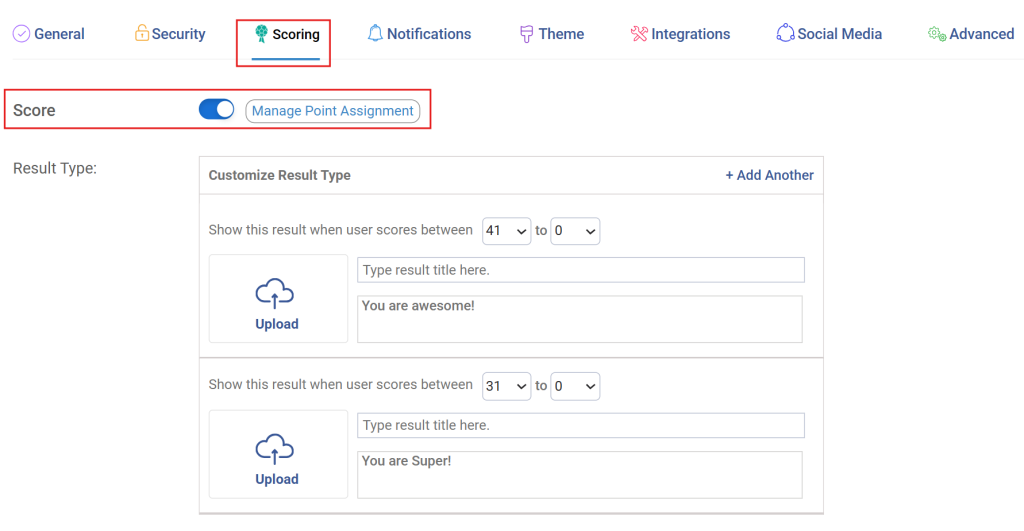
ProProfs Survey Maker’s NPS surveys support automatic scheduling and scoring, so a detractor follow-up survey can go out the moment a low score comes in, without anyone manually tracking the trigger.
What Should You Look for in a Customer Feedback Analysis Tool?
Before you commit to a platform, weigh it against the same criteria that keep showing up in real user reviews on G2 and Capterra, not just the feature list on a sales page.
Criterion
Why It Matters
What to Watch for
Auto-Categorization
Saves you from manually tagging every comment
Tools that still require building rules from scratch defeat the purpose
Sentiment Accuracy
Determines whether your “negative” bucket is trustworthy
Mixed or sarcastic feedback is where most tools slip
Multichannel Ingestion
Let’s you analyze surveys, reviews, and tickets together
Tools limited to one channel force you back into manual merging
Value for Money
Consistently the lowest-rated dimension for enterprise platforms on review sites
Per-seat or per-response pricing can scale against you as volume grows
For a small or mid-size team running this in-house, this is usually where the build-versus-buy decision lands.
AI handles the grunt work of tagging and sentiment. A person still owns prioritization and follow-up.
How Do You Analyze Customer Feedback Using ProProfs Survey Maker?
Most of the seven steps above can run on a single platform rather than being stitched together across a survey tool, a spreadsheet, and a separate analytics tool.
Here’s how that looks in ProProfs Survey Maker:
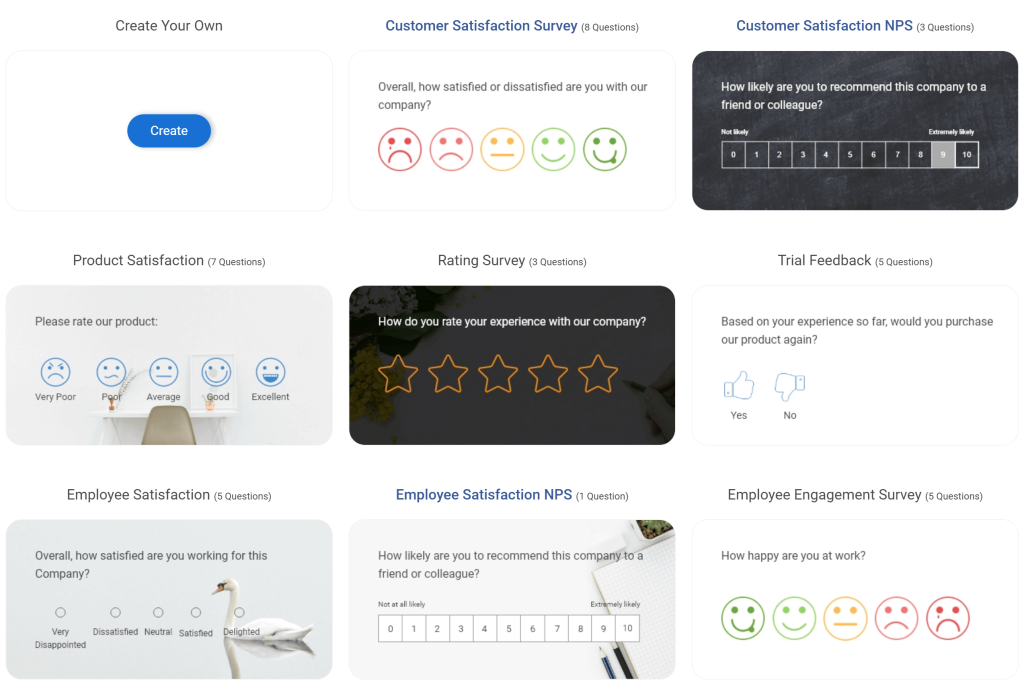
Describe your survey goal in plain language to the AI Survey Maker, and it builds a complete survey with the right mix of scaled and open-ended questions, using the same data structure as steps 2 and 5 above.
Try the AI survey maker using this prompt: “Build an NPS survey for our SaaS customers, asking why they gave that score with one open-ended follow-up question.”
Score responses automatically with scored surveys, so each respondent is bucketed into a range the moment they submit, instead of you tagging sentiment after the fact.
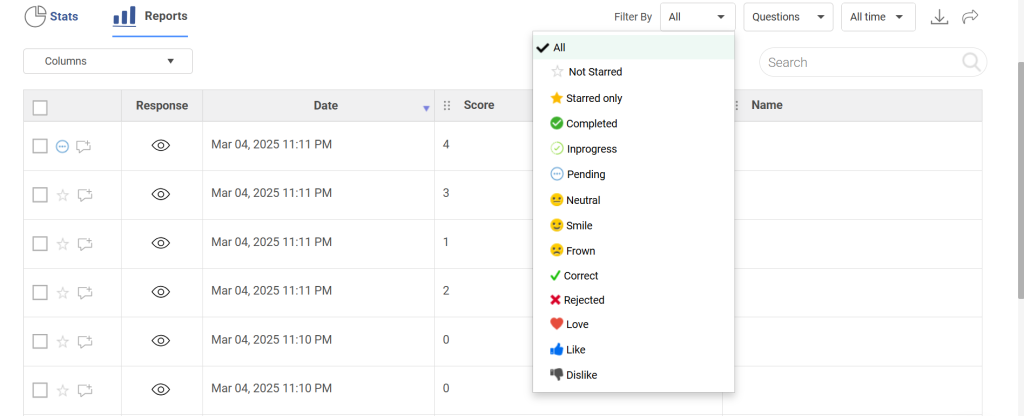
Filter reports by segment, date range, or question to confirm whether a theme is isolated to one group or showing up across your whole customer base.
Export the filtered data to Excel, or sync it to Salesforce or HubSpot, to cross-reference themes against revenue or retention data from step 5.
Schedule automatic NPS follow-up surveys to detractors the moment a low score comes in, closing the loop from step 7 without anyone manually tracking the trigger.
FREE. All Features. FOREVER!
Try our Forever FREE account with all premium features!
Turn Customer Feedback Analysis Into a Habit, Not a Quarterly Report
Customer feedback analysis breaks down the same way on most teams: someone builds a clean dashboard, presents it once, and nobody opens it again until the next review cycle.
The dashboard was never the deliverable. The decision was supposed to drive.
That’s the standard worth holding this process to.
A theme that gets tagged but never assigned an owner is just trivia.
A theme that gets tagged, ranked by impact, fixed, and followed up on with the customer who raised it is what actually moves NPS, CSAT, and renewal numbers in the next cycle.
For HR teams running engagement surveys, consultants scoring discovery calls, or CX leads watching NPS, the seven steps above hold up regardless of team size: collect feedback in one place, tag consistently, let AI handle the first pass, and keep a person accountable for what happens next.
Skip any one of those, and the rest collapses back into another report nobody reads.
The fastest way to test this is to plug it into a real survey rather than theorize about it.
Try ProProfs Survey Maker to launch your next NPS or CSAT survey and start feeding real data into this process today.
Frequently Asked Questions
What is the difference between customer feedback analysis and user feedback analysis?
Customers are always users, but users aren't always customers. User feedback analysis looks at in-product behavior, usability, and how people interact with specific features. Customer feedback analysis covers the full relationship: pricing perceptions, support quality, and the reasons someone renews or churns. If you're only tracking in-app behavior, you're missing the commercial half of the picture.
How often should you analyze customer feedback?
Run a lightweight pass weekly to catch emerging issues before they spread, and a deeper, prioritized review monthly or quarterly to confirm whether earlier patterns are getting worse or improving. Waiting longer than a quarter lets small, fixable issues compound into the kind of recurring complaint that shows up in every review cycle with no clear owner.
Can a small team analyze feedback without a dedicated data analyst?
Yes, especially with AI handling the first pass of tagging and sentiment scoring across high volumes of feedback. A small team's job shifts from reading every single response manually to reviewing AI-generated themes, spot-checking a sample for accuracy, and owning the action items that come out of each prioritized theme.
What is aspect-based sentiment analysis?
Aspect-based sentiment analysis scores sentiment for each topic within a single response separately, instead of giving the whole comment one blended label. A response like "great product, slow support" registers as positive for product and negative for support, which is far more useful than averaging the two into a single neutral-sounding score.
What is the difference between NPS analysis and CSAT analysis?
NPS measures overall loyalty and how likely a customer is to recommend you, while CSAT measures satisfaction with one specific interaction, like a support ticket or onboarding call. Analyzing them together shows whether a single bad interaction is dragging down a customer's broader loyalty, or whether the relationship is healthy despite one rough touchpoint.
Do AI sentiment tools replace human review entirely?
No. AI accelerates tagging and surfaces themes far faster than manual reading, which is genuinely useful at scale. But sarcasm, mixed feedback like "great product, terrible billing," and industry-specific phrasing still trip up even well-rated tools, so a person checking a sample of the output before you act on it stays part of the process.
What is voice of the customer analysis?
Voice of customer, or VOC, is the broader practice of capturing customer language across every channel, surveys, reviews, support calls, and social media, then feeding it back into product and service decisions. Customer feedback analysis is the specific method that makes VOC usable, turning raw language into a ranked list of themes someone can act on.
How long does it take to see results from customer feedback analysis?
Most teams identify their first genuinely actionable theme within the first analysis cycle, often two to four weeks, depending on feedback volume. Measurable score movement, like a shift in NPS or CSAT, typically takes one to two more cycles after you act on that theme, since customers need time to notice and respond to the fix.
Let ProProfs AI Build a Survey
Describe your survey and we'll create it for you
FREE. All Features. FOREVER!
Try our Forever FREE account with all premium features!
ProProfs Survey Maker Editorial Team is a passionate group of seasoned researchers and data management experts dedicated to delivering top-notch content. We stay ahead of the curve on trends, tackle technical hurdles, and provide practical tips to boost your business. With our commitment to quality and integrity, you can be confident you're getting the most reliable resources to enhance your survey creation and administration initiatives.




 We'd love your feedback!
 Thanks for your feedback!