

Microsoft Forms works well for one specific thing: internal data collection within a Microsoft 365 organization.
Quick team polls in Teams, quizzes attached to a SharePoint page, and basic event RSVPs. If that’s all you need, it does the job without any additional spend.
The moment the use case changes, whether that’s NPS tracking, branded customer-facing surveys, scored assessments, or feedback programs that need to connect to a CRM, you’re working against the tool rather than with it.
I’ve gone through 10 Microsoft Forms alternatives that each solve a specific version of that problem.
ProProfs Survey Maker leads this list because it addresses the widest set of Microsoft Forms limitations in one place, without per-user pricing or feature gating.
Why Do Teams Look for Microsoft Forms Alternatives?
I’ve gone through enough reviews, forum threads, and practitioner discussions to see the same frustrations come up again and again.
Here’s what actually drives people to search for something better.
- You can’t track who started a form and didn’t finish it. If someone drops off mid-survey, that data is gone.
- Reporting means opening Excel. There’s no way to filter, segment, or chart responses directly inside the tool.
- The branching logic only goes so far. You get basic IF/THEN conditions. The moment you need AND/OR rules or a visual logic flow, you’ve hit the wall.
- Microsoft Forms isn’t a standalone product. If your organization doesn’t pay for Microsoft 365, you can’t use it at all.
- There’s no NPS survey type. No scored surveys. No custom result pages. If your use case is feedback measurement rather than data collection, the tool simply wasn’t built for it.
- External surveys look like Microsoft made them, because Microsoft did. There’s no custom CSS, no custom domain, and no way to remove the Microsoft visual identity from what your customers see.
- Third-party integrations require workarounds. Connecting to Salesforce, HubSpot, Slack, or Google Sheets requires using Power Automate or Zapier. Nothing is native outside the Microsoft stack.
- The published limits aren’t always the real limits. Users building complex forms have hit question caps and save failures well before reaching the numbers Microsoft documents.
- Complex surveys break the builder. Forms with deep branching logic or large datasets can freeze mid-build for users, forcing them to split a single survey into multiple forms.
- There’s no dedicated mobile app for form creators. You can fill out a form on mobile, but building and managing forms on the go isn’t well supported.
10 Best Microsoft Forms Alternatives
I’ve laid out all 10 tools in the table below so you can scan by use case, Capterra rating, and pricing before going deeper. If one jumps out immediately, skip ahead to that entry.
If you’re still figuring out which problem you’re solving, read through in order.
| Tool | Best For | Key Strength | Capterra Rating | Starting Price |
| ProProfs Survey Maker | NPS, scored surveys, AI-generated surveys | All premium features on the free plan, no per-user pricing | 4.8/5 | Free forever. Paid from $19.99/month |
| Google Forms | Free, no-frills data collection in Google Workspace | Unlimited responses, no subscription needed | 4.7/5 | Free |
| Typeform | Conversational, design-forward surveys | One-question-at-a-time format improves completion on short surveys | 4.7/5 | Free plan available. Paid from $28/month |
| Jotform | Form-heavy workflows, payment collection | 10,000+ templates, 30+ payment gateways, broad integrations | 4.7/5 | Free plan available. Paid from $19.50/month |
| SurveyMonkey | Mid-market survey programs, benchmarking | Largest template library, industry benchmarking data | 4.6/5 | Paid from $30/month (individual) |
| Alchemer | Complex branching, mid-enterprise research | Custom scripting, R integration, automated data cleaning | 4.5/5 | On request |
| QuestionPro | Research-grade surveys, large organizations | 350+ question types, offline collection, 100+ languages | 4.8/5 | Free plan available. Paid from $83/month |
| SurveySparrow | Conversational NPS, omnichannel feedback | Chat-style surveys, 130+ languages, and reputation management | 4.4/5 | Paid from $19/month |
| Zoho Survey | Zoho ecosystem users, multilingual surveys | Affordable, native Zoho CRM integration, NPS support | 4.6/5 | From $7.42/month |
| SurveyLegend | Visually rich, mobile-first surveys | Image-based questions, strong mobile rendering | 4.6/5 | Free plan available. Paid from $15/month |
Each of these tools earns its place on this list for a specific reason, not because it’s a popular name in the survey software category.
I’ve written each entry in the order I’d recommend them to someone who has just hit the Microsoft Forms ceiling and is figuring out what to look at next.
The first tool covers the most ground. The ones further down the list are for teams with a more specific constraint.
1. ProProfs Survey Maker: Best for Easily Creating Custom Customer Surveys, CSAT, CX, & NPS Forms Using AI
I put ProProfs Survey Maker first on this list because it addresses more of the specific reasons teams leave Microsoft Forms than any other tool here.
The scored survey capability is the feature worth calling out first. I can assign point values to individual answers, set score ranges, and show respondents a custom result page based on where they land.
That directly covers what Microsoft Forms doesn’t support at all: assessments where a raw score isn’t enough, and you need a result tied to context. It’s directly useful for HR maturity assessments, lead qualification surveys, coaching program worksheets, and educational evaluations.
The AI Survey Maker is the most meaningful differentiator for teams switching from Microsoft Forms. I describe my survey goal in plain language, and the tool generates a complete, ready-to-send survey in seconds. You can try building your survey here:
Let ProProfs AI Build a Survey
Describe your survey and we'll create it for you
Beyond generating a full survey from a plain-language prompt, the tool also suggests individual questions as you build, and can generate a complete survey directly from an uploaded PDF, DOCX, or TXT file, useful for turning an existing intake form or assessment rubric into a live survey in minutes.
For teams that build new surveys regularly, that removes the blank-page problem entirely. Add to that 100+ professionally designed templates, 1,000,000+ ready-to-use questions, NPS scheduling with automatic scoring, skip logic and branching, 20+ question types, and support for 70+ languages.
Pros:
- Scored surveys with custom result pages, a direct Microsoft Forms gap
- AI-powered survey generation from a plain-language goal description
- White label add-on for agencies and enterprise buyers at $300/year
- 100+ templates and 1,000,000+ ready-to-use questions across every industry
- Free plan includes all premium features with no capability gating
- Integrations with Salesforce, HubSpot, Mailchimp, Zendesk, and more
- 70+ languages with GDPR and ADA compliance built in
Cons:
- Free plan caps at 50 responses per month
- Template design variety is the most common reviewer improvement request
How It Compares to Microsoft Forms: Microsoft Forms gives you a basic form builder tied to a Microsoft 365 subscription, with no NPS, no scored surveys, and reporting that routes through Excel. ProProfs Survey Maker gives you a purpose-built survey platform with all three, available free and requiring no Microsoft account.
Pricing: Free forever plan available. Paid plans from $19.99/month.
Capterra Rating: 4.8/5
2. Google Forms: Best for Free, No-Frills Data Collection in Google Workspace
If my primary reason for looking at alternatives is the Microsoft 365 subscription requirement, Google Forms is the most direct swap. It’s free with no response caps, no form limits, and no subscription gate.
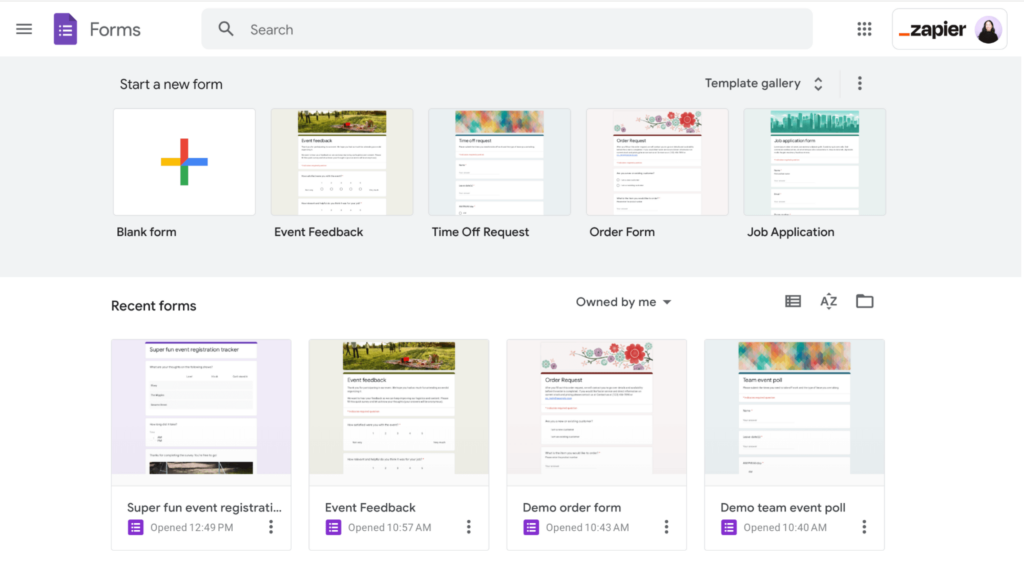
For teams already in Gmail, Google Drive, or Google Sheets, responses flow directly into a linked spreadsheet with zero configuration needed.
The simultaneous collaboration feature lets multiple team members edit the same form, which is practical for distributed teams.
The important context I want to be upfront about: Google Forms and Microsoft Forms share a nearly identical functional ceiling. Both lack basic conditional logic, NPS survey types, scored surveys with custom result pages, custom branding beyond a header image, payment collection, and HIPAA compliance.
Pros:
- Completely free with unlimited forms and unlimited responses
- Native Google Sheets integration for real-time data sync
- Simultaneous team collaboration on form editing
- Familiar, low learning curve for anyone already in Google Workspace
Cons:
- No NPS, scored surveys, or advanced survey types
- No custom branding, custom domain, or white labeling
- No HIPAA compliance
- Conditional logic is basic compared to dedicated survey platforms
How It Compares to Microsoft Forms: Same functional category, different ecosystem. Google Forms is more accessible (no paid subscription required) and connects more easily to non-Google tools. Neither is built for serious survey programs.
Pricing: Free
Capterra Rating: 4.7/5
3. Typeform: Best for Conversational Surveys With Higher Completion Rates
I’d point to Typeform first when a team’s primary complaint about Microsoft Forms is that external respondents aren’t finishing surveys.
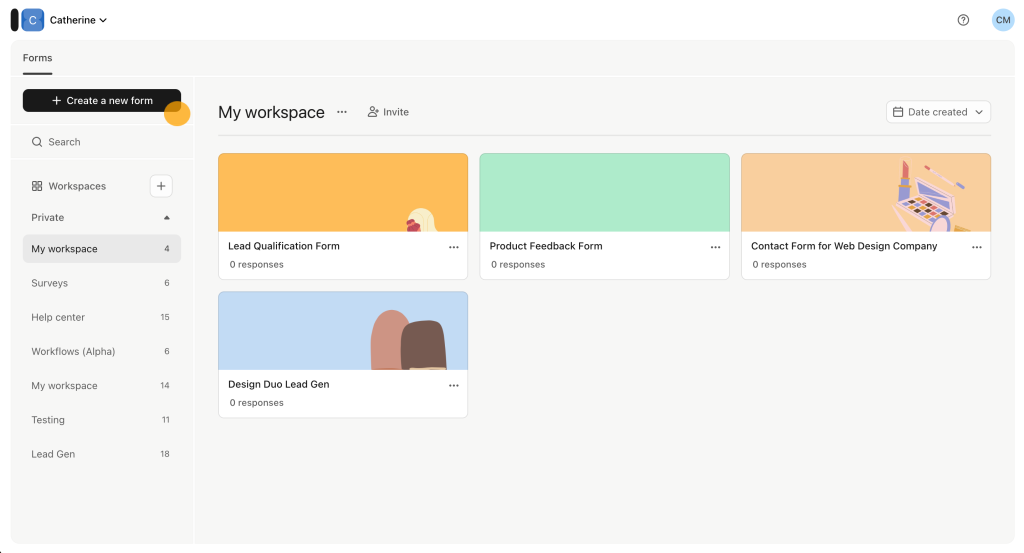
The one-question-at-a-time format is its defining feature and the most consistent topic across reviews on every platform.
A Typeform user who switched from Microsoft Forms told me that the experience revealed “the level of Stockholm Syndrome I’d had” with the old tool. That’s a strong signal about how different the respondent experience feels.
For longer, more complex surveys, the one-question format can undermine completion rates. The consistent limitation: Typeform is not the right pick for advanced conditional logic, HIPAA compliance, or payment-heavy workflows.
The pricing concern is the most consistent signal, and I’d flag it upfront. The free plan caps at 10 responses per month, which makes it a test environment, not a working one.
Pros:
- One-question-at-a-time format improves completion on short external surveys
- Visually polished output with minimal design effort
- 3,000+ templates across use cases
- Conditional logic covers most standard branching scenarios
- Integrates with HubSpot, Mailchimp, Slack, Google Sheets, and Stripe
Cons:
- Free plan caps at 10 responses per month, unusable for real programs
- Reporting and analytics are thinner than dedicated survey platforms
- Pricing climbs steeply with response volume; it is consistently flagged as expensive for small teams
- A one-question format can frustrate respondents on longer surveys
How It Compares to Microsoft Forms: Microsoft Forms produces functional but respondent-unfriendly surveys for anything longer than five questions. Typeform inverts that: it’s purpose-built for the respondent experience on short external forms. If low completion rates are the actual problem, Typeform addresses it. If survey depth, NPS, or analytics are the problem, it doesn’t.
Pricing: Free plan available (10 responses/month). Paid plans from $28/month.
Capterra Rating: 4.7/5
4. Jotform: Best for Form-Heavy Workflows With Payment Collection
Jotform handles use cases that go well beyond surveys, and that’s exactly the point. Registration forms with payment collection, approval workflows, conditional email routing, file uploads, and e-signatures.
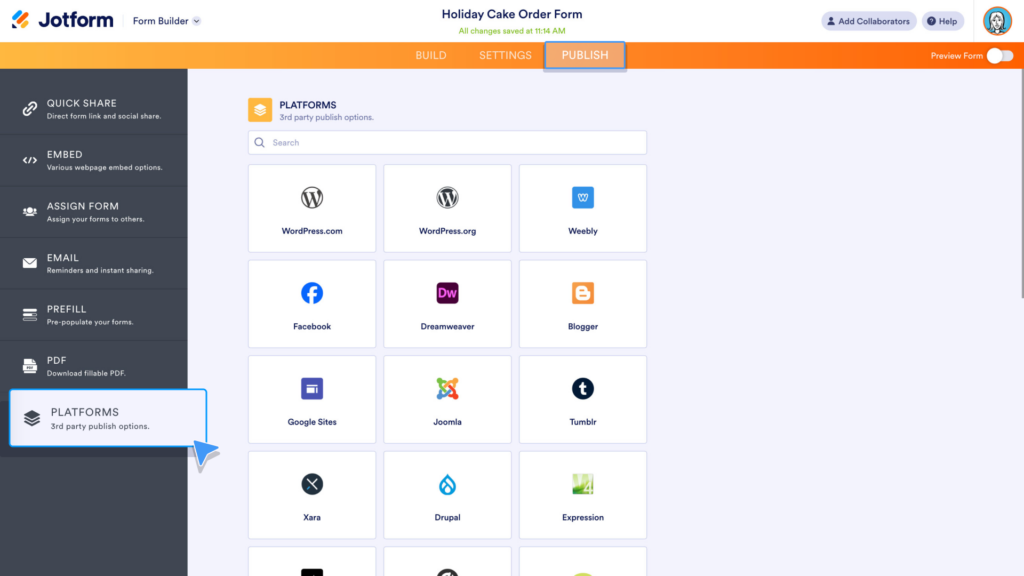
If my use case is intake or transaction processing rather than a feedback survey, Jotform’s 10,000+ template library almost certainly has a starting point.
An operations lead said it “provided the best user experience at an affordable cost” when they needed multiple approvals built into a workflow.
Three complaints consistently appear, and I wouldn’t ignore them. Advanced features are locked behind higher-tier plans.
Complex forms with extensive conditional logic can become “glitchy,” and support-reported issues are slow to be resolved. Per-user licensing makes shared form management across a team costly at scale.
Pros:
- 10,000+ templates across every industry and form type
- Payment collection through 30+ payment gateways
- File upload, e-signature, and approval workflow support
- 100+ native integrations plus Zapier
- Generous free plan (5 forms, 100 responses/month) to test before buying
Cons:
- Complex conditional logic forms can become glitchy; reviewer-reported support is slow on bug resolution
- White labeling and advanced features are enterprise-tier only
- Per-user pricing makes team-wide access costly
How It Compares to Microsoft Forms: Microsoft Forms cannot collect payments, handle e-signatures, or support approval workflows. Jotform covers all three. If my use case looks more like an intake process than a feedback survey, Jotform is the clear step up.
Pricing: Free plan available. Paid plans from $19.50/month.
Capterra Rating: 4.7/5
5. SurveyMonkey: Best for Mid-Market Teams Needing Benchmarking Data
SurveyMonkey has been the default choice for organizational survey programs long enough to accumulate real, deep practitioner feedback.
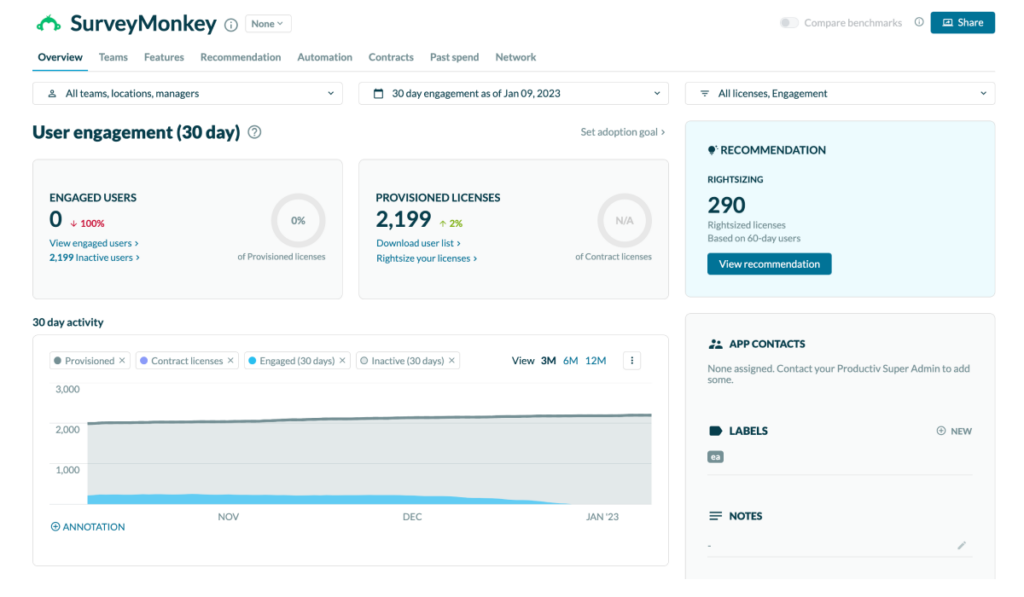
The benchmarking capability is what I’d highlight above everything else here. It lets me compare my NPS or CSAT scores against industry-wide data from SurveyMonkey’s response panel.
For CX teams presenting results to leadership, or HR managers benchmarking engagement against industry norms, that external context is hard to replicate elsewhere.
The free plan caps at 10 survey questions and 25 viewable responses. And it has only “3 devices access at once,” causing friction across shared accounts. Team plans require per-user fees that add up quickly at scale.
Pros:
- 200+ expert-written templates covering most survey use cases
- Benchmarking against industry data from SurveyMonkey’s response panel
- NPS, CSAT, and CES survey types with built-in scoring
- Strong reporting with word clouds, sentiment analysis, and chart customization
- Wide integration support, including Salesforce, HubSpot, and Slack
Cons:
- Free plan is heavily restricted: 10 questions per survey, 25 viewable responses
- Team plans require per-user pricing that grows quickly at scale
- Advanced analytics and export features sit behind higher-tier plans
How It Compares to Microsoft Forms: Microsoft Forms gives you raw response data with basic charts. SurveyMonkey gives you context for that data: benchmarking, sentiment analysis, and reporting built for leadership presentations. If my team needs to present survey findings externally with industry context, SurveyMonkey’s output is more immediately usable.
Pricing: Paid plans from $30/month (individual). Team plans require per-user pricing.
Capterra Rating: 4.6/5
6. Alchemer: Best for Complex Branching Logic and Mid-Enterprise Research
I’d point research-oriented teams toward Alchemer specifically when they’ve genuinely outgrown the logic capabilities of Microsoft Forms and the consumer-grade alternatives above it.
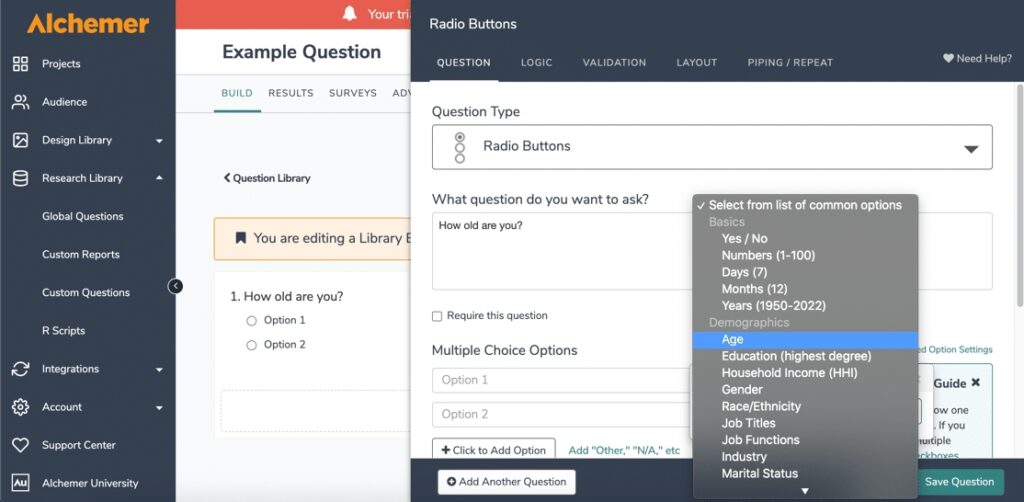
This is not a tool you discover by accident. Teams find it after they’ve already hit the ceiling with SurveyMonkey or another mid-market tool and need something with deeper logic.
The depth of its branching and scripting is what separates it from everything else on this list. I can write custom logic with AND/OR conditions, embed dynamic content, including video, and custom JavaScript, run question piping across long surveys, and integrate R scripts for custom statistical processing directly in the platform.
Alchemer is specifically designed for voice-of-customer programs, market research at scale, and employee experience surveys that require advanced sampling and statistical rigor.
Pros:
- Advanced branching with AND/OR conditions and custom logic scripting
- R script integration for custom statistical analysis directly inside the platform
- Automated data quality flagging for straight-liner and speeder responses
- Embeds dynamic content, including video and custom JavaScript
- Transparent per-seat pricing with no per-response fees
Cons:
- Steeper learning curve than most tools on this list
- Some advanced analytics and custom reports carry additional costs
- Support response times have been flagged in Capterra reviews as slow during complex issue resolution
How It Compares to Microsoft Forms: Microsoft Forms offers basic IF/THEN branching. Alchemer offers a research-grade logic environment. The gap isn’t a feature upgrade; it’s a tool in a different category entirely. If my surveys require complex routing or statistical rigor, Alchemer covers it. If they don’t, it’s more than the situation requires.
Pricing: On request.
Capterra Rating: 4.5/5
7. QuestionPro: Best for Research-Grade Surveys and Large Organizations
QuestionPro is for teams running serious research projects. It lets you create more surveys and receive more responses than SurveyMonkey does for the same cost.
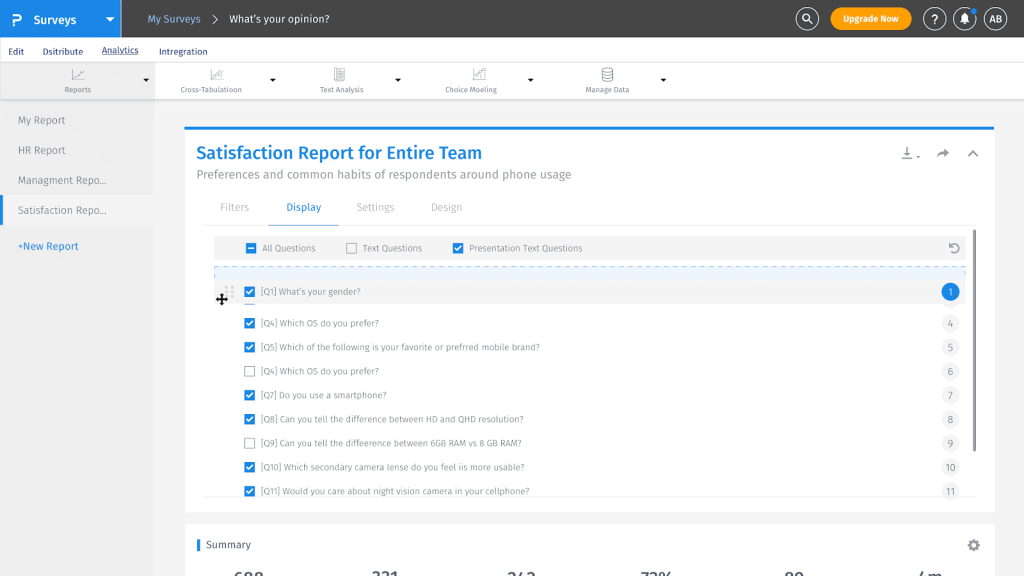
With 350+ question types, offline collection, conjoint analysis, MaxDiff, and multilingual support in 100+ languages, it’s built for organizations that need research methodology baked in: academic institutions, large nonprofits, enterprise CX teams, and market research firms.
I’d flag one honest limitation: QuestionPro’s free plan unlocks its real value at paid tiers. Peers describe the interface as initially less intuitive, though they stayed for the feature depth.
Pros:
- 350+ question types, including conjoint, MaxDiff, and advanced research formats
- 22M+ respondent panel accessible by demographic and geographic filters
- Offline survey collection for field research and clinical settings
- 100+ languages supported
- Reporting with filter-based segment reports and multiple export formats
Cons:
- Interface has a steeper learning curve than SurveyMonkey or Typeform
- Full research feature set requires higher-tier plans priced for enterprise
- Advanced capabilities can feel underused by teams running standard surveys
How It Compares to Microsoft Forms: Microsoft Forms handles quizzes and basic feedback. QuestionPro handles research programs. If I’ve been running a survey inside Microsoft Forms and realized the question types don’t cover what I need to measure, QuestionPro is where that ceiling disappears.
Pricing: Free plan available. Paid from $83/month.
Capterra Rating: 4.8/5
8. SurveySparrow: Best for Conversational NPS and Omnichannel Feedback
SurveySparrow’s core differentiation is its conversational survey format combined with a broader set of CX-focused features than most tools in this category offer.
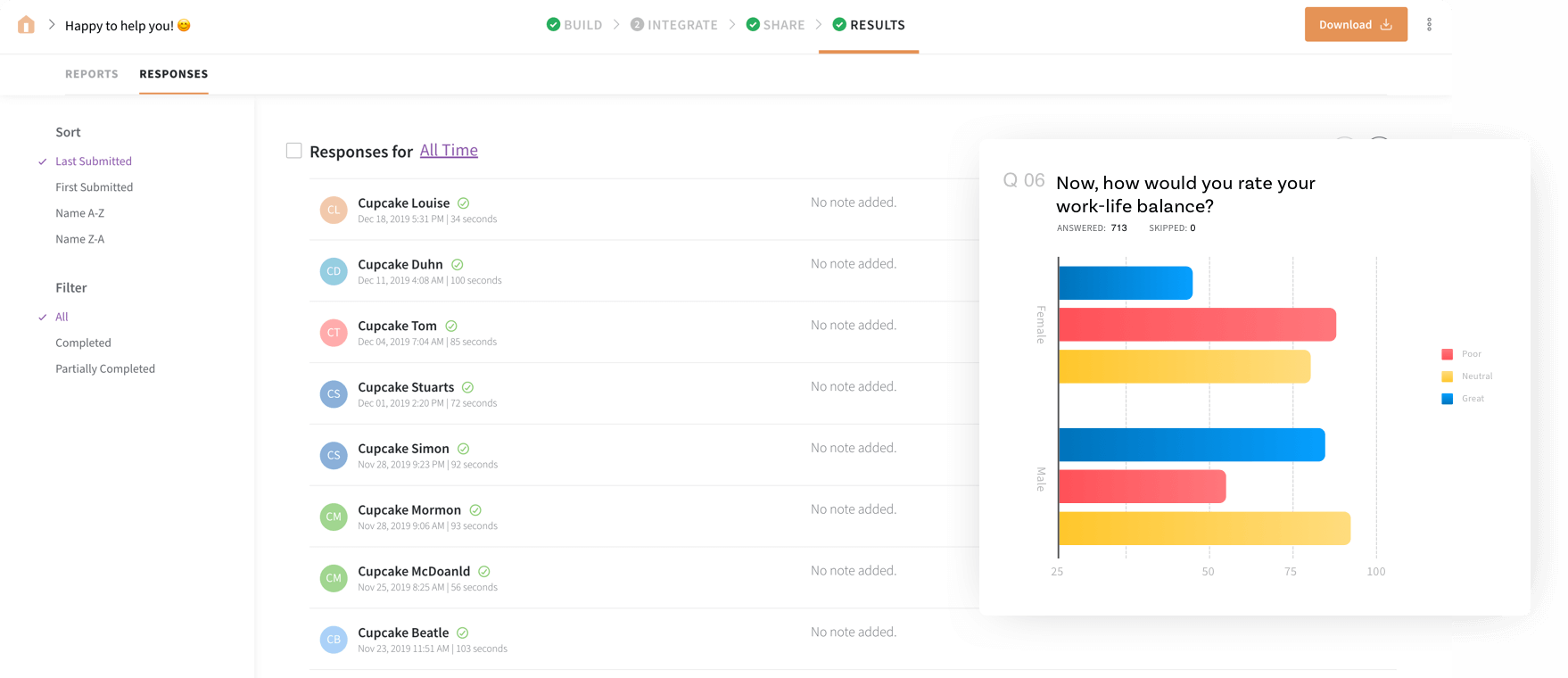
It presents questions one at a time in a chat-like interface, supports NPS and CSAT tracking, and includes a reputation management module for monitoring reviews across Google and Amazon alongside your survey data.
That last feature is the one I haven’t found anywhere else in this category.
The limitation worth knowing before committing: pricing transparency is the most consistent complaint across reviews and community discussions. Most plans require contacting the vendor, and features feel standard elsewhere sit behind premium plans.
Pros:
- Conversational chat-style format for higher completion rates on external surveys
- Built-in NPS, CSAT, and employee feedback use cases
- Reputation management module for review monitoring across Google and Amazon
- 130+ languages for global survey distribution
- Multi-channel sharing: email, web, SMS, Teams, QR code
Cons:
- Pricing not fully transparent; some plans require contacting the vendor
- No “save and come back” feature on surveys, flagged in Capterra reviews
- Smaller Capterra review pool (122 reviews) relative to other tools on this list
- Data management at high volumes has been flagged as difficult in reviewer feedback
How It Compares to Microsoft Forms: Microsoft Forms is a form builder with no native CX or NPS workflows. SurveySparrow is built specifically around ongoing feedback programs, NPS tracking, and omnichannel touchpoints. If I’m trying to run a real customer experience program, the functional difference is substantial.
Pricing: Paid from $19/month.
Capterra Rating: 4.4/5
9. Zoho Survey: Best for Zoho Ecosystem Users and Budget-Conscious Teams
Zoho Survey earns its spot for two specific reasons: it’s genuinely affordable relative to its feature set, and it integrates natively into the Zoho CRM ecosystem, unlike any other tool here.
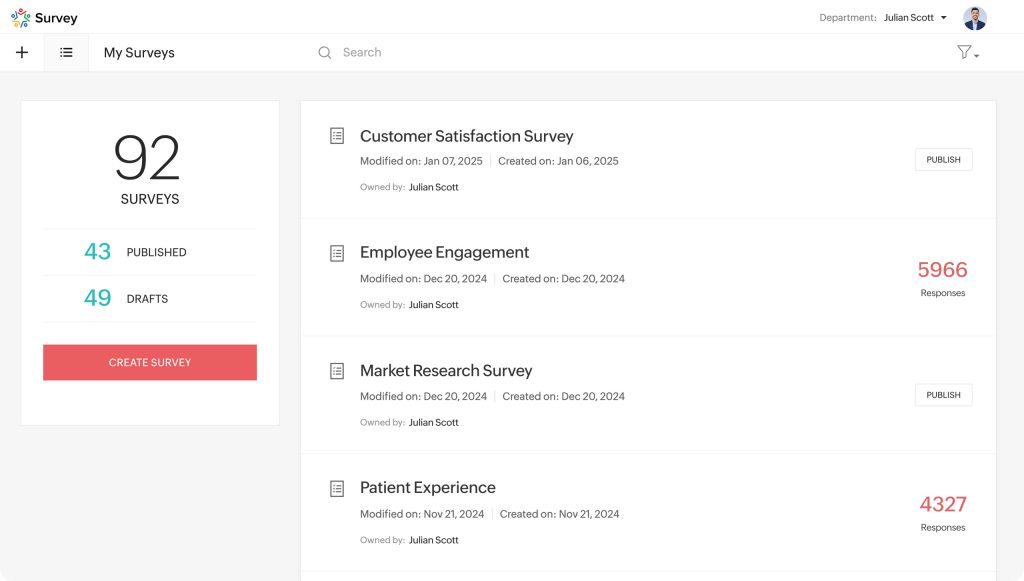
If my team already runs on Zoho CRM, Zoho Desk, or Zoho Analytics, Zoho Survey is the cleanest path to connecting survey data to existing customer records without a middleware layer.
Two honest limitations consistently surface among peers, and I’d flag them upfront. First, the initial navigation is harder to pick up than most tools on this list. Multiple reviewers noted difficulty at the start.
Second, after respondents submit a survey, they are automatically redirected to a Zoho advertisement on certain plan levels. For external-facing surveys where brand experience matters, that’s worth knowing before committing.
Pros:
- Native integration with Zoho CRM, Desk, and Analytics
- NPS, matrix, and continuous sum question types included
- Affordable starting price relative to feature coverage
- Filter-based reporting with export options
- Good template library and multilingual support
Cons:
- Initial navigation is harder to learn than most tools; noted consistently in reviews
- Respondents redirected to a Zoho ad post-submission on lower plan tiers
- The design interface feels dated compared to Typeform or SurveySparrow
How It Compares to Microsoft Forms: Microsoft Forms is tied to the Microsoft ecosystem. Zoho Survey is tied to the Zoho ecosystem. If I’m moving away from Microsoft tools and into Zoho’s product suite, this is the natural replacement for my survey tool. For teams not already in the Zoho stack, the value proposition is narrower.
Pricing: From $7.42/month.
Capterra Rating: 4.6/5
10. SurveyLegend: Best for Visually Rich, Mobile-First Surveys
SurveyLegend addresses a specific complaint that appears in Microsoft Forms reviews and community forums: the survey output looks generic and performs poorly on mobile devices.
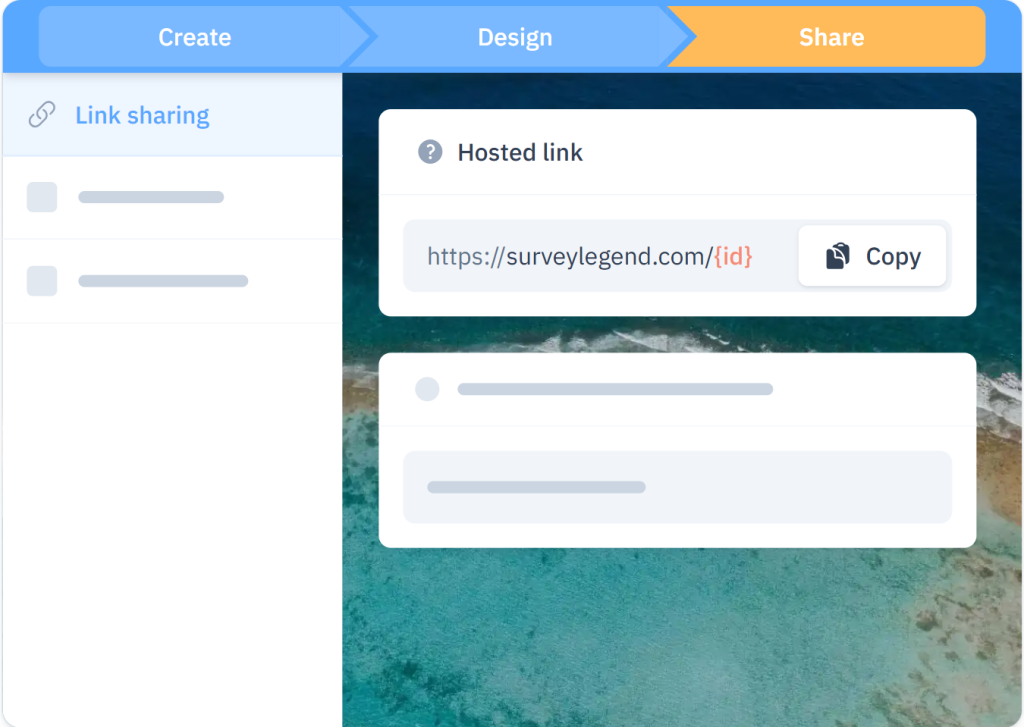
The drag-and-drop builder is intuitive, images scale cleanly across screen sizes, and the survey output looks more deliberately designed than most tools at this price range.
The image ranking question type is a genuine differentiator I haven’t found in the same form elsewhere. Respondents click to rank visual options rather than selecting text-based choices.
The recurring limitations, like data export being locked on the free plan, survey watermarks appearing on all plans below the top tier, and occasional platform glitches, were noted.
Pros:
- Visually polished surveys with strong mobile rendering
- Image ranking question type for preference-based research
- Nearly 1,000 Capterra reviews with consistent praise for the design builder
- Conditional logic and live analytics on paid plans
- Affordable paid entry point
Cons:
- Data export is locked on the free plan
- Survey watermarks persist on all plans below the top tier
- Occasional platform glitches noted in Capterra reviews
How It Compares to Microsoft Forms: Microsoft Forms produces functional but visually generic surveys. SurveyLegend produces surveys that look deliberately designed, especially on mobile. If respondents are completing surveys on phones and the Microsoft Forms output feels generic and unbranded, SurveyLegend addresses that directly.
Pricing: Free plan available (limited lifetime responses). Paid from $15/month.
Capterra Rating: 4.6/5
My Top 3 Picks Among Microsoft Forms Alternatives
I’ve gone through the community feedback, Capterra data, and the documented use cases behind each tool.
If someone asked me to pick three tools that do the most for the most common Microsoft Forms switchers, here’s where I land, and why.
1. ProProfs Survey Maker
For any team that needs NPS, scored surveys, or AI-generated surveys without paying per user or per feature.
The forever-free plan, which includes all premium features, is unusual in this category. The scored survey capability closes the gap Microsoft Forms leaves open for assessments, lead qualification, and feedback-to-action workflows.
The white-label add-on also makes it practical for agencies managing surveys across multiple clients. It’s the tool I’d start with if I were switching from Microsoft Forms and needed to cover the most ground with the least friction.
2. Typeform
For any team where the respondent completion rate on external surveys is a documented problem. The practitioner community is consistent: Typeform’s conversational format works for short, brand-sensitive external surveys.
The pricing makes it harder to justify at scale, but for specific use cases like customer onboarding, lead capture, or post-purchase feedback, it’s the strongest option on this list for that narrow problem.
3. Jotform
For any team whose needs lean toward structured intake rather than feedback measurement. Registrations, payments, approval workflows, and e-signatures are all things Microsoft Forms cannot do.
Jotform’s template depth and payment integration depth make it the clearest upgrade when the primary use case is process-oriented rather than survey-oriented.
How I Evaluated These Microsoft Forms Alternatives
I want to be transparent about how I built this list because the criteria used significantly shape the output.
I didn’t want a list that looks thorough in a comparison table but falls apart the moment you actually try to use one of these tools.
Every platform here was assessed against a consistent set of criteria, not a feature dump.
Community Reviews from Capterra, Verified Forums, and Quora: I pulled verified ratings and qualitative review patterns from each platform. For tools with smaller review pools, like SurveySparrow at 122 reviews, I supplemented with practitioner Quora discussions and Microsoft community forum threads where real patterns emerged. Consistent negative themes across multiple platforms carried more weight than any individual star rating.
Core Features for the Microsoft Forms Switcher Specifically: I evaluated each tool on the features that actually drive teams away from Microsoft Forms: survey types (NPS, scored, conversational), branching logic depth, branding and white labeling, integration with non-Microsoft tools, and reporting quality that doesn’t require an Excel export.
Ease of Use: How fast can a non-technical team member get a real survey live without developer support? Tools that require extended onboarding before delivering any value scored lower, regardless of their feature depth.
Support Quality: Support matters most mid-implementation. I looked at documented response standards and reviewer patterns in Capterra complaints about resolution speed and quality.
Pricing and Real Value: I compared what each tool delivers against its actual price, including plan limits, per-user fees, and features locked behind higher tiers. A clean tool at $19/month that handles the job scores better than a $100/month platform that requires workarounds for standard use cases.
FREE. All Features. FOREVER!
Try our Forever FREE account with all premium features!
How Do You Choose the Right Alternative?
After going through all 10 tools, the pattern I keep seeing is that most people don’t need a better survey platform.
They need one specific thing their current tool can’t do.
The table below maps the most common Microsoft Forms constraints to the tool built to solve each one.
Map the tool to the constraint, not to the feature count.
| If Your Primary Problem Is… | Start Here |
| No NPS or scored survey types | ProProfs Survey Maker |
| Low completion rates on external surveys | Typeform |
| You need form workflows with payment collection | Jotform |
| You need benchmarking data against industry standards | SurveyMonkey |
| Complex branching logic and research-grade question types | Alchemer or QuestionPro |
| You’re already in the Zoho ecosystem | Zoho Survey |
| Mobile respondents and visual design quality matter most | SurveyLegend |
| CX-focused NPS tracking across multiple channels | SurveySparrow |
| A completely free tool outside the Microsoft ecosystem | Google Forms |
Pick the alternative that solves your actual bottleneck first. You can always expand from there.
Stop Working Around What Microsoft Forms Can’t Do
Most teams don’t start looking for Microsoft Forms alternatives because they don’t like the tool.
They start because they’ve hit a documented wall: no NPS survey type, reporting that requires yet another Excel export, partial submissions that vanish, or external customer surveys that look like a Microsoft product instead of theirs.
Each alternative on this list solves a different part of that problem.
If the gap is in survey depth, NPS tracking, or scored assessments, ProProfs Survey Maker closes it directly, without per-user pricing that penalizes teams as they grow.
Frequently Asked Questions
What is a Microsoft Forms alternative?
A Microsoft Forms alternative is a survey or form-building tool that replaces Microsoft Forms for use cases it wasn't built to handle, such as NPS tracking, scored assessments, branded external surveys, or CRM-connected feedback programs. Unlike Microsoft Forms, these tools don't require a Microsoft 365 subscription and typically offer dedicated survey logic, reporting, and integrations built for feedback programs rather than basic data collection.
What is the best free alternative to Microsoft Forms?
ProProfs Survey Maker offers a forever-free plan that includes all premium features, unlimited surveys, and up to 50 responses per month. Google Forms is also free with no response limits, but lacks NPS, scored surveys, and advanced branching. ProProfs Survey Maker is the stronger option for teams whose survey needs will grow beyond basic data collection.
Which Microsoft Forms alternative supports NPS surveys?
ProProfs Survey Maker, SurveyMonkey, SurveySparrow, QuestionPro, and Zoho Survey all support NPS surveys natively with automatic scoring and reporting dashboards. Microsoft Forms does not have a built-in NPS survey type at any plan level, so teams have to calculate and track scores manually outside the tool, which adds friction to ongoing NPS programs.
Can I use a Microsoft Forms alternative without a Microsoft 365 subscription?
Yes. Every tool on this list works independently of Microsoft 365. ProProfs Survey Maker, Google Forms, Typeform, and Jotform all require only a standard email signup, with no Microsoft account or existing 365 license needed. This makes them accessible to teams outside the Microsoft ecosystem entirely, including freelancers and small businesses.
Which Microsoft Forms alternative is best for scored assessments?
ProProfs Survey Maker is the strongest option here. You assign point values to individual answers, set score ranges, and show respondents a custom result page based on their total score. This directly supports HR assessments, lead qualification surveys, coaching program worksheets, and educational evaluations, where a single number isn't enough.
What Microsoft Forms alternative is best for small teams on a tight budget?
ProProfs Survey Maker's forever-free plan covers all premium features up to 50 responses per month, with no feature gating. Zoho Survey starts at $7.42 per month, and SurveyLegend starts at $15 per month. All three cost less, in practice, than Microsoft Forms' indirect requirement of a full Microsoft 365 subscription.
Does any Microsoft Forms alternative support white-labeling?
Yes. ProProfs Survey Maker offers a white-label add-on at $300 per year that removes all ProProfs branding from your surveys, including footer links and logos. This matters most for agencies running surveys on behalf of clients and for enterprise teams that need every touchpoint to reflect their own brand, not a vendor's.
Which tools support surveys for a global, multilingual audience?
ProProfs Survey Maker supports 70+ languages, QuestionPro supports 100+ languages, and SurveySparrow supports 130+ languages. All three are substantially stronger than Microsoft Forms for multilingual distribution, since Microsoft Forms relies on browser-level translation rather than native multilingual survey builders.
How long does it take to switch from Microsoft Forms to a different survey tool?
Initial setup on a tool like ProProfs Survey Maker typically takes under an hour. Rebuilding existing form structures takes longer, depending on survey complexity. Some platforms accept CSV imports from Microsoft Forms exports. Where they don't, rebuilding from scratch using template libraries is faster than most teams expect.
FREE. All Features. FOREVER!
Try our Forever FREE account with all premium features!

 We'd love your feedback!
What did you like & how can we make it even better?

 Thanks for your feedback!
 Ask Your Question
Have a question? Get expert help to make your decision easier.